
1. Introduction
The AsiaHorse Hydrus-16PIN 12VHPWR Modular Cable is designed to provide power to NVIDIA RTX 40 Series GPUs. This male-to-male cable connects directly from your power supply to your graphics card, eliminating the need for extension cords. It features a 90-degree connector for improved cable management and includes RGB lighting effects. This manual provides essential information for proper installation, operation, and maintenance of your cable.
2. Important Safety Information
- Ensure your power supply unit (PSU) is compatible with the 12VHPWR standard and can provide sufficient wattage for your GPU and system.
- Always power off your computer and disconnect it from the main power source before installing or removing any components.
- Verify that the cable connectors are fully seated and securely latched into both the GPU and PSU ports. A loose connection can lead to overheating and potential damage.
- Do not force the connectors. If they do not fit easily, recheck the orientation and compatibility.
- Avoid excessive bending or sharp angles of the cable, especially near the connectors, to prevent internal wire damage. The 90-degree design is intended to facilitate proper routing without strain.
- Keep the cable away from sources of extreme heat or moisture.
- If you experience any unusual smells, smoke, or system instability after installation, immediately power off your computer and disconnect the power. Consult a qualified technician.
3. Package Contents
- 1 x AsiaHorse Hydrus-16PIN 12VHPWR Modular Cable
4. Product Features
- Direct Connection: Male-to-male 12VHPWR cable for direct connection between PSU and GPU.
- Efficient Power Delivery: Features a copper wire core and brass tin-plated terminals for lower electrical resistance. Supports up to 800W power input (single wire) and 2000W power supply (whole set).
- 90-Degree Right-Angle Design: Facilitates flexible wiring and neat cable management without bending the cable excessively.
- RGB Lighting Effects: Breathing light mode with 7 color cycles adds aesthetic appeal to your PC build. Note: Not compatible with Aura Sync; custom light adjustments are not supported.
- Durable Construction: Fine frosted touch surface resists scratches and wear, with a diamond pattern design.
- Length: 70cm (27.56 inches) for optimal routing.
5. Setup and Installation
Follow these steps to properly install your Hydrus-16PIN 12VHPWR Modular Cable:
- Power Off System: Ensure your computer is completely powered off and unplugged from the wall outlet.
- Access Components: Open your PC case to access the power supply and graphics card.
- Identify GPU Connector Type: The Hydrus-16PIN cable comes in two models, A and B, based on the orientation of the 4-pin section of the 16-pin connector. It is crucial to select the correct model that matches your GPU's power port orientation to ensure a secure and proper connection.

Image: Identifying the correct Hydrus-16PIN cable model (A or B) based on your GPU's power connector orientation. Model B has the 4-pin head towards the cable direction, while Model A has it in the opposite direction.
- Connect to GPU: Carefully align the 16-pin connector of the Hydrus-16PIN cable with the 12VHPWR port on your graphics card. Push firmly until it clicks into place, ensuring it is fully seated. The 90-degree design should allow for a clean fit without cable bending.
- Connect to PSU: Connect the other end of the Hydrus-16PIN cable to the corresponding 12VHPWR port on your power supply. Ensure this connection is also fully seated and secure. This cable is designed for ATX 3.0 PSUs or compatible NZXT ATX 2.X PSUs.

Image: The 90-degree connector of the Hydrus-16PIN cable securely installed into a GPU, illustrating proper cable routing.

Image: Overview of the 70cm Hydrus-16PIN cable, highlighting its male-to-male 12+4 pin connectors for GPU and PSU connections.
- Cable Management: Route the cable neatly within your PC case. The flexible design and 90-degree connector aid in achieving a clean build.

Image: Example of organized cable routing using the Hydrus-16PIN cable, reducing clutter in the PC case.
- Close Case and Power On: Close your PC case, reconnect the power cable, and power on your system.
6. Operating Instructions
Once installed, the Hydrus-16PIN cable operates automatically to deliver power to your GPU. The integrated RGB lighting will activate upon system power-on.
RGB Lighting Effects
- The cable features a breathing light mode with 7 pre-set color cycles.
- The lighting effects are automatic and cannot be customized or synchronized with other RGB software (e.g., Aura Sync).
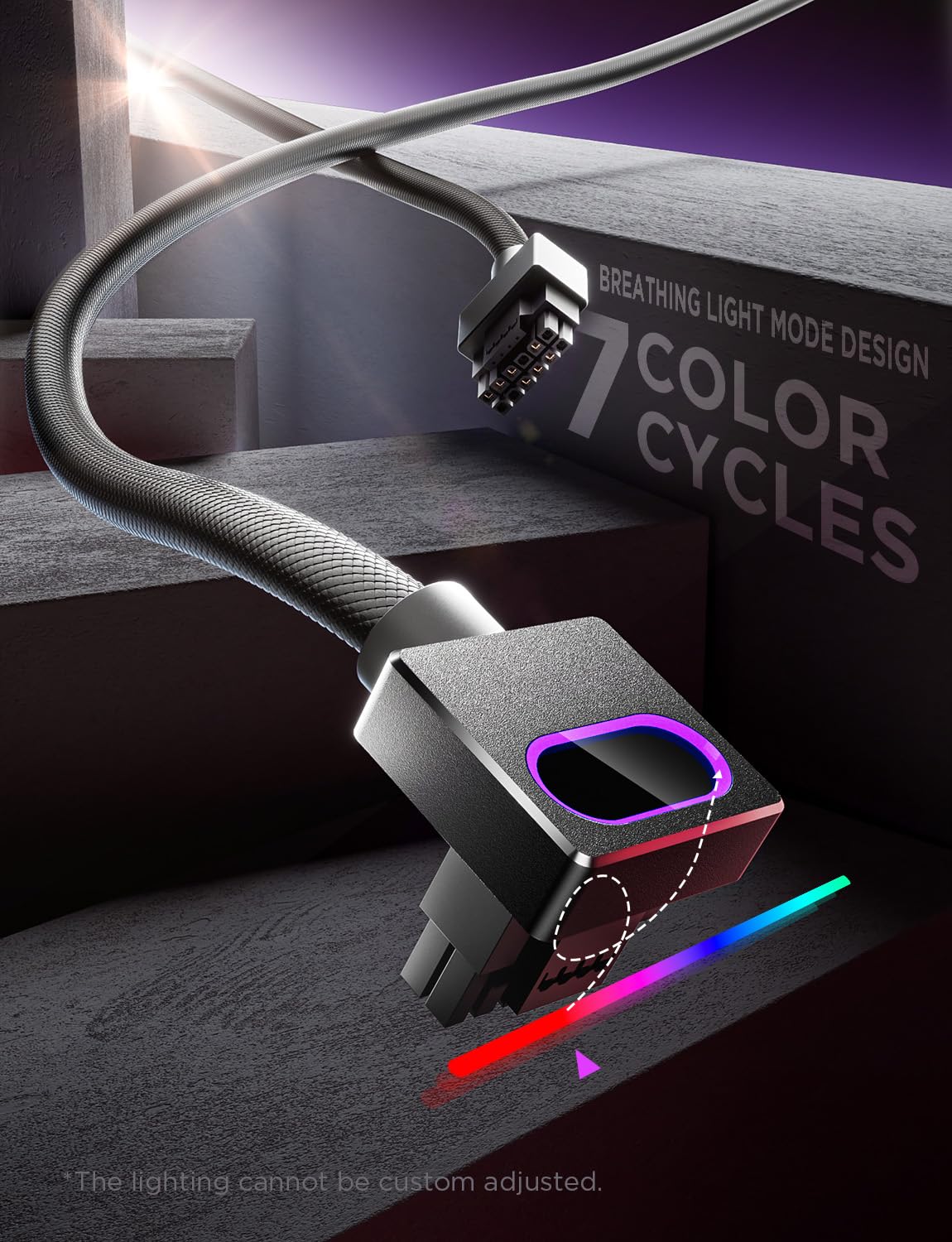
Image: The RGB lighting feature of the Hydrus-16PIN cable connector, showcasing its breathing light mode with 7 color cycles.
7. Maintenance
The Hydrus-16PIN cable requires minimal maintenance:
- Periodically inspect the cable and connectors for any signs of wear, damage, or discoloration.
- Ensure connections remain secure and fully seated.
- Gently clean the cable surface with a dry, soft cloth if dust accumulates. Do not use liquid cleaners or abrasive materials.
8. Troubleshooting
If you encounter issues with your Hydrus-16PIN cable, consider the following:
- No Power to GPU:
- Verify that both ends of the cable are fully and securely seated in the GPU and PSU ports. A common issue is incomplete insertion.
- Ensure your PSU is powered on and functioning correctly.
- Confirm your PSU has sufficient wattage for your GPU.
- System Instability/Crashes:
- Double-check all connections for secure seating.
- Ensure your PSU is compatible with the 12VHPWR standard and can deliver stable power.
- If issues persist, test your GPU with a different, known-good power cable if available, or consult your GPU and PSU manuals for specific power requirements.
- RGB Lights Not Working:
- Ensure the cable is properly connected and receiving power.
- The RGB lighting is automatic; there are no user controls for it.
- Overheating Cable/Connectors:
- Immediately power off your system.
- This is a critical safety concern. Re-verify that the cable is fully seated at both ends, as loose connections can cause resistance and heat buildup.
- Ensure your GPU and PSU are not drawing more power than the cable is rated for.
- If overheating persists after verifying connections, discontinue use and contact customer support.
9. Specifications
| Model Number | Hydrus-16PIN |
| Connector Type | 12VHPWR (12+4-Pin) Male-to-Male |
| Cable Length | 70 cm (27.56 inches) |
| Wattage Support | Up to 800W (single wire), 2000W (whole set) |
| Compatibility | NVIDIA RTX 4070, 4080, 4090 series GPUs; ATX 3.0 PSUs or compatible NZXT ATX 2.X PSUs |
| Special Features | 90° Right-Angle Design, RGB Lighting Effects (7 color cycles, breathing mode) |
| Color | Black |
Video: An official product video demonstrating the features and installation of the AsiaHorse GPU Power Cable.
10. Warranty Information
This product is covered by a 2-Year Manufacturer Warranty. For warranty claims or detailed information, please retain your proof of purchase and contact AsiaHorse customer support.
11. Customer Support
For technical assistance, troubleshooting, or general inquiries, please visit the official AsiaHorse website or contact their customer service department. Always refer to your product model number (Hydrus-16PIN) when seeking support.