
Introduction
Thank you for choosing the BAISULI WS2N-20MR-232-Z-S PLC Programmable Controller Board. This industrial control module is designed for reliable performance in various automation applications. This manual provides essential information for the proper installation, operation, and maintenance of your device. Please read this manual thoroughly before use to ensure safe and efficient operation.
Product Overview
The WS2N-20MR-232-Z-S is a compact and stable relay output module, engineered to withstand harsh electromagnetic interference. It is suitable for industrial control equipment across various sectors, including production machinery, assembly lines, and diverse machine tools.

Figure 1: Top view of the BAISULI WS2N-20MR-232-Z-S PLC Programmable Controller Board. This image displays the green terminal blocks for inputs and outputs, the DB9 RS232 serial port, and various electronic components on the circuit board.
Setup and Installation
Proper installation is crucial for the reliable operation of the PLC board. Follow these guidelines:
- Power Supply: Connect the appropriate power supply (24VDC or 220VAC) to the designated power input terminals. Ensure the voltage matches the board's requirements to prevent damage.
- Mounting: Securely mount the PLC board within an industrial enclosure to protect it from environmental factors and ensure stable operation.
- Input Connections: Connect your sensors, switches, and other input devices to the input terminals (e.g., X0, X1, X2...). Refer to the board's labeling for correct assignments.
- Output Connections: Connect your actuators, relays, and other output devices to the relay output terminals (e.g., Y0, Y1, Y2...). Ensure proper wiring for the load type and current rating.
- Communication: Use the RS232 port (DB9 connector) for programming and communication with a computer or other compatible devices.
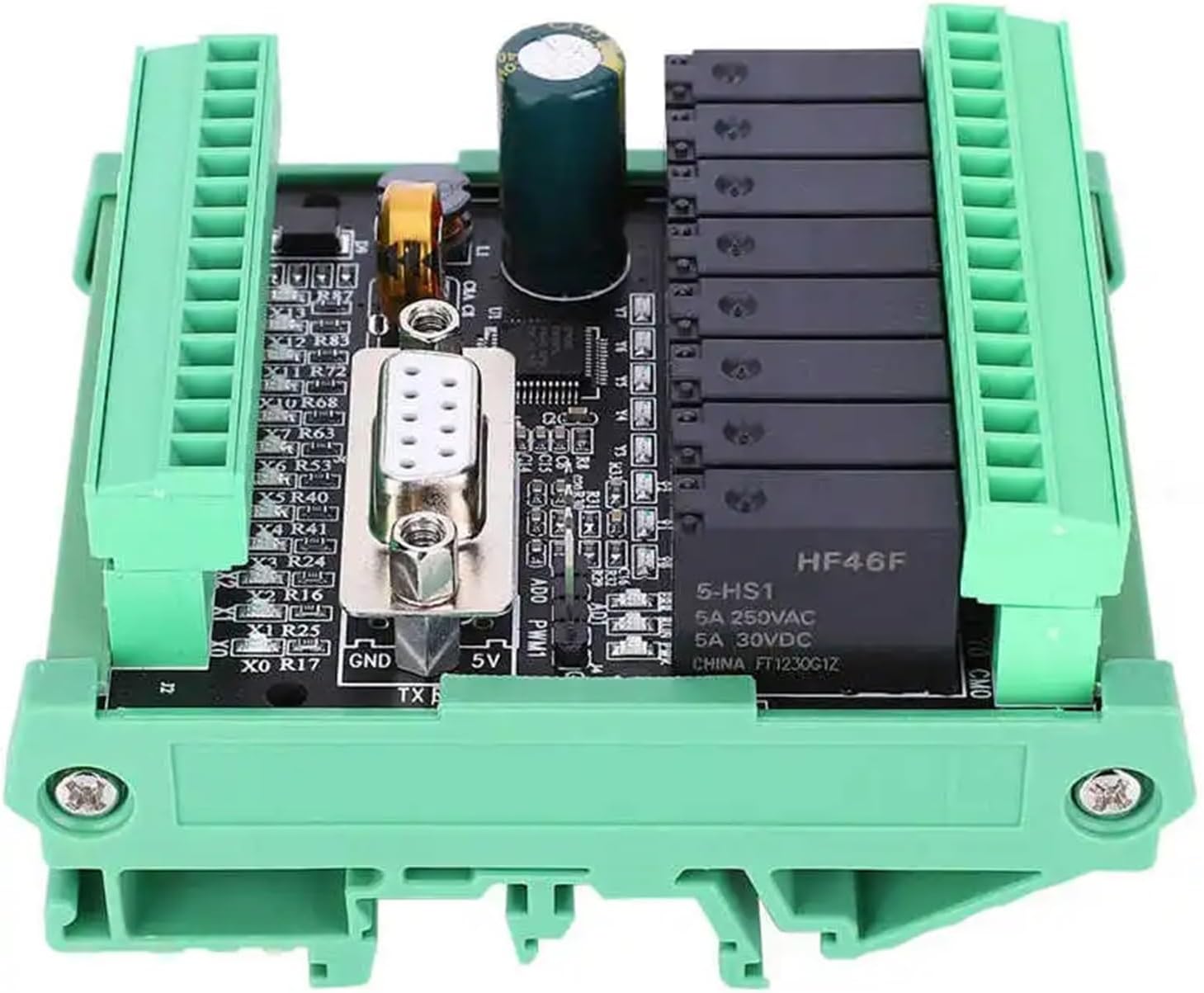
Figure 2: Side view illustrating the relay output modules on the BAISULI PLC board. This view highlights the black relay components and their associated terminal blocks, crucial for connecting controlled devices.
Operating Instructions
The BAISULI WS2N-20MR-232-Z-S PLC board operates based on programmed logic. Programming is typically performed using specialized software via the RS232 communication port.
- Programming: Develop your control logic using compatible PLC programming software. Upload the program to the controller board via the RS232 interface.
- Monitoring: Monitor the status of inputs and outputs through the programming software to verify correct operation and troubleshoot issues.
- Applications: This module is highly versatile and can be flexibly integrated into various industrial automatic control applications, including metallurgy, chemical industry, plastics, textile, food processing, packaging, printing, building materials, woodworking, central air conditioning systems, and environmental protection equipment.
Maintenance
The PLC board is designed for long-term, stable operation with minimal maintenance. However, periodic checks can extend its lifespan and ensure continued reliability.
- Cleaning: Keep the board free from dust and debris. Use a soft, dry brush or compressed air for cleaning. Do not use liquid cleaners.
- Environmental Conditions: Ensure the operating environment remains within specified temperature and humidity ranges. Avoid exposure to excessive moisture, corrosive gases, or strong vibrations.
- Connection Checks: Periodically inspect all wiring connections for tightness and signs of wear or corrosion.
Troubleshooting
If you encounter issues with your PLC board, consider the following common troubleshooting steps:
- No Power:
- Verify the power supply is connected correctly and providing the specified voltage (24VDC or 220VAC).
- Check for blown fuses in the power circuit.
- Inputs Not Responding:
- Ensure input devices (sensors, switches) are wired correctly and functioning.
- Check the input status indicators on the PLC board or via programming software.
- Outputs Not Activating:
- Verify the output wiring to the load device.
- Check the program logic to ensure the output is commanded to activate.
- Confirm the load device is functioning correctly and not drawing excessive current.
- Communication Issues:
- Ensure the RS232 cable is securely connected at both ends.
- Verify communication settings (baud rate, parity, data bits, stop bits) in the programming software match the PLC board's settings.
- Check for driver issues on the computer.
If problems persist, consult the programming software documentation or contact technical support.