
1. Introduction
This manual provides essential information for the safe and efficient operation of your Blue Star 1.5 Ton 3 Star Wi-Fi Inverter Smart Split AC, model IC318VNUS. Please read it thoroughly before using the appliance and keep it for future reference.

Image 1: Front view of the Blue Star Smart Wi-Fi AC indoor unit, displaying 'AI PRO', 'SMART Wi-Fi AC', and 'Works with Alexa Hey Google' logos.
Key Features:
- Smart AC with Voice Command Technology: Control your AC using Amazon Alexa or Google Assistant.
- Wi-Fi Enabled: Manage your AC remotely via the Blue Star Smart App on your smartphone.
- 5-in-1 Convertible Cooling: Adjust cooling capacity across five different modes for optimal comfort and energy efficiency.
- 4-Way Swing: Ensures uniform cooling by dispersing air horizontally and vertically.
- Inverter Compressor: Provides energy-efficient and consistent cooling.
- Dust Filter: Helps maintain indoor air quality.
2. Safety Information
Always adhere to the following safety precautions to prevent injury or damage to the appliance.
- Ensure professional installation by authorized technicians.
- Do not attempt to repair or modify the unit yourself. Contact qualified service personnel.
- Keep the area around the outdoor unit clear of obstructions.
- Do not insert objects into the air outlet or inlet.
- Ensure the power supply matches the unit's specifications.
3. Product Components
Your Blue Star AC package includes the following items:
- 1 Indoor Unit
- 1 Outdoor Unit
- Copper wire (3 m)
- Inter Connecting Pipe (3.5 m)
- 1 Remote Control
- 1 User Manual with Warranty Card
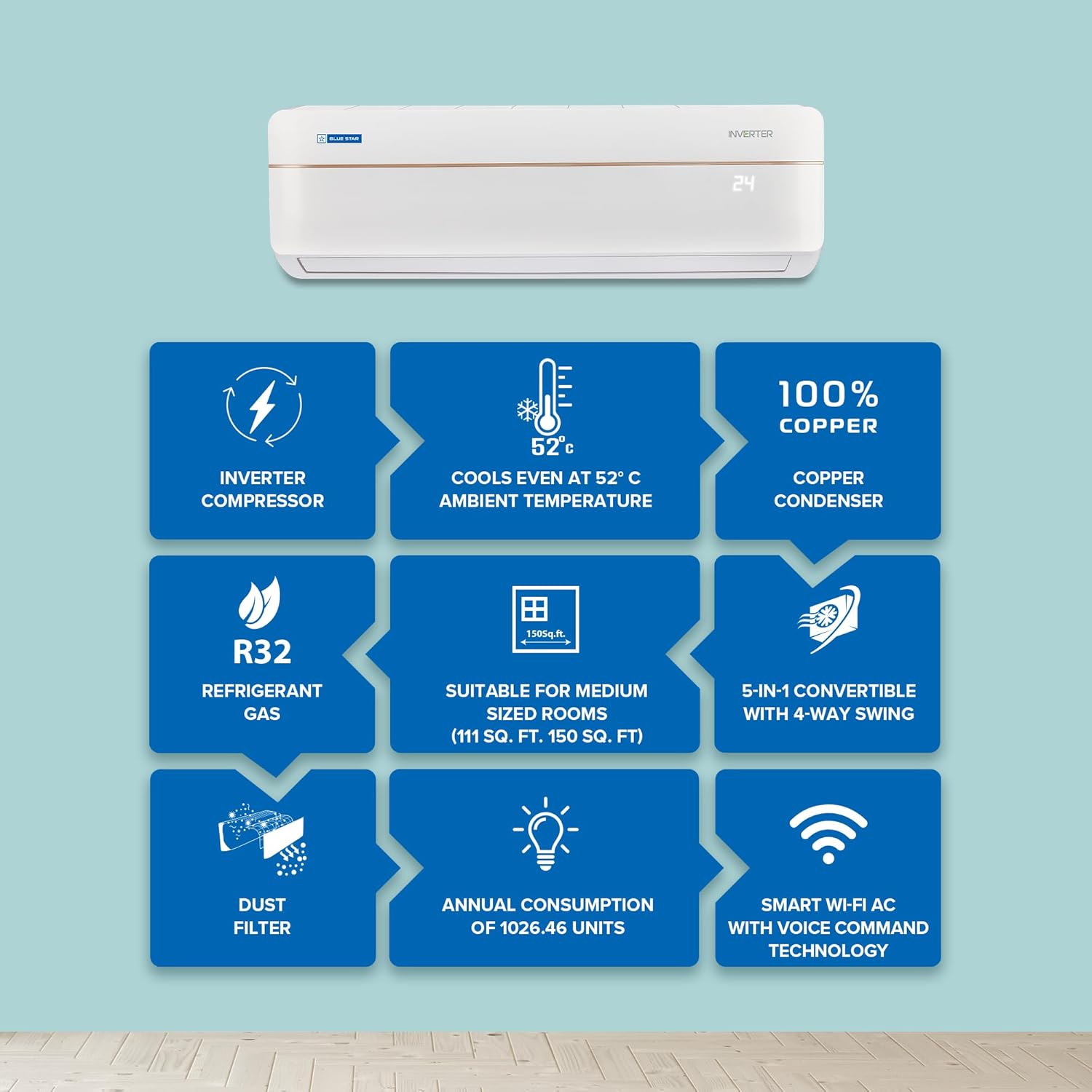
Image 2: Diagram illustrating key features like Inverter Compressor, R32 Refrigerant, 5-in-1 Convertible Cooling, and Dust Filter, along with cooling capacity and annual consumption.
4. Installation and Setup
Professional installation is highly recommended for optimal performance and safety. Refer to the separate installation guide provided by the technician for detailed steps.
4.1 Initial Power-Up
- After professional installation, ensure all connections are secure.
- Turn on the main power supply to the AC unit.
- The indoor unit display will illuminate, indicating readiness.
4.2 Wi-Fi Setup
To enable smart features and remote control:
- Download the "Blue Star Smart App" from your smartphone's app store.
- Register an account or log in.
- Follow the in-app instructions to add your AC unit to the network. This typically involves putting the AC into pairing mode (refer to the remote control section for specific button combinations) and connecting it to your home Wi-Fi network.
- Once connected, you can control your AC from anywhere.
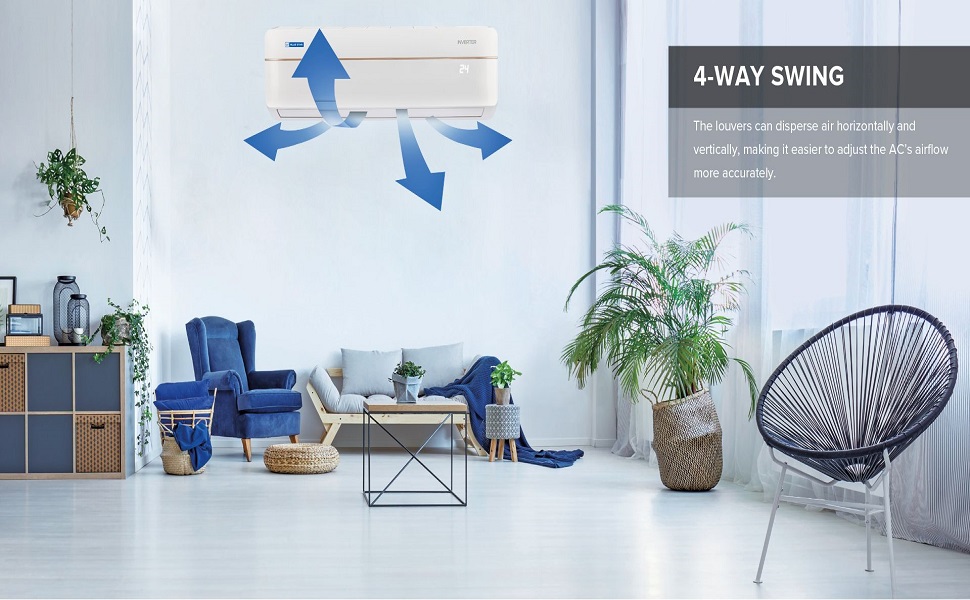
Image 3: The Blue Star Smart App interface on a smartphone, demonstrating remote control capabilities and current room temperature.
5. Operating Instructions
5.1 Remote Control Functions
The remote control allows direct operation of your AC. Ensure batteries are correctly inserted.

Image 4: The remote control for the Blue Star AC, showing various buttons for mode selection, temperature adjustment, and fan speed.
- Power Button: Turns the AC On/Off.
- Mode Button: Cycles through modes: Cool, Fan, Dry, Auto.
- Temperature Buttons (Up/Down): Adjusts the desired temperature.
- Fan Speed Button: Selects fan speed (Low, Medium, High, Auto).
- Swing Button: Activates/deactivates 4-Way Swing for air distribution.
- Turbo Button: Provides rapid cooling.
- 5-in-1 Convertible Cooling: This mode is typically activated by a combination of two buttons on the remote. Refer to the remote's specific markings for activation.
5.2 Voice Command Technology
Integrate your AC with Amazon Alexa or Google Assistant for hands-free control.
- Ensure your AC is connected to Wi-Fi and linked to the Blue Star Smart App.
- Enable the Blue Star skill/action in your Alexa or Google Home app.
- Discover devices.
- Use commands like: "Alexa, turn on the AC," "Hey Google, set AC to 24 degrees," or "Alexa, turn off the AC."
Image 5: A user demonstrating voice control of the AC via a smart speaker, with the AC unit visible in the background.
5.3 5-in-1 Convertible Cooling
This feature allows you to operate the AC at different capacities (e.g., 40%, 60%, 80%, 100%, Turbo) to save energy or achieve faster cooling. Consult your remote control's specific buttons for activation and adjustment.
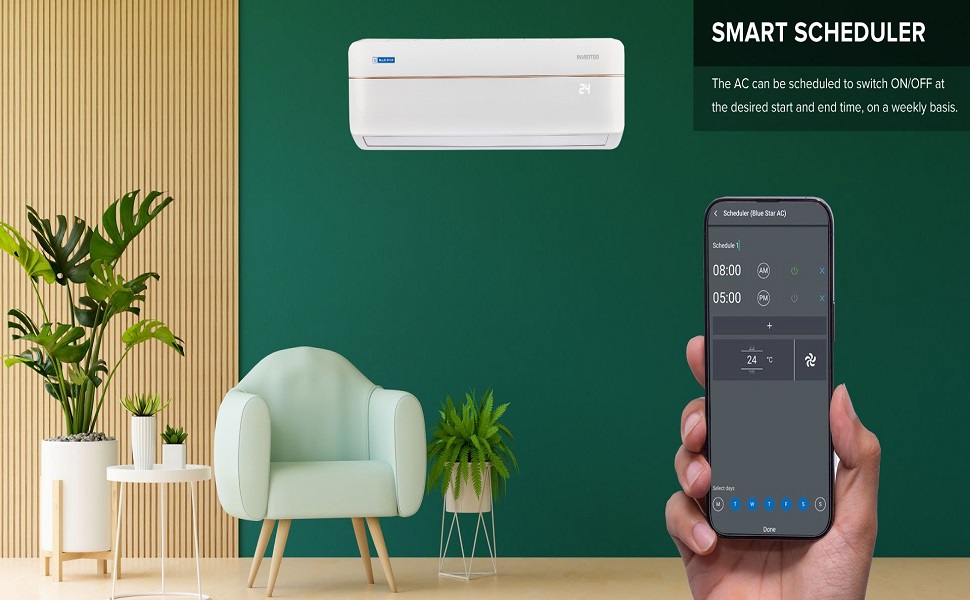
Image 6: Illustration of the 5-in-1 Convertible Cooling feature, showing adjustable airflow and capacity from the AC unit.
5.4 4-Way Swing
The 4-Way Swing function automatically adjusts the louvers to distribute air both horizontally and vertically, ensuring even cooling throughout the room. Activate this feature using the 'Swing' button on your remote control.
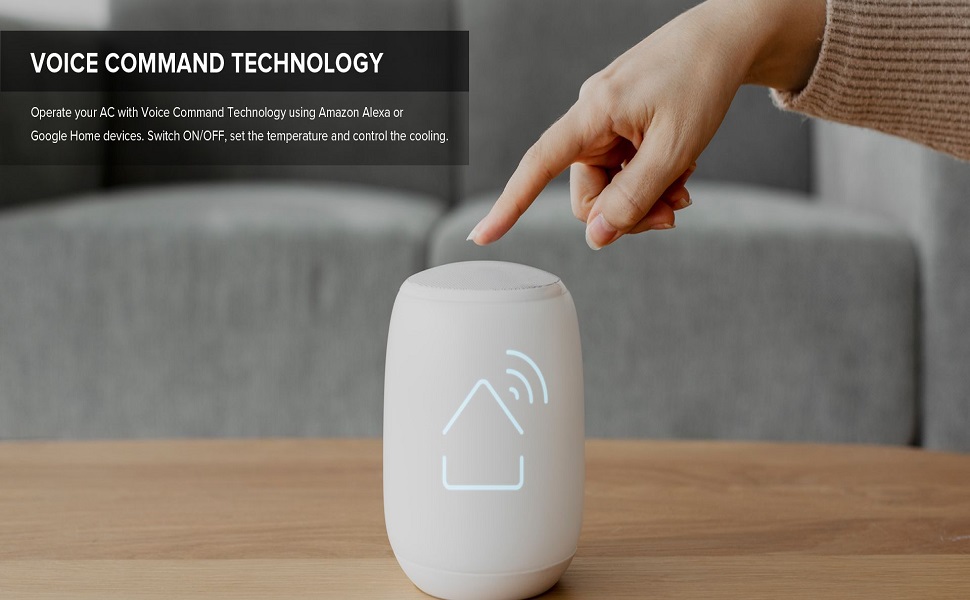
Image 7: Visual representation of the 4-Way Swing feature, showing air being directed in multiple directions for optimal coverage in a living room setting.
5.5 Customised Sleep Mode
The Blue Star Smart App allows you to set a customized sleep schedule, adjusting temperature and fan speed hourly over a 12-hour period for enhanced comfort and energy saving during sleep.
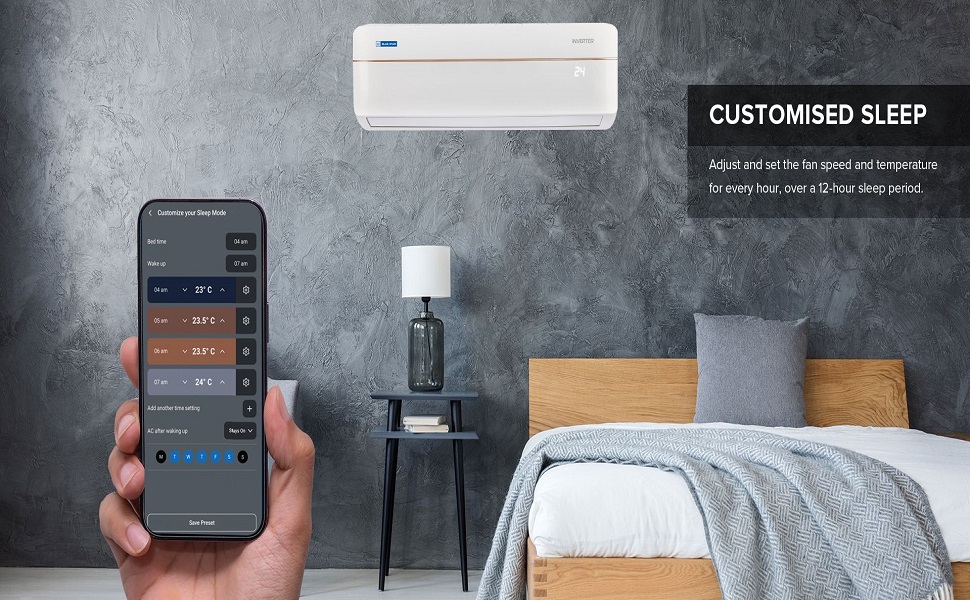
Image 8: The Blue Star Smart App displaying options for customizing sleep mode settings, including bed time, wake up time, and hourly temperature adjustments.
5.6 Smart Scheduler
Use the Smart App to schedule your AC to switch On/Off at desired times on a weekly basis, optimizing energy usage and ensuring comfort when needed.
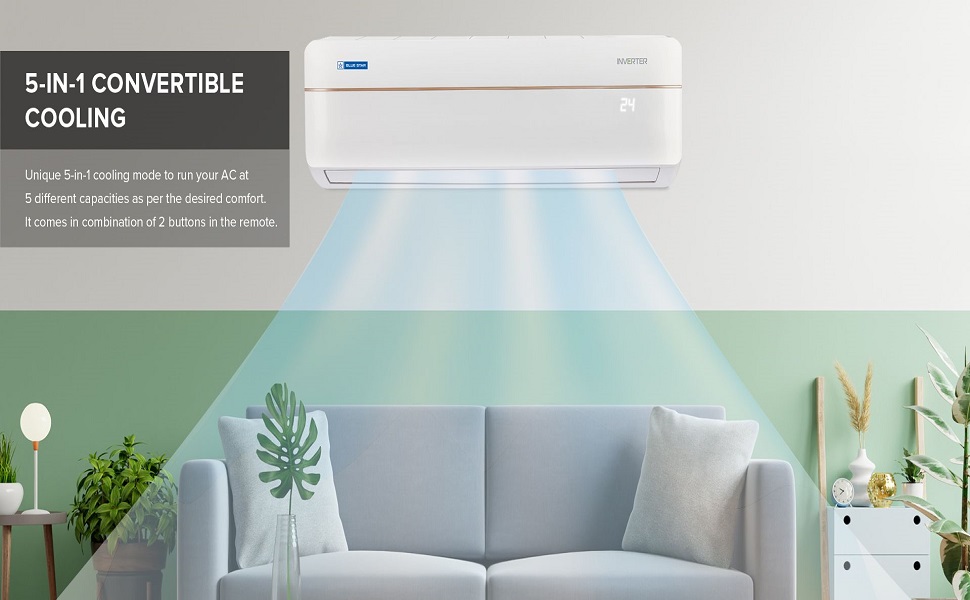
Image 9: The Blue Star Smart App interface showing the Smart Scheduler feature for setting weekly AC operation times and desired temperatures.
6. Maintenance
Regular maintenance ensures efficient operation and extends the lifespan of your AC unit.
6.1 Air Filter Cleaning
- Turn off the AC and disconnect power before cleaning.
- Open the front panel of the indoor unit.
- Remove the air filters.
- Clean filters with a vacuum cleaner or wash them gently with lukewarm water.
- Allow filters to dry completely before reinserting.
- Clean filters every two weeks or more frequently if used in dusty environments.
6.2 Outdoor Unit Maintenance
- Keep the outdoor unit free from debris, leaves, and other obstructions.
- Ensure proper airflow around the unit.
- For thorough cleaning and inspection, schedule annual professional servicing.
7. Troubleshooting
Before contacting customer service, refer to the following common issues and solutions:
| Problem | Possible Cause | Solution |
|---|---|---|
| AC does not turn on. | No power supply, remote control batteries low. | Check main power switch, replace remote batteries. |
| Insufficient cooling. | Dirty air filters, blocked outdoor unit, wrong mode selected, room too large. | Clean air filters, clear obstructions from outdoor unit, select 'Cool' mode, ensure room size is within capacity. |
| Wi-Fi connection issues. | Incorrect Wi-Fi password, router too far, app not configured. | Verify Wi-Fi password, move router closer or use extender, reconfigure AC in Blue Star Smart App. |
| Unusual noise from unit. | Loose parts, foreign objects, compressor issue. | Turn off AC and contact customer service. |
8. Product Specifications
| Feature | Detail |
|---|---|
| Brand | Blue Star |
| Model | IC318VNUS |
| Capacity | 1.5 Tons |
| Energy Efficiency | 3 Star |
| Annual Energy Consumption | 1026.46 Kilowatt Hours Per Year |
| Noise Level | 35 dB |
| Installation Type | Split System |
| Special Features | Inverter Compressor, WiFi Enabled, Dust Filter |
| Colour | White |
| Voltage | 230 Volts |
| Wattage (Cooling Power) | 5050 Watts |
| Material | Metal, Plastic |
| Item Weight | 41 kg 800 g |
| Indoor Unit Dimensions (LxWxH) | 96 x 32 x 21.5 Centimeters (approx.) |
| Outdoor Unit Dimensions (LxWxH) | 85.8 x 32.7 x 53.6 Centimeters (approx.) |
| Refrigerant | R32 (Eco-Friendly) |

Image 10: Energy Savings Guide label for the Blue Star AC, highlighting 3-star rating, 100% copper, and R32 eco-friendly refrigerant.

Image 11: Diagram showing the precise dimensions of the Blue Star AC indoor and outdoor units in millimeters.
9. Warranty and Support
Your Blue Star AC comes with the following manufacturer warranty:
- 1 Year on Product
- 5 Years on PCB (Printed Circuit Board)
- 10 Years on Inverter Compressor
*Terms and Conditions apply. Standard warranty covers repair/replacement of defective parts due to faulty material or workmanship, as confirmed by authorized service personnel. Exclusions include air filters, plastic/metal parts, remote handset, and gas charging (unless related to compressor/evaporator/condenser coil defect). This warranty applies to residential usage only.
Customer Support:
For service requests, technical assistance, or warranty claims, please contact Blue Star customer service. Refer to the warranty card or the official Blue Star website for contact details.
Manufacturer: BLUE STAR LIMITED