
AYEASY DAM6039.17-BK-8
AYEASY L Shaped Desk with Drawers and LED Strip
Model: DAM6039.17-BK-8
Introduction
Thank you for choosing the AYEASY L Shaped Desk. This manual provides essential instructions for assembly, operation, maintenance, and troubleshooting to ensure safe and efficient use of your new desk. Please read this manual thoroughly before beginning assembly or use, and retain it for future reference.
Important Safety Information
- Always assemble the desk according to the instructions provided in this manual.
- Do not exceed the recommended weight limit to ensure stability and prevent damage or injury.
- Ensure all connections are secure before placing items on the desk.
- Keep small parts away from children during assembly.
- Use caution when moving the desk to prevent personal injury or damage to the product.
Package Contents
Before assembly, please verify that all components listed in the included parts list are present and undamaged. If any parts are missing or damaged, please contact customer support immediately.
The package includes all necessary components and basic tools for assembly. However, some additional tools may be required (e.g., a screwdriver, if not included).
Assembly Instructions
Assembly of this desk typically requires two people. Follow the step-by-step instructions provided in the separate assembly guide included with your package. While assembly is designed to be straightforward, attention to detail is crucial.
Assembly Tips:
- Clear a spacious area for assembly to avoid misplacing parts.
- Lay out all parts and hardware, organizing them by their labels.
- Do not overtighten screws until all components are loosely fitted, then tighten them securely.
- If you encounter difficulty with screw hole alignment, slightly loosen adjacent screws to allow for minor adjustments.

Image: Product dimensions of the AYEASY L Shaped Desk, showing measurements for length, width, and height, along with the CPU tray and drawer dimensions.
Operating Instructions
Integrated Power Outlet and USB Ports
The desk features a built-in power strip with 3 AC outlets and 2 USB ports. This allows for convenient charging of your phone, tablet, Bluetooth devices, headsets, or gaming gear directly from your workspace.

Image: A close-up view of the recessed power strip integrated into the desk surface, showing a smartphone and tablet connected for charging.
LED Light Strip Operation
The integrated LED light strip offers customizable ambient lighting with 256 color levels. Use the included RF remote control to adjust colors, brightness, and lighting modes. The memory function will recall your last setting when powered on.
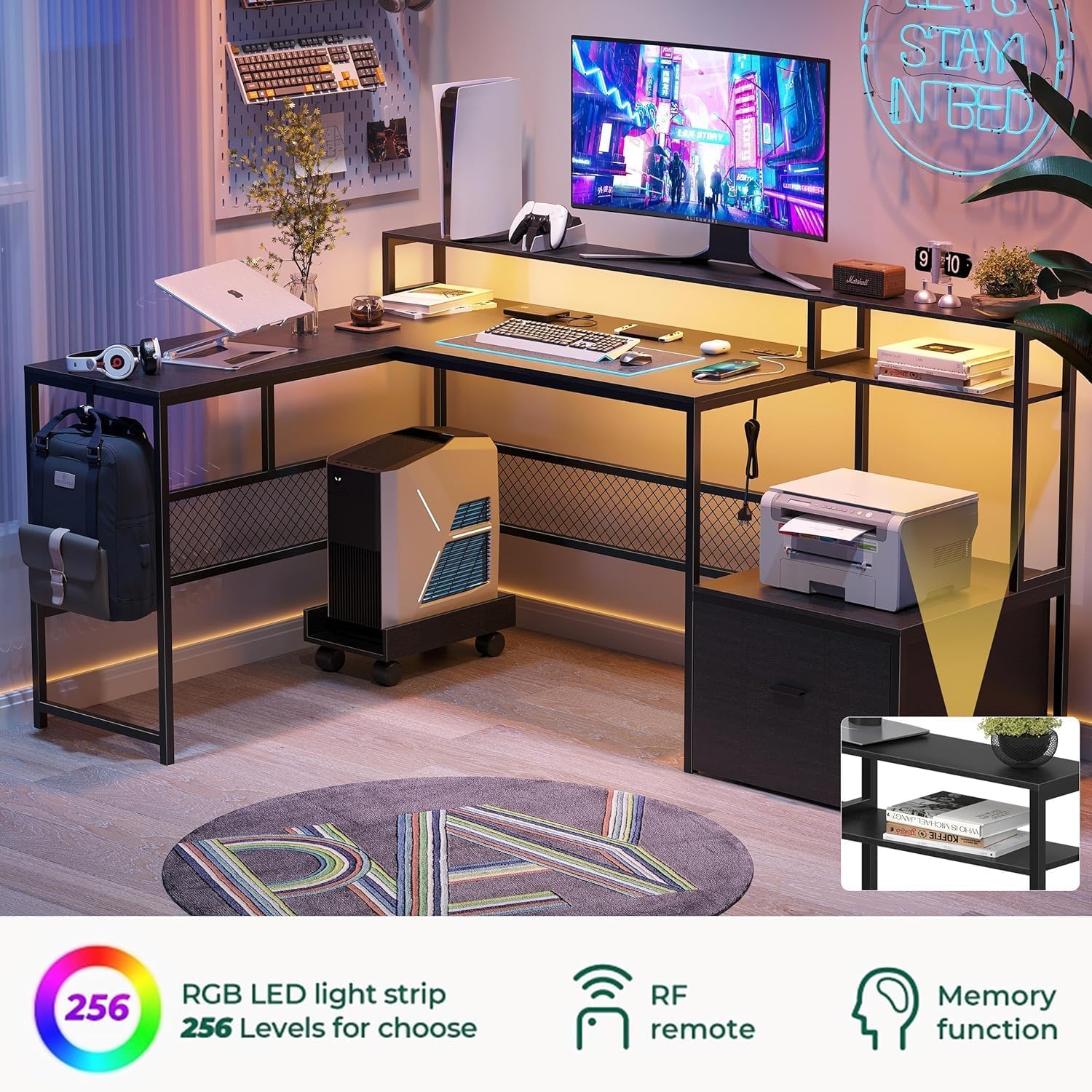
Image: The AYEASY L Shaped Desk illuminated by its integrated LED light strip, showcasing the ambient lighting effect in a home office setting.
Ergonomic Monitor Stand
The elevated monitor stand is designed to raise your display to an ergonomic height, helping to alleviate eye fatigue and improve posture during prolonged use. This also creates additional usable space underneath the stand.
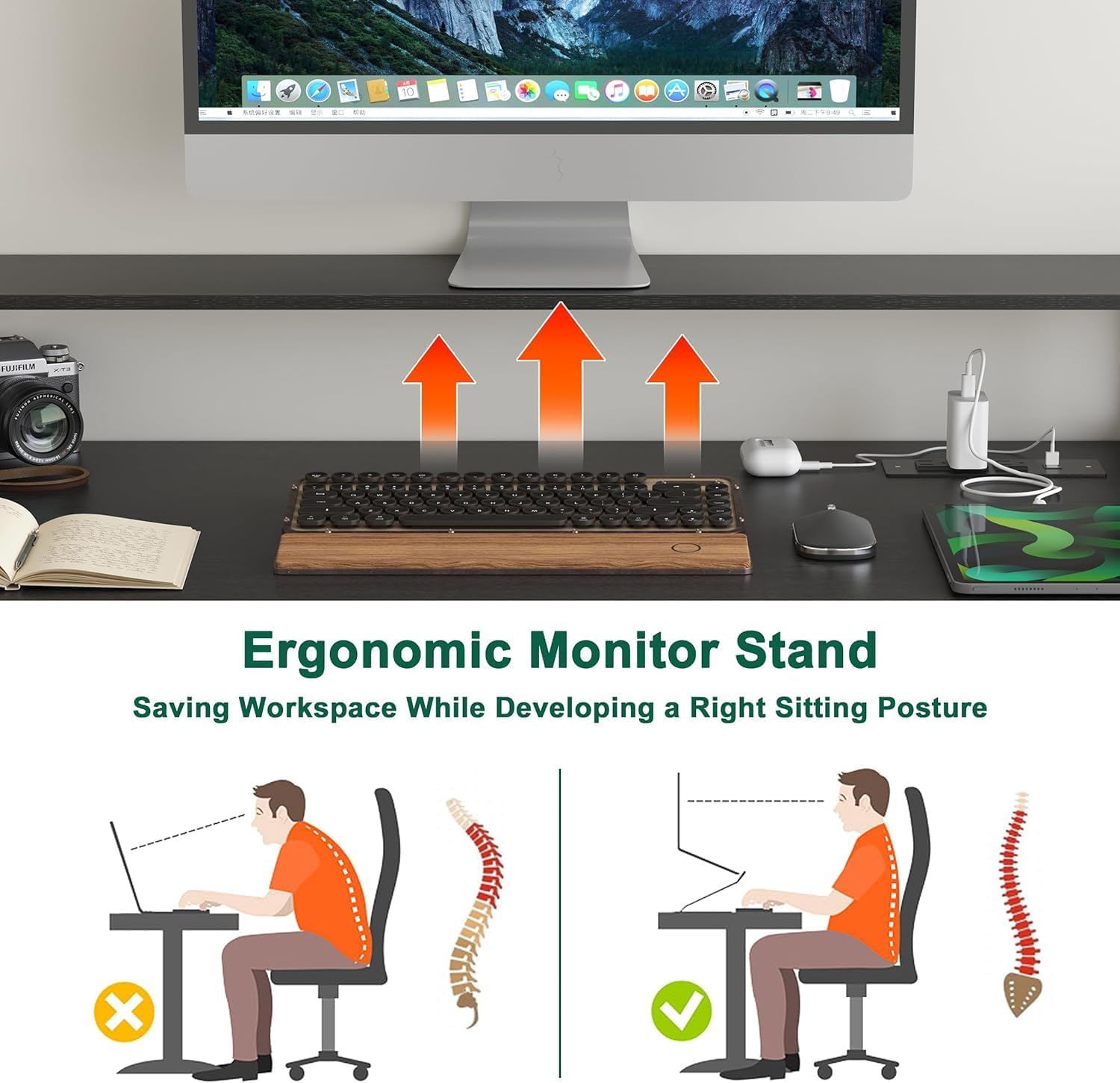
Image: A diagram demonstrating the benefits of an ergonomic monitor stand, showing correct and incorrect sitting postures relative to monitor height.
CPU Host Tray
The CPU host tray is equipped with mobile wheels, allowing for easy movement and better space utilization. Its design provides stability and protection for your computer tower.
Storage Features
The desk includes a large capacity drawer and open storage shelves. Side hooks are also provided for convenient storage of headphones or backpacks.
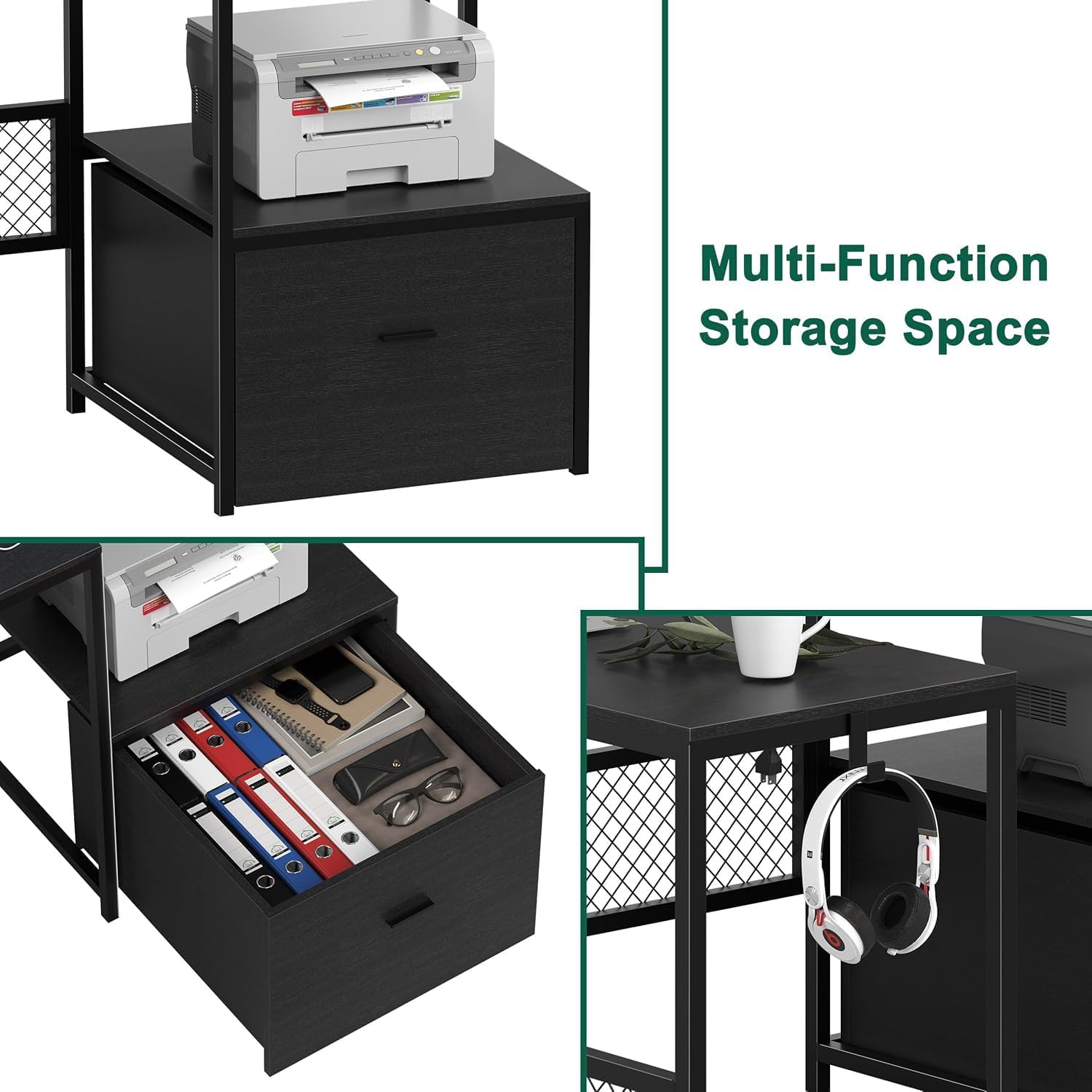
Image: A composite image highlighting the multi-functional storage features of the desk, including a spacious drawer, a shelf for a printer, and a side hook for headphones.
Maintenance
The desk surface is designed to be skin-friendly and easy to clean.
Cleaning Instructions:
- Wipe surfaces with a soft, damp cloth.
- Avoid using harsh chemicals or abrasive cleaners, as these can damage the finish.
- Promptly clean up any spills to prevent staining or damage to the engineered wood.
- Regularly check and tighten any loose screws to maintain stability.
Troubleshooting
Common Issues and Solutions:
- Difficulty with Assembly / Misaligned Holes: If screw holes do not align perfectly, try loosening all screws on the affected section slightly, adjust the components, and then retighten. Ensure you have a second person to assist with holding parts in place.
- Drawer Does Not Roll Smoothly: The drawer operates on wheels rather than a track. On carpeted surfaces, this may result in less smooth movement. Ensure the wheels are free of debris.
- Damaged Parts Upon Arrival: If any parts are damaged during shipping, do not proceed with assembly. Contact AYEASY customer support immediately for replacement parts.
- LED Strip Not Functioning: Check that the power adapter is securely connected to both the LED strip and a working power outlet. Ensure the remote control batteries are functional.
- Power Outlets/USB Ports Not Working: Verify the desk's main power cord is securely plugged into a functional wall outlet. Test with another device to confirm the outlet is active.
If you encounter issues not listed here or require further assistance, please contact AYEASY customer support.
Specifications
| Brand | AYEASY |
| Model Number | DAM6039.17-BK-8 |
| Product Dimensions (D x W x H) | 47.24" x 55" x 35.43" |
| Color | Black |
| Style | Modern |
| Top Material Type | Engineered Wood |
| Base Material | Metal |
| Item Weight | 30 Pounds |
| Shape | L-Shape |
| Number of Drawers | 1 |
| Number of Shelves | 1 |
| Special Features | Integrated Power Outlet (3 AC, 2 USB), LED Strip, Monitor Stand, CPU Tray, Side Hooks |
| Required Assembly | Yes |
| Recommended Assembly Persons | 2 |
Warranty and Support
Warranty Information:
AYEASY provides a warranty for its products. For any quality problems within one year of purchase, AYEASY will provide free repair or replacement of a new product.
Customer Support:
For product inquiries, assembly assistance, or warranty claims, please contact AYEASY customer support through the retailer where the product was purchased or visit the official AYEASY website for contact information.
Ask a question about this manual
Ask about setup, troubleshooting, compatibility, parts, safety, or missing instructions. Manuals+ will review the question and use this page’s manual context to help answer it.