
1. Introduction
The Terloogee UK-RC-G013 is a universal infrared (IR) learning remote control designed to simplify your home entertainment experience. It is pre-programmed for immediate use with most Samsung and LG Smart TVs and features a learning function to control other IR-enabled audio and video devices. This manual provides comprehensive instructions for its setup, operation, and maintenance.
2. Product Overview
The UK-RC-G013 remote control offers a streamlined design with essential buttons for TV operation and dedicated shortcut keys for popular streaming services. Its learning capability allows it to consolidate multiple remote controls into one.
- Universal Compatibility: Controls various IR audio and video devices.
- Learning Function: Copies IR signals from your original remote controls.
- Pre-programmed: Ready to use with most Samsung and LG Smart TVs.
- Dedicated Shortcut Buttons: Quick access to Netflix, YouTube, Prime Video, and Rakuten TV.
- Durable Design: Constructed from ABS material with sturdy buttons for comfortable use.
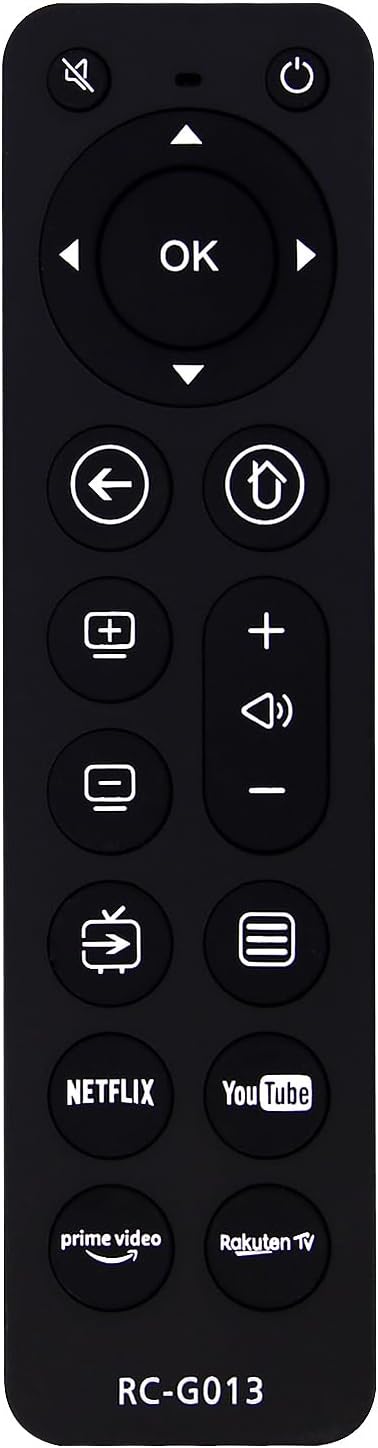
Image 2.1: Front view of the Terloogee UK-RC-G013 Universal Remote Control, showcasing its button layout.
3. Getting Started
3.1. Battery Installation
The Terloogee UK-RC-G013 remote control requires two CR2032 button batteries (not included). Ensure correct polarity when inserting the batteries.
- Locate the battery compartment on the back of the remote control.
- Open the battery compartment cover.
- Insert two CR2032 batteries, observing the positive (+) and negative (-) markings.
- Close the battery compartment cover securely.

Image 3.1: The Terloogee UK-RC-G013 remote control, highlighting its construction materials and the requirement for CR2032 button batteries.
4. Initial Setup
4.1. Pre-programmed Functionality (Samsung & LG TVs)
The UK-RC-G013 remote control comes pre-programmed for immediate use with most Samsung and LG Smart TVs. After installing batteries, you can directly use the remote control for basic functions on these TV brands without any additional setup.

Image 4.1: The Terloogee UK-RC-G013 remote control demonstrating its pre-programmed compatibility with LG and Samsung televisions.
5. Operating Instructions
5.1. Remote Control Layout and Button Functions
Familiarize yourself with the buttons on your Terloogee UK-RC-G013 remote control:

Image 5.1: Detailed diagram illustrating the function of each button on the Terloogee UK-RC-G013 remote control.
- MUTE: Mutes or unmutes the TV sound.
- POWER: Turns the TV on or off.
- Navigation Pad (UP, DOWN, LEFT, RIGHT, OK): Used for menu navigation and selection.
- BACK: Returns to the previous screen or menu.
- HOME: Accesses the TV's home screen or smart hub.
- CH+ / CH-: Changes channels up or down.
- VOL+ / VOL-: Adjusts volume up or down.
- INPUT: Selects input sources (HDMI, AV, etc.).
- MENU: Opens the TV's main menu.
- NETFLIX, YouTube, Prime Video, Rakuten TV: Dedicated shortcut buttons for direct access to these streaming applications.
5.2. Learning Function for Other Devices
The learning function allows you to copy infrared signals from your original remote control to the UK-RC-G013, enabling it to control other IR audio and video devices. This process is suitable for any IR remote control.
- Preparation: Place the original remote control and the UK-RC-G013 remote control on a flat surface, facing each other, with a distance of 2 to 5 cm between their transmitting ends.
- Enter Learning Mode: Press and hold the POWER and CH+ buttons on the UK-RC-G013 simultaneously. The LED indicator will turn on and remain steady, indicating it's in learning mode.
- Select Learning Key: Press any button on the UK-RC-G013 that you wish to program. The LED indicator will start flashing, waiting for an infrared signal.
- Transmit Signal: Press the corresponding button on your original remote control.
- Confirmation:
- If learning is successful, the LED will flash twice and then remain steady.
- If learning fails, the LED will flash four times. If this occurs, ensure the remotes are properly aligned and try again.
- Continue Learning: Repeat steps 3 to 5 for any other buttons you wish to program.
- Exit Learning Mode: To exit learning mode, press the POWER and OK buttons on the UK-RC-G013 simultaneously. The LED indicator will turn off.
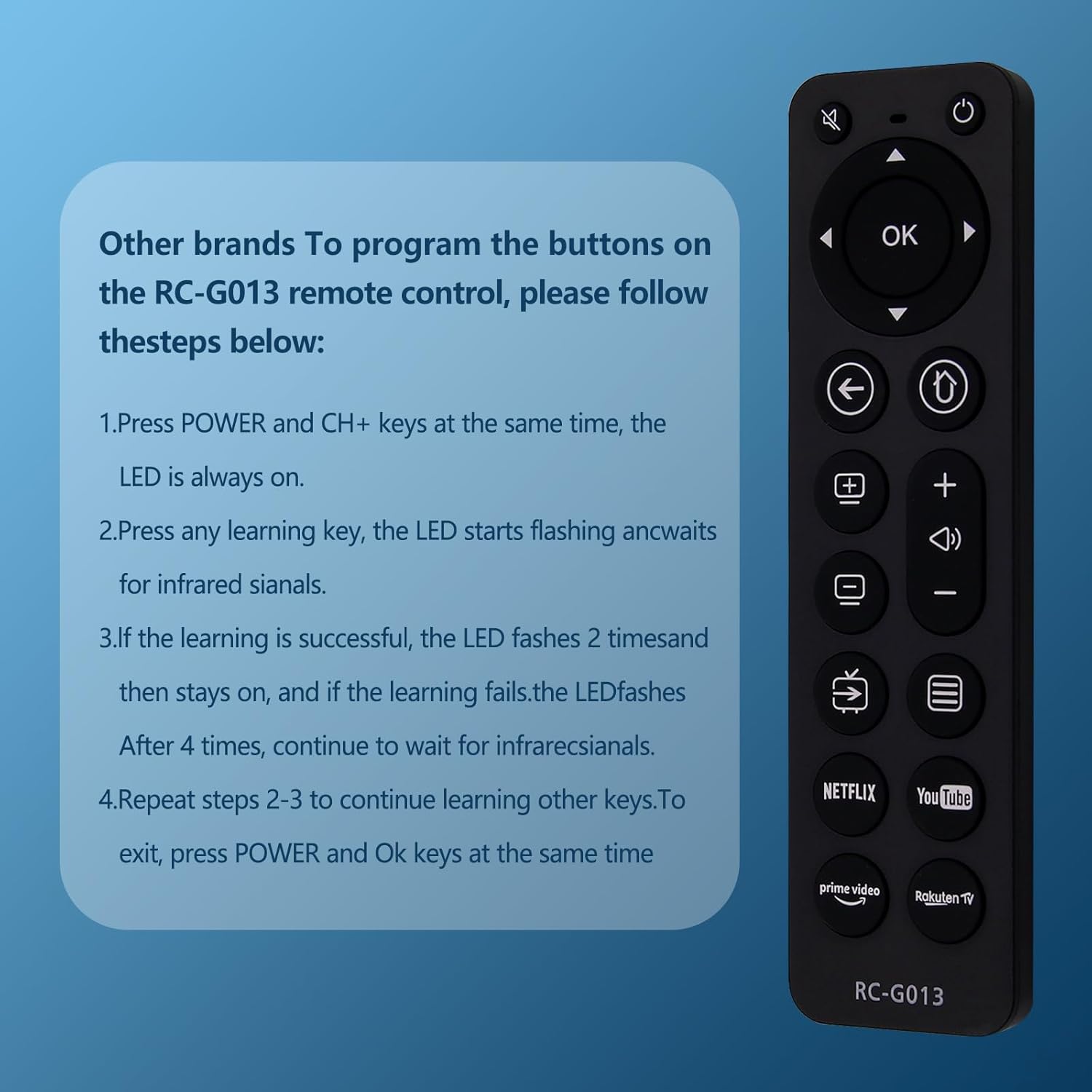
Image 5.2: Visual guide for programming the Terloogee UK-RC-G013 remote control using its learning function.
5.3. Using Shortcut Buttons
The UK-RC-G013 features dedicated buttons for quick access to popular streaming services. Simply press the desired button (Netflix, YouTube, Prime Video, or Rakuten TV) to launch the corresponding application on your Smart TV, provided the app is installed and your TV is connected to the internet.
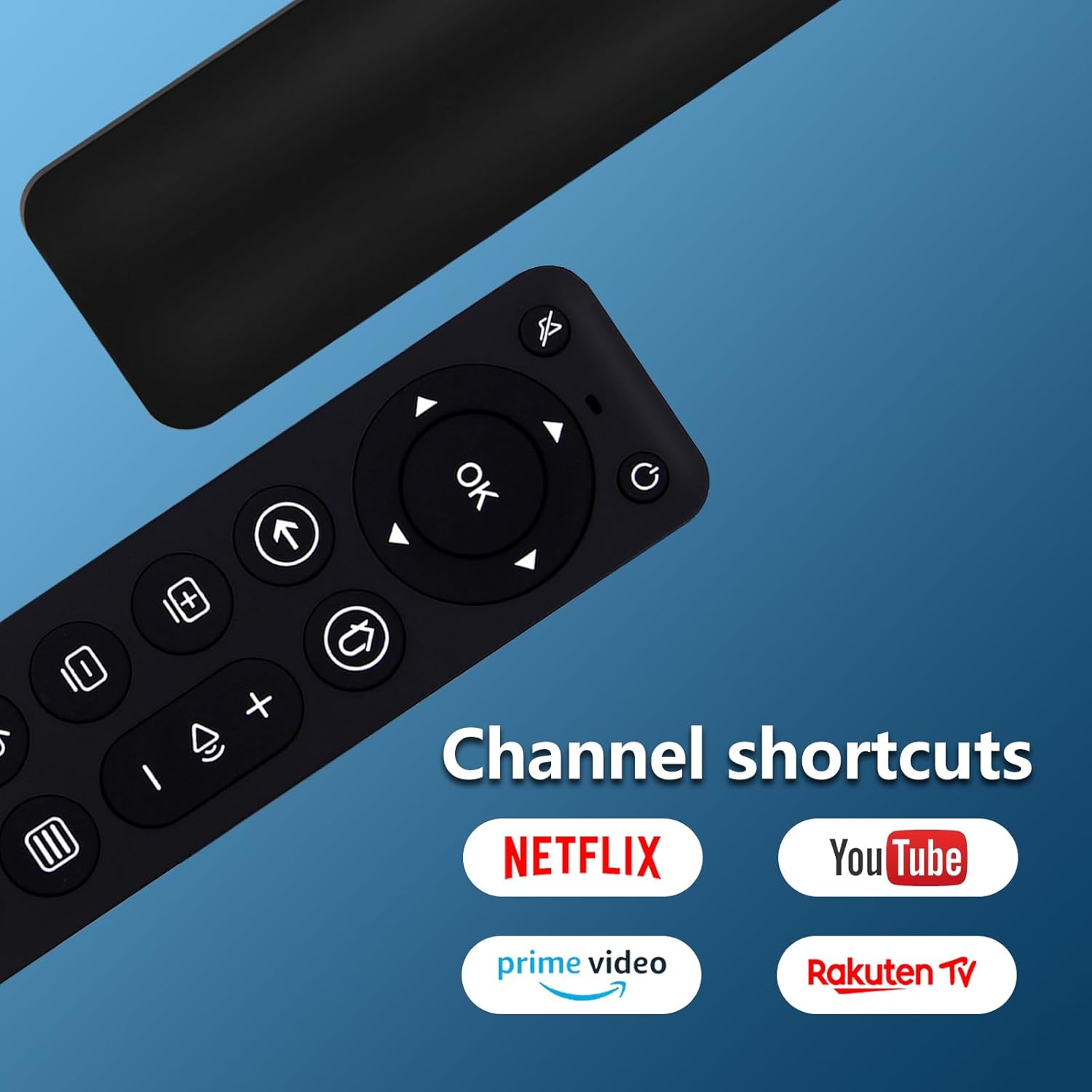
Image 5.3: The Terloogee UK-RC-G013 remote control with its dedicated shortcut buttons for streaming services highlighted.
6. Maintenance
To ensure the longevity and optimal performance of your remote control, follow these maintenance guidelines:
- Cleaning: Wipe the remote control with a soft, dry cloth. Do not use liquid cleaners or abrasive materials.
- Battery Care: Replace batteries when the remote's response becomes sluggish or inconsistent. Remove batteries if the remote will not be used for an extended period to prevent leakage.
- Storage: Store the remote control in a cool, dry place, away from direct sunlight and extreme temperatures.
- Avoid Drops: Protect the remote from physical impact, as this can damage internal components.
7. Troubleshooting
If you encounter issues with your Terloogee UK-RC-G013 remote control, consider the following:
- Remote not responding:
- Check if the batteries are inserted correctly and have sufficient charge. Replace them if necessary.
- Ensure there are no obstructions between the remote control and the device you are trying to control.
- Verify that the remote is pointed directly at the IR receiver of the device.
- Learning function not working:
- Ensure the original remote control has working batteries and is transmitting a strong IR signal.
- Confirm the distance between the two remotes is 2 to 5 cm and they are perfectly aligned, facing each other.
- Repeat the learning steps carefully, paying attention to the LED indicator's feedback.
- Some original remotes use RF (Radio Frequency) instead of IR. This universal remote only supports IR learning.
- Pre-programmed functions not working on Samsung/LG TV:
- While pre-programmed for most models, some specific TV models might require the learning function for certain buttons.
- Ensure your TV is an IR-controlled Smart TV.
8. Specifications
| Feature | Detail |
|---|---|
| Brand | Terloogee |
| Model Number | UK-RC-G013 |
| Connectivity Technology | Infrared (IR) |
| Compatible Devices | Television (IR-controlled) |
| Special Features | IR Learning Function, Universal Compatibility |
| Maximum Supported Devices | 1 (via learning function for additional devices) |
| Number of Buttons | 10 (functional buttons, excluding navigation pad) |
| Controller Type | Button Control |
| Maximum Range | 10 Meters |
| Batteries Required | 2 x CR2032 (not included) |
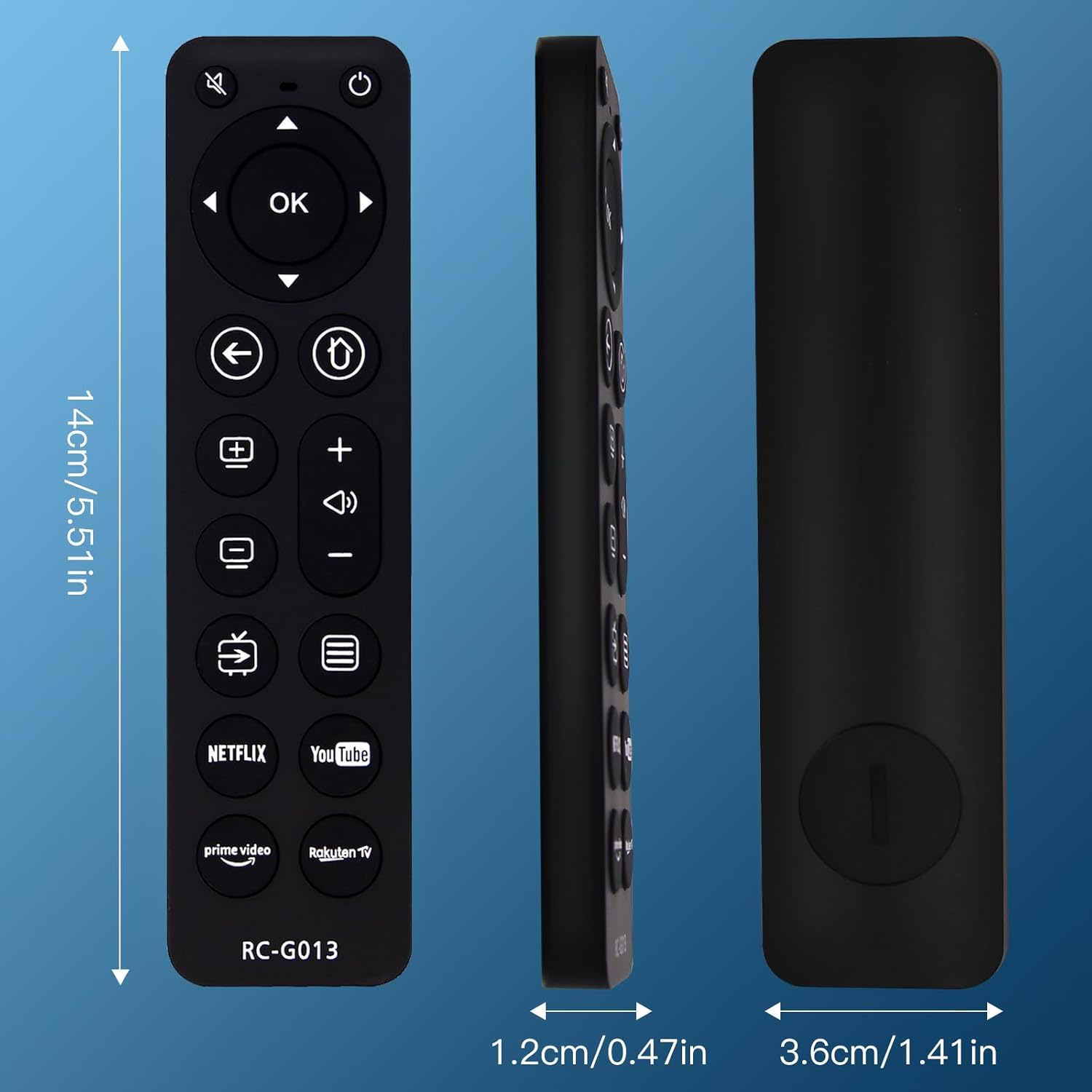
Image 8.1: Dimensions of the Terloogee UK-RC-G013 remote control (14cm length, 1.2cm thickness, 3.6cm width).
9. Warranty and Support
Information regarding specific warranty terms and customer support for the Terloogee UK-RC-G013 remote control is not available in the provided product details. Please refer to the retailer or manufacturer's website for further assistance or warranty claims.