
1. Introduction
Thank you for choosing the OUTON H-LDD006 Dimmable Floor Lamp with Shelf. This modern floor lamp combines ambient lighting with practical storage, featuring multiple control methods, adjustable color temperatures, and a convenient timer function. This manual provides essential information for safe installation, operation, and maintenance of your new lamp.
2. Safety Instructions
- Ensure the power supply is disconnected before assembly, cleaning, or bulb replacement.
- This product is for indoor use only.
- Do not expose the lamp to water or high humidity.
- Use only the specified bulb type (LED, E26 base, 12W) to prevent damage or fire hazards.
- Place the lamp on a stable, level surface to prevent tipping. The weighted shelf design enhances stability.
- Keep the power cord away from heat sources and sharp edges.
- Do not attempt to modify or repair the lamp yourself. Contact qualified personnel for service.
3. Package Contents
Please check that all components are present and in good condition:
- Floor Lamp Frame (Solid Wood Posts and MDF Shelves)
- Linen Lampshade
- LED Bulb (E26, 12W)
- Remote Control
- Power Cable
- Assembly Hardware (screws, etc.)
- User Manual
4. Assembly Instructions
Assembly of the OUTON H-LDD006 floor lamp is designed to be straightforward and typically takes about 10 minutes. Follow these steps:
- Unpack all components and lay them out on a clean, soft surface to prevent scratches.
- Assemble the solid wood posts and MDF shelves according to the included diagrams, ensuring the integrated nuts align correctly.
- Secure all connections with the provided hardware.
- Attach the linen lampshade to the top section of the lamp.
- Screw the LED bulb into the E26 socket.
- Connect the power cable to the lamp and then plug it into a suitable power outlet.
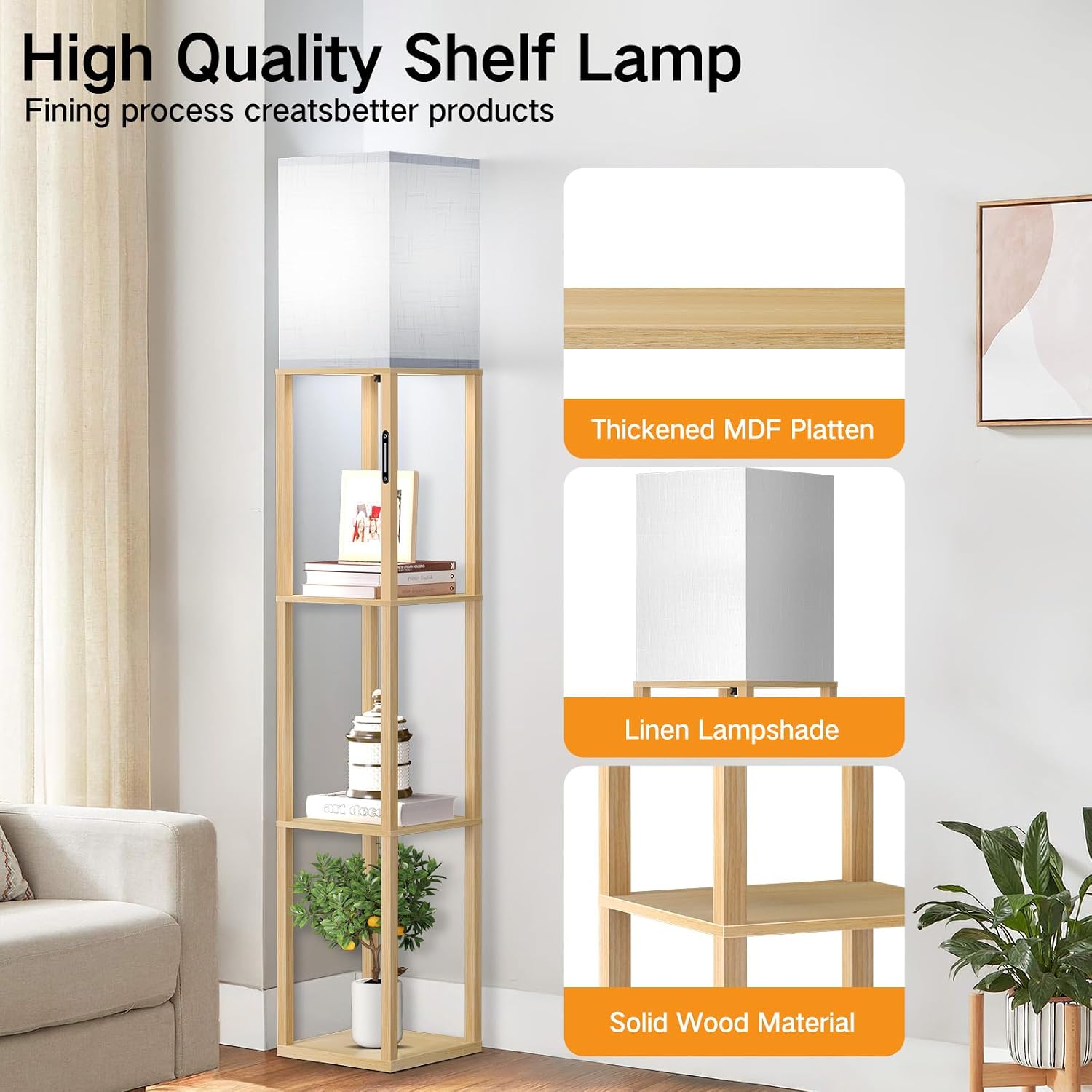
Figure 4.1: High-Quality Shelf Lamp Components
5. Operating Instructions
Your OUTON floor lamp offers three convenient control methods: Smart Touch, Remote Control, and App Control.
5.1 Smart Touch Control
The integrated touch panel on the lamp post allows for direct control:
- Short Press: Turn the lamp On/Off.
- Slide: Adjust brightness continuously from 1% to 100%.
- Touch Color Temperature Icon: Cycle through 4 color temperatures (3000K Warm White, 4000K Natural White, 5000K Daylight, 6500K Cool White).
- Long Press: Activate the 1-hour timer function or memory function.

Figure 5.1: Smart Touch Control Functions
5.2 Remote Control
The included remote control provides convenient operation from a distance of up to 15 meters:
- Power Button: Turn the lamp On/Off.
- Brightness Buttons (+/-): Increase or decrease brightness.
- Color Temperature Buttons (K, +/-): Adjust color temperature (Warm Tone, Cool Tone, Cycle Modes).
- 1H Button: Activate the 1-hour timer.
- Scene Modes: Buttons for specific lighting modes like Work, Night, Study, Nursery.

Figure 5.2: Remote Control Operation
5.3 App Control (Hxlight)
For advanced control, download the Hxlight app on your mobile device. The app allows control within a 15-meter range (Note: Alexa or Google Assistant are not supported).
- Download the "Hxlight" app from your device's app store.
- Ensure Bluetooth is enabled on your mobile device.
- Open the app and follow the on-screen instructions to add and connect your lamp.
- Once connected, you can adjust brightness, color temperature, and set timers directly from the app interface.

Figure 5.3: Multiple Control Ways
5.4 Color Temperature Adjustment
The lamp offers 4 distinct color temperature settings:
- 3000K Warm White: Ideal for relaxing and cozy environments.
- 4000K Natural White: Suitable for general illumination and comfortable living spaces.
- 5000K Daylight: Bright and clear, good for reading or tasks.
- 6500K Cool White: Energetic and focused, suitable for workspaces.

Figure 5.4: 4 Color Temperature Adjustable
5.5 Memory Function
The lamp features a memory function that automatically saves the last used brightness and color temperature settings. When the lamp is turned on again, it will resume these previous settings.
5.6 1-Hour Timer Function
Activate the 1-hour timer via the remote control or by long-pressing the touch control. The lamp will automatically turn off after one hour, providing convenience for bedtime or energy saving.
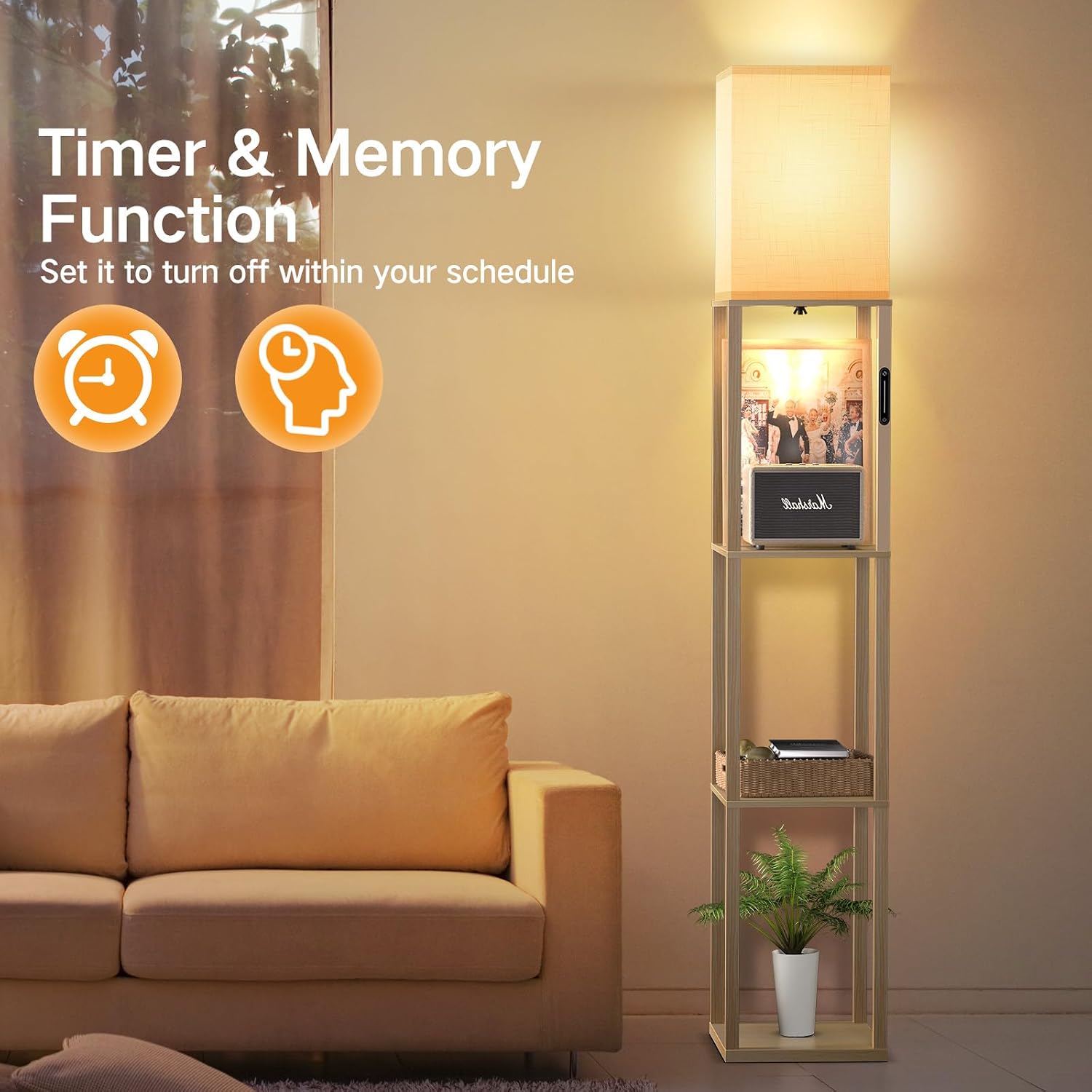
Figure 5.5: Timer & Memory Function
6. Maintenance
6.1 Cleaning
To clean the lamp, ensure it is unplugged from the power outlet. Use a soft, dry cloth to wipe down the wooden frame and shelves. For the linen lampshade, gently dust with a soft brush or vacuum with a low-power setting. Avoid using abrasive cleaners or solvents.
6.2 Bulb Replacement
The lamp uses an E26 base LED bulb with a power consumption of 12 Watts and a lifespan of over 50,000 hours. While the bulb is designed for longevity, if replacement is necessary:
- Ensure the lamp is unplugged and the bulb has cooled down.
- Carefully unscrew the old bulb from the E26 socket.
- Screw in a new E26 LED bulb (max 60 Watts, 12W recommended for optimal performance).
- Reconnect power and test the lamp.
7. Troubleshooting
If you encounter issues with your OUTON floor lamp, please refer to the following common problems and solutions:
| Problem | Possible Cause | Solution |
|---|---|---|
| Lamp does not turn on. | No power, loose bulb, faulty bulb. | Check power connection. Ensure bulb is screwed in tightly. Replace bulb if necessary. |
| Remote control not working. | Dead batteries, obstruction, out of range. | Replace remote batteries. Remove any obstructions between remote and lamp. Ensure you are within 15m range. |
| App control not connecting. | Bluetooth off, app not paired, out of range. | Ensure Bluetooth is enabled on your device. Re-pair the lamp in the Hxlight app. Ensure you are within 15m range. |
| Brightness or color temperature not adjusting. | Control method issue, lamp malfunction. | Try another control method (remote, touch, app). If problem persists, contact customer support. |
8. Specifications
Detailed technical specifications for the OUTON H-LDD006 Floor Lamp:
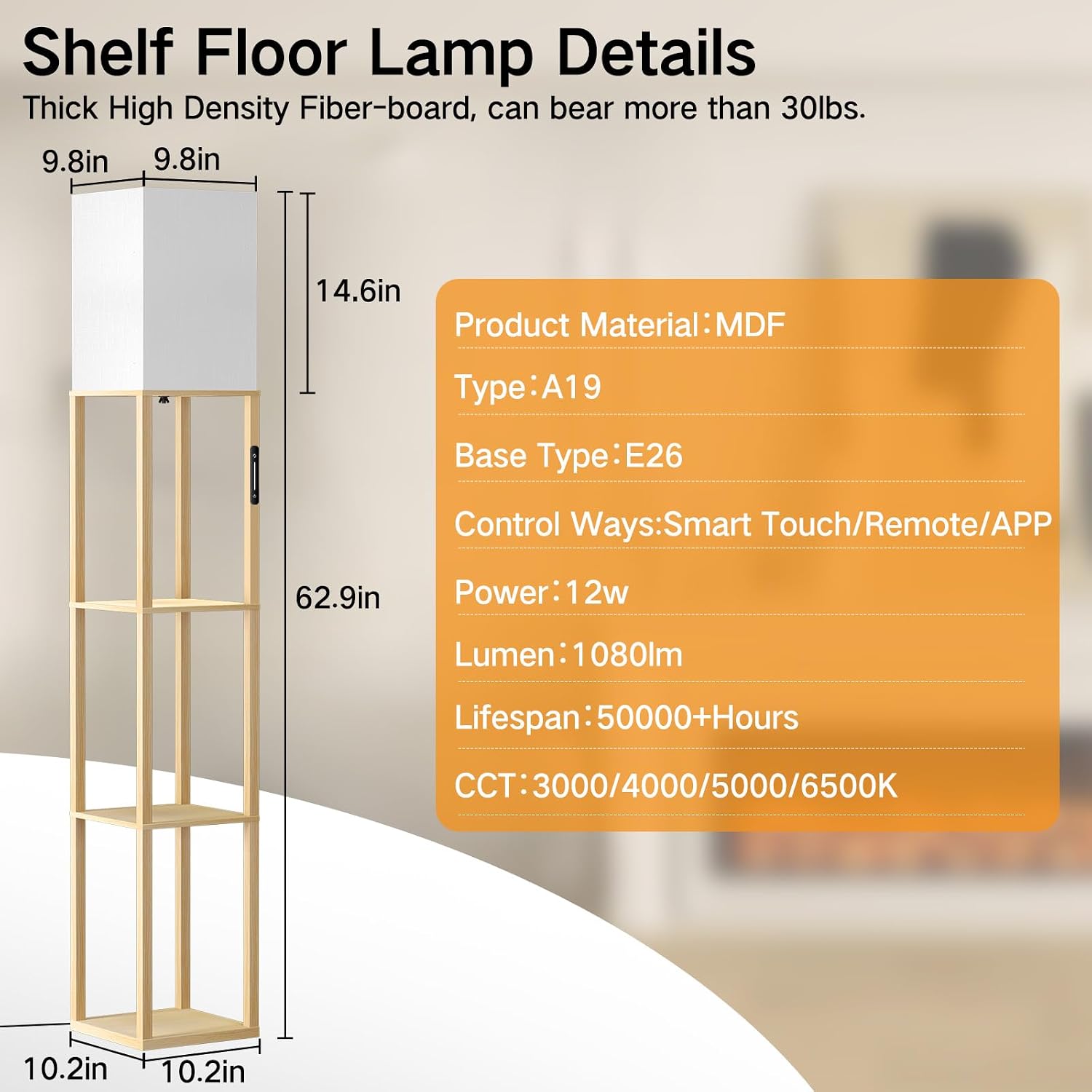
Figure 8.1: Shelf Floor Lamp Details
| Feature | Detail |
|---|---|
| Model Number | H-LDD006 |
| Brand | OUTON |
| Dimensions (L x W x H) | 26 x 26 x 160 cm (10.2 x 10.2 x 62.9 inches) |
| Weight | 5 Kilograms (approx. 11 lbs) |
| Material | Solid Wood (frame), MDF (shelves), Linen (lampshade) |
| Bulb Type | LED (included) |
| Bulb Base | E26 Medium |
| Power Consumption | 12 Watts (Max 60 Watts) |
| Luminous Flux | 1080 Lumens |
| Color Temperatures (CCT) | 3000K, 4000K, 5000K, 6500K (Adjustable) |
| Dimmability | 1% - 100% Continuous Dimming |
| Control Methods | Smart Touch, Remote Control, Hxlight App |
| Special Features | Memory Function, 1-Hour Timer |
| Lifespan | 50,000+ Hours |
9. Warranty & Support
Specific warranty information for the OUTON H-LDD006 Floor Lamp is not provided in the product details. For warranty claims, technical support, or any questions regarding your product, please contact OUTON customer service through the retailer where you purchased the item or visit the official OUTON brand store online.
Please retain your proof of purchase for any warranty-related inquiries.
For further assistance, you may visit the OUTON brand store: OUTON Store


