
1. Introduction
This manual provides instructions for the proper installation, operation, and maintenance of your Zoeirc Protective Wallet Case for the Xiaomi Poco X4 Pro 5G. Please read this manual thoroughly before use to ensure optimal performance and protection for your device.
1.1 Compatibility
This case is specifically designed for the Xiaomi Poco X4 Pro 5G (6.67" model 2201116PG). Ensure your device matches this model for a proper fit and full functionality.
1.2 Package Contents
- 1 x Zoeirc Protective Wallet Case for Xiaomi Poco X4 Pro 5G
2. Setup and Installation
2.1 Installing Your Phone into the Case
The case features a dual-layer design for enhanced protection. Carefully separate the soft TPU inner shell from the hard PC outer panel if they are assembled. Insert your Xiaomi Poco X4 Pro 5G into the soft TPU shell first, ensuring all edges are securely seated. Then, align the TPU-encased phone with the hard PC outer panel and snap it into place. Ensure all buttons and ports are accessible and aligned correctly.
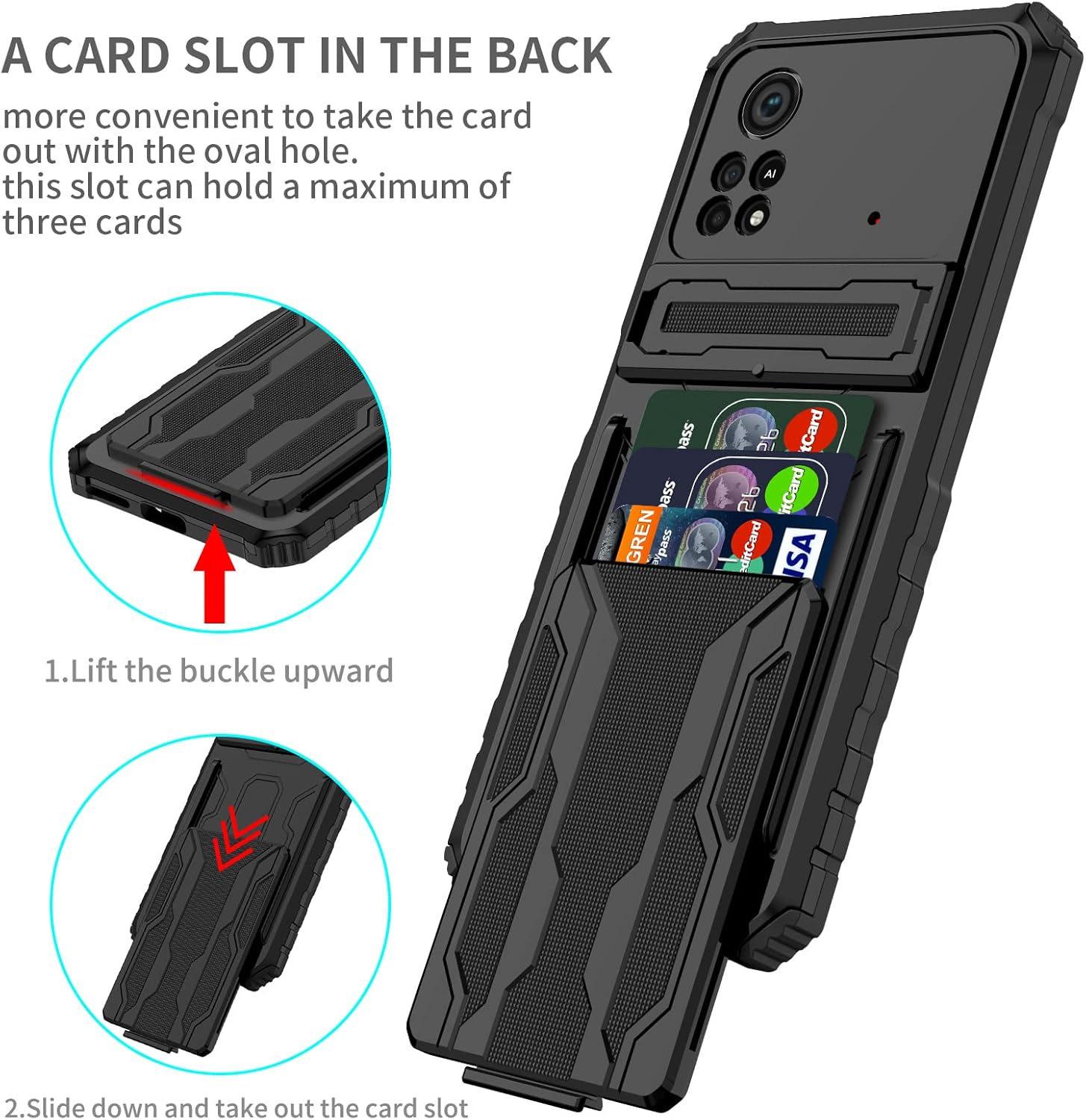
Figure 2.1: Exploded view showing the TPU soft shell, PC hard shell, card slot, and retractable support components of the case.
2.2 Using the Detachable Card Holder
The case includes a detachable card holder integrated into the back panel. To access or remove the card slot:
- Locate the small buckle or latch at the top edge of the card slot on the back of the case.
- Gently lift the buckle upward to release the locking mechanism.
- Slide the card slot downward and out from its housing.
- Insert up to three cards (credit cards, ID, cash) into the designated slots.
- Slide the card holder back into the case until the buckle clicks into place, securing it.
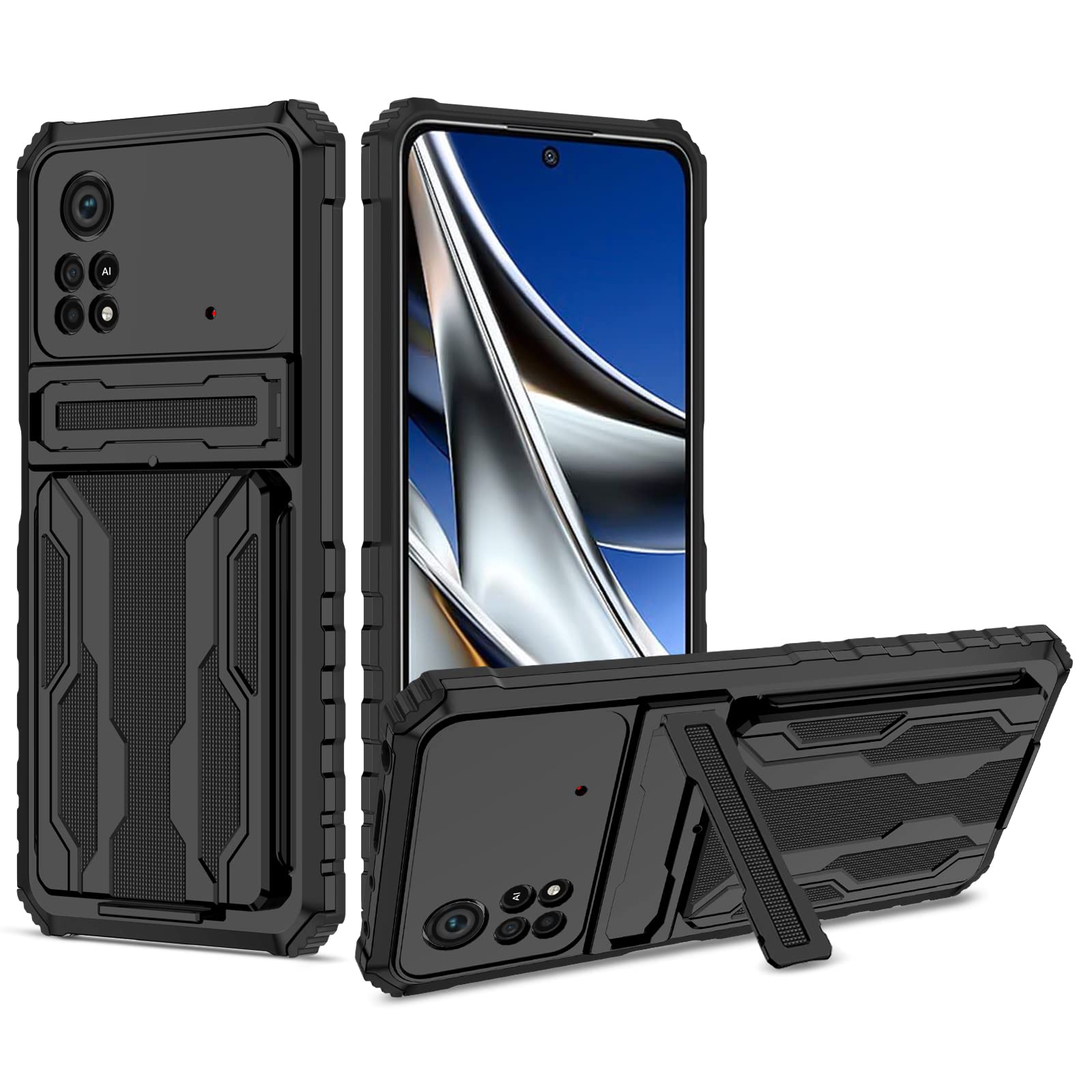
Figure 2.2: Steps for detaching and reattaching the card slot from the case.
3. Operating Features
3.1 Using the Built-in Kickstand
The case features a built-in kickstand for hands-free viewing. To deploy the kickstand, locate the small indentation or tab on the back of the case. Gently pull it outwards until it locks into an open position. This allows you to prop your phone horizontally for watching videos, video calls, or browsing. To retract, simply push the kickstand back into its flush position until it clicks securely.
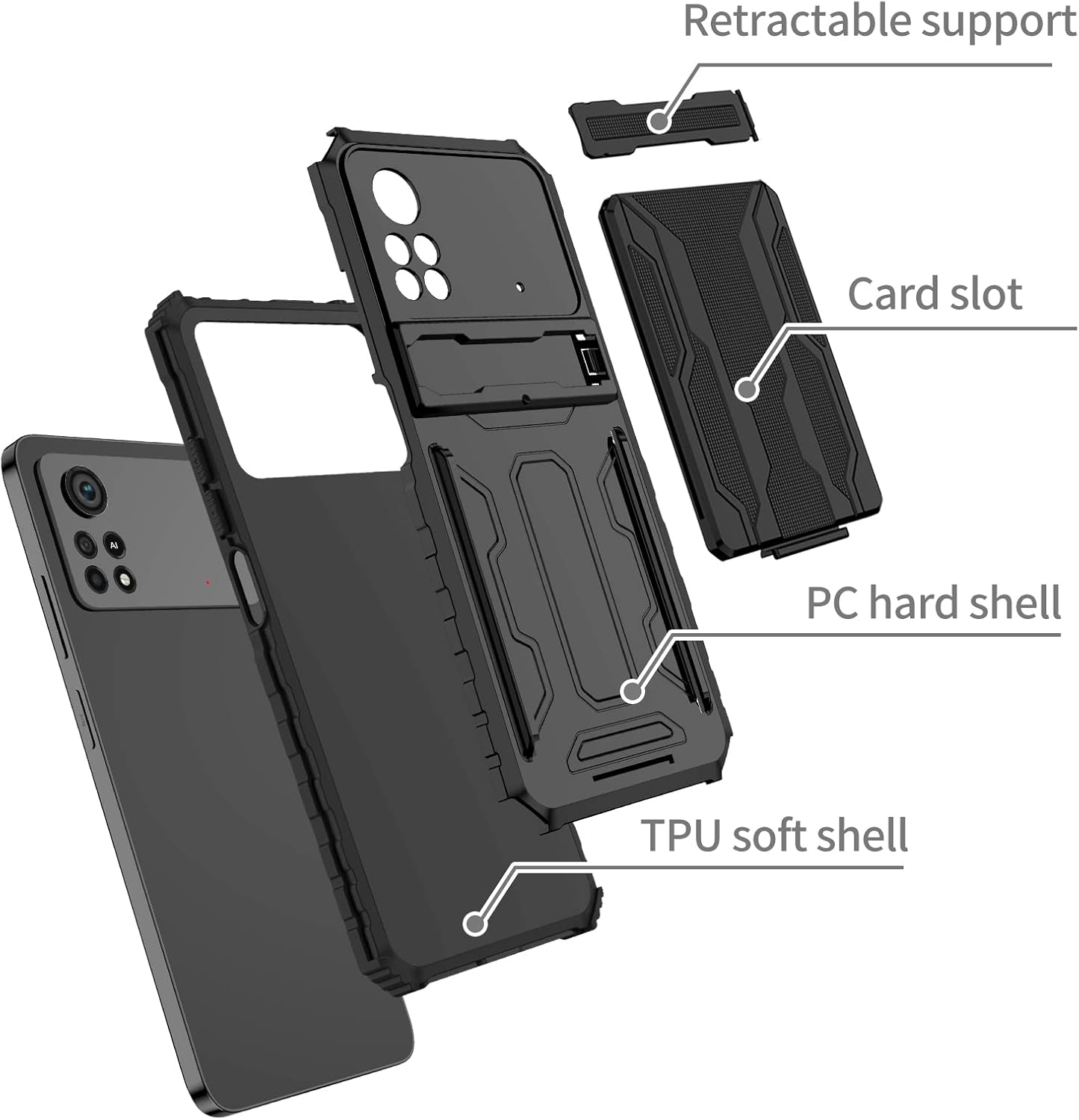
Figure 3.1: The integrated kickstand supporting the phone for hands-free viewing.
3.2 Accessing Cards from the Holder
Once cards are stored in the detachable holder, you can easily access them. Follow the steps in Section 2.2 to slide out the card holder. Select the desired card and then slide the holder back into the case. The design ensures your cards are securely held while providing convenient access when needed.
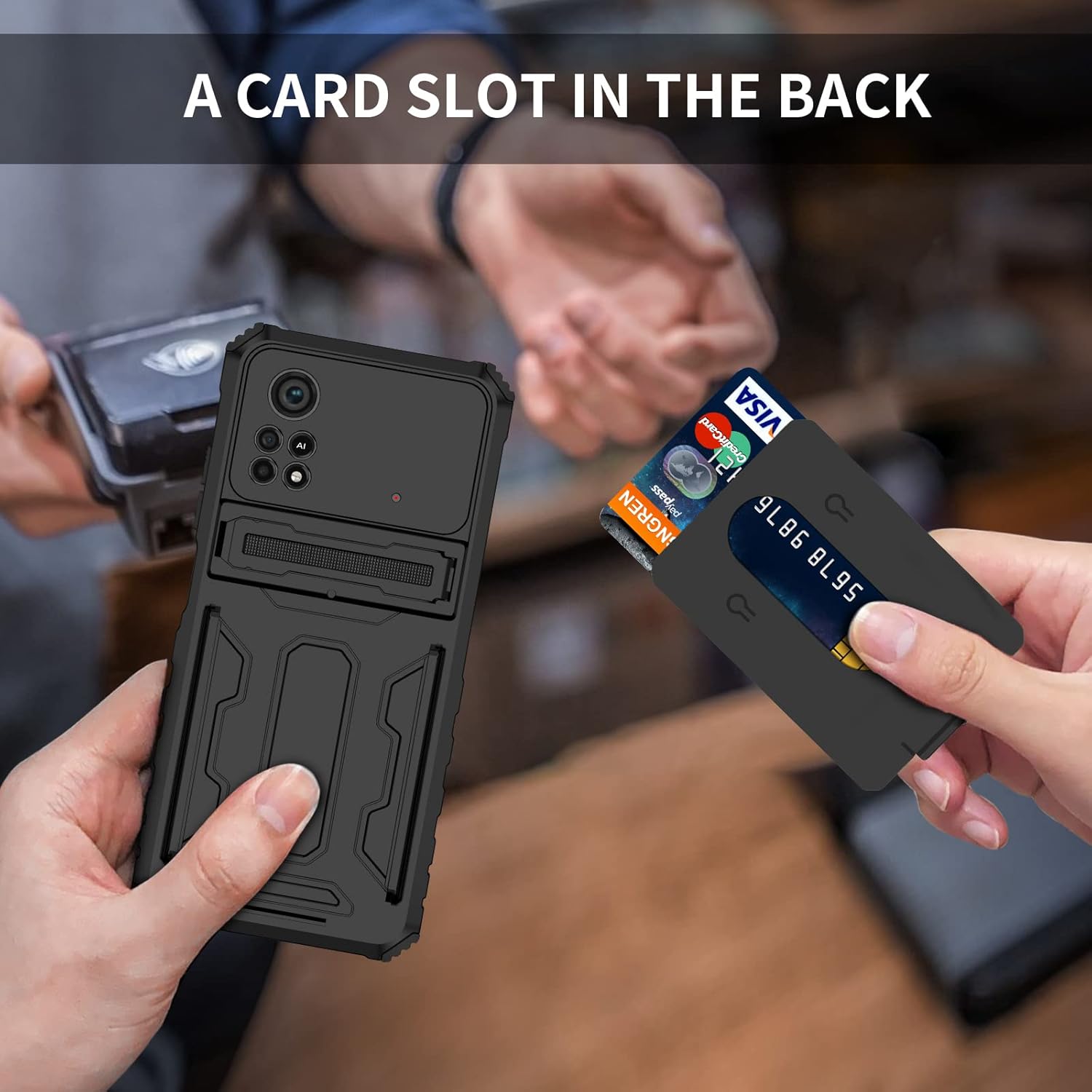
Figure 3.2: Demonstrating the removal of a card from the integrated card holder.
4. Maintenance and Care
To maintain the appearance and functionality of your Zoeirc phone case, follow these care guidelines:
- Cleaning: Use a soft, damp cloth to wipe down the case. For stubborn dirt, a mild soap solution can be used. Avoid harsh chemicals, abrasive cleaners, or solvents, as these can damage the material.
- Material: The case is constructed from durable Polycarbonate (PC) and Thermoplastic Polyurethane (TPU). These materials are resistant to scratches and impacts but can be damaged by extreme temperatures or sharp objects.
- Storage: When not in use, store the case in a cool, dry place away from direct sunlight.
- Inspection: Periodically inspect the case for any signs of wear or damage, especially around the edges and ports, to ensure continued protection for your phone.
5. Troubleshooting
- Difficulty Installing Phone: Ensure you are using the correct phone model (Xiaomi Poco X4 Pro 5G). Try inserting the phone into the soft TPU layer first, then fitting the hard PC layer. Do not force the phone into the case.
- Card Holder Stuck/Difficult to Remove: Ensure the buckle is fully lifted before attempting to slide the card holder out. Avoid overfilling the card slot beyond its capacity of three cards.
- Kickstand Not Staying Open: Check for any debris or obstruction in the kickstand mechanism. Ensure it is fully extended until it clicks into place. If it becomes loose over time, it may indicate wear.
- Buttons Not Responsive: Verify that the phone is correctly seated within the case and that the case's button covers are aligned with the phone's buttons.
6. Specifications
| Feature | Description |
|---|---|
| Brand | Zoeirc |
| Compatible Phone Model | Xiaomi Poco X4 Pro 5G (6.67" 2201116PG) |
| Material | Polycarbonate (PC), Thermoplastic Polyurethane (TPU) |
| Color | Black |
| Form Factor | Basic Case with Wallet and Kickstand |
| Special Features | Detachable Card Holder (holds up to 3 cards), Built-in Kickstand, Heavy Duty Protection, Shock-Absorbent, Camera Protector, Anti-Scratch, Anti-Skid |
| Water Resistance Level | Not Water Resistant |

Figure 6.1: Detail of the raised edges providing protection for the screen and camera.

Figure 6.2: Visual representation of the case's shock absorption capabilities.
7. Warranty and Support
Specific warranty information for this product is not provided in the available documentation. For any product-related inquiries, technical support, or warranty claims, please refer to the retailer or the manufacturer's official website for their customer service contact details.
Always retain your proof of purchase for any warranty or support requests.