
1. Introduction
This manual provides essential information for the proper installation, operation, and maintenance of your TCETVMVXR LED Backlight Strip. This product is designed as a replacement component for compatible television models, ensuring optimal display illumination. Please read this manual thoroughly before proceeding with any installation or use.
Package Contents:
- LED Backlight Strip(s) (Quantity: 1 set, typically multiple individual strips)

Figure 1.1: A complete set of TCETVMVXR LED Backlight Strips. These strips are designed to provide uniform illumination for compatible display panels.
2. Safety Information
Always observe the following safety precautions to prevent injury or damage to the product and associated equipment:
- Disconnect Power: Before beginning any installation or maintenance, ensure the television or display unit is completely disconnected from the power source.
- Static Electricity: Electronic components are sensitive to static electricity. Handle the LED strips by their edges and consider using anti-static precautions (e.g., an anti-static wrist strap) if available.
- Handle with Care: The LED strips are delicate. Avoid bending, twisting, or applying excessive force, which can damage the circuit board or LEDs.
- Professional Installation Recommended: Installation of backlight strips typically requires disassembling the display panel. If you are not comfortable with electronic repairs, seek assistance from a qualified technician.
- Compatibility: Ensure the replacement LED strips are fully compatible with your specific display model before installation. Refer to the product specifications and your display's service manual.
3. Setup and Installation
The installation of LED backlight strips requires careful disassembly and reassembly of the display unit. The following steps provide a general guide. Specific procedures may vary depending on your television model.
3.1 Pre-installation Checks
- Verify that the new LED strips match the original strips in length, number of LEDs, connector type, and mounting points.
- Inspect the new strips for any visible damage before installation.
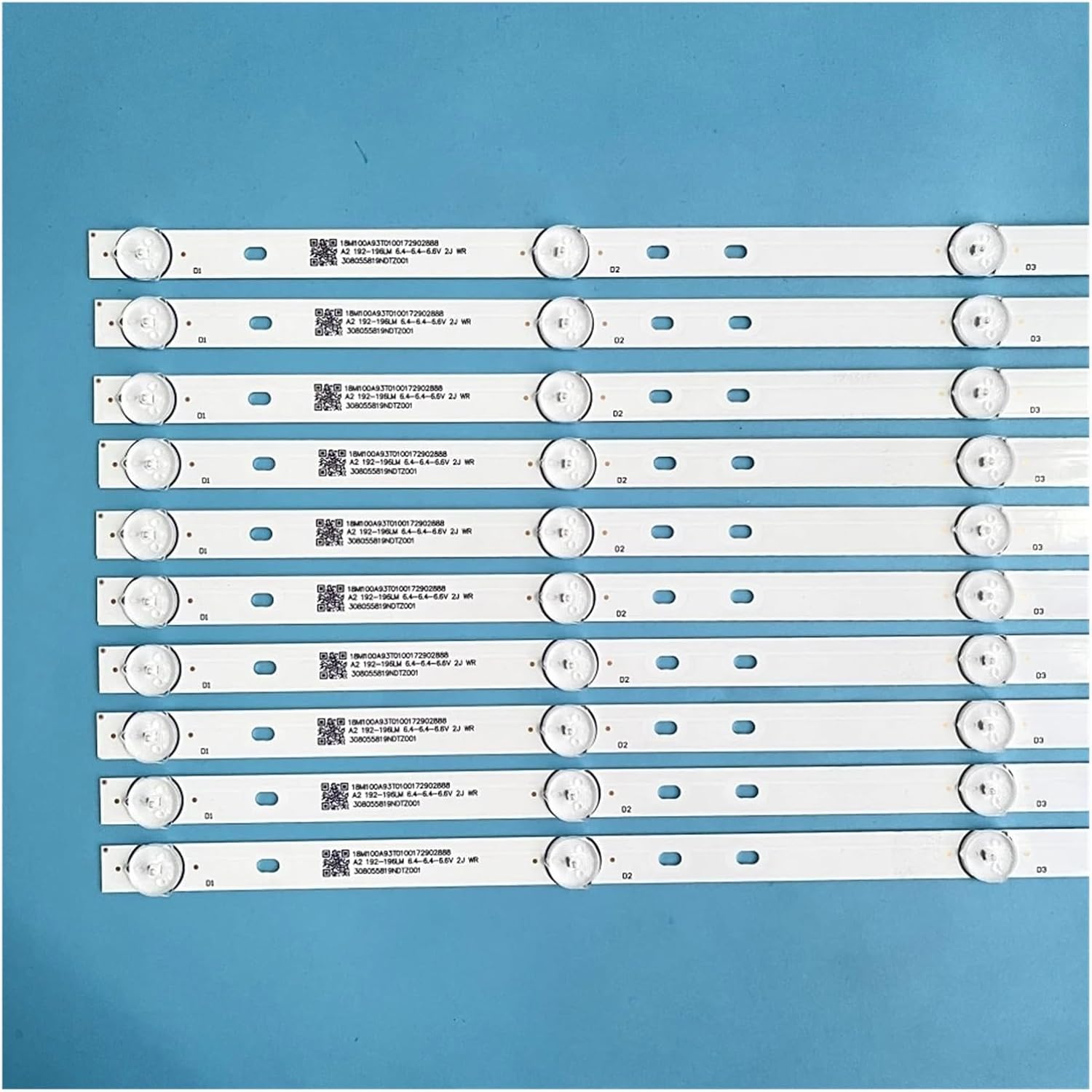
Figure 3.1: Detailed view of an individual LED backlight strip, highlighting the LED components and identification markings. Ensure these match your original strips.
3.2 Installation Steps (General)
- Prepare Workspace: Set up a clean, well-lit, and spacious work area. Use a soft, non-abrasive surface to protect the display panel.
- Disassemble Display: Carefully disassemble the television or display unit, following the manufacturer's service manual or a reliable repair guide for your specific model. This typically involves removing the back cover, internal components, and the display panel itself to access the backlight assembly.
- Remove Old Strips: Gently detach the old LED backlight strips. Note their orientation and placement. Some strips may be held in place by adhesive or clips.
- Install New Strips: Position the new TCETVMVXR LED backlight strips in the exact locations of the old ones. Ensure all mounting points align and connectors are properly seated. The strips are designed for easy installation without requiring complex assembly.
- Test Functionality: Before fully reassembling, temporarily connect the necessary power cables and test the backlight functionality. Ensure all LEDs illuminate correctly and uniformly.
- Reassemble Display: Carefully reassemble the display unit, ensuring all screws, cables, and components are returned to their original positions.

Figure 3.2: The reverse side of the LED backlight strips, illustrating the adhesive backing or mounting points that secure them within the display panel.
4. Operating Principles
Once properly installed, the TCETVMVXR LED Backlight Strips function as the primary light source for your display panel. They are designed to provide consistent and efficient illumination.
- Energy Efficiency: These LED strips are engineered for low energy consumption, contributing to the overall efficiency of your display unit.
- High Brightness: The LEDs deliver high brightness, ensuring a clear and vivid picture quality.
- Vibrant Color: The soft glow produced by these LED strips enhances the vibrancy and accuracy of colors displayed on the screen.
- Long Lifespan: Constructed from high-quality materials, the LED strips are designed for a long operational life, reducing the need for frequent replacements.
5. Maintenance
The TCETVMVXR LED Backlight Strips require minimal maintenance once installed. However, proper handling and care during installation and any subsequent servicing are crucial for their longevity.
- Cleaning: If the strips become dusty during installation or repair, gently wipe them with a clean, dry, lint-free cloth. Do not use liquid cleaners directly on the strips.
- Handling: Always handle the strips by their edges. Avoid touching the LED components or the circuit board traces directly to prevent damage from oils or static.
- Storage: If storing spare strips, keep them in their original anti-static packaging in a cool, dry place away from direct sunlight and extreme temperatures.
6. Troubleshooting
If you encounter issues after installing the LED backlight strips, consider the following common problems and solutions:
6.1 No Backlight / Dark Screen
- Check Connections: Ensure all connectors to the LED strips and the power supply board are securely seated. A loose connection is a common cause of no illumination.
- Power Supply Issue: Verify that the power supply unit (PSU) or LED driver board within the television is functioning correctly and providing the necessary voltage to the backlight strips.
- Damaged Strip: Even a single faulty LED or a break in the circuit on one strip can prevent the entire backlight from working. Re-inspect each strip for physical damage or burnt LEDs.
6.2 Flickering or Uneven Brightness
- Loose Connection: Recheck all connections for proper seating.
- Faulty LED: A single failing LED can cause flickering or dim spots. Identify and replace the affected strip if necessary.
- Driver Board Issue: The LED driver board might be malfunctioning. This typically requires professional diagnosis and replacement.
6.3 Incorrect Color Temperature
- Compatibility: Ensure the installed strips are the correct type and color temperature for your display model. Using incompatible strips can lead to color shifts.
If troubleshooting steps do not resolve the issue, it is recommended to consult a qualified electronics repair technician.
7. Specifications
The following table outlines the key specifications for the TCETVMVXR LED Backlight Strip (Model: wangchaoyuan):
| Feature | Detail |
|---|---|
| Brand | TCETVMVXR |
| Model Number | wangchaoyuan |
| ASIN | B0DG1DK4SF |
| Item Weight | 1.76 ounces (50 Grams) |
| Package Dimensions | 1.18 x 0.79 x 0.39 inches |
| Number of Pieces | 1 (refers to the set) |
| Color | One Color (Standard White LED) |
| Assembly Required | No (refers to the strips themselves, not the TV disassembly) |

Figure 7.1: Detailed view of the markings on an LED backlight strip, which often include part numbers and manufacturing dates crucial for compatibility verification.
8. Warranty and Support
For specific warranty information regarding your TCETVMVXR LED Backlight Strip, please refer to the product listing on the platform where it was purchased or contact the seller directly. Warranty terms may vary.
Customer Support:
If you have questions, require technical assistance, or need to report an issue with your product, please contact the seller or manufacturer through the respective customer service channels provided at the point of purchase.
Please have your product model number (wangchaoyuan) and ASIN (B0DG1DK4SF) ready when contacting support to facilitate a quicker resolution.