
Frigidaire GHDD5035W1
Frigidaire Gallery 50-Pint Portable Dehumidifier
Model: GHDD5035W1 User Manual
Introduction
This manual provides essential information for the safe and efficient operation, maintenance, and troubleshooting of your Frigidaire Gallery 50-Pint Portable Dehumidifier, Model GHDD5035W1. This appliance is designed to reduce humidity levels in medium to large rooms and basements, featuring Wi-Fi connectivity, Energy Star certification, and indoor air quality monitoring.

Image: The Frigidaire Gallery 50-Pint Portable Dehumidifier, white in color, with a smartphone displaying the Frigidaire app interface next to it.
Safety Information
Please read all safety instructions before operating the dehumidifier to prevent personal injury or property damage. Keep this manual for future reference.
- Electrical Safety: Ensure the unit is plugged into a grounded 115V, 60Hz electrical outlet. Do not use extension cords.
- Placement: Place the dehumidifier on a level surface. Maintain a minimum clearance of 12 inches (30 cm) on all sides and 24 inches (60 cm) above the unit for proper airflow.
- Water: Do not immerse the unit in water. Always empty the water bucket carefully to avoid spills.
- Children and Pets: Keep children and pets away from the appliance during operation.
- Maintenance: Unplug the unit before cleaning or performing any maintenance.
Product Features
The Frigidaire Gallery GHDD5035W1 dehumidifier offers advanced features for effective humidity control and improved indoor air quality:
- Wi-Fi Connectivity: Control and monitor your dehumidifier remotely using the Frigidaire app on your smartphone or integrate with Amazon Alexa and Google Home devices.
- Indoor Air Quality Monitoring: A built-in sensor provides real-time air quality updates via the user interface and the Frigidaire app.
- Energy Star Certified: Designed for energy efficiency, reducing electricity consumption and utility costs.
- Custom Humidity Control: Easily set your desired humidity level.
- Automatic Shut-Off and Restart: The unit automatically turns off when the water bucket is full and restarts with previous settings after a power outage.
- 24-Hour Programmable Timer: Schedule operation to suit your needs.
- Two Drainage Options: Utilize the easy-carry water bucket for manual emptying or connect a hose for continuous drainage.
- Quiet Operation: Operates at a low noise level of 47 dBA, minimizing disruption.
- Low-Temperature Performance: Efficiently operates in temperatures as low as 41°F (5°C).
- Portable Design: Equipped with built-in caster wheels and a handle for easy movement.

Image: Visual representation of key features: Wi-Fi connectivity, Energy Star certification, and air quality monitoring.
Setup
- Unpacking: Carefully remove the dehumidifier from its packaging. Retain packaging materials for future storage or transport.
- Placement: Position the dehumidifier on a firm, level surface in the area requiring dehumidification. Ensure adequate air circulation by maintaining at least 12 inches (30 cm) of clearance on all sides and 24 inches (60 cm) above the unit. Do not block air inlets or outlets.
- Power Connection: Plug the power cord into a dedicated, grounded 115V, 60Hz electrical outlet.
- Drainage Option Selection:
- Water Bucket: For manual emptying, ensure the water bucket is correctly seated in the unit.
- Continuous Drain: To enable continuous drainage, attach a standard garden hose (not included) to the drain port located on the back of the unit. Ensure the hose is sloped downwards to a suitable drain (e.g., floor drain, sump pump) to allow gravity to remove water.
- Wi-Fi Setup (Optional):
- Download the Frigidaire app from your device's app store.
- Follow the in-app instructions to connect your dehumidifier to your home Wi-Fi network. This typically involves putting the unit into pairing mode and selecting your network in the app.
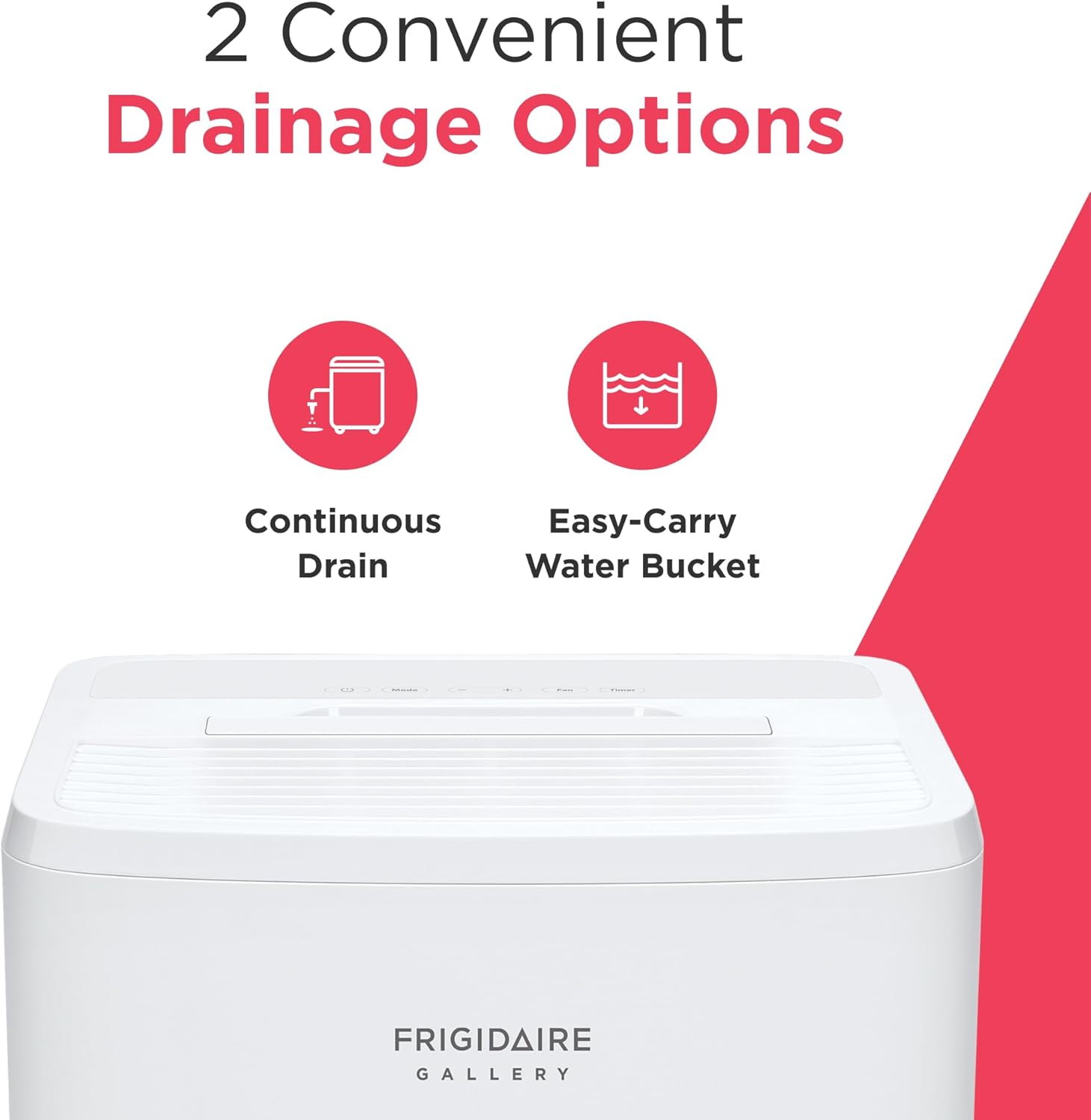
Image: Illustration of the two drainage options: continuous drain via a hose and manual emptying using the easy-carry water bucket.
Operating Instructions
- Power On/Off: Press the Power button on the control panel to turn the unit on or off.
- Setting Desired Humidity: Use the '+' and '-' buttons to adjust the target humidity level. The unit will operate until the ambient humidity reaches the set level, then cycle off.
- Fan Speed: Press the 'Fan' button to cycle through available fan speeds (e.g., Low, Medium, High). Higher fan speeds result in faster dehumidification but may produce more noise.
- Mode Selection: Press the 'Mode' button to select different operating modes, if available (e.g., Continuous, Auto).
- Timer Function: Press the 'Timer' button to set a delayed start or stop time for the unit. Follow the on-screen prompts or app instructions to configure the timer.
- Air Quality Monitoring: The built-in sensor continuously monitors air quality. The current status can be viewed on the unit's display or through the Frigidaire app.
- Wi-Fi App Control: Once connected to Wi-Fi, use the Frigidaire app to remotely power on/off, adjust settings, monitor humidity and air quality, and receive notifications.

Image: A close-up view of the dehumidifier's control panel, displaying the digital humidity reading and control buttons for power, mode, fan, and timer.
Maintenance
Regular maintenance ensures optimal performance and longevity of your dehumidifier.
- Filter Cleaning: The unit features a washable dust filter. The dehumidifier will provide alerts when it's time to clean the filter. Remove the filter, wash it with warm, soapy water, rinse thoroughly, and allow it to air dry completely before reinstalling.
- Water Bucket Emptying: If using the water bucket option, empty it regularly. The unit will automatically shut off when the bucket is full. Carefully remove the bucket, dispose of the water, and reinsert it securely.
- Exterior Cleaning: Wipe the exterior of the unit with a soft, damp cloth. Do not use harsh chemicals or abrasive cleaners.
- Storage: If storing the unit for an extended period, ensure the water bucket is empty and the filter is clean and dry. Store in an upright position in a cool, dry place.

Image: An illustration highlighting the benefits of the PureAir Advanced Filter, indicating its effectiveness against pet hair, dander, pollen, and dust mite debris.
Troubleshooting
Before contacting customer support, review the following common issues and solutions:
| Problem | Possible Cause | Solution |
|---|---|---|
| Dehumidifier does not turn on. | No power, full water bucket, or filter alert. | Check power connection. Empty water bucket. Clean or replace filter. |
| Unit runs but does not dehumidify. | Filter clogged, room temperature too low, or humidity setting too high. | Clean filter. Ensure room temperature is above 41°F (5°C). Lower desired humidity setting. |
| Wi-Fi connection issues. | Network interference, incorrect password, or unit too far from router. | Restart router and dehumidifier. Re-enter Wi-Fi credentials in the app. Move unit closer to router. Consult app's troubleshooting guide. |
| Unit is noisy. | Fan speed too high, unit not level, or internal component issue. | Reduce fan speed. Ensure unit is on a level surface. If noise persists, contact support. |
For issues not listed here, or if solutions do not resolve the problem, please refer to the full troubleshooting guide available on the Frigidaire support website or contact customer service.
Specifications
| Specification | Detail |
|---|---|
| Brand | Frigidaire |
| Model Name | GHDD5035W1 |
| Dehumidification Capacity | 50 Pints per Day |
| Capacity (Water Bucket) | 2.11 Gallons |
| Recommended Floor Area | Up to 4500 sq ft |
| Product Dimensions (DxWxH) | 12.19" x 24.25" x 24.25" |
| Item Weight | 44.53 Pounds |
| Color | White |
| Special Features | Automatic Moisture Removal, Continuous Draining, Programmable, Wi-Fi, Air Quality Monitoring, Energy Star Certified |
| Included Components | Filter |
| Operation Mode | Comfort |
| UPC | 012505285783 |

Image: A diagram illustrating the physical dimensions of the dehumidifier and highlighting key specifications such as 50-pint capacity, 3 fan speeds, 47 dBA noise level, and portable design.
Warranty and Support
Your Frigidaire Gallery dehumidifier is covered by a manufacturer's warranty. Please refer to the warranty card included with your product for specific terms and conditions, including coverage duration and limitations.
For technical assistance, troubleshooting beyond this manual, or to inquire about warranty service, please visit the official Frigidaire support website or contact their customer service department. Have your model number (GHDD5035W1) and serial number ready when contacting support.
Online Resources: For additional information, FAQs, and support, visit the Frigidaire official website.
Ask a question about this manual
Ask about setup, troubleshooting, compatibility, parts, safety, or missing instructions. Manuals+ will review the question and use this page’s manual context to help answer it.