
1. Product Overview
The TDC-M1 Thor LED Rechargeable Headlamp is a versatile and powerful lighting solution designed for various activities including camping, hiking, hunting, and professional work. It features a robust construction, multiple lighting modes, and a long-lasting rechargeable battery, ensuring reliable illumination in diverse conditions.
Key Features:
- Brightness: 1080 lumens LED output.
- Beam Range: Illuminates up to 1000 feet.
- Dual Beam Modes: Adjustable between a wide 145° floodlight for broad area coverage and a focused 25° spotlight for long-distance precision.
- Durability: Constructed from strong ABS and alloy aluminum, dustproof, and IPX4 water-resistant for all-weather conditions.
- Comfort: Lightweight design with a fully adjustable, sweat-resistant strap for secure and comfortable wear.
- Battery Life: Up to 10 hours runtime per charge.
- Charging: Fast USB-C recharging (approximately 4 hours for a full charge).
- Power Bank Function: Integrated USB-A output allows charging of external mobile devices.
- Lighting Modes: Four distinct modes: Low, Medium, High, and Emergency Strobe.
- Adjustable Head: 90° rotatable mount for directing light precisely where needed.
- Safety Features: Rear-facing blue LED battery level indicator and back safety light for enhanced visibility.
What's in the Box:
- 1x TDC-M1 Thor LED Headlamp
- 1x USB-C Charging Cable
- 1x User Manual

Figure 1: TDC Thor LED Headlamp showcasing its 1080 lumens and four distinct light modes (Low, Medium, High, Strobe).
2. Setup
2.1 Adjusting the Head Strap
The headlamp features an elastic, adjustable strap designed for comfort and a secure fit. To adjust, simply slide the buckles on the side straps to achieve the desired tension around your head. The top strap provides additional stability, especially during active use.
2.2 Charging the Headlamp
Before first use, ensure the headlamp is fully charged. The device is equipped with a rechargeable Lithium Polymer battery. Locate the USB-C input port on the battery pack, typically covered by a rubber flap for water resistance.
- Connect the provided USB-C cable to the headlamp's USB-C input.
- Plug the other end of the USB-C cable into a compatible USB power source (e.g., wall adapter, computer USB port, power bank).
- The blue LED indicators on the battery pack will illuminate to show the charging status. Each LED represents approximately 20% of the battery's charge. All five LEDs will be solid blue when fully charged.
- A full charge typically takes about 4 hours.
Caution: Avoid using the headlamp while it is actively charging to prevent potential damage to the battery or device.
2.3 Power Bank Function
The headlamp's battery pack can also serve as a power bank to charge external USB devices. Locate the USB-A output port on the battery pack.
- Connect your device's charging cable to the headlamp's USB-A output port.
- The headlamp battery will then begin charging your external device.

Figure 2: The headlamp's extended 10-hour battery life and convenient USB-C fast charging capability.
3. Operating Instructions
3.1 Power On/Off and Lighting Modes
The headlamp features a single power button located on the top of the main light unit. Each press cycles through the available lighting modes.
- First Press: Activates the main central light (Low mode).
- Second Press: Activates the two side lights (Medium mode).
- Third Press: Activates all three lights (High mode).
- Fourth Press: Activates the Emergency Strobe mode (all three lights flashing).
- Fifth Press: Turns the headlamp off.
3.2 Adjusting Beam Focus (Spotlight/Floodlight)
The central main light features an adjustable bezel to switch between a focused spotlight and a wide floodlight.
- Spotlight: Rotate the bezel clockwise to focus the light beam for long-distance illumination.
- Floodlight: Rotate the bezel counter-clockwise to diffuse the light beam for wider area coverage.

Figure 3: Illustration of the headlamp's adjustable beam, transitioning from a wide 145° floodlight to a focused 25° spotlight.
3.3 Adjusting Light Angle
The headlamp unit is mounted on a 90° rotatable hinge, allowing you to direct the light beam up or down as needed.
- Gently tilt the headlamp unit to adjust the angle of illumination. The ratcheting mechanism will hold the light securely in your chosen position.
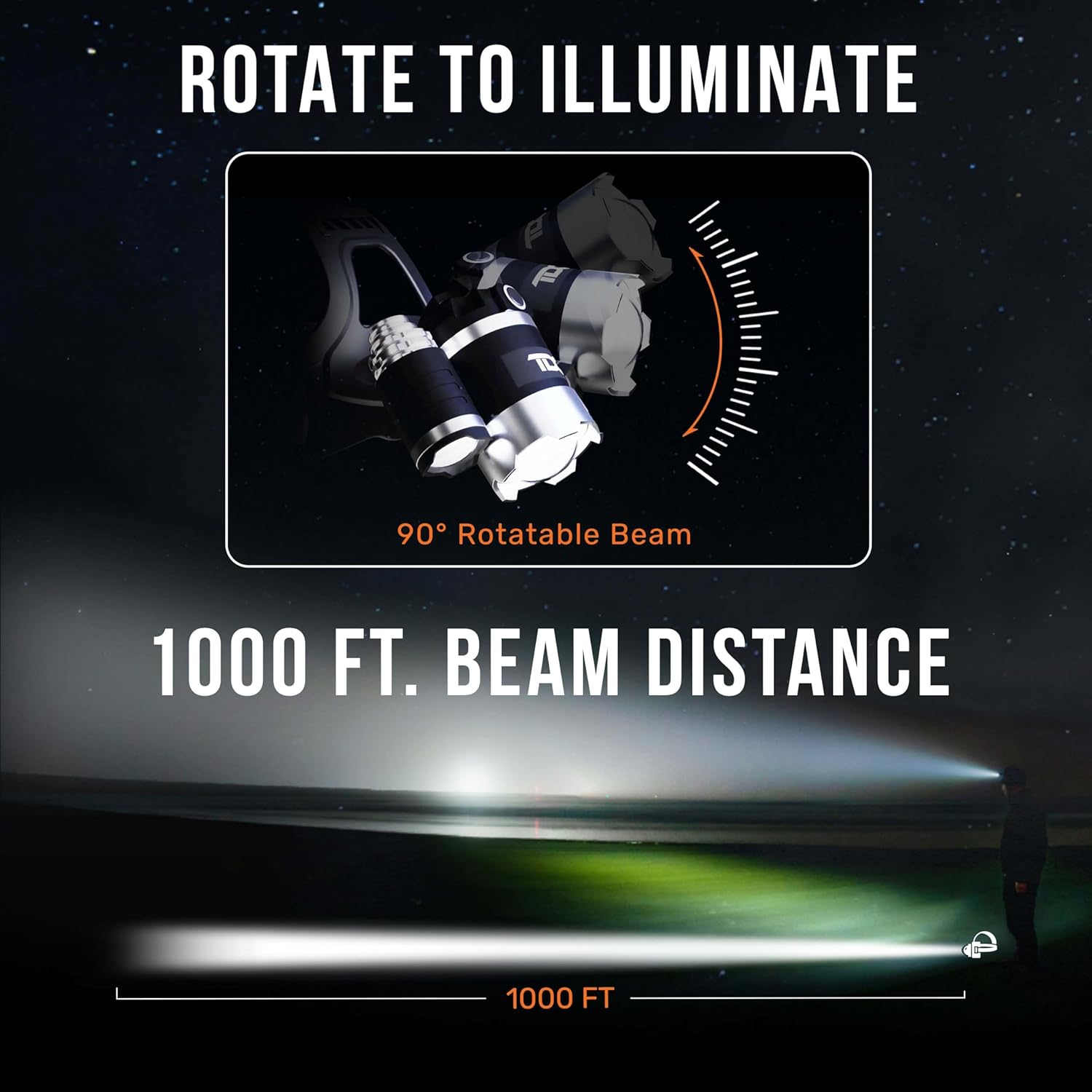
Figure 4: The 90° rotatable beam feature allows precise light direction, extending up to 1000 feet.
3.4 Back Safety Light
The rear battery pack includes a blue LED safety light to enhance your visibility to others, especially in low-light conditions or when working/traveling at night.
- The back safety light automatically activates when the headlamp is in use.
4. Maintenance
4.1 Cleaning
To clean the headlamp, wipe it with a soft, damp cloth. Avoid using harsh chemicals or abrasive materials that could damage the surface or components. Ensure the USB ports are covered by their rubber flaps before cleaning to maintain water resistance.
4.2 Battery Care
To prolong battery life and reduce potential risks, avoid using the headlamp while it is charging. Store the headlamp in a cool, dry place when not in use for extended periods.
5. Troubleshooting
5.1 Light Not Turning On
- Ensure the battery is sufficiently charged. Refer to Section 2.2 for charging instructions.
- Check the connections between the headlamp unit and the battery pack to ensure they are secure.
5.2 Beam Not Adjusting
- Ensure the main light is active. The adjustable bezel only affects the central LED.
- Gently rotate the bezel to avoid forcing the mechanism.
5.3 General Safety Warning
WARNING: Do not irradiate the eyes directly with the bright light of the headlamp, as it could cause eye damage. Keep out of reach of children.
6. Specifications
| Model Number | TDC-M1 |
| Brand | TDC |
| Light Source Type | LED |
| White Brightness | 1080 Lumens |
| Light Path Distance | 1000 Feet |
| Power Source | Battery Powered (Lithium Polymer) |
| Runtime | Up to 10 hours |
| Water Resistance Level | IPX4 (Water Resistant) |
| Material | ABS |
| Item Weight | 157 Grams |
| Item Dimensions (D x W x H) | 3.94"D x 3.94"W x 3.94"H |
7. Warranty & Support
7.1 Manufacturer's Warranty
The TDC-M1 Thor LED Headlamp comes with a 1-year manufacturer's warranty against defects in materials and workmanship from the date of purchase. This warranty does not cover damage caused by misuse, accident, unauthorized modification, or normal wear and tear.
7.2 Customer Support
For technical support, warranty claims, or any inquiries regarding your product, please contact our U.S.-based customer support team. Contact information can typically be found on the product packaging or the official TDC website.