
1. Introduction
Thank you for choosing the ESFOE FV6 Smartwatch. This device is designed to enhance your daily life with its advanced features, including comprehensive health monitoring, extensive sports modes, and convenient communication capabilities. Please read this manual carefully to ensure proper use and optimal performance of your smartwatch.

The ESFOE FV6 Smartwatch, showcasing its robust design and vibrant display, with water splashes indicating its waterproof capabilities.
2. Package Contents
Please check the box for the following items:
- ESFOE FV6 Smartwatch x 1
- Steel Strap x 1
- Silicone Straps x 2
- USB Charging Cable x 1
- Strap Adjustment Tool x 1
- User Manual x 1
3. Specifications
| Feature | Detail |
|---|---|
| Brand | ESFOE |
| Model | FV6-BV |
| Screen Size | 1.85 inches |
| Screen Type | IPS |
| Resolution | 320x180 |
| Battery Capacity | 730 mAh |
| Battery Life (Typical Use) | Up to 15+ days |
| Standby Time | Up to 50+ days |
| Charging Time | Approx. 2.5 hours |
| Water Resistance | IP68 |
| Connectivity | Bluetooth 5.0 |
| Memory Storage | 128 MB |
| Compatible Devices | Android 4.4+ / iOS 8.0+ |
| Dimensions | 11.43 x 2.54 x 1.27 cm |
| Weight | 200 g |
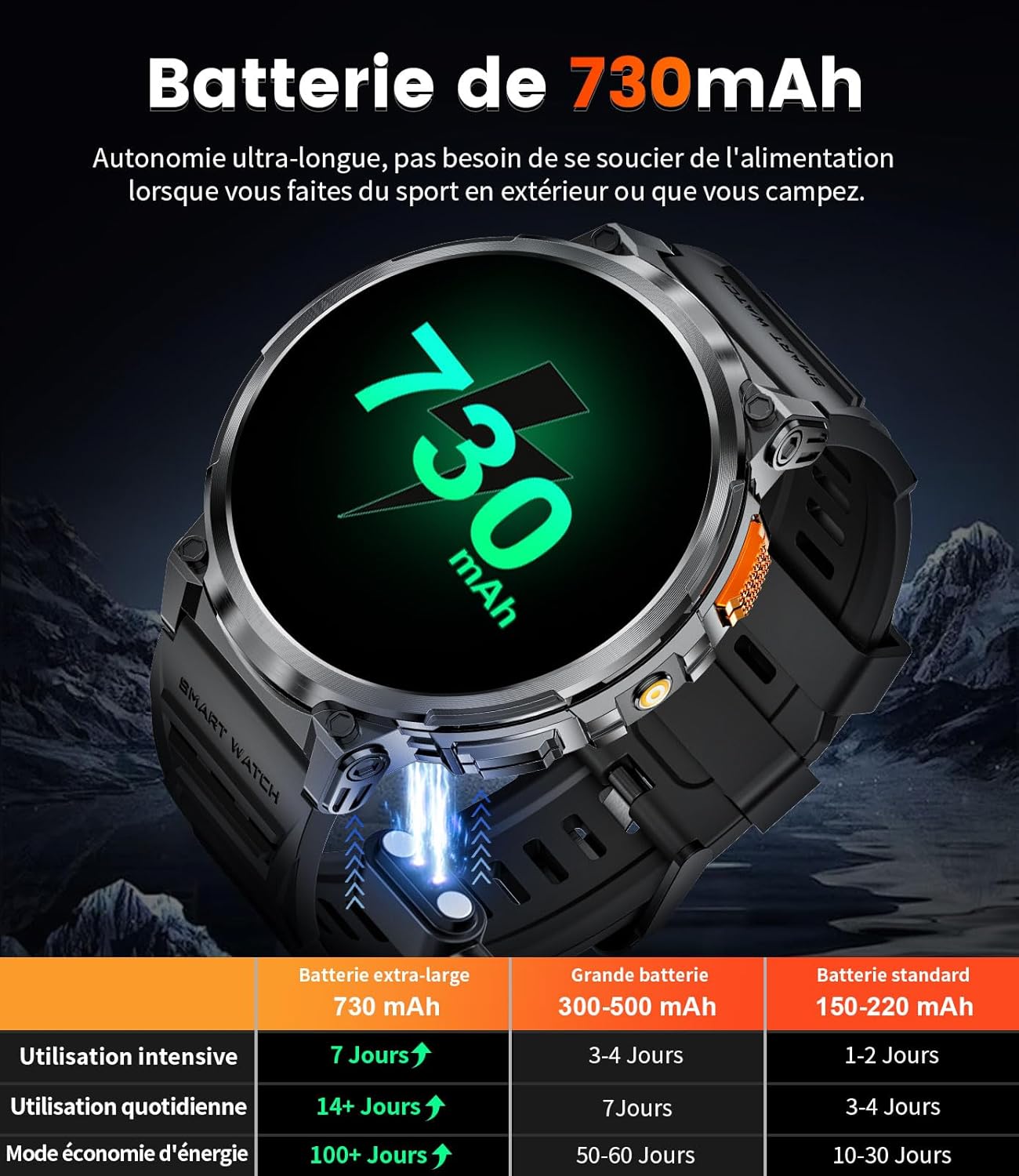
The smartwatch highlights its impressive 730mAh battery, offering extended usage and standby times.
4. Setup
4.1 Charging the Smartwatch
Before first use, fully charge your smartwatch. Connect the magnetic charging cable to the charging points on the back of the watch and plug the USB end into a power adapter (not included) or a computer USB port. The watch will display a charging indicator. A full charge takes approximately 2.5 hours.
4.2 App Installation
To unlock the full potential of your smartwatch, download and install the FitCloudPro app on your smartphone.
- Scan QR Code: Locate the QR code in the manual or on the watch screen (if available) and scan it with your phone's camera to download the app.
- App Store Search: Alternatively, search for "FitCloudPro" in the Apple App Store (for iOS devices) or Google Play Store (for Android devices) and install it.
4.3 Pairing with Your Smartphone
Ensure Bluetooth is enabled on your smartphone.
- Open the FitCloudPro app on your smartphone.
- Follow the on-screen instructions to add a new device. The app will search for available smartwatches.
- Select "FV6" or the corresponding device name from the list to pair.
- Confirm the pairing request on both your phone and the smartwatch if prompted.
For visual guidance on pairing, refer to the official product video if available.
5. Operating Instructions
5.1 Basic Navigation
- Touchscreen: Swipe left/right, up/down to navigate through menus and features. Tap to select.
- Side Buttons: Use the physical buttons on the side for power on/off, returning to the home screen, or accessing specific functions like the LED flashlight.
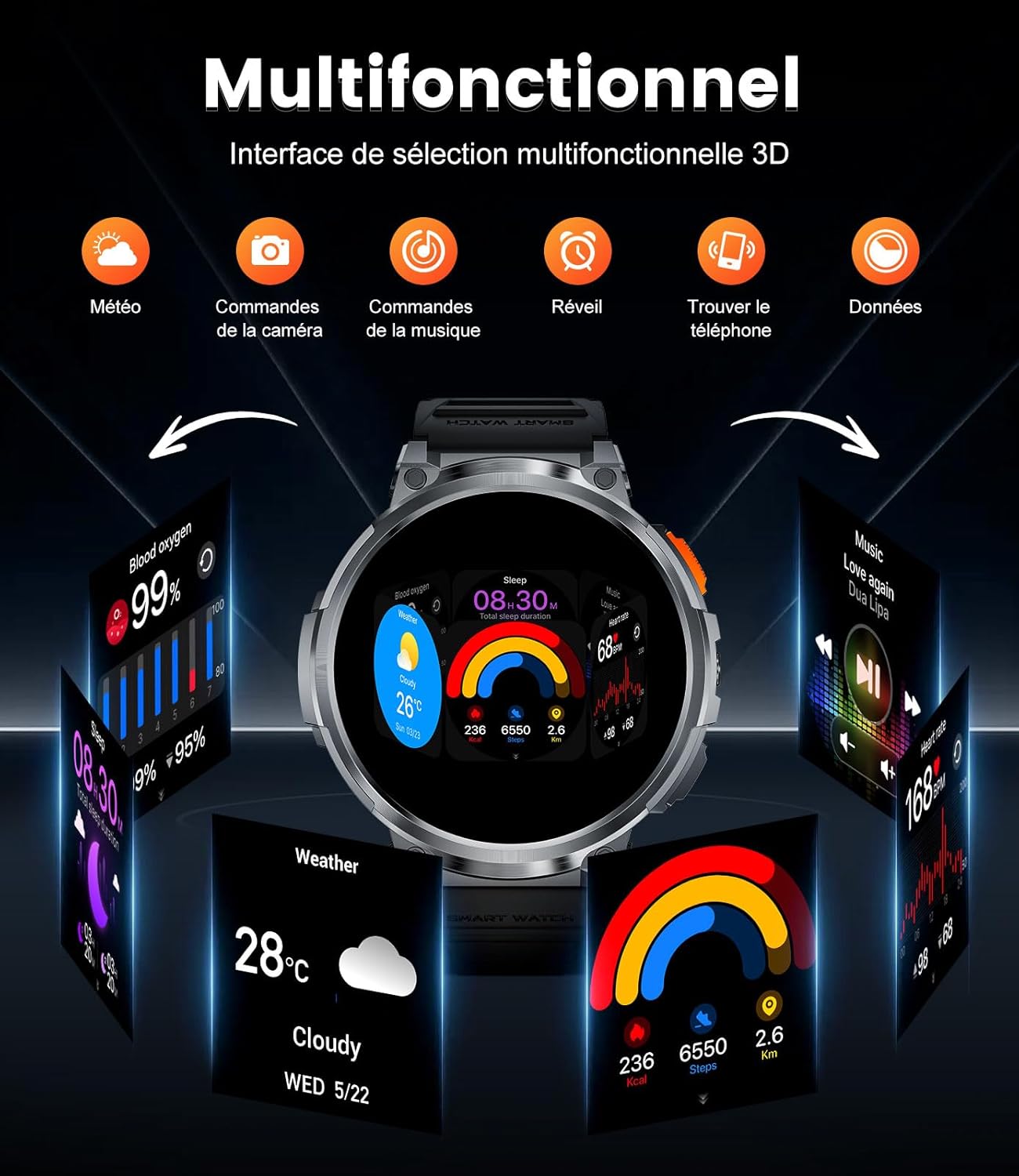
The smartwatch's multifunctional interface allows quick access to features such as weather, camera control, music playback, alarms, and phone location.
5.2 Key Features
- Bluetooth Calling & Music: Make and receive calls directly from your watch using the built-in speaker and microphone. Control music playback on your phone.
- Health Monitoring: The smartwatch continuously monitors your heart rate, blood pressure, and blood oxygen (SpO2) levels. It also tracks your sleep patterns, providing insights into sleep duration and quality.
- Sports Modes: With over 120 sports modes, the watch tracks your daily activities, including steps, distance, and calories burned.
- Notifications: Receive real-time alerts for incoming calls, SMS, and social media messages (Facebook, WhatsApp, Skype, Instagram, Twitter).
- LED Flashlight: The integrated LED flashlight provides illumination for various situations, such as night running or emergencies.
- Custom Watch Faces: Choose from over 150 watch faces or create your own using personal photos via the FitCloudPro app.
- Additional Features: Includes weather updates, alarms, remote camera control, music control, sedentary reminders, and a 'find phone' function.
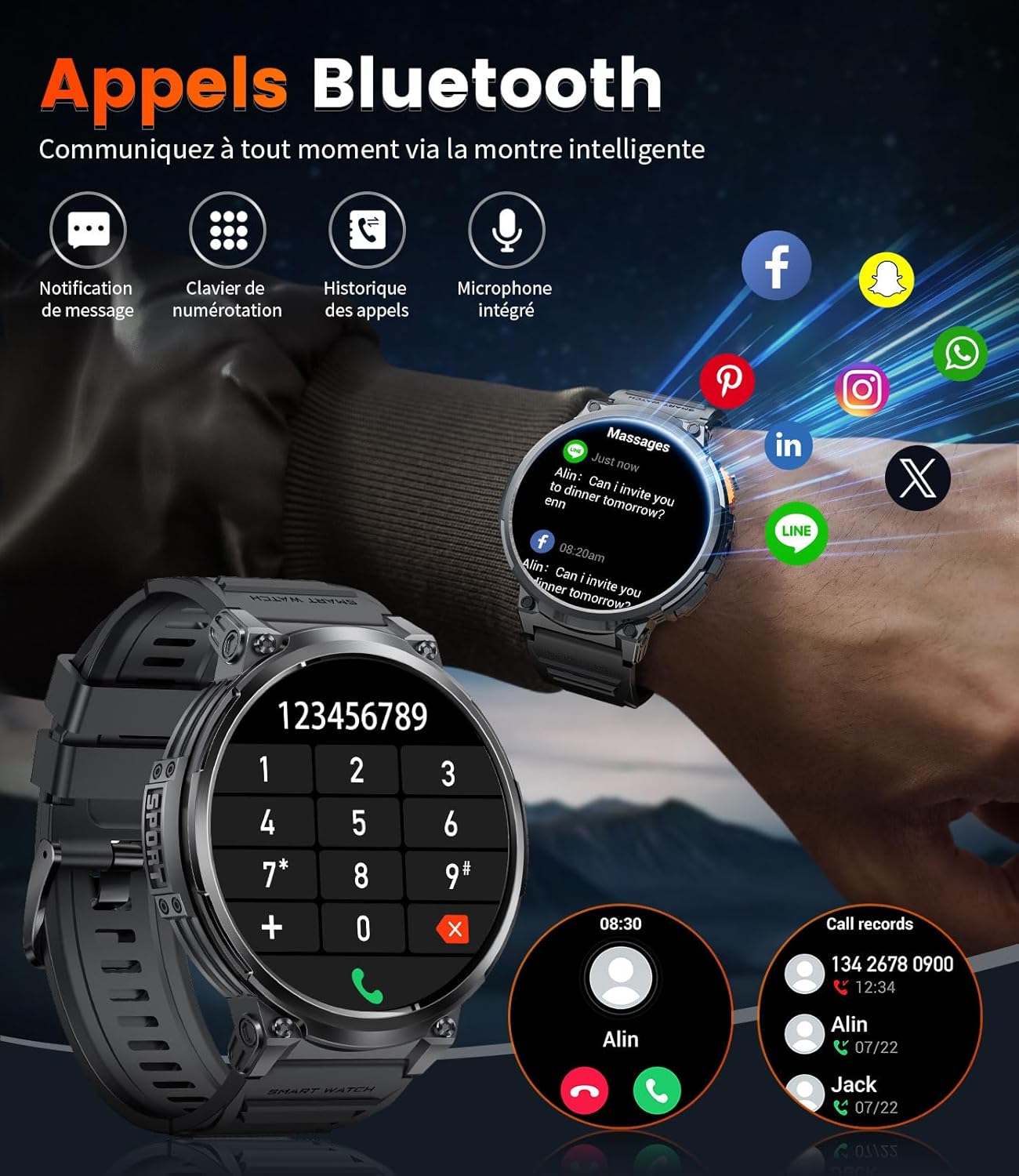
The smartwatch's Bluetooth calling feature allows direct communication, alongside displaying message notifications from various apps.

The smartwatch provides real-time health monitoring, including heart rate, blood oxygen saturation, and blood pressure readings.

The powerful LED flashlight feature of the smartwatch is demonstrated, useful for outdoor activities at night, during power outages, or for locating objects in the dark.
6. Maintenance
- Cleaning: Regularly wipe your smartwatch and straps with a soft, dry cloth to remove dust and sweat. For silicone straps, you can gently wash them with mild soap and water.
- Water Resistance: The watch is IP68 waterproof, suitable for daily use, hand washing, and light rain. Do not wear it during hot showers, saunas, or diving, as steam and hot water can damage the seals.
- Charging: Always use the provided USB charging cable. Avoid using damaged cables or non-standard chargers.
- Storage: Store the smartwatch in a cool, dry place when not in use. Avoid extreme temperatures.
7. Troubleshooting
7.1 Common Issues and Solutions
- Watch not turning on: Ensure the watch is fully charged. If it still doesn't turn on, try holding the power button for 10-15 seconds.
- Unable to pair with phone:
- Ensure Bluetooth is enabled on your phone.
- Make sure the watch is within Bluetooth range (typically 10 meters).
- Restart both your phone and the smartwatch.
- Clear the Bluetooth cache on your phone (if applicable) and try again.
- Inaccurate health data:
- Ensure the watch is worn snugly on your wrist, not too tight or too loose.
- Clean the sensor on the back of the watch.
- Avoid excessive movement during measurements.
- Notifications not received:
- Check app permissions on your phone to ensure FitCloudPro has access to notifications.
- Ensure the watch is connected via Bluetooth to your phone.
- Verify notification settings within the FitCloudPro app.
- Short battery life:
- Reduce screen brightness.
- Disable continuous heart rate monitoring if not needed 24/7.
- Limit the number of active background apps on the watch.
8. Warranty and Support
Your satisfaction is our priority. ESFOE is committed to providing high-quality products and excellent customer service.
- Warranty: The ESFOE FV6 Smartwatch comes with a 2-year warranty from the date of purchase, covering manufacturing defects.
- Return Service: We offer a 6-month return service for eligible products. Please refer to your purchase platform's return policy for details.
- Customer Support: Our dedicated customer support team is available for 24-hour online service. If you have any questions, concerns, or require assistance, please do not hesitate to contact us. We are at your service.

ESFOE's commitment to customer satisfaction, highlighted by 24-hour online service, 6-month return service, and a 2-year warranty.