
Product Overview
The CFIAI PB-08 is a 20000mAh portable power bank designed for fast charging of various smart devices. It features built-in USB-C and iOS output cables, along with additional charging ports, offering versatile charging solutions for users on the go. Its compact and lightweight design makes it an ideal travel companion.

Image: CFIAI PB-08 Portable Charger with Built-in Cables.
Key Features:
- Integrated Cables: Includes 1 iOS cable and 1 Type-C cable for direct device charging.
- Multiple Ports: Features USB-A, Type-C, and Micro USB input/output ports for broad compatibility.
- High Capacity: 20000mAh battery capacity provides multiple charges for smartphones and tablets.
- Fast Charging: Supports PD22.5W (USB-C cable), 20W (iOS cable), 18W (USB-C port), and 15W (USB-A port) for rapid power delivery.
- Digital Display: Intelligent LED digital display shows precise battery percentage (0-100%).
- Safety Protections: Built-in intelligent protection systems guard against over-charge, over-discharge, short circuit, over-current, and temperature issues.
- Compact Design: Ultra-compact and lightweight for easy portability.
What's in the Box
Upon opening your CFIAI PB-08 Portable Charger package, you should find the following items:
- 1 x CFIAI PB-08 Portable Charger (20000mAh)
- 1 x Type-C USB Charging Cable (for recharging the power bank)
- 1 x User Manual

Image: Package contents including the power bank, Type-C charging cable, and user manual.
Setup
Initial Charging of the Power Bank:
- Before first use, fully charge your CFIAI PB-08 power bank.
- Connect the provided Type-C USB charging cable to the power bank's Type-C input port.
- Connect the other end of the cable to a compatible USB wall adapter (not included).
- The digital display will show the charging progress. Charge until the display shows 100%.
- Alternatively, you can use a Micro USB cable (not included) to charge the power bank via its Micro USB input port.

Image: Illustrates charging the power bank using Micro USB or Type-C input ports.
Operating Instructions
Charging Your Devices:
- Using Built-in Cables:
- For iOS devices: Pull out the built-in iOS cable and connect it to your iPhone or iPad.
- For USB-C devices: Pull out the built-in Type-C cable and connect it to your compatible Android phone, tablet, or other USB-C device.
- Using External Cables (via Ports):
- Connect your device's charging cable to the appropriate output port on the power bank (USB-A or Type-C).
- Connect the other end of your cable to your device.
- The power bank will automatically begin charging your device. The digital display will show the remaining battery percentage.
- You can charge up to four devices simultaneously using a combination of built-in cables and external cables connected to the ports.

Image: The power bank charging multiple devices at once.

Image: Demonstrates compatibility with various devices including phones, tablets, smartwatches, and headphones.
Checking Battery Level:
Lightly touch the power button once to activate the intelligent LED digital display. It will show the remaining battery percentage from 0-100%.
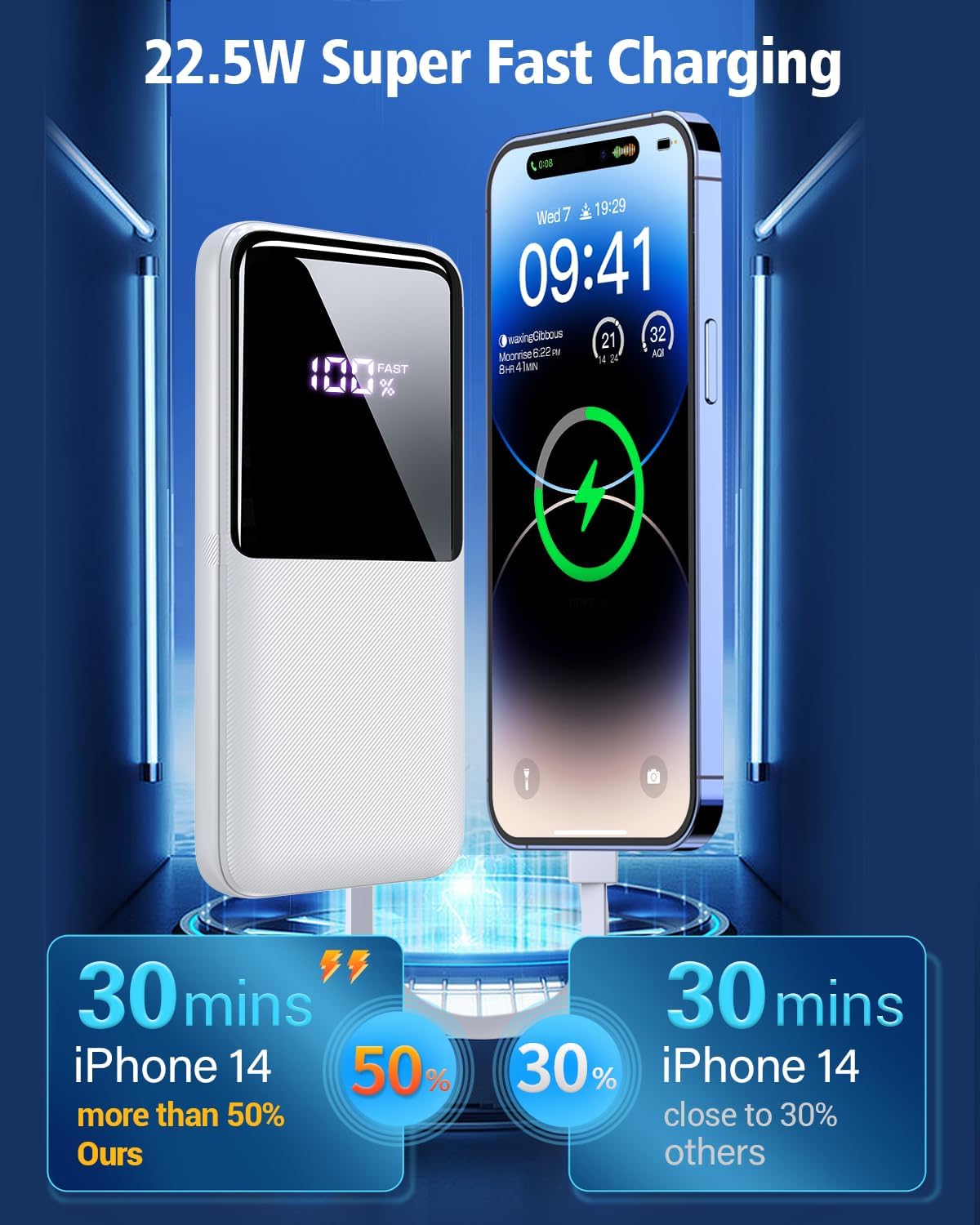
Image: Digital display showing battery percentage and fast charging status.
Maintenance
- Keep the power bank away from water, moisture, and extreme temperatures.
- Avoid dropping or subjecting the power bank to strong impacts.
- Clean the device with a dry, soft cloth. Do not use harsh chemicals or abrasive materials.
- Store the power bank in a cool, dry place when not in use.
- For optimal battery life, fully charge the power bank at least once every three months if not used regularly.
Troubleshooting
Power Bank Not Charging:
- Ensure the charging cable is securely connected to both the power bank's input port and the wall adapter.
- Verify that the wall adapter is functioning correctly and plugged into a live power outlet.
- Try using a different charging cable or wall adapter.
Device Not Charging from Power Bank:
- Check if the power bank has sufficient charge (refer to the digital display).
- Ensure the built-in cable or external cable is properly connected to both the power bank and your device.
- Try using a different port or cable.
- Some devices may require a specific charging protocol; ensure compatibility.
Slow Charging:
- Ensure you are using a fast-charging compatible cable and device.
- Charging multiple devices simultaneously may reduce individual charging speeds.
- Check if the cable or port is damaged.
Specifications
| Feature | Detail |
|---|---|
| Model Name | PB-08 |
| Battery Capacity | 20000 Milliamp Hours (mAh) |
| Battery Cell Type | Lithium Polymer |
| Input Ports | Micro USB (18W), USB Type-C (20W) |
| Output Ports/Cables | Built-in iOS Cable (20W), Built-in USB-C Cable (22.5W), USB-A Port (15W), USB Type-C Port (18W) |
| Number of Ports | 4 (2 built-in cables, 2 ports) |
| Voltage | 3.7 Volts |
| Special Feature | Digital Display |
| Item Dimensions (L x W x Thickness) | 5.9" x 2.6" x 0.5" (15.0 x 6.85 x 1.82 cm) |
| Item Weight | 250 Grams (0.55 lbs) |
| Compatible Devices | iPhone 16/15/14/13/12/11 series, iPad series, Samsung S23/S22/S21/S20 series, Google series, and other smart cell phones, tablets, or electronic devices. |
Safety Information
- Do not disassemble, open, or shred the battery pack.
- Do not expose the power bank to heat or fire. Avoid storage in direct sunlight.
- Do not short-circuit the battery pack. Do not store battery packs haphazardly in a box or drawer where they may short-circuit each other or be short-circuited by conductive materials.
- Do not subject the battery pack to mechanical shock.
- In the event of a battery leaking, do not allow the liquid to come into contact with the skin or eyes. If contact has been made, wash the affected area with copious amounts of water and seek medical advice.
- Keep the power bank out of reach of children.
- Ensure proper ventilation when charging.
- This power bank is airline-approved for travel.

Image: Illustrates the multiple intelligent protection systems for safe charging.
Warranty and Support
The CFIAI PB-08 Portable Charger comes with a 3-month warranty from the date of purchase. This warranty covers manufacturing defects and issues arising from normal use.
For any problems, questions, or support needs, please contact CFIAI customer service. We are committed to resolving any issues within 12 hours.
Please refer to the contact information provided on the product packaging or the official CFIAI website for the most up-to-date support channels.
