
1. Introduction
This manual provides comprehensive instructions for the Eujgoov 9600D-1T-00150D Variable Frequency Drive (VFD) Solar Inverter. It covers product features, technical specifications, installation, operation, and maintenance to ensure safe and efficient use of the device. Please read this manual thoroughly before operating the inverter.
2. Safety Information
WARNING: Failure to follow these safety instructions may result in electric shock, fire, or serious injury.
- Read the user's manual completely before installation and operation.
- Do not open the cover or connect/disconnect the power supply for at least 10 minutes after disconnecting all power sources. Residual voltage may be present.
- Ensure proper grounding of the inverter to prevent electric shock.
- Avoid simultaneous AC input and DC input connections. This can cause severe damage to the inverter or the solar panel array.
- Install the unit in a well-ventilated area, away from direct sunlight, moisture, and flammable materials.
3. Product Features
- Solar Inverter Functionality: Supports DC200-400V input and provides AC 0-220V 0-650Hz output, optimized for solar applications.
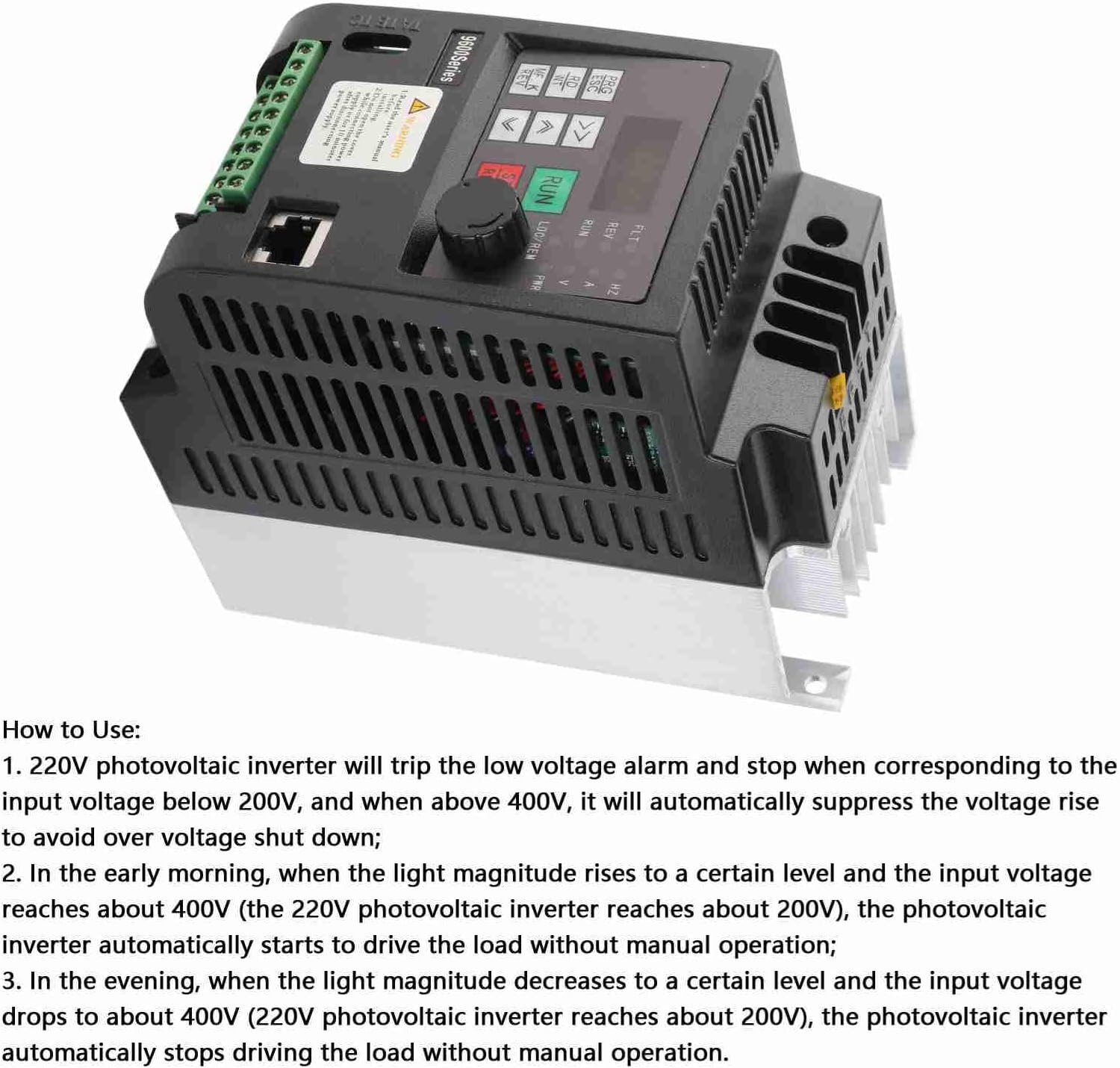
- Clear Digital Display: Features an easy-to-read red digital tube display for monitoring operational parameters.
- Robust Construction: Utilizes a double-layer board design and simple structure to ensure high reliability and a low failure rate.
- Durable Materials: Constructed with an ABS shell for fire resistance and fully surrounded terminals to prevent accidental electric shock.
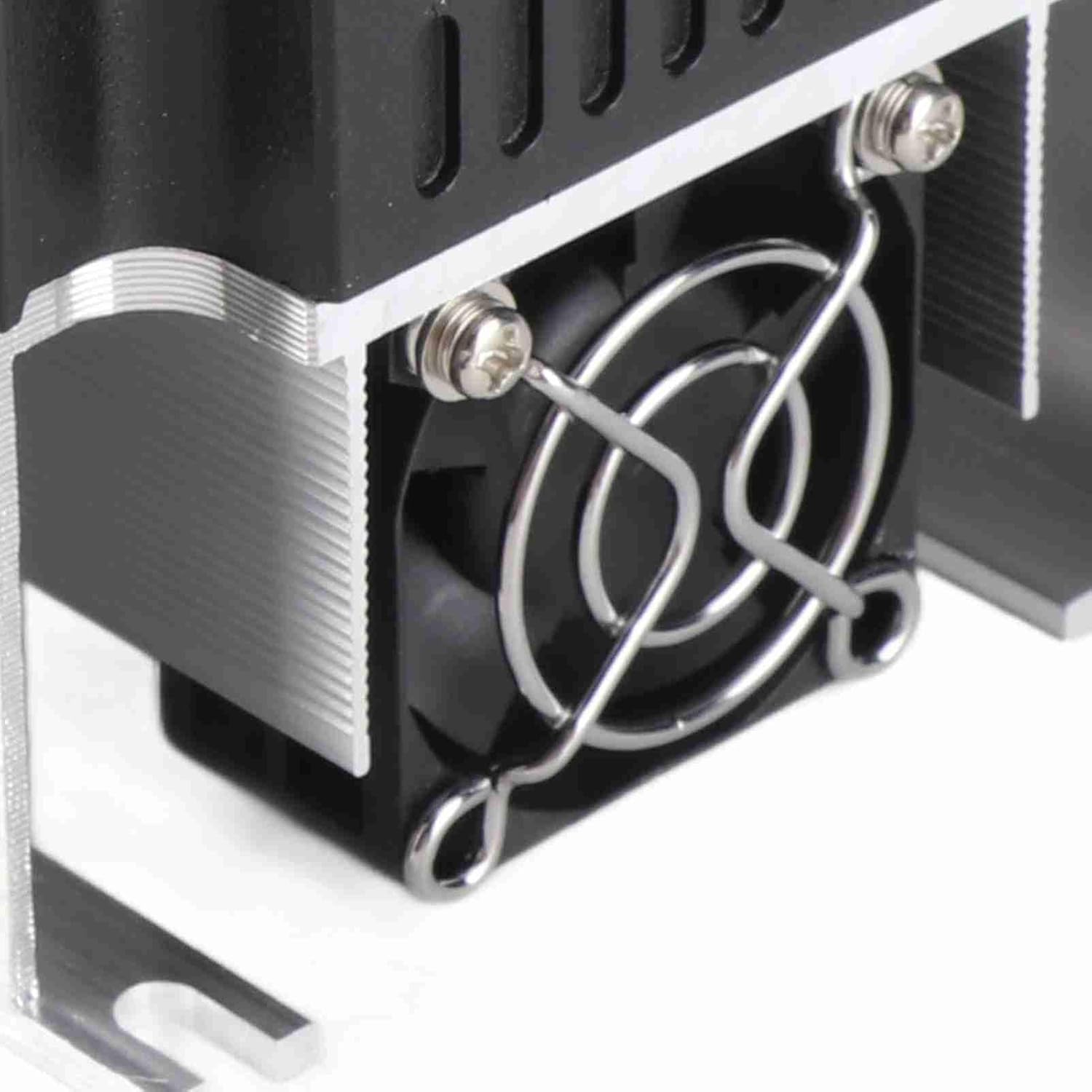
- Efficient Cooling System: Equipped with a DC 24V cooling fan and an external aluminum cooling base for rapid and effective heat dissipation.
4. Technical Specifications
| Parameter | Value |
|---|---|
| Model | 9600D-1T-00150D |
| Rated Power | 1.5KW |
| Rated Current | 7A |
| Input Voltage | DC200-400V |
| Output Voltage | AC 0-220V |
| Output Frequency | 0-650Hz |
| Dimensions (L x W x H) | Approx. 82 x 145 x 155mm / 3.23 x 5.71 x 6.1in |
| Material | ABS + Aluminum |
| Item Weight | Approx. 2.49 pounds |
| Power Source | Solar Powered |
5. Product Overview

6. Setup and Installation
Proper installation is crucial for the safe and efficient operation of your VFD Solar Inverter. Always ensure power is disconnected before making any connections.
6.1 Terminal Connections

Connect the DC input from your solar panels to the designated DC terminals (P and N) on the inverter. Connect the AC output to your motor or pump. Refer to the detailed wiring diagram in the complete user manual for specific terminal assignments and safety guidelines.
6.2 Cooling and Mounting


Ensure adequate airflow around the unit. Mount the inverter vertically on a stable surface, allowing sufficient space for the cooling fan and heatsink to operate effectively. Avoid enclosed spaces that can trap heat.
7. Operating Instructions
7.1 Control Panel Overview

The red digital tube display provides real-time operational data. Use the navigation buttons (PRG/ESC, RD/WT, arrow keys) and the RUN/STOP buttons to control the inverter and adjust parameters as needed. Consult the full manual for detailed parameter settings.
7.2 Automatic Operation (Photovoltaic Mode)
The Eujgoov VFD Solar Inverter is designed for automatic operation based on solar input:
- Low Voltage Protection: The inverter will trigger a low voltage alarm and cease operation if the input voltage from the solar panels drops below 200V.
- Over Voltage Suppression: When the input voltage reaches 400V, the inverter automatically regulates the voltage to prevent over-voltage shutdown, protecting the system.
- Morning Startup: As light intensity increases in the morning and the input voltage reaches approximately 400V (or 200V for the photovoltaic inverter), the unit automatically initiates operation to drive the connected load without manual intervention.
- Evening Shutdown: Conversely, as light intensity decreases in the evening and the input voltage drops to approximately 400V (or 200V for the photovoltaic inverter), the unit automatically stops driving the load, again without requiring manual operation.
7.3 Important Operational Notes
- For optimal solar energy conversion efficiency, it is recommended to maintain the DC input voltage within the specified range of DC200-400V.
- Never connect both AC input and DC input switches simultaneously. Doing so will cause irreparable damage to the inverter or the solar panel array.
8. Maintenance
Regular maintenance ensures the longevity and optimal performance of your VFD Solar Inverter.
- Cleaning: Periodically inspect the inverter for dust accumulation, particularly on the cooling fan and heatsink fins. Use compressed air to gently clean these components.
- Connection Check: Routinely check all terminal connections to ensure they are tight and secure. Loose connections can lead to poor performance or damage.
- Environmental Conditions: Keep the unit free from moisture, excessive humidity, and corrosive substances.
- Servicing: Do not attempt to repair the unit yourself. For any issues requiring service, contact qualified technical personnel or customer support.
9. Troubleshooting
This section addresses common issues you might encounter with your VFD Solar Inverter.
9.1 Common Issues and Solutions
- Inverter not starting:
- Check the DC input voltage. Ensure it is within the DC200-400V operational range.
- Verify all power and load connections are secure and correctly wired.
- Ensure sufficient solar irradiance for startup.
- Low voltage alarm:
- The input voltage from the solar panels is below 200V. Wait for increased light intensity or inspect the solar panel array for issues.
- Over-voltage shutdown:
- The input voltage exceeded 400V. While the inverter has built-in protection, prolonged exposure or incorrect system configuration can cause this. Review your solar panel array configuration.
- No output to load:
- Check the load connections and ensure the motor/pump is functioning correctly.
- Confirm the inverter is in an operational state (not in alarm or shutdown mode).
For persistent issues or problems not listed here, please consult the detailed troubleshooting guide in the complete product manual or contact Eujgoov customer support.
10. Warranty and Support
This Eujgoov product is covered by a manufacturer's warranty for 90 days from the date of purchase. Please retain your proof of purchase for any warranty claims.
For technical support, service, or warranty inquiries, please refer to the contact information provided with your product packaging or visit the official Eujgoov website for assistance.