
1. General Safety Instructions
Please read all instructions carefully before using the sytiry Smart Walking Pad Treadmill. Keep this manual for future reference.
- Ensure the treadmill is placed on a flat, stable surface.
- Keep children and pets away from the treadmill during operation.
- Wear appropriate athletic footwear and clothing.
- Do not operate the treadmill if it is damaged or malfunctioning.
- Unplug the treadmill from the power outlet when not in use or before cleaning.
- Do not use the treadmill outdoors or in damp environments.
- Consult a physician before starting any exercise program.
- Do not attempt to disassemble or repair the treadmill yourself. Contact customer support for assistance.
2. Product Overview
The sytiry Smart Walking Pad Treadmill is designed for home and office use, offering a convenient way to integrate walking into your daily routine. It features a powerful yet quiet 2.5HP motor, a robust 300 lb weight capacity, and smart control options via a remote and a dedicated mobile application. Its compact, installation-free design with built-in wheels allows for easy movement and storage.
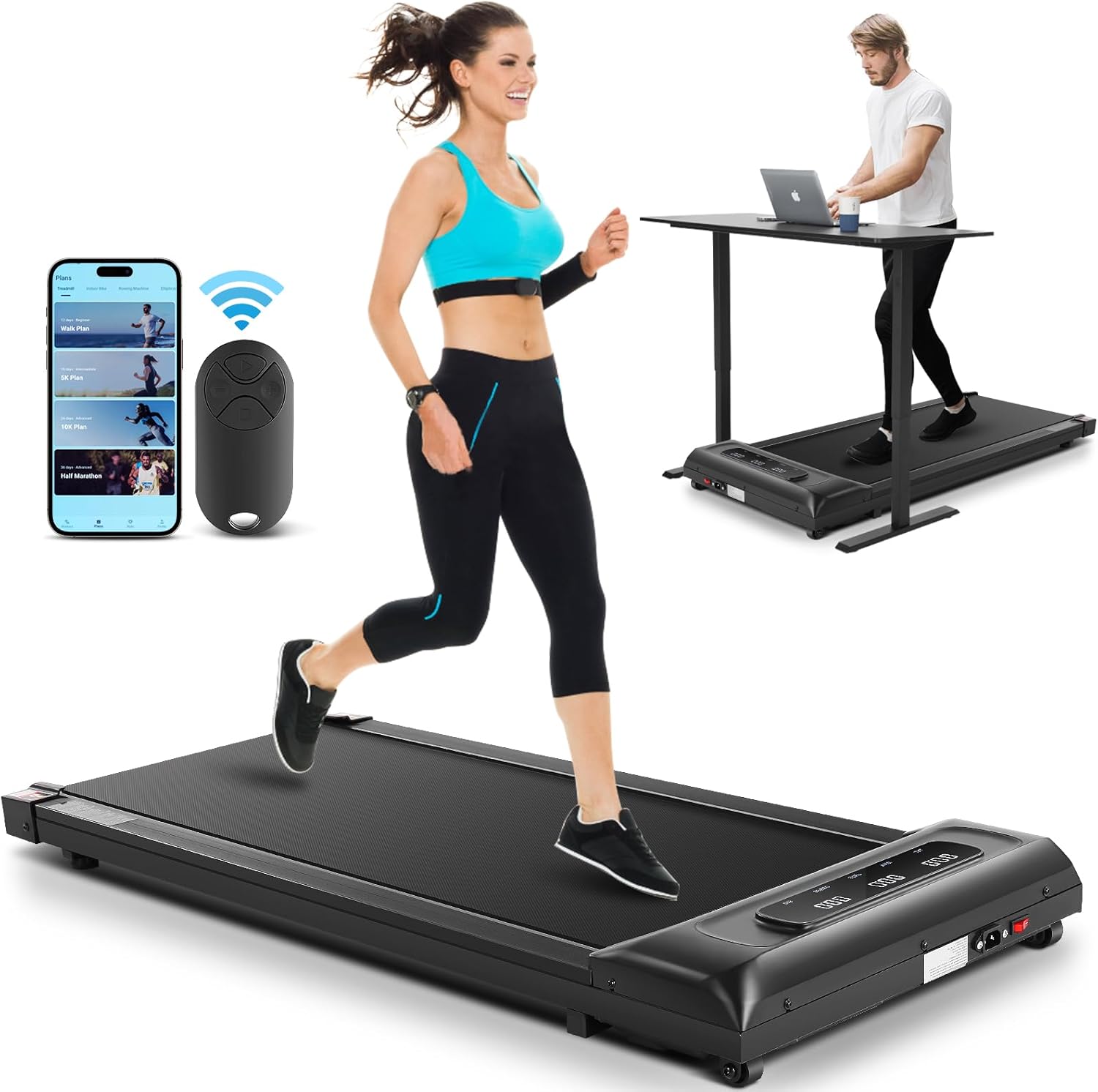
Figure 2.1: The sytiry Smart Walking Pad Treadmill in a typical usage scenario, highlighting its compact design and suitability for both running and walking under a desk.
3. Package Contents
Please check the box for the following items:
- sytiry Smart Walking Pad Treadmill
- Power Cord
- Remote Control
- Lubricant
- Tool Kit
- User Manual (this document)
4. Setup
The sytiry Smart Walking Pad Treadmill is designed for quick and easy setup with no assembly required.
- Unpack the Treadmill: Carefully remove the treadmill from its packaging.
- Choose a Location: Place the treadmill on a firm, level surface with adequate space around it for safe operation. Ensure there is at least 2 feet of clear space behind the treadmill.
- Connect Power: Plug the power cord into the treadmill's power input port, then plug the other end into a grounded electrical outlet.
- Power On: Locate the main power switch (usually near the power cord input) and switch it to the 'ON' position. The LED display should illuminate.

Figure 4.1: The treadmill features built-in wheels for easy relocation and storage, making it convenient to move after setup.
5. Operating Instructions
5.1 Control Methods
The sytiry Smart Walking Pad Treadmill can be controlled using the included remote control or via the dedicated mobile application.
Remote Control
The remote control allows for basic functions such as starting/stopping the treadmill and adjusting speed. Ensure the remote has working batteries.
Mobile Application (APP)
For advanced features and tracking, download the sytiry companion app from your device's app store. Follow the in-app instructions to pair your treadmill. The app provides detailed workout data, program options, and comprehensive control over the treadmill.
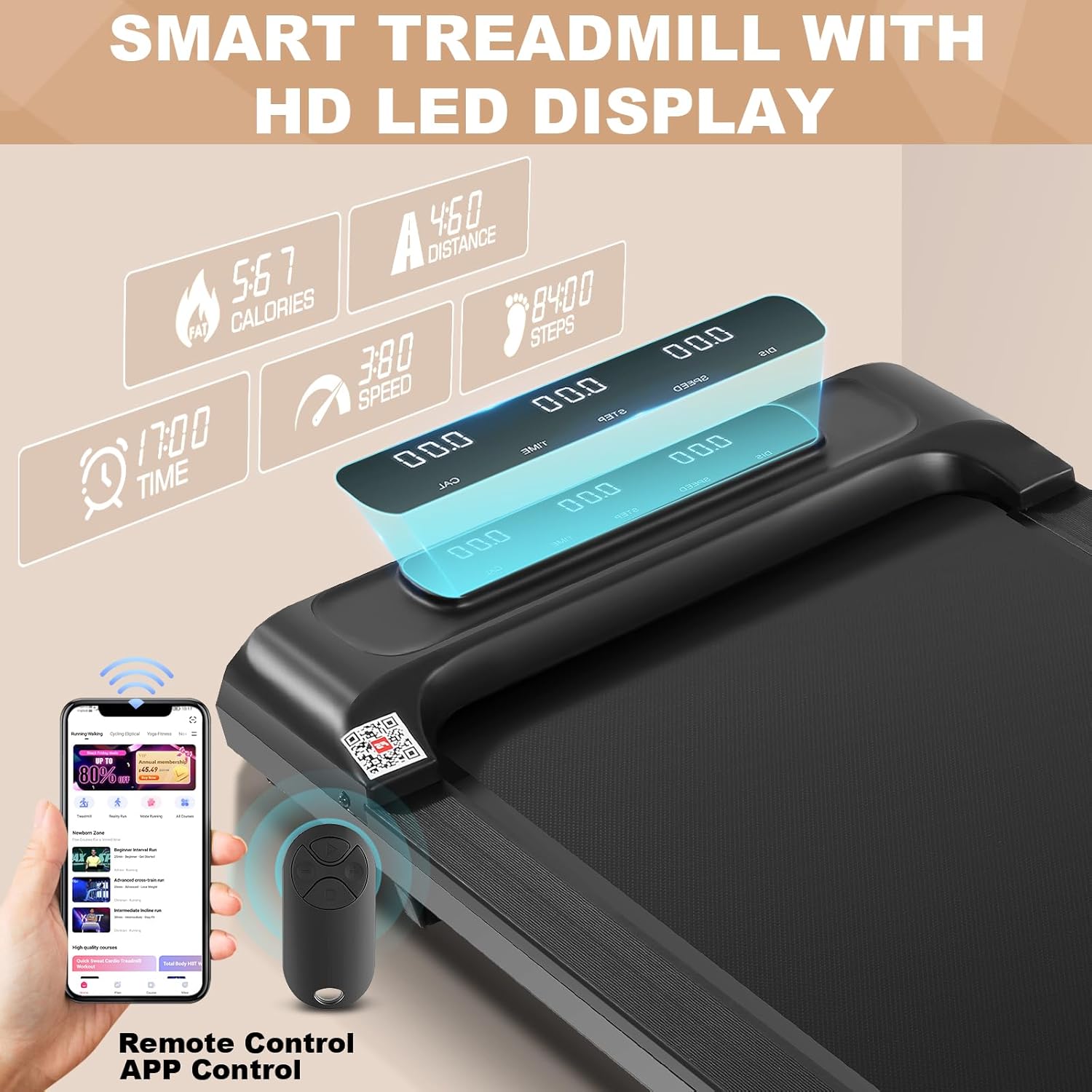
Figure 5.1: The treadmill's LED display, remote control, and mobile app provide multiple ways to monitor and control your workout.
5.2 Speed Adjustment
The treadmill offers a speed range of 0.6 to 3.8 miles per hour (MPH). Use the speed adjustment buttons on the remote control or within the mobile app to increase or decrease the walking belt speed. Start at a low speed and gradually increase to a comfortable pace.
5.3 Display Information
The integrated HD LED display provides real-time workout metrics:
- Time: Duration of your workout.
- Speed: Current walking belt speed in MPH.
- Distance: Total distance covered during the workout.
- Calories: Estimated calories burned.
- Step: Number of steps taken.
6. Maintenance
Regular maintenance ensures the longevity and optimal performance of your treadmill.
- Cleaning: Wipe down the treadmill with a damp cloth after each use to remove sweat and dust. Do not use abrasive cleaners.
- Lubrication: The walking belt requires periodic lubrication to reduce friction and extend its lifespan. Refer to the included lubricant instructions for proper application frequency (typically every 3-6 months depending on usage).
- Belt Adjustment: If the walking belt feels loose or slips, it may need adjustment. Use the provided tool kit to tighten the rear rollers evenly until the belt is centered and taut. Refer to the specific instructions in the tool kit for detailed steps.
- Storage: When not in use, the treadmill can be easily moved and stored upright or flat under furniture due to its compact design and wheels.
7. Troubleshooting
Refer to the table below for common issues and their solutions.
| Problem | Possible Cause | Solution |
|---|---|---|
| Treadmill does not power on. | Power cord not connected; Main power switch off; Outlet issue. | Ensure power cord is securely plugged in; Turn main power switch ON; Test outlet with another device. |
| Walking belt slips or hesitates. | Belt too loose; Insufficient lubrication. | Adjust belt tension evenly using the provided tool; Apply lubricant as per instructions. |
| Unusual noise during operation. | Loose components; Lack of lubrication; Foreign object. | Check for and tighten any loose screws; Lubricate the belt; Inspect for any objects under the belt. |
| Remote control not responding. | Dead batteries; Remote not paired. | Replace remote batteries; Refer to pairing instructions in the app or quick start guide. |
If the problem persists after attempting these solutions, please contact sytiry customer support.
8. Specifications
| Feature | Detail |
|---|---|
| Brand | sytiry |
| Model Name | sytiry Smart Walking Pad Treadmill |
| Color | Smart black |
| Product Dimensions (LxWxH) | 46"D x 20"W x 5"H |
| Material | Alloy Steel |
| Maximum Speed | 3.8 Miles per Hour |
| Minimum Speed | 0.6 Miles per Hour |
| Special Features | Portable, Shock Absorbent, Wheeled |
| Target Audience | Adult |
| Maximum Horsepower | 2.5 Horsepower |
| Maximum Weight Recommendation | 300 Pounds |
| Deck Length | 40 Inches |
| ASIN | B0DFWVMPCN |
| Date First Available | September 2, 2024 |
9. Warranty and Support
The sytiry Smart Walking Pad Treadmill comes with a 3-year warranty from the date of purchase, covering manufacturing defects and significant malfunctions under normal use. Please retain your proof of purchase for warranty claims.
For technical support, warranty inquiries, or any questions regarding your product, please contact sytiry customer service. Contact information can typically be found on the product packaging or the official sytiry website. When contacting support, please have your model number and purchase date ready.


