
1. Introduction
This manual provides detailed instructions for the installation, operation, and maintenance of your LHAIQQ QS-S4 Electric Scooter Thumb Speed Switch LCD Display. This device is designed to enhance your electric scooter experience by providing real-time speed, battery level, and mode information, along with a responsive thumb throttle for smooth acceleration. It is compatible with various Zero Scooter models (8, 9, 10, 8X, 10X, 11X) and supports multiple voltage systems (36V, 48V, 52V, 60V, 72V).
2. Product Overview
2.1 Key Features
- LCD Display: Provides clear, real-time monitoring of speed, battery level, distance, and current mode.
- Responsive Thumb Throttle: Ensures smooth and precise acceleration control.
- Convenient Power Switch: For quick on/off control of the display and scooter system.
- Durable Design: Constructed with a durable ABS case to protect internal circuits from vibration and dust.
- Wide Voltage Compatibility: Supports voltage recognition for 36V-72V scooters.
2.2 Components
The QS-S4 throttle assembly includes the main LCD display unit, a thumb throttle lever, mounting clamps, and a connecting cable with a waterproof connector.
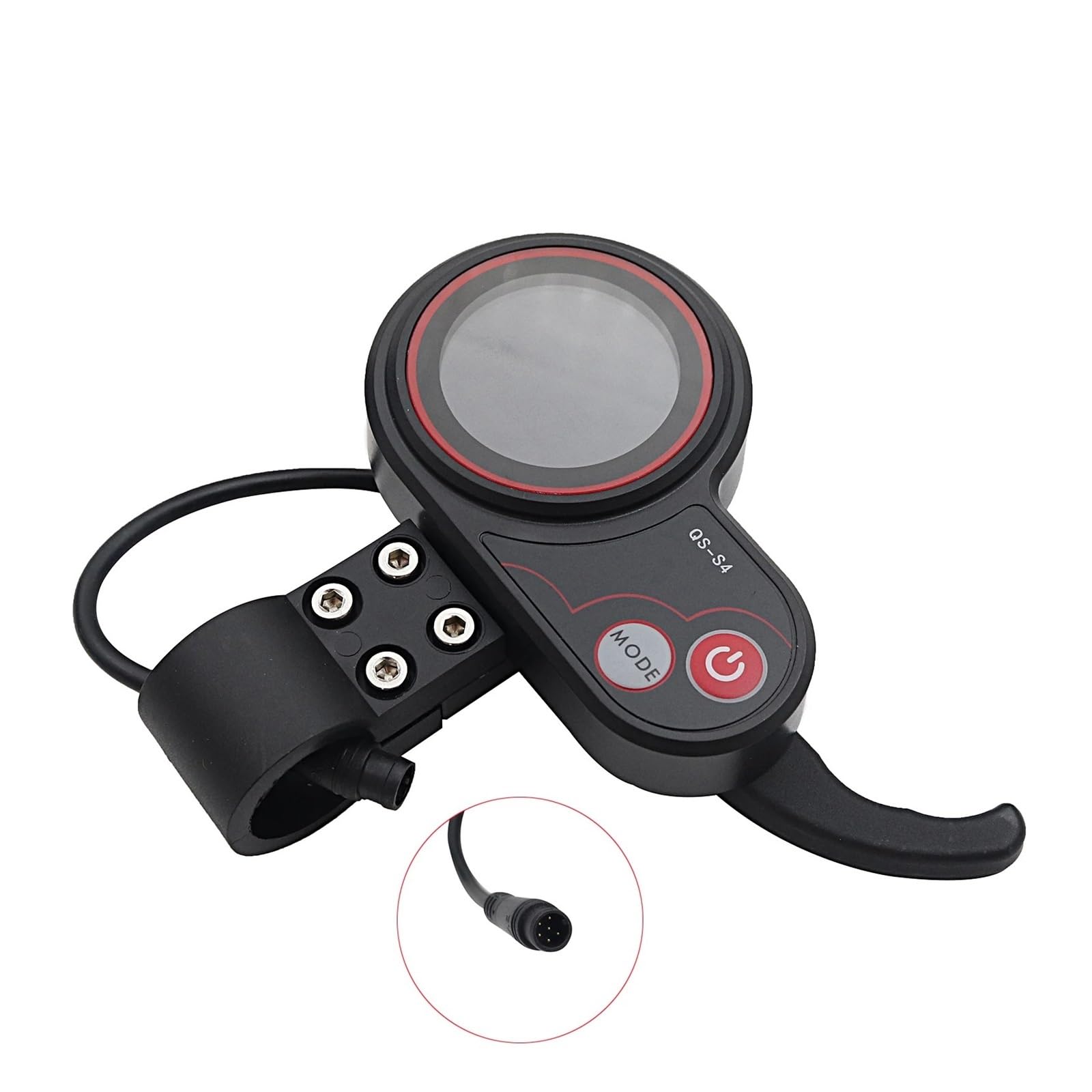
Figure 1: Front view of the QS-S4 throttle and LCD display unit. It features a circular LCD screen, a power button, a mode button, and a thumb throttle lever on the right side. The unit is black with red accents.
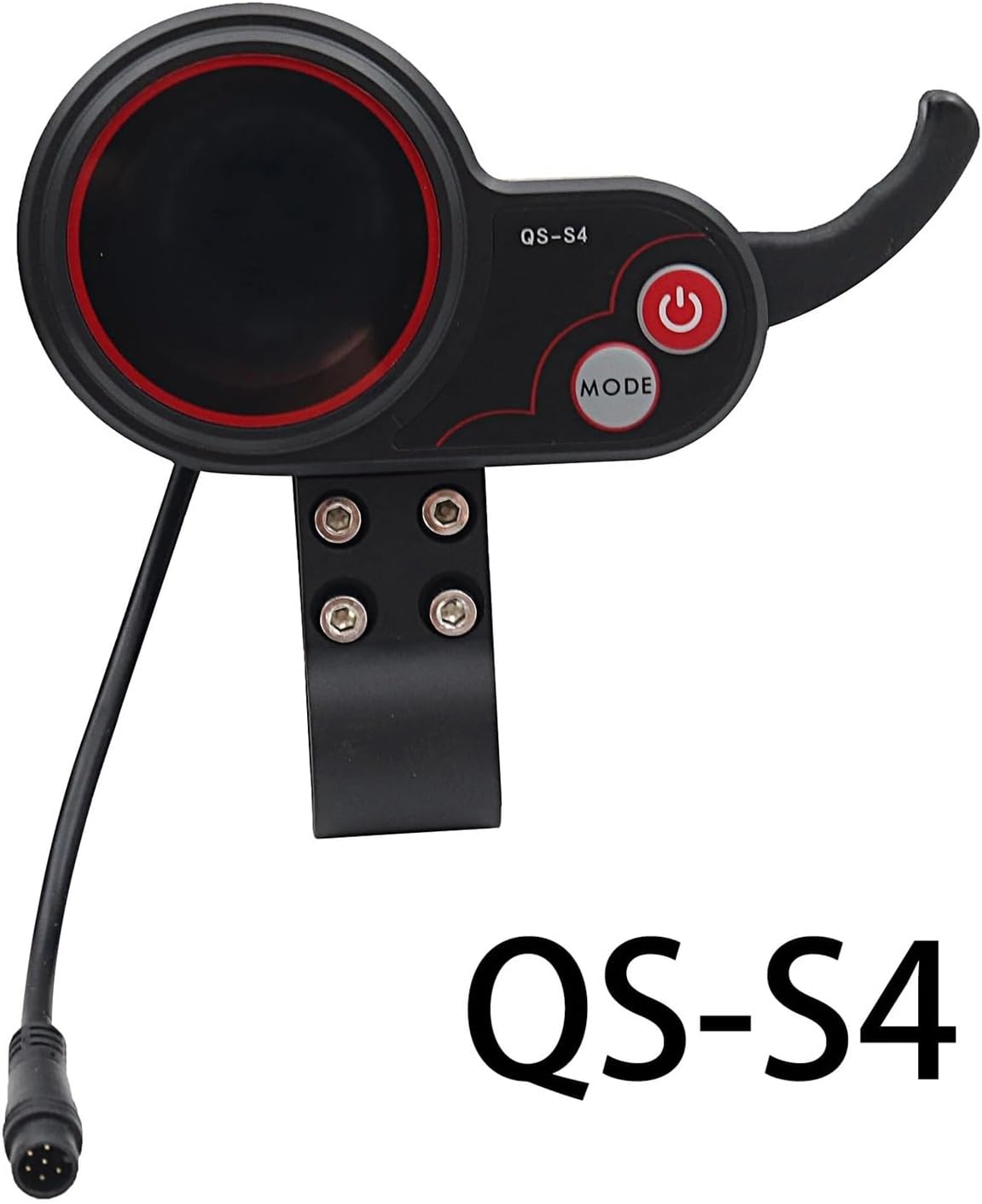
Figure 2: Side view of the QS-S4 throttle and LCD display, showing the mounting bracket and the connecting cable with its waterproof connector.

Figure 3: Rear view of the QS-S4 throttle and LCD display, highlighting the cable routing and the mounting screws.
3. Setup and Installation
Proper installation is crucial for the safe and correct operation of the QS-S4 display and throttle. If you are unsure about any steps, please consult a qualified technician.
- Prepare the Handlebar: Ensure the handlebar area where the display will be mounted is clean and free from obstructions.
- Mount the Display Unit: Loosen the screws on the mounting clamp of the QS-S4 unit. Position the unit on your scooter's handlebar, ensuring it is within comfortable reach for thumb operation and clear visibility of the LCD screen. Tighten the screws securely, but do not overtighten.
- Connect the Cable: Locate the corresponding connector on your electric scooter's wiring harness. Carefully align and connect the waterproof connector from the QS-S4 unit to the scooter's harness. Ensure a firm connection.
- Secure Wiring: Route the cable neatly along the handlebar and frame, securing it with cable ties (not included) to prevent it from snagging or interfering with steering.
- Initial Power-On Test: After installation, turn on your scooter's main power. Press the power button on the QS-S4 display to activate it. Verify that the LCD screen illuminates and displays information.
Video 1: This video demonstrates the physical components of the QS-S4 throttle and LCD display, showing how the thumb throttle connects to the main unit and the waterproof cable connector. It also briefly shows the unit being held and manipulated.
Video 2: This video provides a detailed look at the TF-100 (QS-S4) electric thumb throttle and display unit, showcasing its design, buttons, and the connection point for the cable. It highlights the overall build and functionality.
4. Operating Instructions
4.1 Power On/Off
- To turn on the display, press and hold the Power Button (red button with power symbol) for a few seconds until the LCD screen illuminates.
- To turn off the display, press and hold the Power Button again until the screen turns off.
4.2 Using the Throttle
The thumb throttle lever controls the speed of your electric scooter. Gently press the lever with your thumb to accelerate. Release the lever to decelerate. Always operate the throttle smoothly to maintain control.
4.3 LCD Display Functions
The LCD screen provides essential riding information:
- Speed: Displays current riding speed (km/h or mph).
- Battery Level: Shows the remaining battery charge.
- Distance: Tracks trip distance or total odometer reading.
- Mode: Indicates the current riding mode (e.g., Eco, Normal, Sport).
Press the MODE Button to cycle through different display parameters or adjust settings as per your scooter's specific firmware. Refer to your scooter's main manual for advanced display settings.
Video 3: This video demonstrates the operation of an electric scooter instrument, showing how the display changes with throttle input and mode selection. It provides a visual guide to the display's dynamic features.
Video 4: This video shows the TF-100 Electric Scooter Hook Accelerator in action, demonstrating how the thumb throttle is used to control speed and how the display responds to acceleration and deceleration.
5. Maintenance
To ensure the longevity and optimal performance of your QS-S4 display and throttle, follow these maintenance guidelines:
- Cleaning: Wipe the display screen and unit with a soft, damp cloth. Avoid using abrasive cleaners or solvents that could damage the plastic or screen.
- Cable Inspection: Periodically check the connecting cable for any signs of wear, cuts, or damage. Ensure the waterproof connector is clean and securely attached.
- Mounting Security: Regularly check that the mounting screws are tight and the unit is securely fastened to the handlebar.
- Storage: When not in use for extended periods, store the scooter and its components in a dry, cool place away from direct sunlight and extreme temperatures.
6. Troubleshooting
If you encounter issues with your QS-S4 display and throttle, refer to the following common problems and solutions:
| Problem | Possible Cause | Solution |
|---|---|---|
| Display does not power on. | Loose cable connection, no power from scooter, faulty unit. | Check all cable connections. Ensure the scooter's main power is on. If issues persist, contact support. |
| Throttle not responding. | Loose cable connection, throttle sensor issue, scooter system error. | Verify cable connection. Check scooter's main manual for throttle calibration or error codes. |
| Inaccurate speed/battery reading. | Incorrect settings, sensor malfunction. | Consult your scooter's main manual for display settings and calibration procedures. |
For problems not listed here or if solutions do not resolve the issue, please contact LHAIQQ customer support.
7. Specifications
- Model Number: 8569
- Voltage Compatibility: 36V, 48V, 52V, 60V, 72V (Automatic recognition)
- Display Type: LCD
- Throttle Type: Thumb Speed Switch
- Material: Durable ABS
- Item Weight: 1.76 ounces (approximately 50 grams)
- Package Dimensions: 1.18 x 0.79 x 0.39 inches (approximately 3 x 2 x 1 cm)
- Manufacturer: NBCCMY
8. Warranty and Support
This product comes with a standard manufacturer's warranty. Please refer to the warranty information provided at the time of purchase for specific terms and conditions. For technical support, replacement parts, or any inquiries, please contact LHAIQQ customer service through your retailer or the official brand channels.