1. Important Safety Instructions
Please read all instructions carefully before using this walking pad. Keep this manual for future reference.
- Always place the walking pad on a flat, stable surface.
- Ensure adequate clear space around the walking pad (at least 2 feet on all sides).
- Do not allow children or pets near the walking pad while it is in operation.
- Consult a physician before starting any exercise program, especially if you have pre-existing health conditions.
- Wear appropriate athletic footwear.
- Do not use the walking pad if it is damaged or malfunctioning.
- Keep hands and feet clear of all moving parts.
- Unplug the walking pad from the power outlet when not in use or before cleaning/maintenance.
- The maximum user weight capacity is 265 lbs (120 kg).
2. Package Contents
Verify that all components are present in the package:
- JAGJOG Walking Pad with Handle Bar
- User Manual
- Remote Control
- Lubricant
- Tool Kit
3. Product Overview
The JAGJOG JT31 Walking Pad is a compact and portable fitness device designed for walking, jogging, and light running. It features a foldable handle bar for added support and a slim design for easy storage.

Image: The JAGJOG JT31 Walking Pad in its operational state, showcasing its compact design and handle bar.
Key Features:
- 2-in-1 Design: Functions as a walking pad and a treadmill with a handle bar.
- Foldable Handle Bar: Provides stability and can be folded down for under-desk use or compact storage.
- LED Display: Shows time, distance, speed, and calories burned.
- Remote Control: Conveniently adjust speed and start/stop workouts.
- Automatic Belt Alignment: Ensures the running belt stays centered during use.
- Shock Absorption System: Reduces impact on joints for a comfortable workout.
- Quiet 2.5 HP Motor: Powerful yet operates with low noise (<45 dB).
4. Setup
The JAGJOG JT31 Walking Pad requires minimal assembly. Follow these steps to prepare your device for use:
- Unpack: Carefully remove the walking pad and all accessories from the packaging.
- Position: Place the walking pad on a firm, level surface. Ensure there is sufficient space around the unit for safe operation.
- Unfold Handle Bar (if applicable): If using the handle bar, lift it into the upright position until it locks securely.
- Connect Power: Plug the power cord into a grounded electrical outlet.
- Initial Check: Before stepping on, turn on the walking pad at a low speed to ensure the belt is centered and moving smoothly.
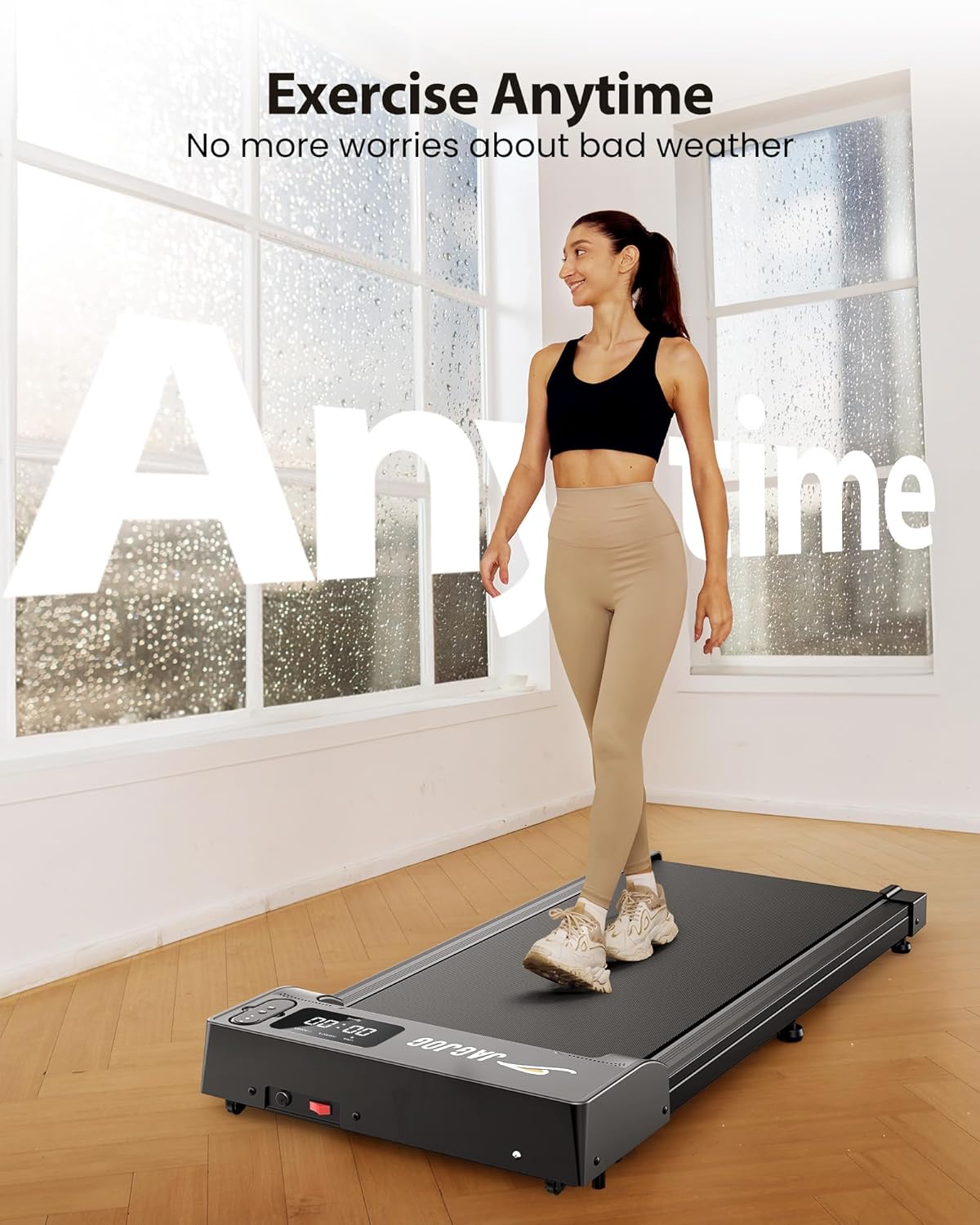
Image: A woman exercising on the JAGJOG walking pad, demonstrating its use in a home environment.
5. Operating Instructions
The walking pad can be controlled via the touch panel on the unit or the included remote control.
Power On/Off:
- To power on, press the power button on the unit or the remote control. The LED display will illuminate.
- To power off, press and hold the power button until the display turns off.
Using the Remote Control:

Image: Close-up of the JAGJOG walking pad's LED display showing exercise data and the remote control for easy adjustments.
- Start/Stop: Press the central button to start or pause the walking pad.
- Speed Adjustment: Use the '+' and '-' buttons to increase or decrease the speed.
- Mode Selection: Some remotes may have a mode button to switch between preset speed ranges.
LED Display:
The integrated LED display provides real-time feedback on your workout:
- Time: Duration of your workout.
- Distance: Total distance covered.
- Speed: Current speed in MPH.
- Calories: Estimated calories burned.
6. Modes and Speed Settings
The JAGJOG JT31 offers adjustable speed settings to accommodate various fitness levels and activities.

Image: Illustration of the three distinct modes: Working Mode, Walking Mode, and Jogging Mode, with their respective speed ranges.
- Working Mode: Ideal for light activity while working or performing other tasks. Speed range: 0.6 - 1.5 MPH.
- Walking Mode: Suitable for a steady pace walk. Speed range: 0.6 - 1.8 MPH.
- Jogging Mode: For a more intense workout or light jogging. Speed range: 2.5 - 3.8 MPH.
Adjust the speed gradually using the remote control to find your comfortable pace.
7. Maintenance
Regular maintenance ensures the longevity and optimal performance of your walking pad.
Cleaning:
- Always unplug the walking pad before cleaning.
- Wipe down the surface with a damp cloth. Do not use abrasive cleaners or solvents.
- Keep the area around the motor clean and free of dust.
Lubrication:
The running belt requires periodic lubrication to reduce friction and extend its lifespan. Use the provided lubricant.
- Unplug the walking pad.
- Loosen the belt tension by turning the rear rollers counter-clockwise (refer to the diagram in the full manual for exact locations).
- Apply a small amount of lubricant evenly under the center of the running belt.
- Tighten the belt tension by turning the rear rollers clockwise until the belt is snug but not overly tight.
- Plug in the walking pad and run it at a low speed for a few minutes to distribute the lubricant.
Belt Alignment:

Image: Diagram illustrating the auto-align running belt feature, showing the belt dimensions and alignment mechanism.
The JAGJOG JT31 features an automatic belt alignment system. If you notice the belt shifting to one side, it may require manual adjustment:
- Run the walking pad at a low speed (e.g., 1 MPH) without anyone on it.
- If the belt drifts to the right, turn the right rear roller adjustment bolt a quarter turn clockwise.
- If the belt drifts to the left, turn the left rear roller adjustment bolt a quarter turn clockwise.
- Allow the belt to run for a minute to see if it centers. Repeat adjustments as necessary.
8. Troubleshooting
Refer to this section for common issues and their solutions.
| Problem | Possible Cause | Solution |
|---|---|---|
| Walking pad does not power on. | Power cord not plugged in; power switch off; circuit breaker tripped. | Ensure power cord is securely plugged in. Check power switch. Reset circuit breaker if necessary. |
| Running belt stops or slips. | Belt too loose; insufficient lubrication; motor overload. | Adjust belt tension. Lubricate the belt (see Maintenance). Reduce user weight or speed. |
| Unusual noise during operation. | Loose parts; belt misalignment; motor issue. | Check for and tighten any loose screws. Adjust belt alignment (see Maintenance). If noise persists, contact support. |
| Remote control not working. | Dead batteries; remote out of range; interference. | Replace remote control batteries. Ensure remote is pointed at the walking pad's receiver. Remove any obstructions. |
If you encounter issues not listed here or if solutions do not resolve the problem, please contact customer support.
9. Specifications
Detailed technical specifications for the JAGJOG JT31 Walking Pad:
| Feature | Detail |
|---|---|
| Model Number | JT31 |
| Brand | JAGJOG |
| Color | Black |
| Material | Alloy Steel |
| Motor Horsepower | 2.5 HP |
| Maximum Speed | 3.8 MPH |
| Speed Range | 0.6 - 3.8 MPH |
| Display Type | LED (Time, Distance, Speed, Calories Burned) |
| Power Source | Corded Electric |
| Product Dimensions (L x W x H) | 105.9 cm x 10.7 cm x 48.3 cm (41.7 x 4.2 x 19 inches) |
| Item Weight | 15.42 kg (34 lbs) |
| Maximum User Weight | 265 lbs (120 kg) |
| Assembly Required | No |
| Special Features | Portable, Automatic Belt Alignment, Adjustable Speed, Quiet Motor, Space-Saving Design |

Image: Internal view highlighting the 2.5 HP powerful yet quiet motor and the 265 lbs weight capacity.

Image: Diagram showing the anti-slip and shock absorption design, including 8 silicone shock-absorbers and a 5-layer non-slip running belt for knee protection.
10. Warranty and Support
JAGJOG products are manufactured with quality and durability in mind. This product comes with a standard manufacturer's warranty against defects in materials and workmanship.
Warranty Information:
- Please refer to the warranty card included in your package for specific terms and conditions, including warranty period and coverage details.
- Keep your purchase receipt as proof of purchase for warranty claims.
Customer Support:
For technical assistance, troubleshooting, or warranty inquiries, please contact JAGJOG customer support:
- Email: support@jagjog.com (Example email, replace with actual if available)
- Phone: 1-800-XXX-XXXX (Example phone, replace with actual if available)
- Website: www.jagjog.com (Example website, replace with actual if available)
Please have your model number (JT31) and purchase date ready when contacting support.
11. Product Video
Watch the official product video for a visual guide on the JAGJOG JT31 Walking Pad's features and operation.
Video: An official product video demonstrating the JAGJOG JT31 Walking Pad's features, including its foldable design, various modes, and ease of use.