
YMZ GTX13
YMZ GTX13 Smartwatch User Manual
Model: GTX13
Introduction
This manual provides detailed instructions for the YMZ GTX13 Smartwatch. Please read this manual thoroughly before using your device to ensure proper operation and to maximize its features. Keep this manual for future reference.

Image: The YMZ GTX13 Smartwatch, featuring a rose gold case and a two-tone pink and white silicone strap. The screen displays the time, date, and battery percentage, with a vibrant abstract background. A smaller inset image shows an incoming call notification.
1. Setup
1.1 Unboxing and Initial Charge
Upon unboxing, ensure all components are present: the YMZ GTX13 Smartwatch and the watch band. Before first use, fully charge the smartwatch. Charging typically takes approximately 1.5 hours.
- Connect the magnetic charging cable to the charging points on the back of the watch.
- Plug the USB end of the cable into a standard USB power adapter (5V/1A recommended).
- The watch screen will indicate charging status.
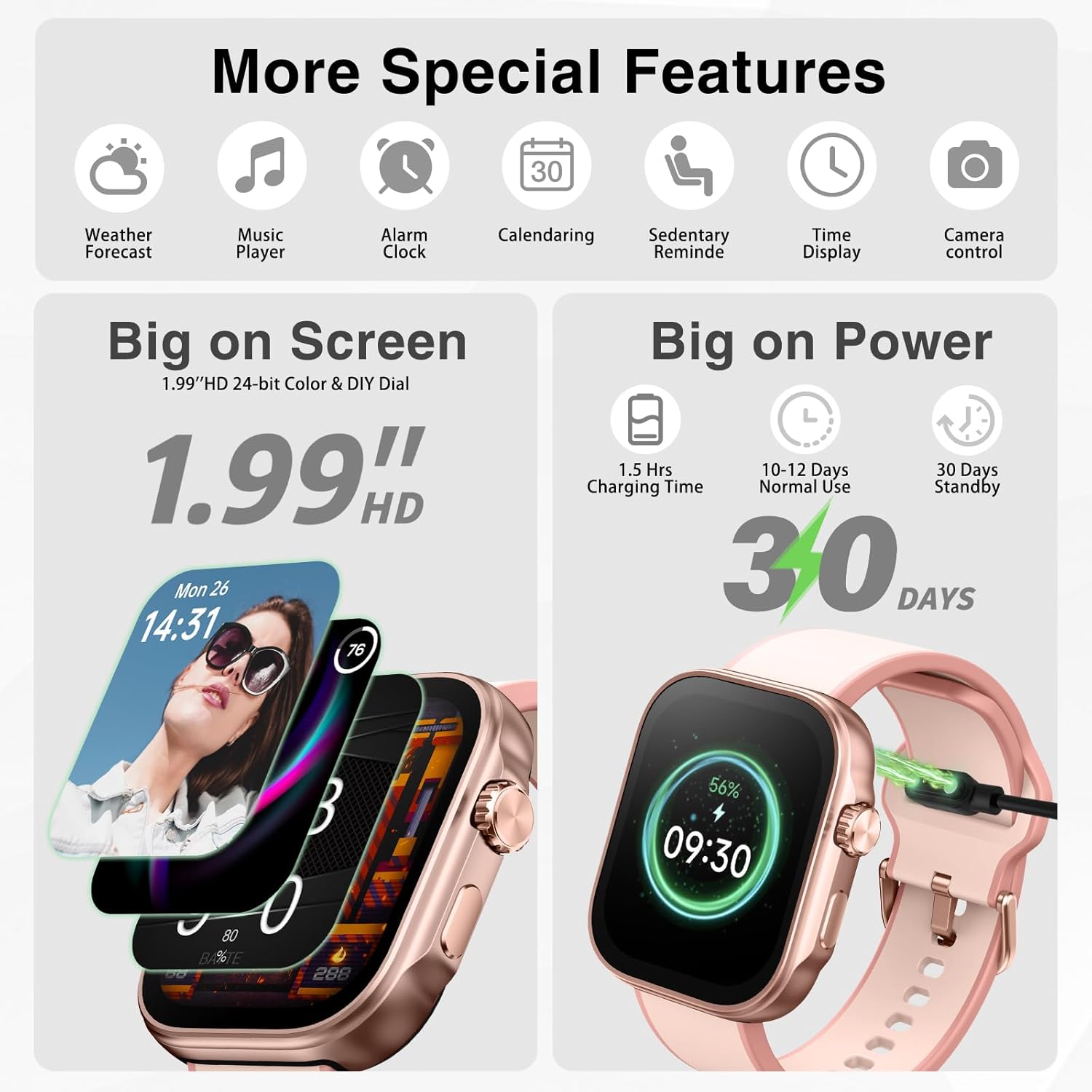
Image: The YMZ GTX13 Smartwatch connected to its magnetic charging cable, displaying a green charging icon and battery percentage on its screen.
1.2 App Installation and Pairing
To unlock the full functionality of your smartwatch, download and install the companion application on your smartphone.
- Scan the QR code provided in the watch packaging or search for the 'VeryFit' app in your smartphone's app store (compatible with iPhone and Android devices).
- Install and open the 'VeryFit' app.
- Ensure Bluetooth is enabled on your smartphone.
- In the app, follow the on-screen instructions to search for and pair with your YMZ GTX13 Smartwatch. The watch uses Bluetooth 5.3 for stable connectivity.
- Grant necessary permissions to the app for notifications, health data access, and other features.
1.3 Initial Configuration
After successful pairing, the app will guide you through setting up personal information such as age, height, weight, and gender, which are crucial for accurate health and fitness tracking. You can also customize watch faces and notification preferences.
2. Operating Instructions
2.1 Basic Navigation
- Touchscreen: Swipe up, down, left, or right to navigate through menus and functions. Tap to select.
- Side Button: Press to return to the home screen or wake the device. Long press for power options.
2.2 Communication Features
The YMZ GTX13 Smartwatch supports Bluetooth calling and smart notifications.
- Bluetooth Call: Answer, make calls, view call history, access frequent contacts, and use a dialpad directly from your wrist.
- Smart Notifications: Receive alerts for SMS messages, social media apps (e.g., Instagram, Facebook, WhatsApp, Telegram, Line), and other applications configured in the 'VeryFit' app.

Image: The YMZ GTX13 Smartwatch showcasing its Bluetooth 5.3 capabilities, including options to answer/make calls, view call history, and access a dialpad. It also displays smart notifications from various social media and messaging apps.
2.3 Smart Life Assistant
Utilize the integrated AI voice assistant and other convenient features.
- AI Voice: Tap and speak to interact with the AI assistant for various commands and queries.
- Weather: Get real-time weather updates directly on your watch.
- Reminders: Set reminders for drinking water, moving, and calendar events.

Image: The YMZ GTX13 Smartwatch demonstrating its 'Smart Life Assistant' features, including AI voice control, current weather display, and reminders for hydration, movement, and calendar events.
2.4 Health Monitoring
The smartwatch continuously monitors various health metrics.
- Heart Rate: Tracks your heart rate 24/7.
- Blood Oxygen (SpO2): Measures blood oxygen saturation levels.
- Blood Pressure: Provides blood pressure readings.
- Stress Level: Monitors and displays your stress levels.
- Sleep Monitor: Analyzes sleep patterns, including awake, light sleep, and deep sleep stages.
- Menstrual Cycle Tracking: Helps track and predict menstrual cycles.
- Breathing Training: Guided breathing exercises for relaxation.
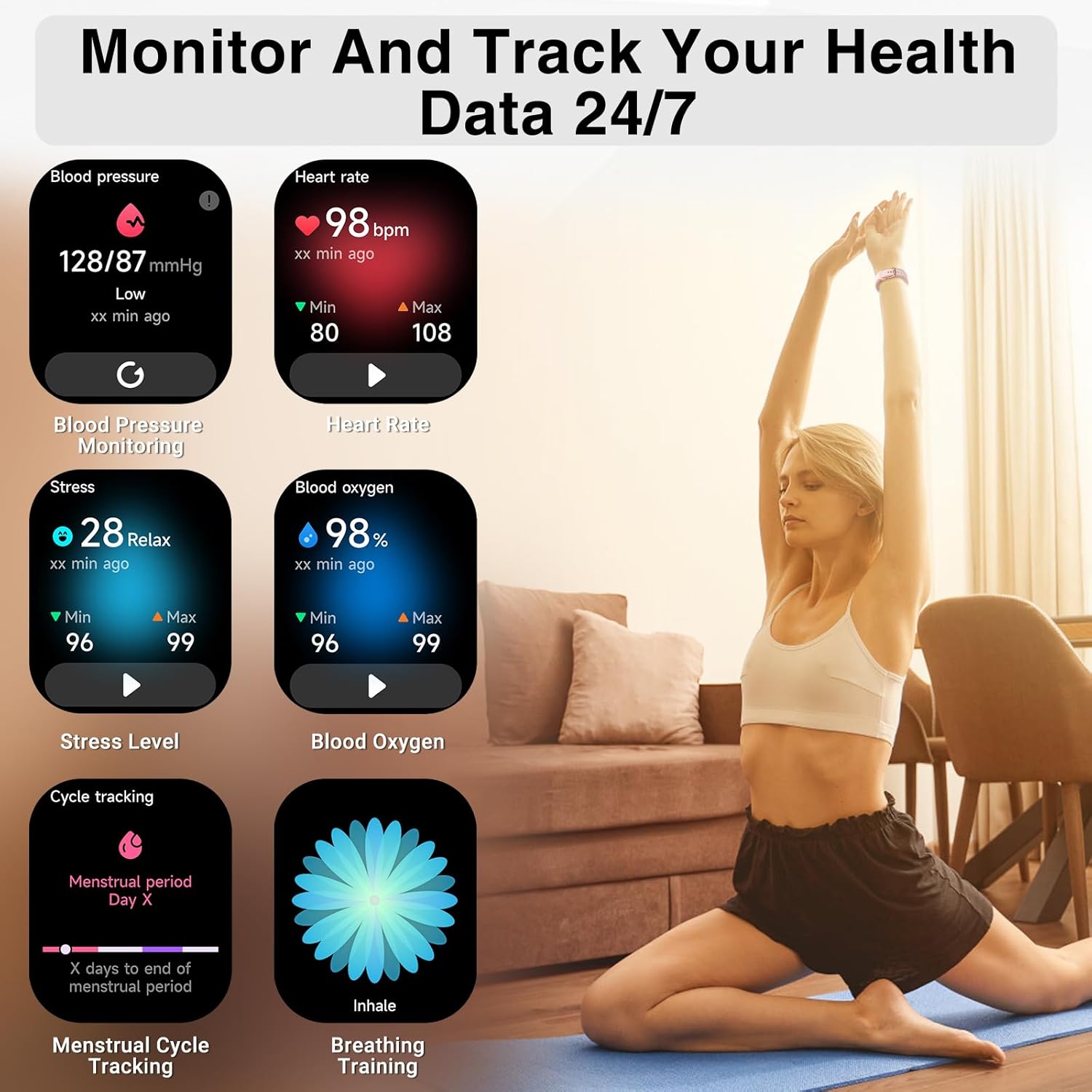
Image: The YMZ GTX13 Smartwatch showing its 24/7 health monitoring capabilities, including blood pressure, heart rate, stress level, blood oxygen, menstrual cycle tracking, and breathing training.
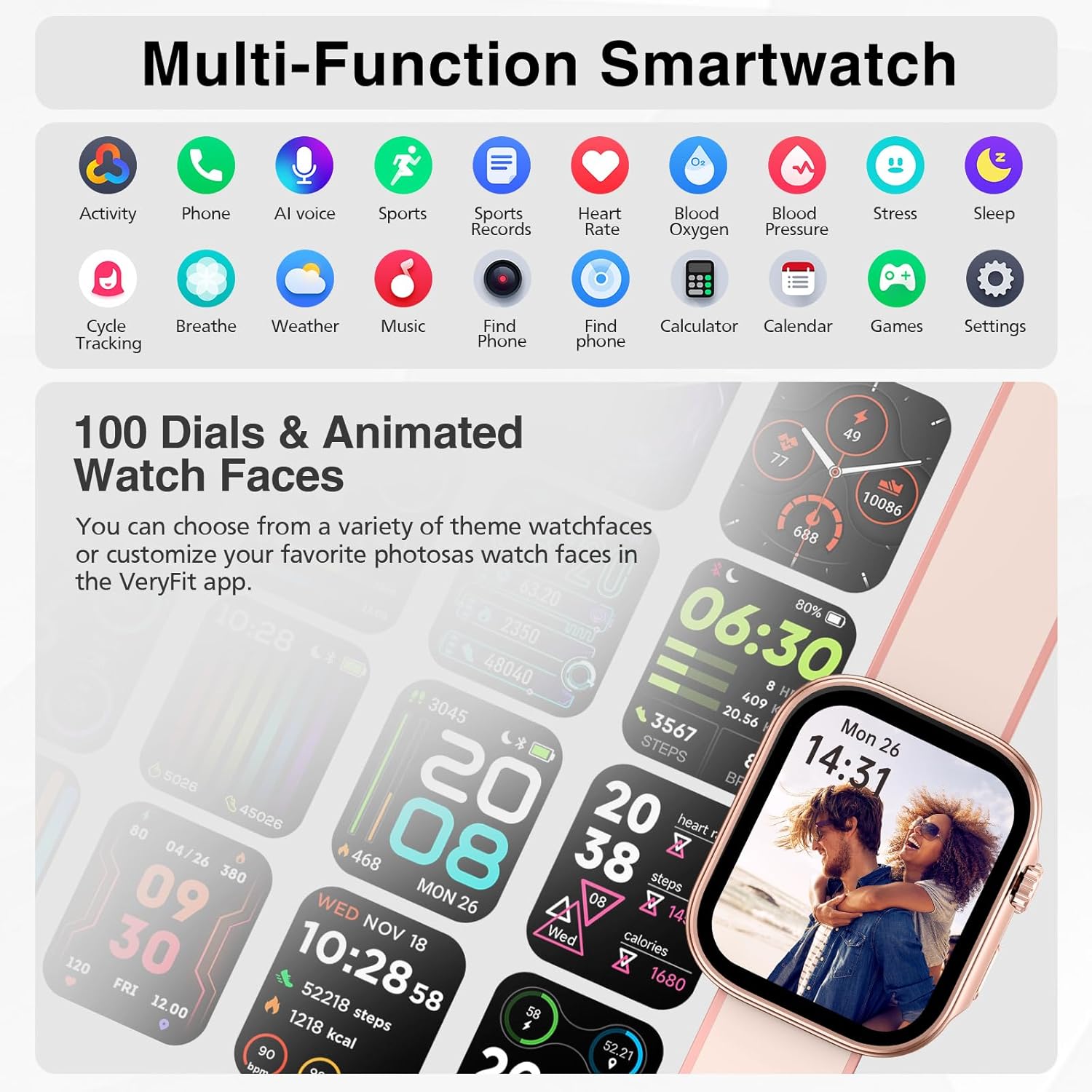
Image: The YMZ GTX13 Smartwatch illustrating its sleep monitoring function, showing sleep duration, awake time, light sleep, deep sleep, and a detailed sleep analysis graph.
2.5 Sport and Fitness Tracking
Track your physical activities with over 100 sport modes.
- 100+ Sport Modes: Select from a wide range of activities like indoor run, outdoor walk, cycling, and more to track specific workout data.
- Daily Readiness Score: Provides insights into your body's recovery and readiness for activity.
- 3ATM Waterproof: Suitable for daily use and can withstand splashes, rain, and brief immersion in water. Not recommended for hot water activities or diving.

Image: The YMZ GTX13 Smartwatch highlighting its 'Sport And Health Monitor' features, including over 100 sport modes, daily readiness score, heart rate tracking, and 3ATM waterproof rating.
2.6 Additional Functions
The smartwatch offers various utility and entertainment features.
- Games: Enjoy simple games like 'Airplane War', 'Roll the Dice', and '2048'.
- Calculator: Perform basic calculations.
- Calendar: View dates and schedule.
- Music Player Control: Control music playback on your connected smartphone.
- Alarm Clock: Set multiple alarms.
- Sedentary Reminder: Alerts you to move after periods of inactivity.
- Camera Control: Remotely trigger your smartphone's camera shutter.
- Find Phone: Locate your paired smartphone.
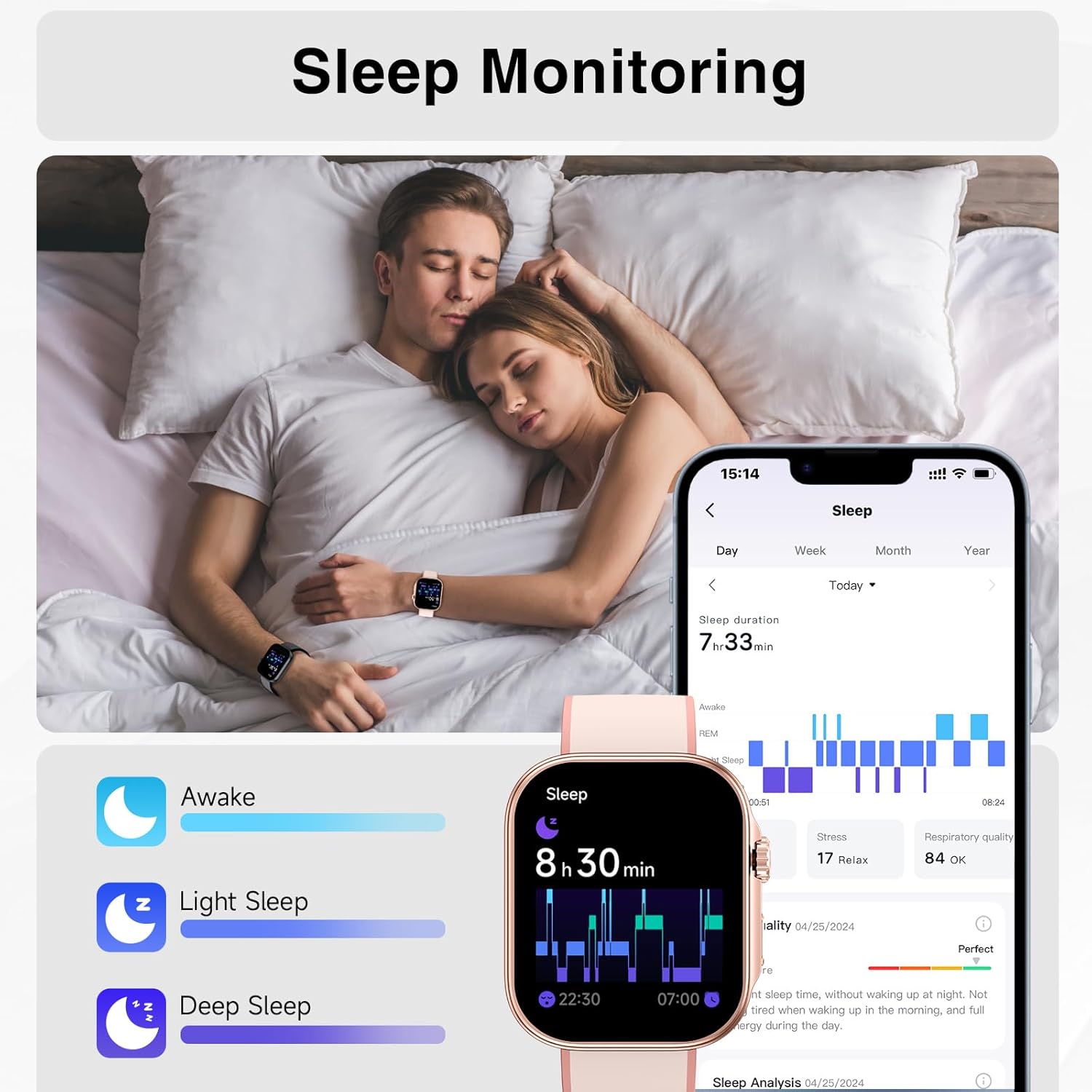
Image: The YMZ GTX13 Smartwatch displaying its 'Enjoy New Function' section, featuring various games, a calendar view, and a calculator interface.
2.7 Customization
- Watch Faces: Choose from over 100 pre-installed watch faces or customize your own using photos via the 'VeryFit' app.

Image: The YMZ GTX13 Smartwatch showcasing its multi-function capabilities with icons for activity, phone, AI voice, sports, health monitoring, and more. It also displays a selection of 100+ watch faces.
3. Maintenance
3.1 Cleaning
Regular cleaning helps maintain the watch's appearance and functionality.
- Wipe the screen and watch body with a soft, lint-free cloth.
- For stubborn stains, dampen the cloth slightly with water. Avoid harsh chemicals or abrasive materials.
- Clean the charging contacts periodically to ensure efficient charging.
3.2 Water Resistance
The YMZ GTX13 Smartwatch is 3ATM waterproof. This means it is resistant to splashes, rain, and can be worn during hand washing. It is not suitable for showering with hot water, sauna, or diving. Avoid pressing buttons underwater.
3.3 Battery Care
To prolong battery life:
- Avoid extreme temperatures.
- Charge the watch fully before long periods of inactivity.
- The watch offers 10-12 days of normal use and up to 30 days of standby time on a single charge.
3.4 Software Updates
Periodically check the 'VeryFit' app for available software updates. Updates can improve performance, add new features, and fix bugs. Ensure your watch is sufficiently charged before initiating an update.
4. Troubleshooting
4.1 Device Not Turning On
- Ensure the watch is fully charged. Connect it to the charger for at least 30 minutes.
- Try pressing and holding the side button for 10-15 seconds.
4.2 Unable to Pair with Smartphone
- Ensure Bluetooth is enabled on your smartphone and the watch.
- Make sure the watch is within Bluetooth range of your phone.
- Restart both your smartphone and the smartwatch.
- Clear the Bluetooth cache on your phone (if applicable) and try pairing again through the 'VeryFit' app.
4.3 Inaccurate Health Readings
- Ensure the watch is worn snugly on your wrist, about one finger's width from your wrist bone.
- Clean the sensors on the back of the watch.
- Environmental factors and movement can affect accuracy. For medical concerns, consult a healthcare professional.
4.4 Notifications Not Appearing
- Check if notifications are enabled in the 'VeryFit' app and in your phone's system settings for the app.
- Ensure the watch is connected via Bluetooth.
- Verify that your phone's 'Do Not Disturb' mode is off.
4.5 Factory Reset
If issues persist, a factory reset may resolve them. This will erase all data on the watch and restore it to its original settings. Consult the 'VeryFit' app or the watch's settings menu for the factory reset option.
5. Specifications
| Feature | Detail |
|---|---|
| Model Name | GTX13 |
| Brand | YMZ |
| Screen Size | 1.99 Inches |
| Display Type | HD 24-bit Color |
| Connectivity Technology | Bluetooth 5.3 |
| Operating System | Proprietary/Custom OS |
| Battery Life (Normal Use) | 10-12 Days |
| Battery Life (Standby) | Up to 30 Days |
| Charging Time | Approx. 1.5 Hours |
| Water Resistance | 3ATM |
| Special Features | AI Voice, Bluetooth Call, Heart Rate, SpO2, Sleep Monitor, 100+ Sport Modes, Notifications |
| Product Dimensions | 11.1 x 3.5 x 0.71 inches |
| Item Weight | 3.84 ounces |
6. Warranty and Support
6.1 Warranty Information
For specific warranty details, please refer to the warranty card included with your product or visit the official YMZ website. The warranty typically covers manufacturing defects for a specified period from the date of purchase.
6.2 Customer Support
If you encounter any issues not covered in this manual or require further assistance, please contact YMZ customer support. Contact information can usually be found on the official YMZ website or within the 'VeryFit' app.
- Online Support: Visit the YMZ official website for FAQs, troubleshooting guides, and contact forms.
- Email Support: Refer to your product packaging or the YMZ website for the customer service email address.