
Hodozzy 9 Inch 4 Split Screen Monitor System (B0DFWC5JGY)
Wired Backup Camera System 1080P User Manual
Brand: Hodozzy | Model: 9 Inch 4 Split Screen Monitor System (B0DFWC5JGY)
Introduction
Thank you for choosing the Hodozzy Wired Backup Camera System. This comprehensive system is designed to enhance your driving safety and convenience by providing clear, multi-angle views around your vehicle. Featuring a 9-inch IPS split-screen monitor and four 1080P waterproof cameras with night vision, this kit is ideal for cars, trucks, trailers, buses, and RVs. This manual provides detailed instructions for installation, operation, maintenance, and troubleshooting to ensure optimal performance of your system.
Product Overview and Components
The Hodozzy Wired Backup Camera System includes a high-definition monitor and four durable cameras, along with all necessary accessories for installation and operation.

Image: The complete Hodozzy 9-inch monitor system, showcasing the monitor, four cameras, and remote control.
What's in the Box:
- 9-inch IPS Split Screen Monitor
- 4 x HD 1080P Waterproof Cameras
- 10m Extension Cords (quantity as per system configuration, typically 4)
- 5m Extension Cord (for specific camera placement)
- Remote Control
- Monitor Base
- Sunshade for Monitor
- Accessories (screws, mounting hardware)
- Stickers

Image: Detailed packing list showing all included components and their approximate dimensions.
Key Features
- 9-inch IPS Split Car Rear View Monitor: Delivers stunning clarity and vibrant colors with support for 2/3/4 screen segmentation display, allowing simultaneous monitoring of multiple angles.
- Advanced HD 1080P Car Backup Cameras: Ensures crisp and clear vision with IP68 waterproof rating, wide-angle lenses, and high-performance chips for smooth operation and quick response times.
- Multi-view & Safe Parking & Driving Video Record: Wide-angle front/rear/side cameras can be viewed simultaneously for a 360-degree view. Features include switchable reversing guide lines, image flip, and DVR loop recording for added security.
- Reverse Switch & Mirror Flip: Easily toggle reversing guide lines on/off and adjust camera views (normal, mirror, flip, flip & mirror) to suit your preference.
- Wide Compatibility: Supports 12V to 36V power sources, making it universally compatible with most vehicles including cars, RVs, trucks, buses, caravans, and motorhomes.

Image: The monitor displaying multiple camera feeds simultaneously, demonstrating the split-screen capability.

Image: Visual representation of the system's 4-way monitoring capabilities, highlighting features like IP68 waterproofing, day/night vision, wide-angle view, and HD picture quality.
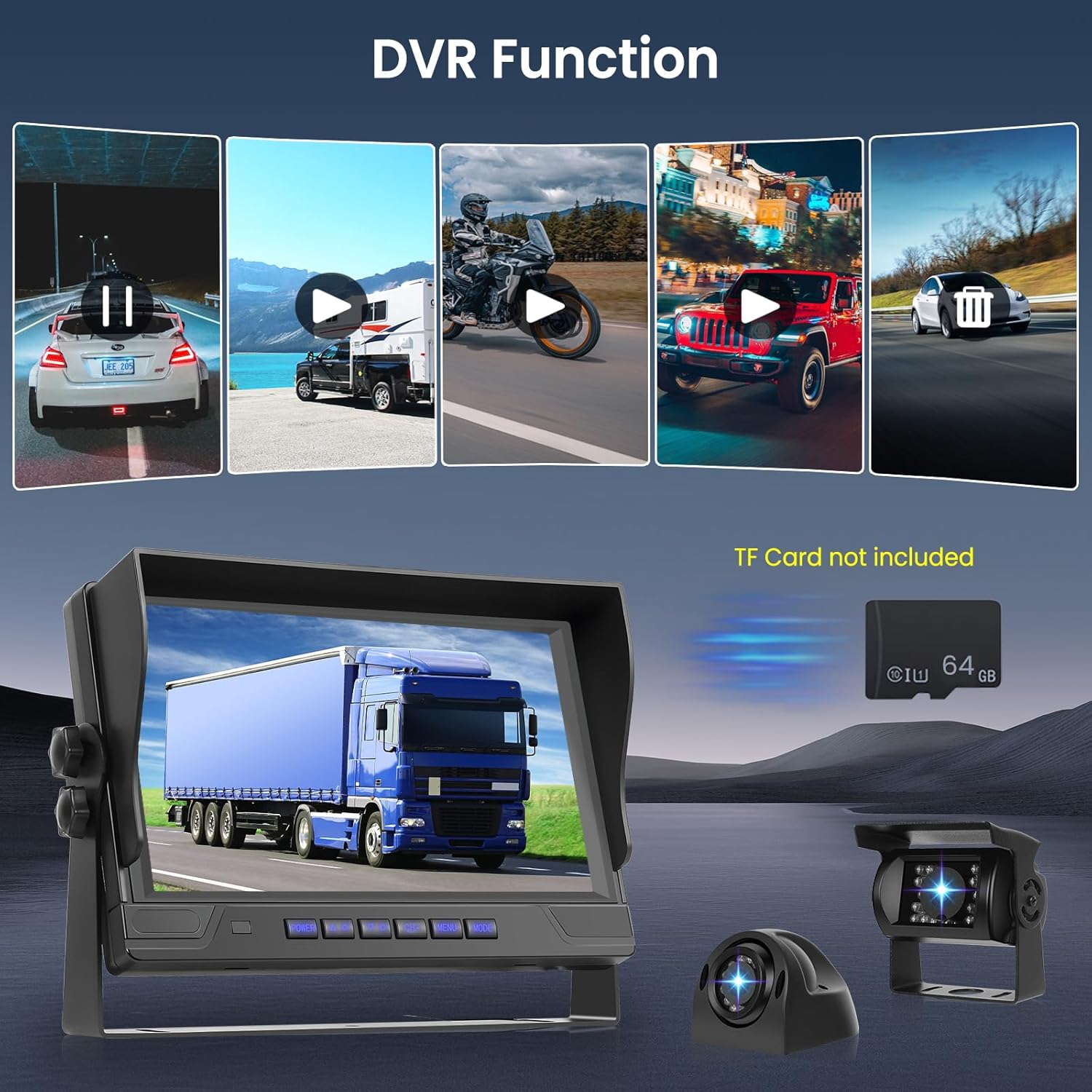
Image: Illustration of the DVR function, showing the monitor recording video footage, with a reminder that a TF card is required and not included.
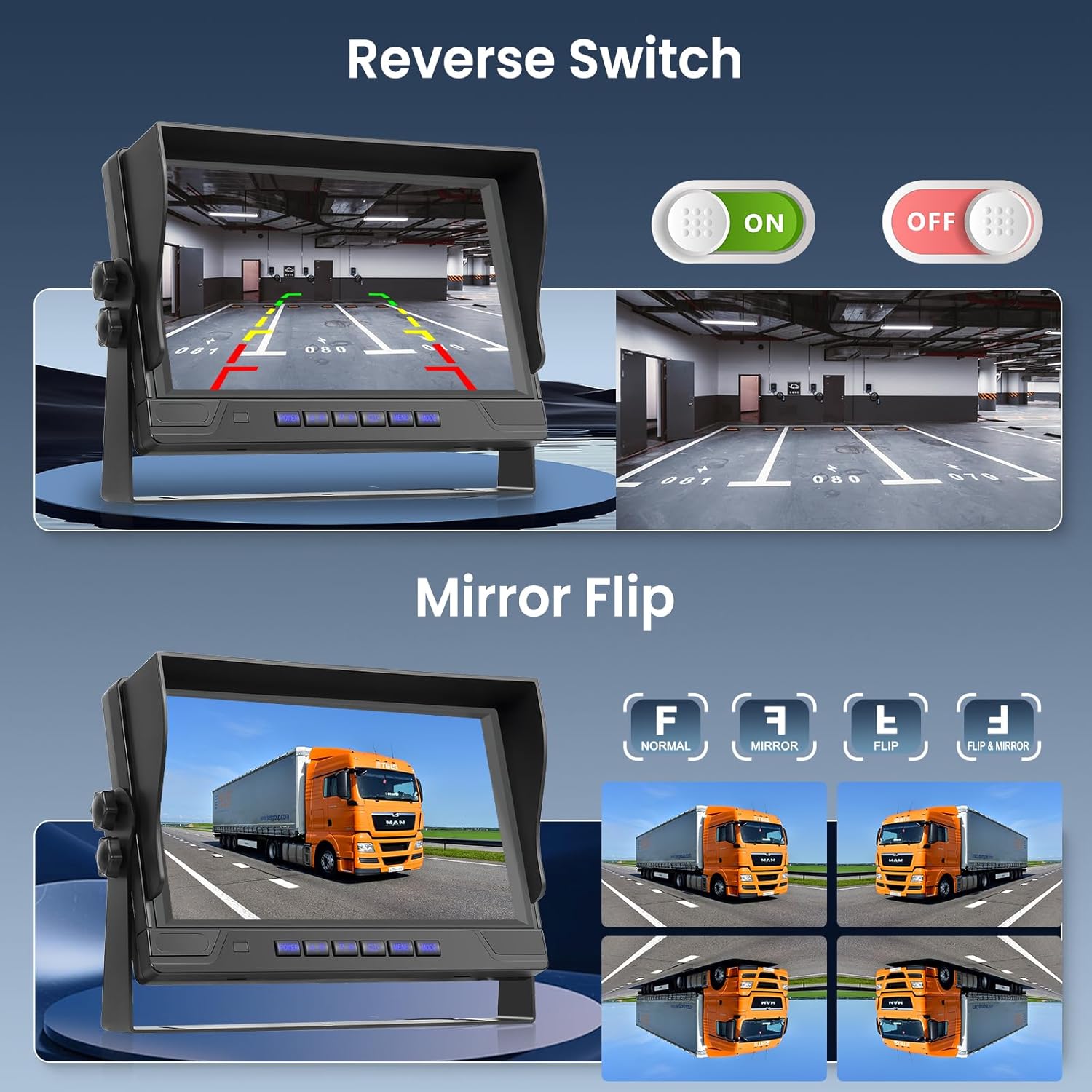
Image: Demonstrates the ability to toggle reverse guidelines and mirror/flip the camera image for optimal viewing.
Setup and Installation
The Hodozzy Backup Camera Monitor System is designed for straightforward installation. The wired transmission ensures a stable and reliable connection.
Installation Steps:
- Mount the Monitor: Choose a suitable location on your dashboard or windshield for the 9-inch monitor. Secure it using the provided monitor base. Ensure the sunshade is attached for optimal visibility.
- Install Cameras: Strategically mount each of the four cameras on your vehicle (e.g., rear, front, sides). Ensure they have a clear line of sight and are securely fastened. The IP68 rating ensures durability in various weather conditions.
- Wiring Connection:
- Connect each camera to the monitor using the provided 10m or 5m extension cords.
- Connect the monitor's power cable to your vehicle's power source (12V-36V DC). Typically, this involves connecting to ACC (Accessory power), GND (Ground), and optionally to trigger wires (CH1 TRIG, CH2 TRIG, etc.) for automatic view switching (e.g., when reversing).
- Test the System: Before finalizing the installation, power on your vehicle and test each camera view on the monitor. Verify that all cameras are functioning correctly and that the split-screen and DVR features work as expected.
- Cable Management: Secure all cables to prevent tangling or interference with vehicle operation.

Image: A simplified wiring diagram illustrating how to connect the cameras to the monitor and the monitor to the vehicle's power supply (ACC, GND, and trigger wires).
Operating Instructions
Once installed, operating your Hodozzy system is intuitive:
- Power On/Off: The monitor will typically power on automatically with your vehicle's ignition if connected to ACC. Use the POWER button on the monitor or remote to manually turn it on or off.
- Switching Views: Use the CH+/- buttons on the monitor or remote to cycle through single camera views or different split-screen configurations (2-way, 3-way, 4-way).
- Menu Settings: Press the MENU button to access settings such as brightness, contrast, color, and volume. You can also adjust image flip options (Normal, Mirror, Flip, Flip & Mirror) and toggle parking guidelines.
- DVR Function: If a TF card (not included) is inserted, the system will automatically begin loop recording when powered on. Access recorded footage through the menu or dedicated playback controls if available. Ensure the TF card is formatted correctly for optimal recording.
- Reversing Guidelines: These can be enabled or disabled via the monitor's menu settings. They provide visual assistance for parking and reversing maneuvers.
Maintenance
To ensure the longevity and optimal performance of your Hodozzy Backup Camera System, follow these maintenance guidelines:
- Cleaning: Regularly clean the monitor screen with a soft, dry, anti-static cloth. For cameras, gently wipe the lens with a damp cloth to remove dirt, dust, or water spots. Avoid abrasive cleaners.
- Cable Inspection: Periodically check all wiring connections for any signs of wear, fraying, or loose connections. Secure any loose cables.
- Camera Lenses: Ensure camera lenses are free from obstructions like mud, snow, or ice, especially before driving.
- Storage: If the vehicle is stored for an extended period, ensure the system is powered off.
Troubleshooting
If you encounter issues with your system, refer to the following common problems and solutions:
- No Image on Monitor:
- Check all power connections to the monitor and ensure they are secure.
- Verify that the vehicle's ignition is on and providing power.
- Ensure camera cables are securely connected to the monitor.
- Test individual cameras if possible to isolate the issue.
- Flickering or Distorted Image:
- Check for loose cable connections.
- Ensure cables are not pinched or damaged.
- Verify power supply is stable (12V-36V).
- Check for electromagnetic interference from other vehicle electronics.
- Night Vision Not Working:
- Ensure the camera lens is clean.
- Verify that the ambient light sensor on the camera is not obstructed.
- DVR Recording Issues:
- Ensure a compatible TF card is inserted.
- Format the TF card through the monitor's menu.
- Check if the TF card is full; enable loop recording if not already.
- Remote Control Not Responding:
- Replace the battery in the remote control.
- Ensure there are no obstructions between the remote and the monitor's IR receiver.
If the problem persists after attempting these solutions, please contact Hodozzy customer support.
Technical Specifications
| Feature | Specification |
|---|---|
| Monitor Screen Size | 9 Inches |
| Display Technology | LCD (IPS) |
| Video Capture Resolution | 1080p |
| Camera Waterproof Rating | IP68 |
| Voltage Compatibility | 12 Volts (DC) - 36 Volts (DC) |
| Optical Sensor Technology | CMOS |
| Lens Type | Wide Angle |
| Product Dimensions (Monitor) | 9.25"L x 2.68"W x 6.8"H |
| Item Weight | 6.76 pounds |
| Installation Type | Surface Mount |
Warranty and Customer Support
Hodozzy is committed to providing high-quality products and excellent customer service. Your Wired Backup Camera System comes with the following support:
- 60 Days Return Policy: If you are not satisfied with your purchase, you may return it within 60 days.
- 2-Year Replacement: The product is covered by a 2-year replacement warranty for manufacturing defects.
- Lifetime Support: Hodozzy offers lifetime technical support for this product.
- 18 Hours Reply: Expect a response to your inquiries within 18 hours.
For any questions, technical assistance, or warranty claims, please contact our customer support team:
Email: hodozzyofficial@163.com
Image: Hodozzy customer support details, including contact information and service commitments.
Related Documents - 9 Inch 4 Split Screen Monitor System (B0DFWC5JGY)
 |
VEKOOTO N72 Backup Camera System with 7" Monitor and DVR - User Manual & Installation Guide Comprehensive operating instructions and installation guide for the VEKOOTO N72 backup camera system, featuring a 7" monitor and DVR. Learn about wiring, setup, functions, and troubleshooting. |
 |
Truly Wireless Backup Camera Kit User Manual This user manual provides comprehensive instructions for the Truly Wireless Backup Camera Kit, covering installation, operation, and maintenance. It includes details on monitor setup, camera mounting, solar panel integration, and basic functions for optimal use. |
 |
First Safe 1080P AHD Car Rear View Camera User Manual User installation and operation instructions for the First Safe 1080P AHD Car Rear View Camera. Features 170° wide-angle lens, night vision, and waterproof design. |
 |
AERPRO AM10M04 10.36" Wireless Smartphone Monitor User Manual User manual for the AERPRO AM10M04 10.36-inch Wireless Smartphone Monitor with 1080p reverse camera. Learn about product features, installation, connectivity with Apple CarPlay and Android Auto, camera functions, settings, and safety information. |
 |
Strex SP130 Wired Reverse Camera User Manual User manual for the Strex SP130 wired reverse camera system, detailing its features, installation, operation, and safety instructions. Includes information on the 9-inch HD monitor, four AHD cameras, and accessories. |
 |
Universal Car Rear View Camera System - Concise Manual User manual for the SMARTOUR 4K Universal Car Rear View Camera System. Features 4K 1080P AHD, IP68 waterproof, night vision, reverse backup parking monitor, and Android head unit compatibility. Includes installation, usage, and troubleshooting. |
Ask a question about this manual
Ask about setup, troubleshooting, compatibility, parts, safety, or missing instructions. Manuals+ will review the question and use this page’s manual context to help answer it.