
Introduction
This manual provides essential information for the safe and effective use of your Marg AC Adapter, designed for Skil Electric Screwdriver Model 2106 130/min F012210601 Cordless Screwdriver. This high-quality power charger adapter converts AC power to DC power, providing a reliable charging solution.
Key features include a wide input voltage range (AC 100-240V), built-in safety mechanisms, and a compact design for portability.
Safety Information
Please read all safety instructions carefully before using the AC adapter. Failure to follow these instructions may result in electric shock, fire, or damage to the product or connected device.
- Ensure the output voltage and tip size of the adapter match the requirements of your device (Skil Electric Screwdriver Model 2106).
- Do not expose the adapter to water, moisture, or extreme temperatures.
- Do not disassemble or modify the adapter.
- Unplug the adapter from the power outlet when not in use or during electrical storms.
- Keep out of reach of children.
- The adapter features built-in protection mechanisms to prevent overheating, overcurrent, and short circuits.
Setup
Follow these steps to set up your AC adapter:
- Inspect the Adapter: Before first use, visually inspect the adapter and its cable for any signs of damage.
- Verify Compatibility: Confirm that the adapter's output specifications (voltage and connector size) are compatible with your Skil Electric Screwdriver Model 2106.
- Connect to Device: Insert the DC output plug of the adapter firmly into the charging port of your Skil Electric Screwdriver.
- Connect to Power Outlet: Plug the AC input prongs of the adapter into a standard AC 100-240V wall outlet.

Image: The Marg AC Adapter showing the main unit with AC prongs and the attached DC output cable with its plug.
Operating Instructions
Once the adapter is properly connected, it will begin charging your device. The charging process is automatic.
- The adapter is designed for continuous use during charging.
- Monitor your device's charging indicator to determine when it is fully charged.
- Disconnect the adapter from the device and the power outlet once charging is complete or if the device is not in use for an extended period.
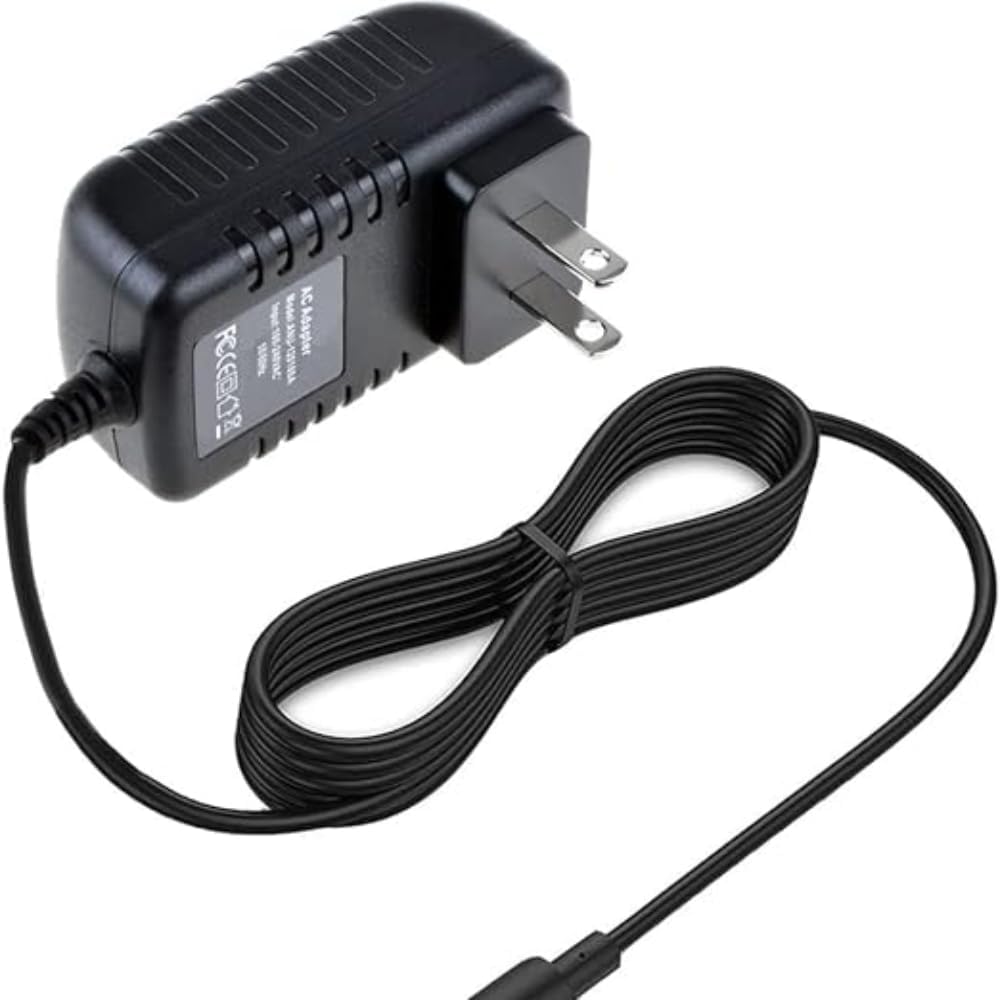
Image: A top-down view of the Marg AC Adapter with its cable neatly coiled, demonstrating its compact design.
Maintenance
Proper maintenance ensures the longevity and optimal performance of your AC adapter.
- Cleaning: Disconnect the adapter from all power sources and devices before cleaning. Use a soft, dry cloth to wipe the surface. Do not use liquid cleaners or abrasive materials.
- Storage: Store the adapter in a cool, dry place away from direct sunlight and extreme temperatures. Avoid tightly coiling the cable to prevent damage.
- Cable Care: Do not bend, twist, or pinch the cable excessively. Avoid placing heavy objects on the cable.

Image: Another perspective of the Marg AC Adapter, highlighting its robust casing and cable connection point.

Image: An illustrative image depicting the concept of a durable build with internal wiring and a "Rapid Charging" icon, representing the adapter's robust construction for reliable performance.
Troubleshooting
If you encounter issues with your AC adapter, refer to the following common problems and solutions:
| Problem | Possible Cause | Solution |
|---|---|---|
| Adapter not charging device. | Loose connection, faulty outlet, incompatible device, damaged adapter. |
|
| Adapter feels hot during use. | Normal operation, excessive load, poor ventilation. |
|
| Device not recognizing adapter. | Incorrect connector size, device issue. |
|
Specifications
Detailed technical specifications for the Marg AC Adapter:
| Model Number | B1681626198 |
| Input Voltage | AC 100-240V, 50-60Hz |
| Output Voltage | DC (Specific voltage not provided in input, typically matches device requirement) |
| Connector Type | Barrel Connector (as shown in images) |
| Color | Black |
| Material | Plastic |
| Safety Features | Over Voltage Protection, Over Heat Protection, Short Circuit Protection |
| Certifications | CE, CCC (as per product specifications) |
| Dimensions (Adapter Unit) | Approx. 1.82 in (W) x 3.66 in (H) x 1.29 in (D) (based on image) |
| Cable Length | Approx. 3.3 FT / 1 M (based on image) |
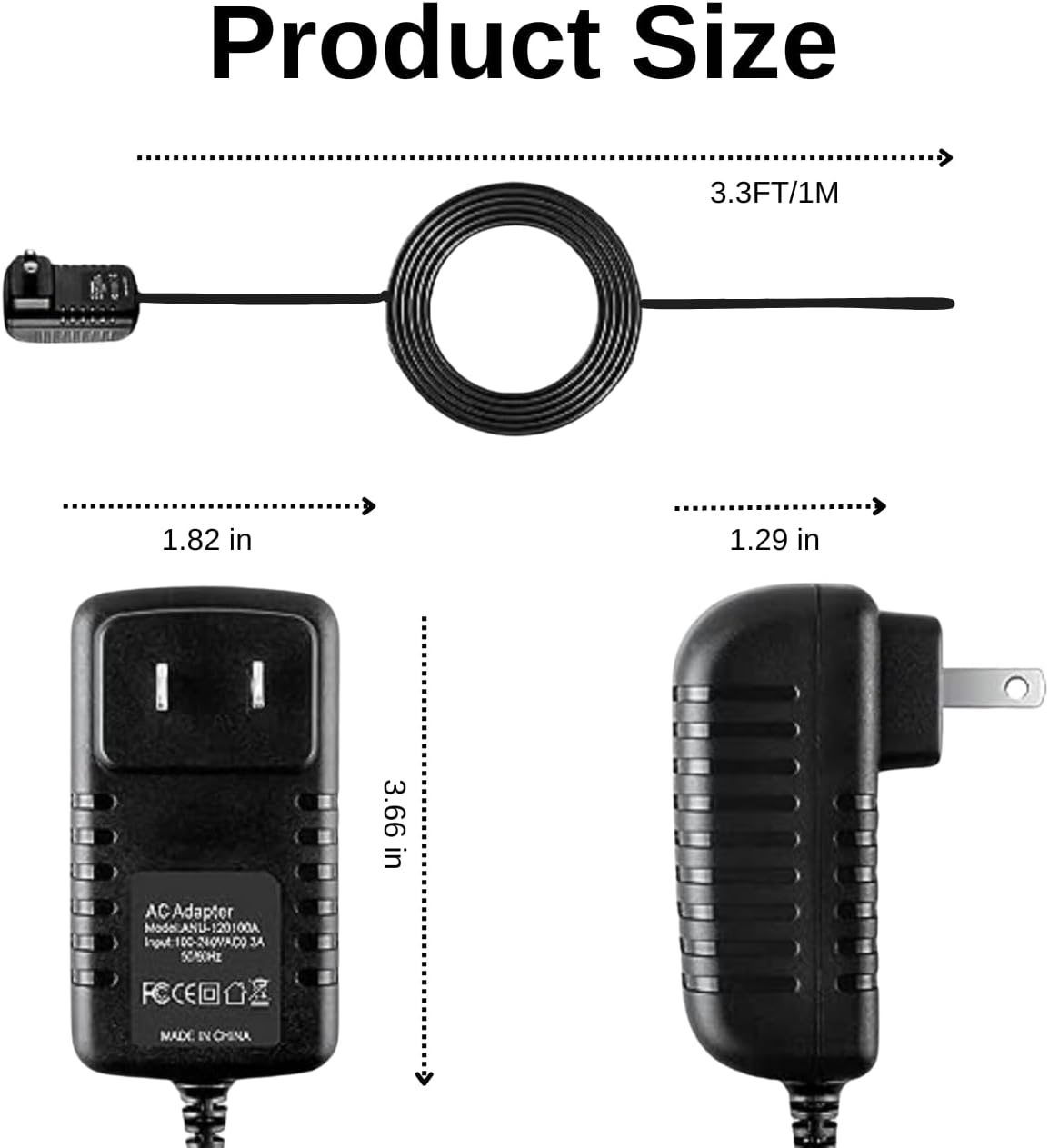
Image: A diagram illustrating the approximate dimensions of the Marg AC Adapter unit and its cable length.
Warranty and Support
This product is manufactured by Marg. For any inquiries, technical support, or warranty claims, please refer to the seller's return policy or contact the seller directly through the platform where the purchase was made.
Note: Specific warranty details are typically provided by the seller at the time of purchase.
Seller: Marg Direct
Return Policy: 30-day refund/replacement (as per Amazon buybox winner information)