
1. Introduction
This manual provides detailed instructions for the operation and maintenance of your CAMMHD V8-1TB 4K Body Camera. Designed for professional use, this device offers high-resolution video recording, advanced night vision capabilities, and robust data security features. Please read this manual thoroughly before using the camera to ensure proper function and to maximize its lifespan.

Figure 1: Front view of the CAMMHD V8-1TB 4K Body Camera.
2. What's in the Box
Verify that all items listed below are included in your package:
- 1x V8-1TB Body Camera
- 1x Charger (5V2A)
- 1x Type-C Cable
- 1x Charging Dock
- 1x Extra Battery (Total 2 batteries included)
- 1x Long Clip
- 1x Short Clip
- 1x User Manual
- 1x Troubleshooting Guide
- 1x CAMMHD Box

Figure 2: Contents of the CAMMHD V8-1TB Body Camera package.
3. Setup Guide
3.1 Battery Installation and Charging
The V8-1TB body camera comes with two 2200mAh polymer lithium batteries, providing up to 14 hours of recording time (at 720p). One battery is pre-installed, and an additional battery is included. The camera can operate for approximately 3 minutes after battery removal, allowing for quick battery swaps.
- Initial Charge: Before first use, fully charge both the camera and the spare battery.
- Charging via USB-C: Connect the provided Type-C cable directly to the camera and a 5V2A charger.
- Charging via Dock: Place the camera into the charging dock. The dock can simultaneously charge the camera and the spare battery. Ensure proper alignment for charging contacts.
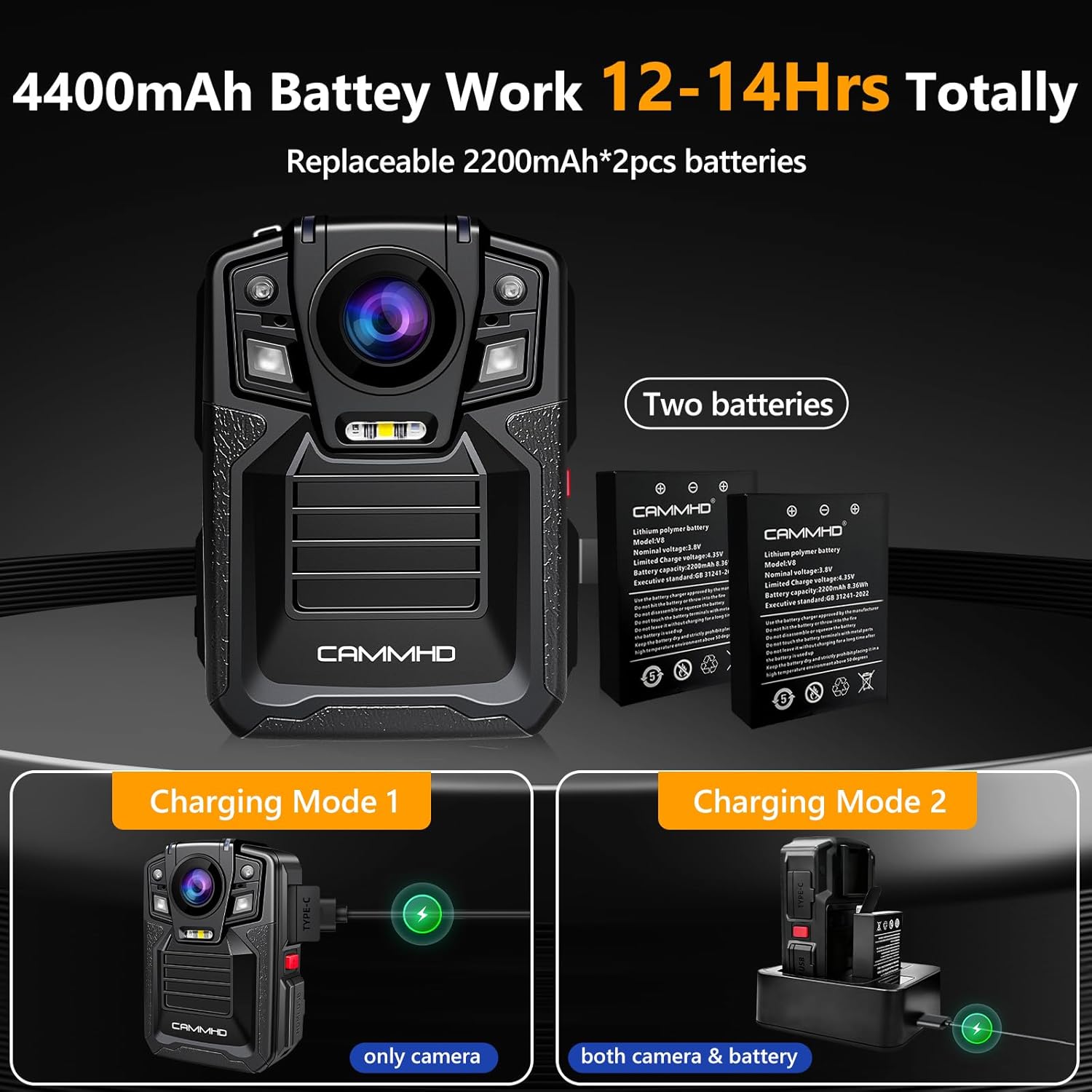
Figure 3: Battery and charging options for the V8-1TB.
3.2 Memory and Storage
The camera features a built-in 1TB SD card for storing videos, audio, and pictures. It supports loop recording, which automatically overwrites the oldest files when the storage limit is reached, ensuring continuous recording of new events.
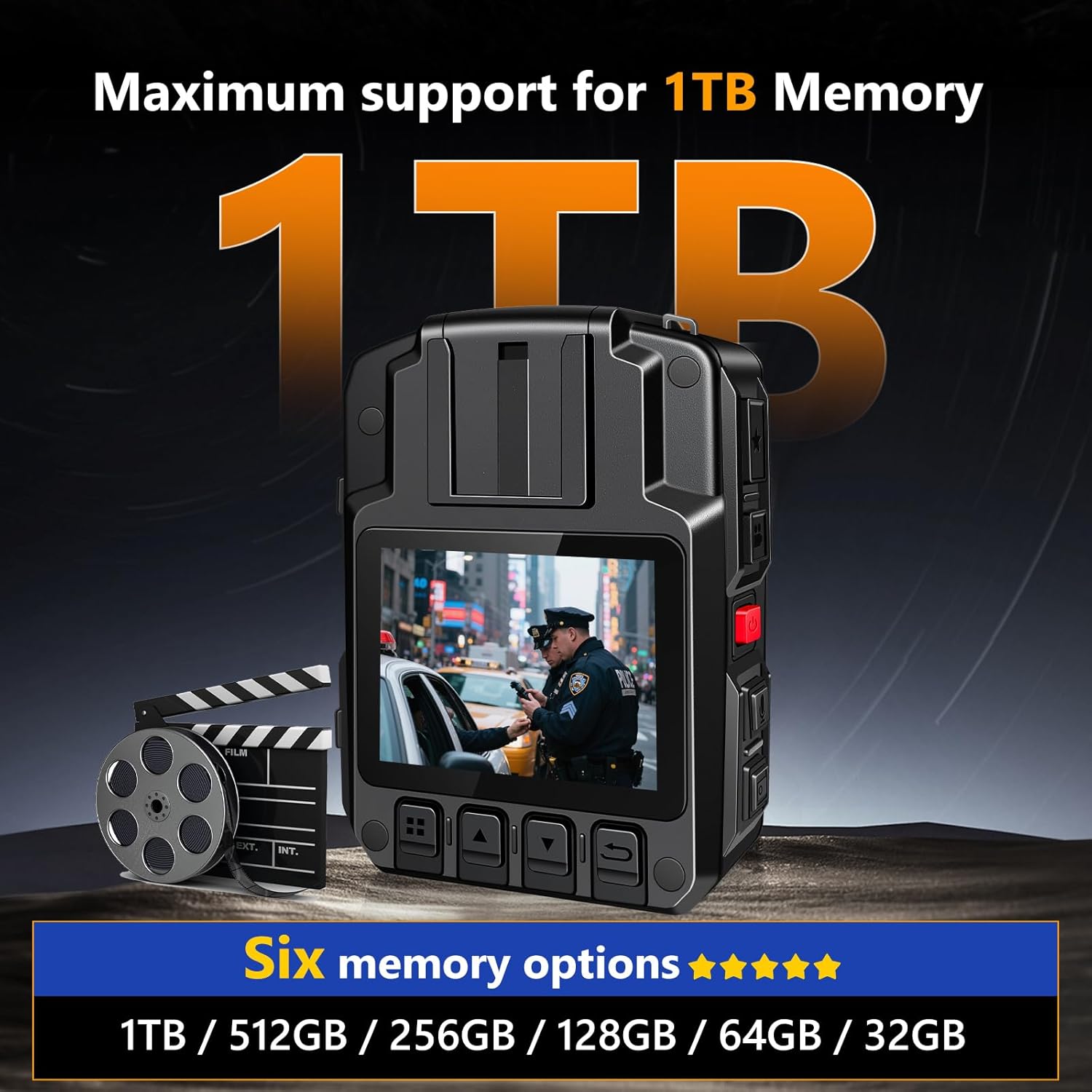
Figure 4: The V8-1TB camera supports up to 1TB of internal memory.
4. Operating Instructions
4.1 Basic Controls
Familiarize yourself with the camera's buttons for various functions:
- Power Button: Press and hold to power on/off.
- Video Button: Initiates and stops video recording.
- Audio Button: Starts and stops audio-only recording.
- Photo Button: Captures still images.
- Navigation Buttons: Used for menu navigation and playback control.
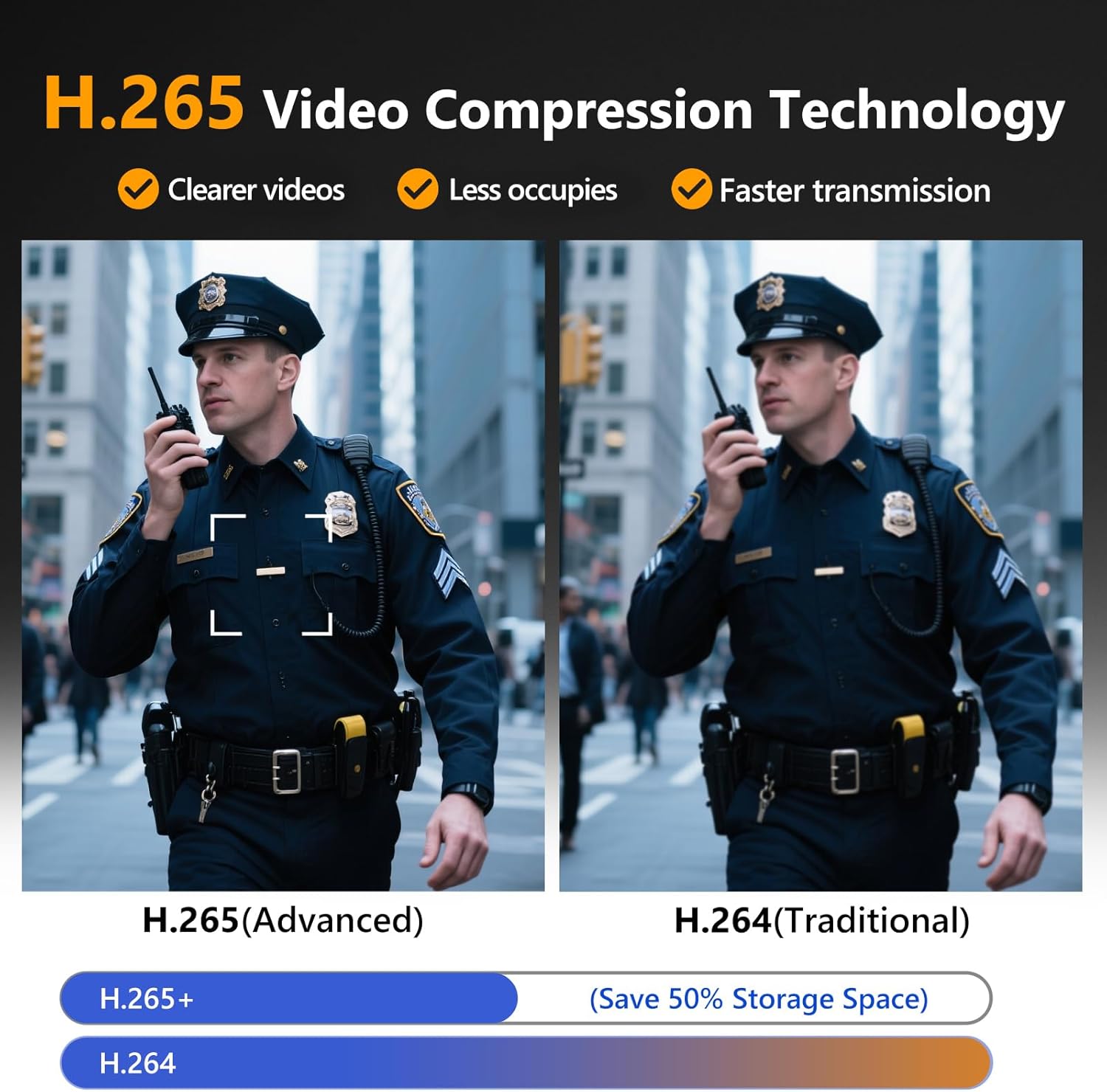
Figure 5: Key control buttons on the CAMMHD V8-1TB Body Camera.
4.2 Video Recording
The V8-1TB records video in 4K/2160P resolution with a 170° ultra-clear wide-angle lens, utilizing H.265 video compression for efficient storage and clear footage.
- Start Recording: Press the Video Button once to begin recording.
- Stop Recording: Press the Video Button again to stop recording.
- Snapshot during Recording: The camera supports capturing still images while video recording is active. Refer to the on-screen menu for this function.
- Loop Recording: When enabled, the camera will automatically overwrite the oldest files once the storage is full.

Figure 6: 4K/2160P UHD video quality demonstration.
Figure 7: H.265 Video Compression Technology for clearer and more efficient video.
4.3 Night Vision
The camera is equipped with two powerful IR night vision LED lights, capable of capturing objects and individuals within 50 feet in low-light conditions. The camera can automatically switch to Night Vision Mode.
- Automatic Activation: In dark environments, the camera can automatically engage night vision.
- Red and Blue Warning Lights: These lights can be activated in emergencies to enhance safety and deter illegal activities.

Figure 8: Auto/Manual Infrared Night Vision capability.
4.4 Security and Data Management
The V8-1TB includes features to protect recorded data and ensure its integrity.
- Date Stamp: All recordings are time-stamped, preventing modification or deletion, which is crucial for evidence.
- Camera Password: A password can be set to restrict access to the camera's content, both on the device and when connected to a computer. This feature can be enabled or disabled.
- Data Transfer: Connect the camera to a computer via USB to browse and transfer saved files.

Figure 9: Overview of various features including Data Encryption and Timestamp Watermark.
5. Maintenance
5.1 Cleaning
- Use a soft, dry cloth to clean the camera body.
- For the lens, use a specialized lens cleaning cloth and solution to avoid scratches.
- Do not use harsh chemicals or abrasive materials.
5.2 Battery Care
- Always use the provided charger and Type-C cable for optimal battery health.
- Avoid exposing batteries to extreme temperatures.
- If the camera will not be used for an extended period, charge the batteries to about 50% and store in a cool, dry place.
- Ensure the battery compartment is free of debris to prevent issues with battery removal or charging.
5.3 Storage
- Store the camera in a dry, dust-free environment.
- Keep out of direct sunlight and away from strong magnetic fields.
6. Troubleshooting
If you encounter issues with your CAMMHD V8-1TB, please refer to the following common problems and solutions:
- Camera not powering on:
Ensure the battery is fully charged. Connect the camera to the charger and try again. Check if the battery is properly seated in its compartment. - Video quality is poor:
Verify that the lens is clean and free from smudges. Check the recording resolution settings in the camera menu; ensure it is set to 4K/2160P for optimal quality. - Battery not charging or draining quickly:
Ensure the charging cable and dock are correctly connected and functioning. Inspect the battery for any physical damage. If using the charging dock, ensure the camera and spare battery are properly aligned with the charging pins. Battery life can vary based on recording settings (e.g., 4K recording consumes more power than 720p). - Cannot transfer files to computer:
Ensure the camera is properly connected to the computer via the USB-C cable. Check if a camera password is enabled; if so, enter the password on the camera to allow computer access. Try a different USB port or cable. - Camera freezes or becomes unresponsive:
Press and hold the power button for 10-15 seconds to force a restart. If the issue persists, remove and reinsert the battery (if applicable and safe to do so). - Night vision not working:
Ensure the environment is sufficiently dark for automatic activation, or manually enable night vision through the camera's settings. Check for any obstructions on the IR LEDs.
If these steps do not resolve the issue, please consult the included Troubleshooting Guide or contact customer support.
7. Specifications
| Feature | Detail |
|---|---|
| Brand | CAMMHD |
| Model Number | V8PRO-1TB |
| Video Resolution | 4K/2160P |
| Photo Sensor Technology | CMOS (Sony IMX335) |
| Video Compression | H.265 |
| Wide Angle | 170° |
| Internal Storage | 1TB (Built-in SD card) |
| Battery Capacity | 2x 2200mAh (4400mAh total) |
| Battery Life | Up to 14 hours (720p recording) |
| Night Vision Range | Up to 50 feet |
| Screen Size | 2 Inches |
| Connectivity | USB Type-C |
| Dimensions | 1.22 x 2.32 x 3.27 inches |
| Item Weight | 5.5 ounces |
| Special Features | 170° Wide Angle, 4K/2160P, Charging Dock, H.265, Two-Battery |
8. Warranty and Support
For warranty information, please refer to the documentation provided with your purchase or visit the official CAMMHD website. If you require technical assistance or have questions not covered in this manual, please contact CAMMHD customer support through their official channels. Keep your purchase receipt and product serial number handy when contacting support.