
chalvh J66
chalvh J66 Wireless Earbuds User Manual
Model: J66
Brand: chalvh
1. Introduction
Thank you for choosing the chalvh J66 Wireless Earbuds. These earbuds are designed to provide a superior audio experience with advanced features such as Bluetooth 5.4 connectivity, Environmental Noise Cancellation (ENC) for clear calls, and a long-lasting battery. This manual will guide you through the setup, operation, and maintenance of your new earbuds.

Image 1.1: chalvh J66 Wireless Earbuds in their charging case.
2. Package Contents
Please check the package to ensure all items are present:
- chalvh J66 Wireless Earbuds (Left and Right)
- Charging Case
- USB-C Charging Cable
- User Manual (this document)

Image 2.1: Front of the chalvh J66 product packaging.
3. Getting Started (Setup)
3.1 Initial Charging
Before first use, fully charge the earbuds and the charging case. The charging case provides an additional 40 hours of battery life for the earbuds.
- Place both earbuds into the charging case.
- Connect the USB-C charging cable to the charging port on the case and the other end to a USB power source (e.g., wall adapter, computer USB port).
- The LED digital display on the charging case will show the battery percentage. Allow the case and earbuds to charge until the display shows 100%.
Note: A quick 10-minute charge provides up to 60 minutes of uninterrupted music playback.
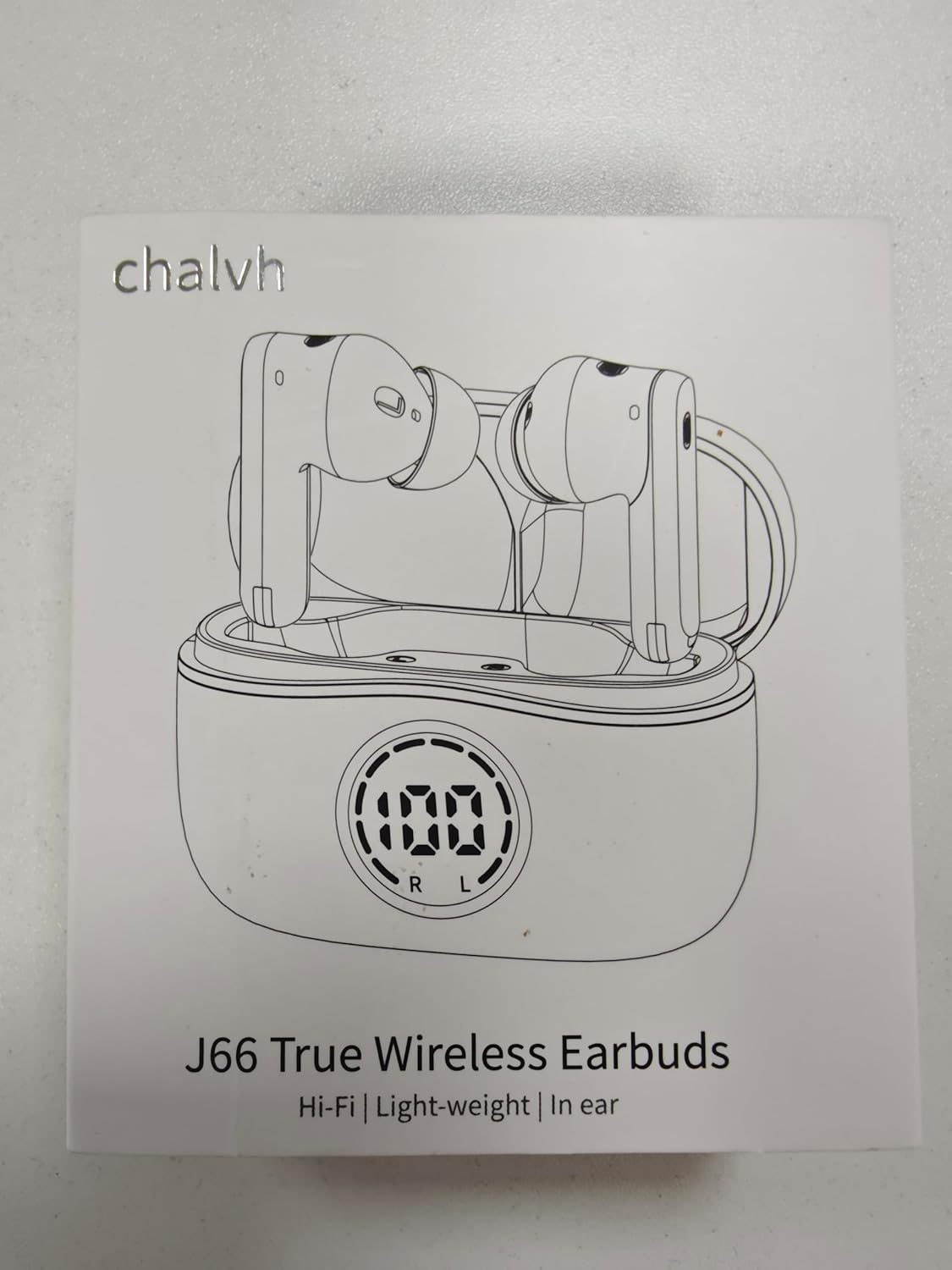
Image 3.1: Earbuds inside the charging case with the LED battery display visible.
3.2 Bluetooth Pairing
The earbuds utilize Bluetooth 5.4 for fast and stable connections within a 15-meter range.
- Ensure the earbuds are charged and placed inside the charging case.
- Open the charging case. The earbuds will automatically enter pairing mode (indicated by flashing lights on the earbuds, if applicable, though not explicitly stated in features).
- On your device (smartphone, tablet, laptop), enable Bluetooth and search for new devices.
- Select "J66" from the list of available devices.
- Once paired, the earbuds will automatically reconnect to your device when you open the charging case in the future.
Compatibility: These earbuds are widely compatible with iOS and Android devices, as well as most Bluetooth-enabled devices including Windows laptops, tablets, and desktop PCs.
3.3 Wearing the Earbuds
The ergonomic, arc-shaped design ensures a secure and comfortable fit.
- Identify the Left (L) and Right (R) earbuds.
- Gently insert each earbud into the corresponding ear canal.
- Rotate the earbud slightly until it feels snug and comfortable. A proper fit is crucial for optimal sound quality and noise isolation.


Image 3.2: Examples of wearing the chalvh J66 earbuds during various activities.
4. Operating the Earbuds
The chalvh J66 earbuds feature intuitive touch controls for easy management of audio and calls.
4.1 Touch Controls
| Action | Left Earbud | Right Earbud |
|---|---|---|
| Play/Pause Music | Single Tap | Single Tap |
| Volume Up | N/A | Long Press |
| Volume Down | Long Press | N/A |
| Next Track | Double Tap | Double Tap |
| Previous Track | Triple Tap | Triple Tap |
| Answer/End Call | Single Tap | Single Tap |
| Reject Call | Long Press | Long Press |
| Activate Digital Assistant | Quadruple Tap | Quadruple Tap |
4.2 Power On/Off
- Power On: Open the charging case, and the earbuds will automatically power on and connect to the last paired device.
- Power Off: Place the earbuds back into the charging case and close the lid. They will automatically disconnect and power off.
4.3 Environmental Noise Cancelling (ENC) Microphones
The J66 earbuds are equipped with four built-in ENC smart noise-canceling microphones. These microphones work to effectively reduce ambient noise, ensuring your voice is heard clearly during calls, even in noisy environments.
5. Maintenance and Care
5.1 Cleaning
- Regularly clean the earbuds and charging case with a soft, dry, lint-free cloth.
- Remove any earwax or debris from the ear tips and speaker mesh using a small, soft brush or cotton swab.
- Do not use abrasive materials, alcohol, or chemical cleaners.
5.2 Water Resistance (IPX7)
The chalvh J66 earbuds have an IPX7 waterproof rating. This means they are protected against immersion in water up to 1 meter for up to 30 minutes. They can handle sweat, rain, and splashes, making them suitable for workouts and outdoor activities.
- Do not intentionally submerge the earbuds for extended periods or in depths greater than 1 meter.
- The charging case is not waterproof. Do not expose the charging case to water or moisture.
- Ensure earbuds are completely dry before placing them back into the charging case to prevent damage.
5.3 Storage
When not in use, store the earbuds in their charging case to protect them and keep them charged. Store in a cool, dry place away from extreme temperatures.
6. Troubleshooting
If you encounter issues with your chalvh J66 earbuds, please refer to the following common solutions:
6.1 Connection Issues
- Earbuds not pairing with device:
- Ensure Bluetooth is enabled on your device.
- Make sure the earbuds are charged and out of the case.
- Forget "J66" from your device's Bluetooth list and try pairing again.
- Restart your device and the earbuds (by placing them in the case and closing/opening the lid).
- Earbuds not connecting to each other (only one earbud playing):
- Place both earbuds back into the charging case, close the lid, wait a few seconds, then open the lid again. This often re-syncs them.
- Ensure both earbuds have sufficient charge.
- Intermittent connection or drops:
- Ensure you are within the 15-meter Bluetooth range.
- Minimize obstacles between your device and the earbuds.
- Avoid strong electromagnetic interference.
6.2 Sound Issues
- No sound or low volume:
- Check the volume level on both your device and the earbuds (using touch controls).
- Ensure the earbuds are properly seated in your ears.
- Clean any debris from the earbud speaker mesh.
- Poor sound quality:
- Ensure the earbuds are fully charged.
- Try a different audio source or music file.
- Check for interference from other wireless devices.
6.3 Charging Issues
- Earbuds not charging in case:
- Ensure the charging case has power.
- Verify the earbuds are correctly seated in the charging slots, and the charging contacts are clean.
- Charging case not charging:
- Try a different USB-C cable and power adapter.
- Ensure the charging port on the case is clean and free of debris.
7. Specifications
Detailed technical specifications for the chalvh J66 Wireless Earbuds:
| Feature | Detail |
|---|---|
| Model Name | J66 |
| Brand | chalvh |
| Connectivity Technology | Wireless (Bluetooth 5.4) |
| Bluetooth Protocols Supported | HSP, HFP, A2DP, AVRCP |
| Bluetooth Range | Up to 15 meters (49 feet) |
| Audio Driver Type | 10mm Dynamic Drivers |
| Microphones | 4 ENC Noise Cancelling Mics |
| Earbud Battery Life | Up to 8 hours (single charge) |
| Total Playtime (with case) | Up to 48 hours |
| Charging Port | USB-C |
| Water Resistance Rating | IPX7 (earbuds only) |
| Control Method | Touch |
| Ear Placement | In Ear |
| Form Factor | In Ear |
| Item Weight | 91 Grams (total package weight) |
| Manufacturer | Dongguan Huien Electronic Technology Co., Ltd |

Image 7.1: Product parameters listed on the back of the packaging.
8. Warranty and Support
chalvh is committed to providing high-quality products and excellent customer service.
- Warranty: Your chalvh J66 Wireless Earbuds come with a 3-year warranty from the date of purchase. This warranty covers manufacturing defects. Please retain your proof of purchase.
- Customer Support: We offer 24-hour customer service support to assist you with any questions or issues.
Contact Information:
- For general inquiries: earbudsvip28@gmail.com
- For UK support: manager@cyrus-consultingltd.co.uk (CYRUS-Consulting Ltd)
- For EC support: contact@evatmaster.com (evatmaster Consulting GmbH)

Image 8.1: Warranty and support commitment from chalvh.
9. Safety Information
Please read and follow these safety guidelines to ensure safe operation and prolong the life of your earbuds:
- WARNING!!! Do not disassemble, hit, or burn the device.
- Keep the earbuds and charging case away from extreme temperatures, direct sunlight, and open flames.
- Do not use the earbuds at excessively high volumes for prolonged periods to prevent hearing damage.
- Keep out of reach of children and pets.
- Dispose of the product responsibly according to local regulations.

Image 9.1: Safety warning printed on the product packaging.