
1. Introduction
This manual provides essential information for the safe and effective installation, operation, and maintenance of your YWBL-WH Display Adjustable Voltage Protector. This device is designed to automatically disconnect electrical circuits when overvoltage or undervoltage conditions exceed specified values, and to automatically reconnect when voltage returns to normal. It is primarily intended for household and shopping mall power distribution lines (single-phase AC230V, three-phase four-wire AC415V).
2. Important Safety Information
Please read all safety warnings and instructions carefully before installation and operation. Failure to follow these instructions may result in electric shock, fire, or serious injury.
- Installation must be performed by a qualified electrician in accordance with all local and national electrical codes.
- Ensure the main power supply is disconnected before performing any installation, wiring, or maintenance.
- Do not operate the device if it appears damaged.
- Do not exceed the rated operating current of 63A.
- This device is designed for indoor use only. Avoid exposure to moisture or extreme temperatures.
- Keep children away from the device.
3. Product Overview
The YWBL-WH Voltage Protector features a compact design with a clear digital display for real-time monitoring of current and voltage. It includes user-adjustable settings for overvoltage, undervoltage, and current limits, along with an automatic self-reset function.

Image 3.1: Front view of the YWBL-WH Display Adjustable Voltage Protector, showing the digital display and control buttons.
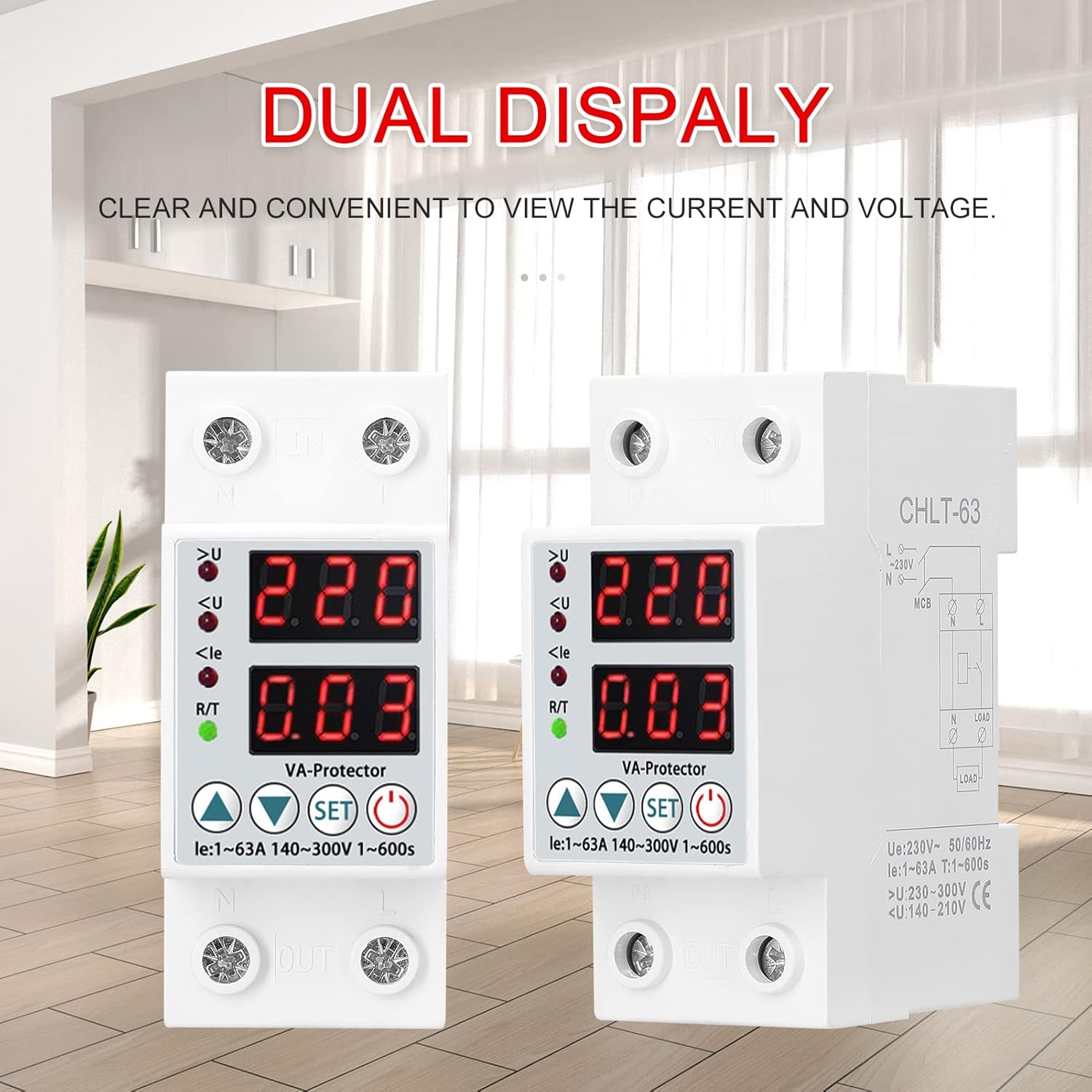
Image 3.2: Two YWBL-WH Voltage Protectors displayed together, illustrating the clear and convenient dual display for current and voltage.
3.1 Key Features
- Real-time Protection: Automatic over-current and under-voltage protection for household electrical safety.
- Clear Display: Digital display shows current and voltage levels for easy monitoring.
- Adjustable Parameters: Customizable current size, overvoltage, and undervoltage settings.
- Self-reset Function: Automatically restores power when conditions return to normal after a trip.
- Work Indicator Light: Provides visual status of the electrical system.
- Compact Design: Simple and convenient installation.
3.2 Component Identification

Image 3.3: Product structure diagram, indicating Zero line entrance, Firewire entry, Current and voltage display, Work indicator, Zero line outgoing, and Firewire output.
- IN Terminals: Power input (Zero line entrance, Firewire entry).
- OUT Terminals: Power output (Zero line outgoing, Firewire output).
- Digital Display: Shows real-time voltage and current.
- Indicator Lights: >U (Overvoltage), <U (Undervoltage), <le (Overcurrent), R/T (Reset/Time).
- Control Buttons: Up arrow, Down arrow, SET, Power/Reset.
4. Installation Guide
The YWBL-WH Voltage Protector is designed for DIN rail mounting. Ensure proper wiring and secure connections.
4.1 Wiring Diagram
Refer to the diagram on the side of the device for correct wiring connections. The input (IN) terminals are located at the top, and the output (OUT) terminals are at the bottom. Connect the live (L) and neutral (N) wires accordingly.
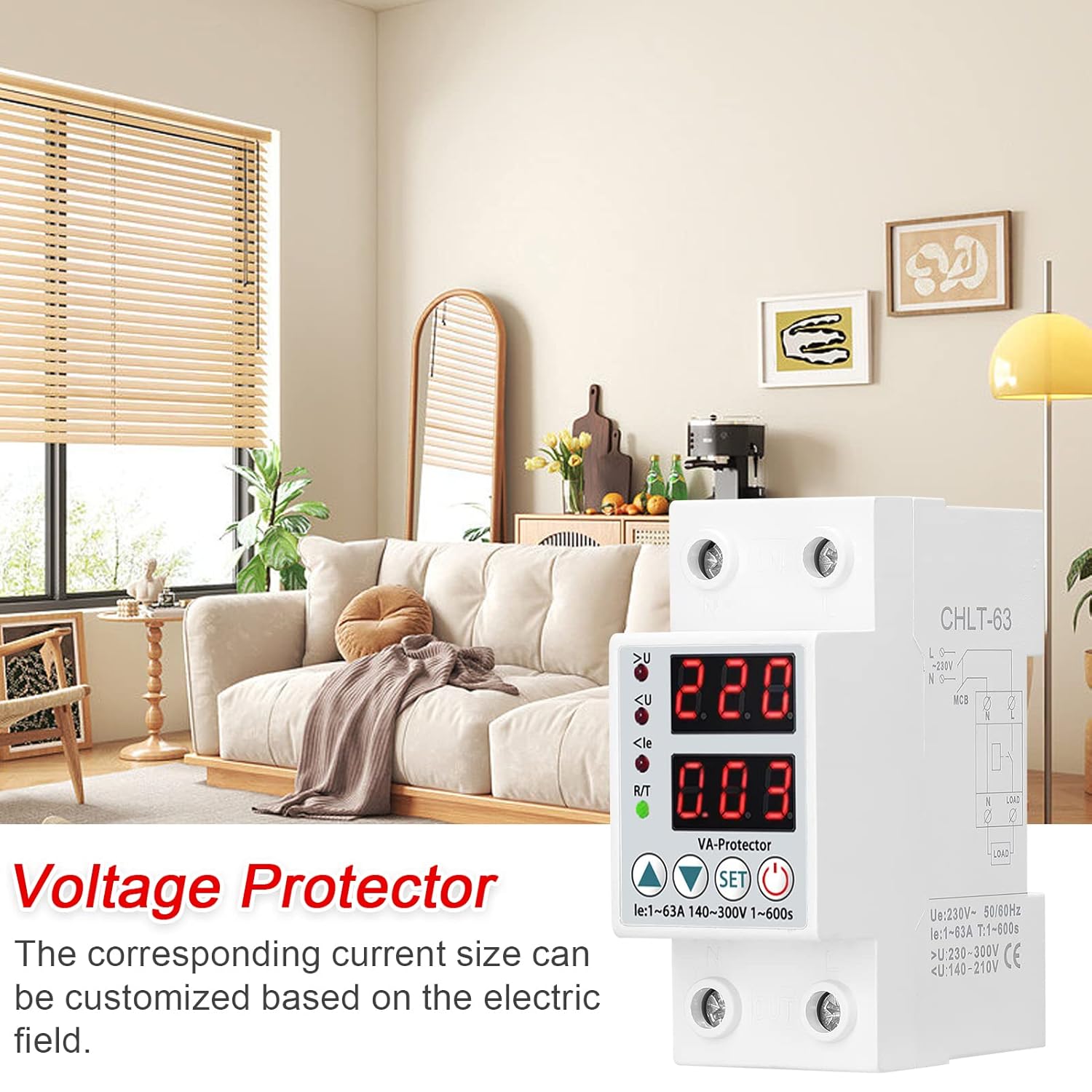
Image 4.1: The voltage protector integrated into a household electrical setup, demonstrating its compact installation.
4.2 Mounting
- Ensure all power is OFF at the main circuit breaker.
- Mount the voltage protector onto a standard 35mm DIN rail within an electrical enclosure.
- Connect the incoming live (L) and neutral (N) wires to the 'IN' terminals at the top of the device.
- Connect the outgoing live (L) and neutral (N) wires to the 'OUT' terminals at the bottom of the device, leading to the protected load.
- Double-check all connections for tightness and correctness.
- Restore power to the circuit. The device display should illuminate.
5. Operation
Once installed and powered on, the device will display the current voltage and current. You can adjust the protection parameters as needed.
5.1 Display Indicators
- Top Display: Shows voltage (V).
- Bottom Display: Shows current (A).
- >U Indicator: Illuminates when overvoltage protection is active.
- <U Indicator: Illuminates when undervoltage protection is active.
- <le Indicator: Illuminates when overcurrent protection is active.
- R/T Indicator: Illuminates during reset delay or when the device is in a tripped state.
5.2 Setting Parameters
The device allows customization of overvoltage, undervoltage, overcurrent, and delay settings.

Image 5.1: The voltage protector alongside a table detailing its adjustable parameters and default specifications.
- Enter Setting Mode: Press and hold the SET button for approximately 3 seconds until the display starts flashing.
- Navigate Settings: Press the SET button repeatedly to cycle through the adjustable parameters: Overvoltage (>U), Undervoltage (<U), Overcurrent (<le), Delay (t), Reset Delay (t_reset).
- Adjust Values: When a parameter is flashing, use the Up (▲) and Down (▼) arrow buttons to increase or decrease the value.
- Save Settings: After adjusting all desired parameters, wait for approximately 5-10 seconds without pressing any buttons. The device will automatically save the settings and exit the setting mode. Alternatively, press the Power/Reset (⏻) button to exit and save.
5.3 Default and Adjustable Ranges:
- Electric Current (>A) Setting Range: 1-63A
- Overvoltage (>U) Setting Range: 230-300V (Default: 270V)
- Undervoltage (<U) Setting Range: 120-210V (Default: 170V)
- Delay: 0.5s (Fixed)
- Reset Delay: 1-600s (Default: 30s)
6. Maintenance
The YWBL-WH Voltage Protector is designed for minimal maintenance. Regular checks can help ensure its continued reliable operation.
- Periodic Inspection: Visually inspect the device and its wiring connections annually for any signs of damage, loose connections, or overheating.
- Cleaning: If necessary, gently wipe the exterior of the device with a dry, soft cloth. Do not use abrasive cleaners or solvents.
- Functionality Test: Periodically verify the device's protection functions by simulating an overvoltage or undervoltage condition if safely possible, or by observing its response during minor power fluctuations.
Always disconnect power before performing any maintenance or inspection.
7. Troubleshooting
This section addresses common issues you might encounter with the voltage protector.
| Problem | Possible Cause | Solution |
|---|---|---|
| Device does not power on. | No input power; incorrect wiring. | Check main power supply. Verify wiring connections are correct and secure. |
| Device trips frequently. | Voltage/current outside set limits; sensitive settings. | Check actual line voltage/current. Adjust overvoltage/undervoltage/overcurrent settings to appropriate levels for your application. |
| Device does not reset automatically. | Voltage/current still outside safe limits; reset delay not completed. | Ensure line conditions have stabilized within acceptable parameters. Wait for the set reset delay to complete. Manually reset by pressing the Power/Reset button if conditions are safe. |
| Display is blank or erratic. | Power issue; internal fault. | Check power supply. If problem persists, contact customer support. |
8. Technical Specifications
Below are the detailed technical specifications for the YWBL-WH Display Adjustable Voltage Protector.
| Parameter | Value |
|---|---|
| Main Color | White |
| Rated Voltage | 220VAC, 50/60HZ |
| Rated Operating Current | 63A |
| Operating Voltage Range | 80-400VAC |
| Electric Current (>A) Setting Range | 1-63A |
| Overvoltage (>U) Setting Range | 230-300V |
| Undervoltage (<U) Setting Range | 120-210V |
| Delay | 0.5s |
| Reset Delay | 1-600s |
| Rated Insulation Voltage | 400V |
| Item Size | 85 * 66 * 37mm / 3.3 * 2.6 * 1.5in |
| Item Weight | 153g / 5.4ounce |
| Mounting Type | Wall Mount (DIN Rail) |
| Number of Poles | 2 |
9. Warranty and Support
YWBL-WH products are manufactured to high-quality standards. This product comes with a standard manufacturer's warranty against defects in materials and workmanship. Please refer to the warranty card included with your purchase for specific terms and conditions.
For technical support, troubleshooting assistance, or warranty claims, please contact YWBL-WH customer service through the retailer where the product was purchased or visit the official YWBL-WH website.