
UR2350S
Shark Matrix Self-Emptying Robot Vacuum
Model: UR2350S
Introduction
This manual provides essential instructions for the setup, operation, and maintenance of your Shark Matrix Self-Emptying Robot Vacuum, Model UR2350S. Please read this guide thoroughly before using the appliance to ensure safe and efficient operation. Keep this manual for future reference.
Important Safety Instructions
When using an electrical appliance, basic precautions should always be observed, including the following:
- Read all instructions before using this robot vacuum.
- Do not use outdoors or on wet surfaces.
- Do not allow to be used as a toy. Close attention is necessary when used by or near children.
- Use only as described in this manual. Use only manufacturer’s recommended attachments.
- Do not handle plug or appliance with wet hands.
- Do not put any object into openings. Do not use with any opening blocked; keep free of dust, lint, hair, and anything that may reduce airflow.
- Keep hair, loose clothing, fingers, and all parts of body away from openings and moving parts.
- Do not pick up anything that is burning or smoking, such as cigarettes, matches, or hot ashes.
- Do not use to pick up flammable or combustible liquids, such as gasoline, or use in areas where they may be present.
- Do not use without dust bin and/or filters in place.
- Prevent unintentional starting. Ensure the switch is in the off-position before connecting to battery pack, picking up or carrying the appliance.
- Recharge only with the charger specified by the manufacturer.
Package Contents
Verify that all components are present in your package:
- Shark Matrix Robot Vacuum
- Self-Empty Base
- Charging Dock
- Power Cord
- Side Brushes (2)
- User Manual
Setup
1. Unboxing and Initial Placement
Carefully remove all packaging materials from the robot and the self-empty base. Place the self-empty base against a wall in an open area, ensuring there are no obstacles within 3 feet (1 meter) on either side and 5 feet (1.5 meters) in front. Plug the power cord into the base and then into a wall outlet.

Image: The Shark Matrix robot vacuum docked with its self-empty base, alongside a smartphone displaying the SharkClean app with a home map.
2. Initial Charge
Place the robot onto the self-empty base. Ensure the charging contacts on the robot align with those on the base. The robot will begin charging automatically. Allow the robot to fully charge before its first use, which may take several hours.
3. Download the SharkClean App
Download the SharkClean app from your smartphone's app store. Follow the in-app instructions to connect your robot to your home Wi-Fi network. This enables advanced features like scheduling, zone cleaning, and remote control.
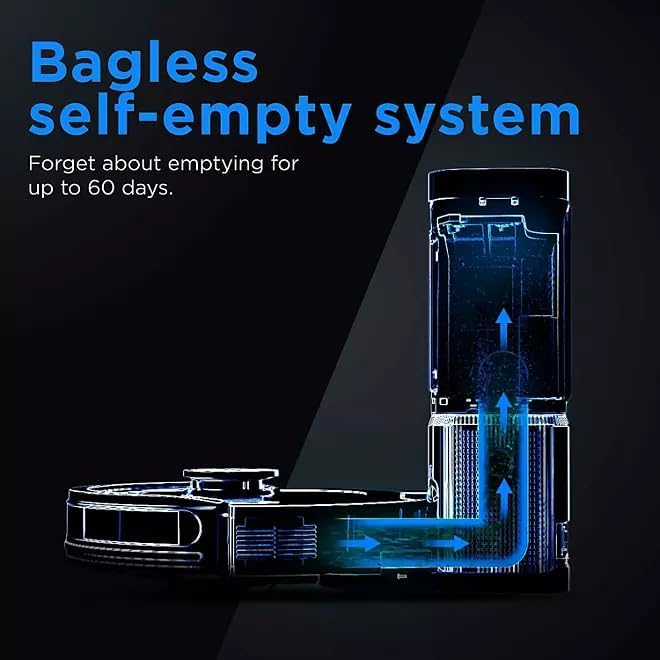
Image: A smartphone displaying the SharkClean app, illustrating options to customize cleaning tasks such as targeting specific rooms or areas.
4. Home Mapping
For optimal cleaning, allow the robot to complete an initial mapping run of your home. During this process, the robot will navigate all accessible areas to create a detailed map, which can then be viewed and customized in the SharkClean app.
Operating Your Robot Vacuum
Starting a Clean
Press the Clean button on the robot or use the SharkClean app to start a cleaning cycle. The robot will automatically return to its base when cleaning is complete or when its battery is low.
Scheduling Cleans
Use the SharkClean app to set up recurring cleaning schedules. You can customize cleaning times and days to fit your routine.
Customizing Your Clean
The SharkClean app allows you to define specific cleaning zones, set no-go zones, and target individual rooms for cleaning based on the generated home map.
Advanced Navigation
The robot is equipped with sensors to detect and avoid obstacles, ensuring efficient navigation and thorough coverage of your home.
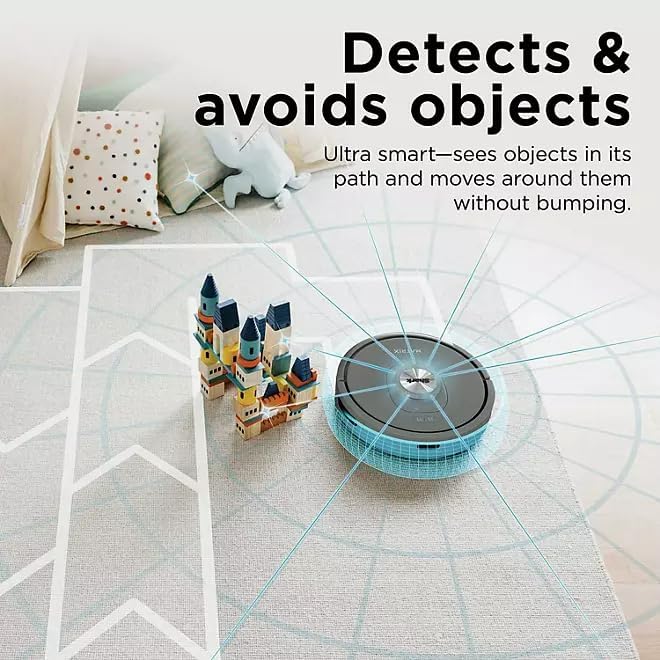
Image: The Shark Matrix robot vacuum on a rug, illustrating its ability to detect and navigate around objects such as building blocks.
Powerful Suction
The robot delivers powerful suction to effectively clean dirt, dust, and debris from various floor types, including carpets and hard floors.
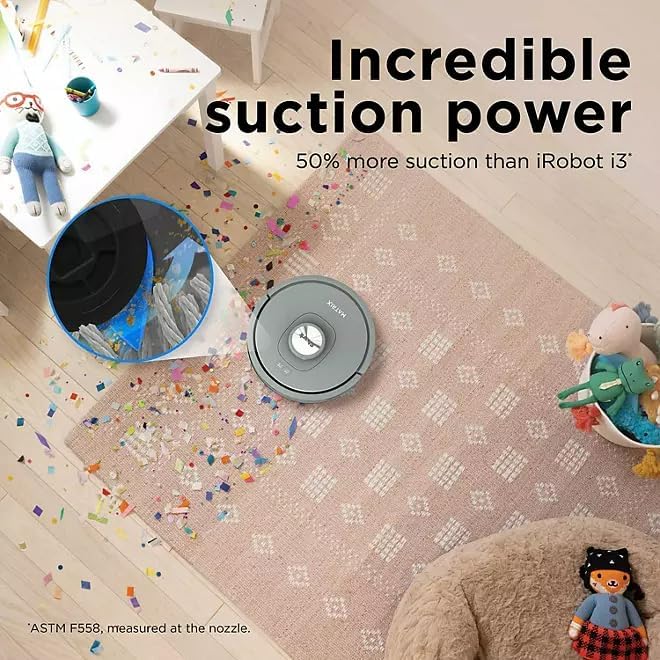
Image: The Shark Matrix robot vacuum cleaning a rug covered in confetti and debris, with an inset showing the powerful suction action.
Maintenance
Regular maintenance ensures optimal performance of your robot vacuum.
1. Self-Empty Base Maintenance
The self-empty base can hold up to 60 days of debris, reducing the frequency of manual emptying. When the dust bag in the base is full, the app will notify you. Replace the dust bag as needed.

Image: A diagram illustrating the internal mechanism of the bagless self-empty system, showing how debris is transferred from the robot to the base.
2. Cleaning the Robot Dustbin
While the self-empty base handles most debris, it is recommended to periodically check and manually empty the robot's internal dustbin, especially if you notice reduced suction or if the robot is used in very dusty environments.
3. Cleaning Brushes
- Main Brushroll: Remove the brushroll cover and lift out the brushroll. Use the cleaning tool (if included) or scissors to remove any hair or debris wrapped around it.
- Side Brushes: Gently pull off the side brushes. Remove any hair or debris and reattach them.
4. Cleaning Filters
Locate the filter in the robot's dustbin. Tap off loose dirt over a trash can. Rinse the filter with water if necessary, and allow it to air dry completely for at least 24 hours before reinserting. Do not operate the robot with a wet filter.
5. Cleaning Sensors
Wipe the cliff sensors, bumper sensors, and charging contacts on both the robot and the base with a clean, dry cloth. This ensures proper navigation and charging.
Troubleshooting
- Robot not charging: Ensure the charging contacts on both the robot and the base are clean and free of debris. Verify the power cord is securely plugged into the base and the wall outlet.
- Robot not connecting to Wi-Fi: Ensure your Wi-Fi network is 2.4GHz. Restart your router and try the connection process again through the SharkClean app.
- Robot getting stuck: Clear any loose cables, small rugs, or obstacles from the cleaning path. Use the app to set no-go zones for persistent problem areas.
- Poor cleaning performance: Check and clean the brushroll, side brushes, and filters. Empty the robot's dustbin and the self-empty base.
- Robot making unusual noises: Inspect the brushroll and wheels for any lodged debris or foreign objects.
Specifications
| Feature | Detail |
|---|---|
| Model Name | Matrix Self-Empty Robot Vacuum |
| Model Number | UR2350S |
| Special Features | Precision Home Mapping, Wi-Fi Connectivity, Multi-Surface Cleaning, Self-Emptying Base |
| Color | Gray |
| Product Dimensions | 14"L x 5.99"W x 14"H |
| Included Components | Robot Vacuum, Self-Empty Base, Charging Dock, Power Cord, Side Brushes, User Manual |
| Filter Type | Cartridge |
| Battery Life | 110 minutes |
| Power Source | Battery Powered |
| Batteries Included | Yes |
| Compatible Devices | Amazon Echo |
| Item Weight | 14 pounds |
| Manufacturer | SHARK |
Warranty and Support
This product comes with a limited warranty provided by the manufacturer. For detailed warranty information, product registration, or technical support, please refer to the official Shark website or contact their customer service. Keep your purchase receipt as proof of purchase.
no relevant documents