
1. Important Safety Instructions
Operating welding equipment requires strict adherence to safety protocols to prevent injury or damage. Always read and understand all safety warnings before use.
- Electric Shock: Welding current can cause fatal electric shock. Ensure proper grounding, wear dry gloves, and insulate yourself from the workpiece and ground. Never touch live electrical parts.
- Fumes and Gases: Welding produces fumes and gases that can be hazardous to health. Work in a well-ventilated area or use local exhaust ventilation. Keep your head out of the fumes.
- Arc Rays: Arc rays can burn eyes and skin. Always wear a welding helmet with appropriate filter lenses and protective clothing, including long sleeves and heavy gloves.
- Fire and Explosion: Welding sparks and hot metal can cause fires or explosions. Keep flammable materials away from the welding area. Have a fire extinguisher readily available.
- Hot Parts: Welded materials and equipment parts can become extremely hot. Allow them to cool before handling or wear appropriate heat-resistant gloves.
2. Product Overview
The KEATRONIC KA-250 is a portable IGBT inverter welding machine designed for various welding tasks. It offers dual voltage compatibility and advanced features for efficient and reliable performance.
2.1 Key Features
- Dual Voltage Operation: Automatically adapts to 110V or 220V power supplies.
- IGBT Inverter Technology: Provides stable arc, high efficiency, and reduced noise.
- 250A Output: Capable of delivering up to 250 amps for various welding applications.
- Welding Dynamics: Features Hot Start for easy arc ignition, Arc Force for smoother welding and deeper penetration, and Anti-stick to prevent electrode adhesion.
- Multi-layer Protection: Integrated safeguards against overvoltage, overload, overcurrent, and overheating.
- Efficient Cooling: Innovative four-sided cooling system ensures rapid heat dissipation and extends machine lifespan.
- Portable Design: Lightweight with a convenient handle for easy transport.
- USB Output: High-power DC USB output port for additional utility.
2.2 Package Contents
The KEATRONIC KA-250 welding machine comes with the following accessories:
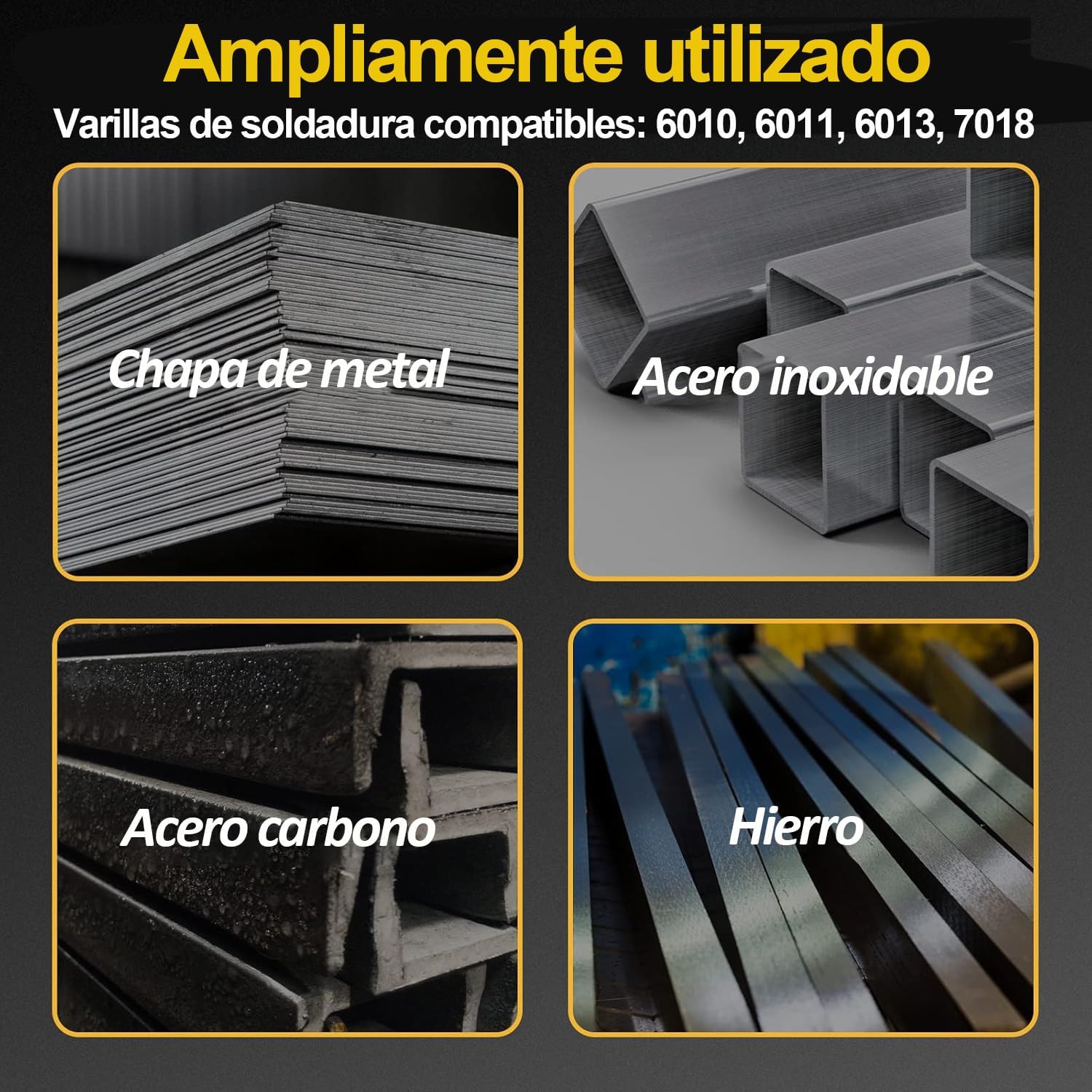
Image: A visual representation of the KEATRONIC KA-250 welder's included accessories, typically comprising an electrode holder, ground clamp, welding mask, brush, safety belt, and welding rods.
- Electrode Holder (1.8m, 16mm², 500A)
- Ground Clamp (1.2m, 16mm², 500A)
- Welding Mask
- Wire Brush
- Safety Belt
- Instruction Manual
- Welding Rods
2.3 Machine Components
Familiarize yourself with the main components of the welding machine:

Image: The KEATRONIC KA-250 welding machine shown from the front, highlighting its compact design and the included electrode holder, ground clamp, and welding mask.

Image: A close-up of the KEATRONIC KA-250's digital control panel, displaying the current setting, and indicating the presence of IGBT inverter technology and a USB output port.
- Front Panel: Features the digital display for current, current adjustment knob, indicator lights (O.C. for overcurrent, O.H. for overheat), and output terminals for electrode holder and ground clamp. A USB output port is also present.
- Rear Panel: Contains the power input, power switch, and cooling fan vents.
3. Setup and Connection
3.1 Power Connection
- Ensure the welding machine's power switch is in the OFF position.
- Connect the power cord to a suitable 110V or 220V power outlet. The machine automatically detects the voltage.
- Verify that the power outlet is properly grounded and can supply the necessary current for welding.
3.2 Electrode Holder and Ground Clamp Connection
- Connect the electrode holder cable to the positive (+) output terminal on the front panel.
- Connect the ground clamp cable to the negative (-) output terminal on the front panel.
- Securely attach the ground clamp to the workpiece or a sturdy metal workbench that is in direct contact with the workpiece. Ensure a clean, bare metal connection for optimal conductivity.
- Insert the desired electrode into the electrode holder.
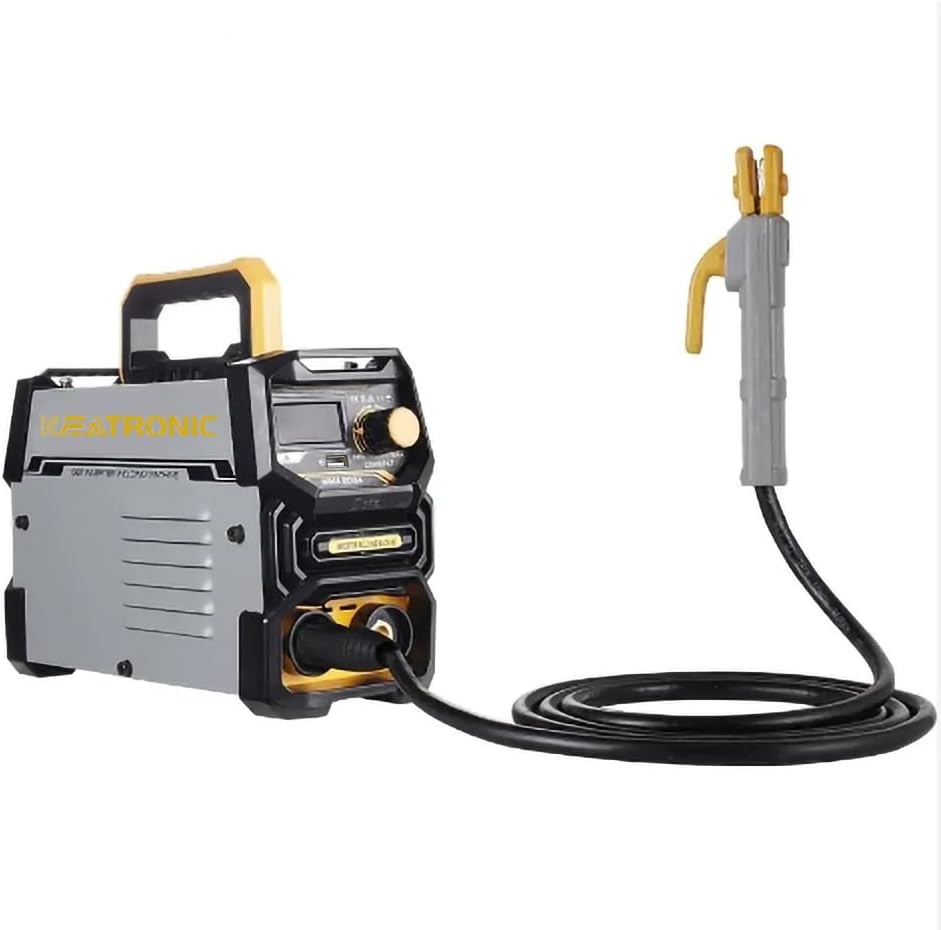
Image: The KEATRONIC KA-250 welding machine with the electrode holder and ground clamp cables properly connected to the front terminals, ready for operation.
3.3 Electrode Selection
The KEATRONIC KA-250 supports electrode rods with diameters ranging from 2.5 mm to 3.2 mm. It is compatible with common electrode types such as 6011 and 6013, suitable for various welding applications.
4. Operating Instructions
4.1 Powering On
- After connecting all cables, switch the power button on the rear panel to the ON position.
- The digital display on the front panel will illuminate, indicating the machine is ready.
4.2 Current Adjustment
Use the current adjustment knob on the front panel to set the desired welding amperage. The digital display will show the selected current. Adjust the current based on the electrode type, diameter, and material thickness.
Image: A detailed view of the KEATRONIC KA-250's digital control panel, showing the current display and adjustment knob, essential for setting welding parameters.
4.3 Welding Process
- Hot Start: This feature automatically increases the current at the beginning of the weld to facilitate arc ignition, especially with difficult-to-start electrodes.
- Arc Force: Also known as 'dig', this feature provides a temporary increase in current when the arc length becomes too short, preventing the electrode from sticking and ensuring deeper penetration.
- Anti-stick: If the electrode does stick to the workpiece, this feature automatically reduces the current, allowing the electrode to be easily removed without damaging the machine or the workpiece.
4.4 Compatible Materials
The KEATRONIC KA-250 is suitable for welding a variety of materials, including:

Image: A collage illustrating various metal types such as sheet metal, stainless steel, carbon steel, and iron, indicating the range of materials that can be welded with the KEATRONIC KA-250.
- Mild Steel
- Ferroalloy
- Cast Iron
- Sheet Metal
5. Maintenance
Regular maintenance ensures the longevity and optimal performance of your welding machine.
5.1 Cooling System
The KEATRONIC KA-250 features an innovative four-sided cooling system. Ensure that the air vents are clear of obstructions to allow for proper airflow and prevent overheating. Do not block the intake or exhaust vents.

Image: A diagram showcasing the four-sided heat dissipation design of the KEATRONIC KA-250, emphasizing rapid cooling, longer operation time, and low noise.
5.2 Cleaning
- Periodically clean the exterior of the machine with a dry cloth.
- Use compressed air to blow out dust and debris from the cooling vents and internal components. Ensure the machine is unplugged before cleaning.
- Inspect welding cables and connections for wear or damage. Replace any damaged parts immediately.
5.3 Storage
Store the welding machine in a dry, clean environment, away from direct sunlight, moisture, and corrosive substances. Protect it from dust and extreme temperatures.
6. Troubleshooting
This section provides solutions to common issues you might encounter during operation.
| Problem | Possible Cause | Solution |
|---|---|---|
| Welder does not power on | No power supply, faulty power cable, power switch off | Check power connection, inspect power cable for damage, ensure power switch is ON. |
| Arc is unstable or difficult to strike | Incorrect current setting, poor ground connection, damp electrode | Adjust current, ensure clean and secure ground connection, use dry electrodes. |
| Electrode sticks to workpiece | Low current, improper welding technique, insufficient arc force | Increase current, adjust welding angle and speed, utilize the Arc Force feature. |
| Overheat indicator (O.H.) illuminates | Prolonged continuous use, insufficient ventilation, high ambient temperature | Allow the machine to cool down, ensure clear airflow around the machine, reduce duty cycle. |
| Overcurrent indicator (O.C.) illuminates | Short circuit, excessive current setting | Check for short circuits in the welding circuit, reduce current setting. |
7. Technical Specifications
- Model: KA-250
- Input Voltage: 110V/220V Dual Voltage
- Output Current: Up to 250A
- Compatible Electrode Diameter: 2.5 mm to 3.2 mm
- Protection Features: Over-voltage, Overload, Over-current, Overheat, Undervoltage, Short Circuit
- Insulation Level: F
- Ingress Protection (IP) Rating: IP21S
- Dimensions (L x W x H): 30.3 x 25.7 x 12.6 cm
- Weight: 3.18 kg

Image: A graphic detailing the operational safety features of the KEATRONIC KA-250, including its IP21S waterproof rating, F-level insulation, and protection against overvoltage, overload, and overcurrent.
8. Warranty and Support
The KEATRONIC KA-250 welding machine is designed for durability and performance. For specific warranty details, including coverage period and terms, please refer to the documentation provided with your purchase or contact your retailer.
For technical assistance, troubleshooting beyond this manual, or to inquire about replacement parts, please reach out to the retailer from whom you purchased the product or the KEATRONIC customer support channel as indicated on their official website or product packaging.