
Tapo Tapo C410
Tapo TP-Link C410 Smart Security Camera User Manual
Model: Tapo C410 | Brand: Tapo
Introduction
The Tapo C410 is a versatile, wire-free smart security camera designed for both indoor and outdoor use. Featuring 2K 3MP resolution, color night vision, and an extended battery life of up to 180 days, it provides reliable surveillance. This manual will guide you through the setup, operation, maintenance, and troubleshooting of your Tapo C410 camera to ensure optimal performance and security.
Package Contents
Before you begin, please verify that all items listed below are included in your package:
- Tapo C410 Camera x 1
- Camera Bracket x 1
- USB Adapter x 1
- USB Adapter Cable x 1
- Screws and Anchors x 3
- Mounting Template x 1
- Quick Start Guide x 1

Image: Contents of the Tapo C410 package, including the camera, mounting bracket, power adapter, USB cable, screws, anchors, and quick start guide.
Setup Guide
1. Charge the Battery
Fully charge the camera's built-in 6400mAh lithium-ion battery before first use. Open the charging port cover and connect the power cable. A full charge typically takes about seven and a half hours. Ensure the charging port cover is firmly closed after charging to maintain waterproof performance.
2. Download the Tapo App
Download the Tapo app from your device's app store (App Store for iOS or Google Play for Android). Create a Tapo account or log in if you already have one.

Image: A smartphone displaying the Tapo app interface, illustrating the process of adding a new device.
3. Connect Your Camera
In the Tapo app, tap the "+" icon to add a new device. Select your product model (Tapo C410) from the list. Follow the in-app instructions to power on your camera and connect it to your 2.4GHz Wi-Fi network. The LED on the camera should blink red and green during the pairing process. If it does not, refer to the 'Resetting Your Camera' section.
Video: Official guide on how to set up and mount your Tapo C410 Smart Indoor/Outdoor Security Camera, including initial charging and app pairing steps.
4. Set Up Local Storage (Optional)
The Tapo C410 supports local storage via a microSD card (up to 512GB, not included). Open the cover to find the microSD card slot and insert the card. You can initialize the microSD card within the Tapo app. This allows for local recording of camera videos.

Image: A close-up view of the Tapo C410 camera's underside, highlighting the microSD card slot for local video storage.
5. Firmware Update
It is recommended to enable automatic firmware updates in the Tapo app settings to ensure your camera always has the latest features, security enhancements, and optimal performance.
Installation Options
Choose a location with good Wi-Fi signals for optimal performance. You can wave in front of the camera to check if the camera angle and Wi-Fi signal meet your needs before final installation.
1. Wall Mounting
- Stick the mounting template to the desired mounting place. Drill 3 holes according to the template. The recommended diameter for the holes is 6 mm (15/64 in).
- Insert three anchors into the drilled holes and use the screws to affix the bracket over the anchors.
- Install the camera onto the mounting bracket and adjust the camera angle. Tighten the bottom screw to ensure the camera is securely attached.

Image: The Tapo C410 camera securely mounted on a wall, demonstrating a typical outdoor installation.
2. Tabletop Placement
For indoor use or temporary outdoor placement, the camera can be placed on a flat surface using its included stand. Simply attach the camera to the stand and adjust the angle as needed. Ensure the camera is stable and positioned to capture the desired area.
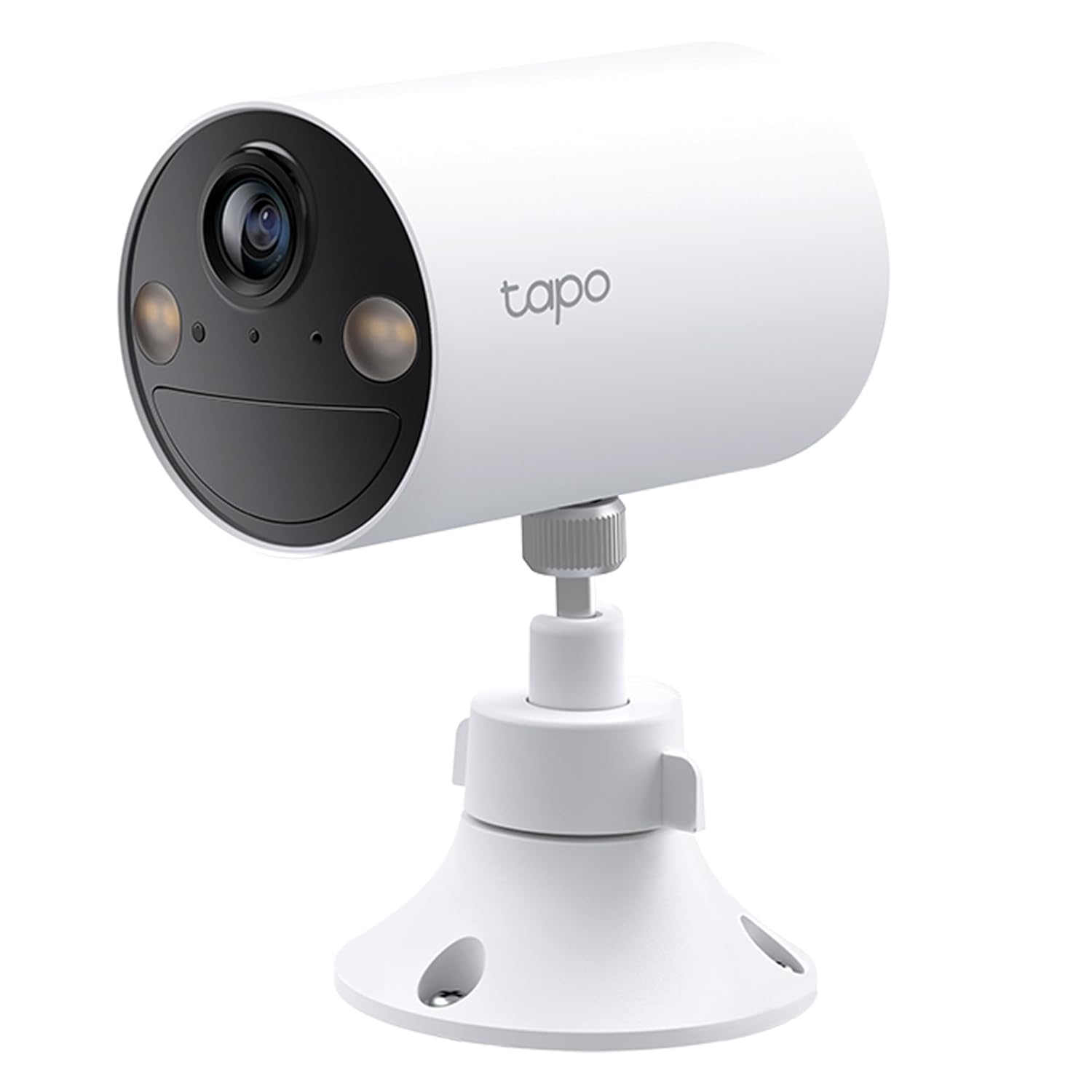
Image: The Tapo C410 camera positioned on a flat surface using its included tabletop stand, suitable for indoor use.
Operating Your Tapo C410 Camera
Key Features
2K 3MP Visuals
The Tapo C410 captures clear and detailed video in 2K (2304x1296) resolution. Advanced algorithms ensure proper exposure in various lighting conditions, providing continuous high-quality imagery.

Image: A visual demonstration of the 2K clarity provided by the Tapo C410 camera, highlighting sharp details.
Colour Night Vision
Equipped with a large aperture lens and built-in spotlights, the camera provides vivid color night vision up to 30 feet (9m), allowing you to see details in low-light conditions that traditional IR night vision might miss.

Image: A side-by-side comparison illustrating the difference between color night vision and standard IR night vision, showcasing the enhanced detail of the former.
Smart Person Detection
The camera utilizes smart AI to detect human figures, reducing false alerts from pets or swaying trees. You will receive notifications only when a person is detected, focusing on relevant events.

Image: A visual representation of the camera's smart person detection feature, highlighting a detected person within the frame.
Two-Way Audio
Communicate with visitors or deter unwanted guests using the built-in microphone and speaker. This feature allows for remote interaction through the Tapo app.

Image: A person interacting with someone at their door via the camera's two-way audio feature, demonstrating remote communication.
Extended Battery Life
The 6400mAh rechargeable battery provides up to 180 days of security on a single charge, minimizing the need for frequent recharging. (Battery life may vary based on usage and environmental factors).

Image: An internal diagram of the Tapo C410 camera highlighting its long-lasting battery, capable of up to 180 days of operation.
Weatherproof Design (IP65)
The Tapo C410 is IP65-rated, offering protection against dust and water. This makes it suitable for outdoor installation, capable of withstanding various weather conditions.
Flexible Storage Options
Choose between local storage on a microSD card (up to 512GB) or subscribe to the Tapo Care cloud service for secure, encrypted cloud video storage and additional features.
Voice Control Integration
The Tapo C410 is compatible with Amazon Alexa and Google Assistant, allowing you to view live feeds or control certain functions using voice commands.
Maintenance
- Battery Charging: Recharge the camera when the battery level is low. The frequency depends on usage and motion detection events.
- Cleaning: Periodically clean the camera lens and body with a soft, dry cloth to ensure clear image quality and proper functioning. Avoid using harsh chemicals or abrasive materials.
- Firmware Updates: Regularly check for and install firmware updates via the Tapo app. These updates often include performance improvements, bug fixes, and new features.
Troubleshooting Common Issues
| Problem | Solution |
|---|---|
| Camera not powering on | Ensure the battery is fully charged. Press and hold the power button for at least 3 seconds. |
| LED not blinking red and green during setup | Reset the camera by pressing and holding the reset button for 5 seconds until the LED blinks red. Then retry the setup process. |
| Poor Wi-Fi signal or connection drops | Relocate the camera closer to your Wi-Fi router or consider using a Wi-Fi extender. Ensure there are no major obstructions between the camera and the router. |
| Battery drains faster than expected | Reduce the number of motion detection events by adjusting sensitivity or activity zones. Ensure the camera is not in an area with constant motion. Limit live view streaming. Ensure firmware is up to date. |
| Motion detection not working or too sensitive | Adjust the motion detection sensitivity and activity zones in the Tapo app. Avoid placing the camera directly facing swaying trees or busy public areas if not desired. Ensure the camera lens is clean. |
Technical Specifications
| Feature | Detail |
|---|---|
| Model Number | Tapo C410 |
| Video Resolution | 2K (2304x1296) 3MP |
| Connectivity | 2.4 GHz Wi-Fi |
| Battery | 6400mAh rechargeable lithium-ion battery |
| Night Vision | Colour Night Vision (up to 15m / 30ft) |
| Audio | Two-Way Audio |
| Storage Options | Local (microSD up to 512 GB), Cloud (Tapo Care subscription) |
| Weather Resistance | IP65 Weatherproof |
| Smart Integration | Works with Google Assistant and Amazon Alexa |
| Dimensions (LxWxH) | 8.9 x 6 x 16 cm |
| Weight | 240 g |
Resetting Your Camera
If you encounter persistent issues or wish to clear all settings, you can perform a factory reset:
- Locate the reset button on the camera (usually near the charging port or LED indicator).
- Use a pin or a similar thin object to press and hold the reset button for at least 5 seconds.
- Release the button when the LED blinks red. The camera will restart and revert to its factory default settings. You will then need to set it up again through the Tapo app.
Warranty and Support
For warranty information, technical support, or further assistance, please visit the official Tapo website or contact Tapo customer support. Keep your purchase receipt for warranty claims.
Related documentsTapo C410


Ask a question about this manual
Ask about setup, troubleshooting, compatibility, parts, safety, or missing instructions. Manuals+ will review the question and use this page’s manual context to help answer it.