
1. Introduction
Thank you for choosing Honcas Mini Earbuds, Model SK19. These earbuds are engineered for ultimate comfort and discretion, making them ideal for extended wear, including during sleep. Featuring advanced Bluetooth 5.3 technology, they provide clear audio and reliable connectivity for both calls and music. This manual will guide you through the setup, operation, and maintenance of your new earbuds.
2. Product Overview
The Honcas Mini Earbuds are designed to be exceptionally small and lightweight, ensuring a snug and low-profile fit that is barely noticeable. Their ergonomic design prioritizes comfort, especially for side sleepers. Enjoy clear call quality even in noisy environments thanks to physical noise isolation and Bluetooth 5.3. The earbuds offer up to 4 hours of listening time on a single charge, with the compact charging case providing an additional 20 hours, totaling 24 hours of audio access.

Figure 2.1: Honcas Mini Earbuds and Charging Case.

Figure 2.2: Size comparison of Honcas Mini Earbuds next to a dime, highlighting their compact size.

Figure 2.3: Woman wearing Honcas Mini Earbuds discreetly in a cafe, demonstrating their low-profile fit.
3. What's in the Box
- Honcas Mini Earbuds (Left and Right)
- Charging Case
- Ear Cushions (various sizes for optimal fit)
- USB-C Charging Cable
- User Manual
4. Specifications
| Feature | Description |
|---|---|
| Model Name | SK19 |
| Connectivity Technology | Wireless (Bluetooth 5.3) |
| Bluetooth Range | 10 Meters |
| Earbud Battery Life | Up to 4 hours (single charge) |
| Total Playtime (with case) | Up to 24 hours |
| Charging Time (Case) | 1 Hour |
| Control Method | Touch Control |
| Special Features | Microphone Included, Rechargeable Battery, Sweatproof, Touch Control |
| Water Resistance Level | Water Resistant |
| Item Weight (Earbuds) | 0.05 Kilograms |
| Compatible Devices | All devices and mobile phones that support Bluetooth |
5. Setup
5.1 Initial Charging
Before first use, fully charge the charging case and earbuds. Connect the USB-C charging cable to the port on the case and a power source. The digital display on the case will indicate the charging status. The earbuds will charge automatically when placed inside the case.

Figure 5.1: Charging case with USB-C port for power input.
5.2 Ear Tip Selection and Fit
For optimal sound quality and comfort, choose the ear cushions that best fit your ears. Experiment with different sizes to find a secure yet comfortable seal. The earbuds are designed for a low-profile fit, ideal for side sleeping.
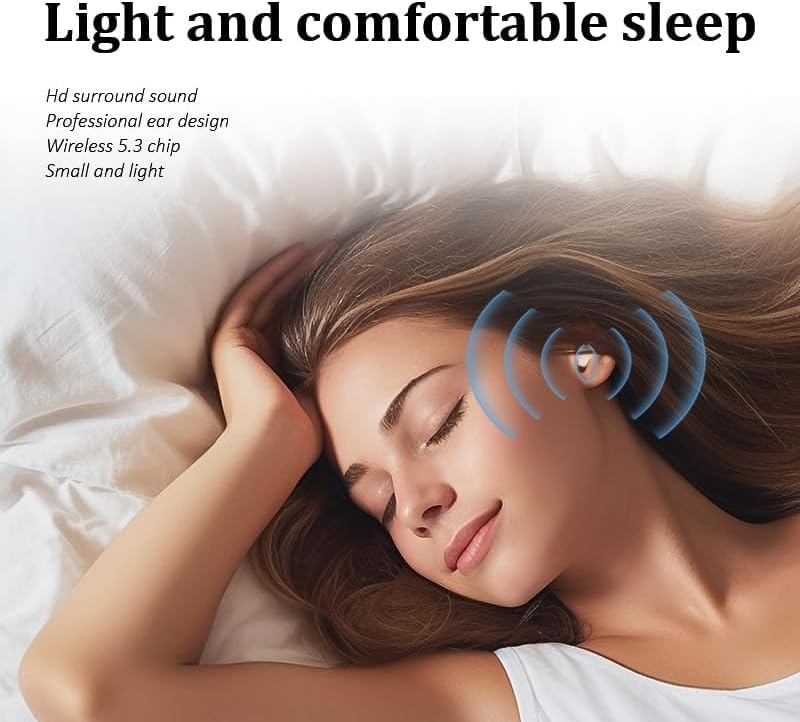
Figure 5.2: Detailed dimensions of the Honcas Mini Earbuds for proper fit assessment.

Figure 5.3: Diagram illustrating the comfortable and pressure-free fit of the earbuds.
6. Operating Instructions
6.1 Bluetooth Pairing
- Ensure the earbuds are charged and inside the charging case.
- Open the charging case. The earbuds will automatically enter pairing mode.
- On your device (smartphone, tablet, etc.), enable Bluetooth and search for available devices.
- Select "SK19" from the list of devices to connect.
- Once connected, you will hear an audio prompt, and the earbuds' indicator lights will change.
6.2 Touch Controls
The Honcas Mini Earbuds feature intuitive touch controls on each earbud. Specific functions may vary slightly, but common controls include:
- Play/Pause: Single tap on either earbud.
- Next Track: Double tap on the right earbud.
- Previous Track: Double tap on the left earbud.
- Answer/End Call: Single tap on either earbud during an incoming call.
- Reject Call: Press and hold either earbud for 2 seconds during an incoming call.
- Activate Voice Assistant: Triple tap on either earbud.
6.3 Wearing for Comfort
Insert the earbuds gently into your ear canal. Adjust them until they feel secure and comfortable. Their mini design ensures they sit flush with your ear, preventing discomfort, especially when lying on your side.
Video 6.1: Overview of Honcas Mini Invisible Earbuds, demonstrating their features and compact design.
Video 6.2: Demonstration of the comfortable and compact fit of Honcas Invisible Mini Earbuds.
7. Maintenance
7.1 Cleaning
Regularly clean your earbuds and charging case to ensure optimal performance and hygiene. Use a soft, dry, lint-free cloth. Do not use harsh chemicals or abrasive materials. Gently remove ear tips and clean them with mild soap and water, ensuring they are completely dry before reattaching.
7.2 Storage
When not in use, store the earbuds in their charging case to protect them from dust, damage, and to keep them charged. Avoid exposing the earbuds or case to extreme temperatures, humidity, or direct sunlight.
8. Troubleshooting
8.1 Pairing Issues or One Earbud Not Working
If you experience pairing difficulties or if only one earbud is functioning, perform an auto-reset:
- Place BOTH earbuds back into the charging case.
- Close the lid of the charging case for at least 5 seconds.
- Open the lid and take the earbuds out again. They should automatically reset and attempt to re-pair.
8.2 No Sound or Low Volume
- Ensure the earbuds are properly paired with your device.
- Check the volume levels on both your device and the earbuds.
- Verify that the ear tips are clean and not blocked by debris.
9. Safety Information
- Do not disassemble, repair, or modify the product.
- Keep the product away from fire, water, and high humidity environments.
- Avoid using the earbuds at high volume for extended periods to prevent hearing damage.
- Do not use the earbuds in situations where you need to hear your surroundings (e.g., driving, cycling, walking in traffic).
- Dispose of batteries and electronic components responsibly according to local regulations.
10. Warranty and Support
For warranty information, technical support, or customer service inquiries, please contact Honcas directly through your purchase platform or the official Honcas website. Please have your product model (SK19) and purchase details ready.


