
WENTELMUSIC Blue(1TX+1RX)
WENTELMUSIC T8 Wireless Lavalier Microphone
Model: Blue(1TX+1RX)
1. Introduction
The WENTELMUSIC T8 Wireless Lavalier Microphone system offers a high-quality audio solution for various recording needs, including online classes, vlogging, streaming, and interviews. Featuring 2.4GHz digital transmission, dual-channel support, noise reduction, and a clear TFT display, it provides stable and clear audio with a transmission range of up to 100 meters.

Image: WENTELMUSIC T8 Wireless Lavalier Microphone system components.
Its compact and lightweight design, weighing only 20.5g per unit, makes it highly portable for on-the-go recording. The system is designed for ease of use with automatic pairing and broad compatibility across various devices.

Image: The compact and lightweight design of the T8 transmitter, showing its small size and 20.5g weight.
2. What's in the Box
Please verify that all the following items are included in your package:
- Receiver x 1
- Transmitter x 1
- 3.5mm to 3.5mm cable (Camera logo) x 1
- 3.5mm to 3.5mm cable (Phone logo) x 1
- Lavalier Microphone x 1
- 3.5mm to Type-C Adapter cable x 1
- Dual-ended Type-C charging cable x 1
- Package Box x 1
- Instruction Manual x 1
- Fur Windscreen x 1

Image: Detailed view of all items included in the product package.
3. Setup
3.1 Automatic Pairing
The WENTELMUSIC T8 system utilizes 2.4GHz digital transmission and features automatic pairing. Simply power on both the transmitter (TX) and receiver (RX) units, and they will automatically connect to each other, indicated by a stable connection icon on their respective TFT displays.
3.2 Connecting to Devices
The T8 system offers versatile connectivity for various recording devices:
- For iPhone/iPad: Connect the receiver to your iPhone/iPad using the provided 3.5mm TRRS Phone Cable. An additional Lightning to 3.5mm adapter (not included) may be required for newer iPhone models.
- For Camera/Camcorder: Connect the receiver to your camera or camcorder's microphone input using the provided 3.5mm TRS Camera Cable.
- For Android Devices: Connect the receiver to your Android device using a Type-C to Type-C cable (not included) or the 3.5mm to Type-C Adapter cable if your device has a 3.5mm jack.
- For Computers: Connect the receiver to your computer using a Type-C to Type-C cable or a Type-C to USB-A adapter (not included) if your computer has a USB-A port.

Image: Connection methods for various devices including smartphones, cameras, and computers.
4. Operating Instructions
4.1 Power On/Off
Press and hold the power button on both the transmitter and receiver units to turn them on or off.
4.2 TFT Display Overview
The high-contrast TFT display on both units provides real-time information, including:
- Recording mode (Mono, Stereo, Safety)
- Battery life indicator
- Volume/Gain settings
- Signal strength
4.3 Switching Output Modes
The receiver supports three output modes: Mono, Stereo, and Safety. These modes can be switched to suit your recording needs:
- Mono Mode: Combines both transmitter audio channels into a single mono track.
- Stereo Mode: Separates the audio from each transmitter into distinct left and right channels.
- Safety Mode: Records a primary audio track and a secondary track at a lower volume level (-6dB), providing a backup in case the main track experiences unexpected peaks or distortion.
4.4 Noise Reduction
The T8 microphone features four levels of noise reduction to enhance sound clarity in various environments. Adjust the noise reduction level via the unit's controls to minimize ambient noise.

Image: The T8 microphone's noise reduction effectiveness in different settings.

Image: Visual representation of audio quality improvement with noise reduction.
4.5 Gain Control
Adjust the audio gain levels from 0 to 10 to optimize the microphone's sensitivity and output volume. This allows for fine-tuning the audio input to prevent clipping or ensure sufficient volume.
4.6 Built-in Reverb Effect
The T8 system includes a built-in reverb effect that can be activated to add depth and spaciousness to your audio, suitable for certain recording styles or vocal performances.

Image: Illustration of the built-in reverb effect feature.
4.7 Battery Life and Charging
The T8 units offer an 8-hour battery life on a full charge. They support Type-C dual-ended charging and can achieve a full charge in approximately 1.5 hours.
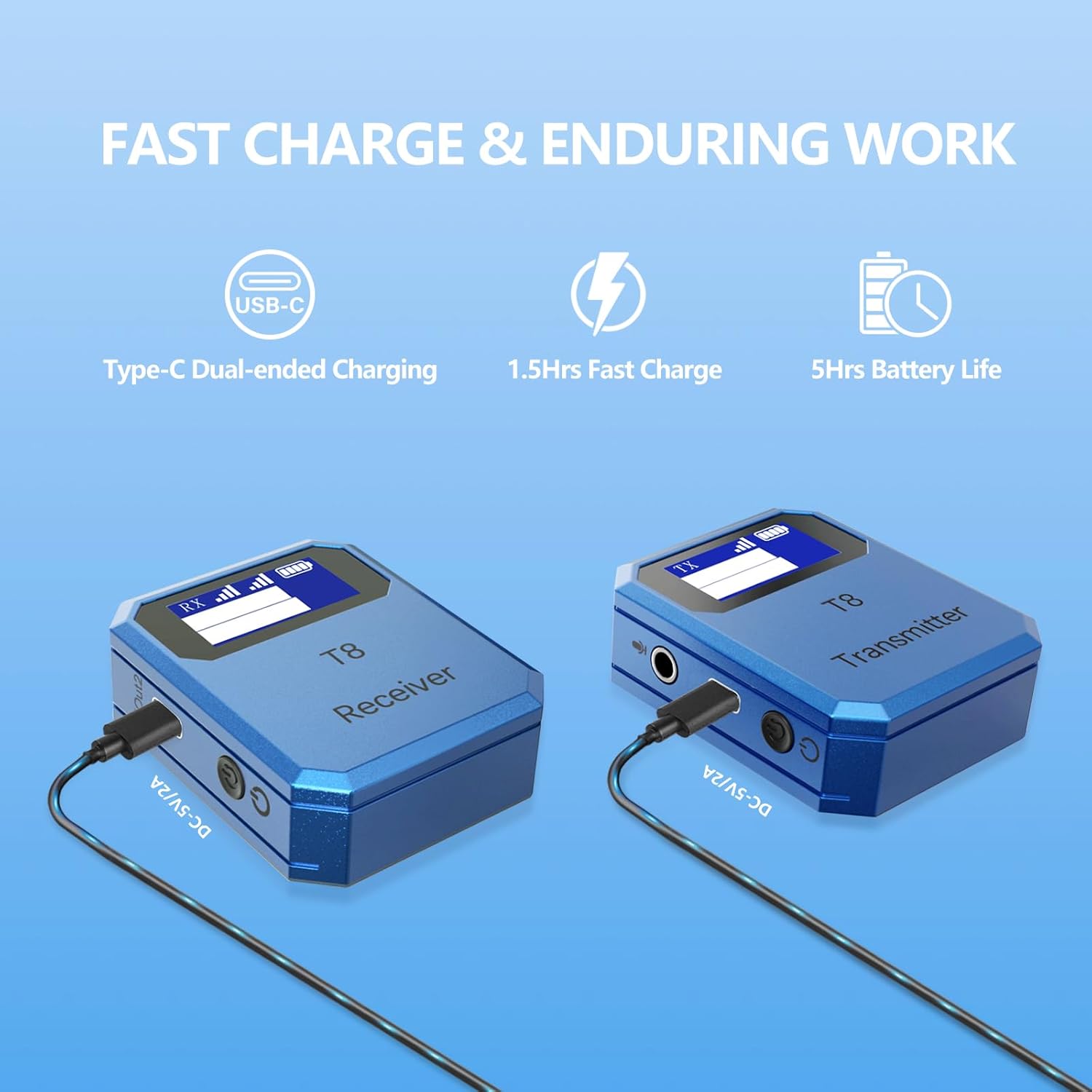
Image: Charging process and battery life indicators for the T8 system.
4.8 Long-Range Transmission
The T8 system provides a reliable transmission range of up to 100 meters (line-of-sight), ensuring clear audio capture even in larger spaces or outdoor environments.

Image: Demonstration of the 100-meter long-distance transmission range.
4.9 Applications
The WENTELMUSIC T8 is suitable for a wide range of applications:
- Filming
- Interviews
- Short Video Recording
- Wedding Shooting
- Online Classes
- Vlogging

Image: Various professional and casual applications of the T8 microphone system.
5. Maintenance
5.1 Cleaning
To clean the units, gently wipe them with a soft, dry cloth. Do not use liquid cleaners, aerosols, or solvents, as these may damage the device. Ensure no moisture enters the ports.
5.2 Storage
Store the microphone system in a cool, dry place away from direct sunlight and extreme temperatures. When not in use for extended periods, ensure the units are fully charged before storage and recharge them periodically to maintain battery health.
5.3 Battery Care
To prolong battery life, avoid fully discharging the units frequently. Charge them regularly, even if not in constant use.
6. Troubleshooting
6.1 No Sound Output
- Ensure both the transmitter and receiver are powered on and properly paired.
- Check all cable connections between the receiver and your recording device. Ensure they are securely plugged in and the correct cable type (TRS/TRRS) is used for your device.
- Verify the volume/gain settings on both the microphone units and your recording device.
- Confirm that the external microphone input is selected on your recording device.
6.2 Poor Audio Quality / Interference
- Ensure the transmitter and receiver are within the effective operating range (up to 100m line-of-sight) and there are no major obstructions.
- Adjust the noise reduction level on the transmitter to suit your environment.
- Check for strong Wi-Fi or other 2.4GHz interference sources nearby and try to move away from them.
- Ensure the lavalier microphone is securely connected to the transmitter and positioned correctly.
6.3 Units Not Pairing
- Turn both units off and then on again to re-initiate the automatic pairing process.
- Ensure both units are sufficiently charged.
- If issues persist, refer to the specific pairing instructions in the full manual or contact customer support.
7. Specifications
| Feature | Detail |
|---|---|
| Microphone Form Factor | Microphone System |
| Power Source | Battery Powered (1 Lithium Ion battery included) |
| Hardware Platform | Camera, PC, Smartphone |
| Number of Channels | 2 |
| Item Weight | 6.4 ounces (approx. 181g for the system) |
| Package Dimensions | 6.5 x 4.7 x 1.5 inches |
| Connectivity Technology | 2.4GHz Digital Wireless |
| Connector Type | 3.5 mm Jack |
| Special Feature | Clip |
| Polar Pattern | Omnidirectional |
| Battery Life | Up to 8 hours |
| Charging Time | Approx. 1.5 hours |
| Transmission Range | Up to 100m (line-of-sight) |
8. Warranty and Support
For warranty information and customer support, please refer to the documentation included with your product or visit the official WENTELMUSIC website. If you encounter any issues not covered in this manual, please contact WENTELMUSIC customer service for assistance.
You can visit the WENTELMUSIC Store on Amazon for more information: WENTELMUSIC Store
Ask a question about this manual
Ask about setup, troubleshooting, compatibility, parts, safety, or missing instructions. Manuals+ will review the question and use this page’s manual context to help answer it.