1. Introduction
The Polaroid Pulse PA82 Full GPS Smart Watch is designed to enhance your daily activities and health monitoring. This device combines advanced technology with a robust design, offering features such as built-in GPS, comprehensive health tracking, and Bluetooth calling. This manual provides essential information for setting up, operating, and maintaining your smartwatch.
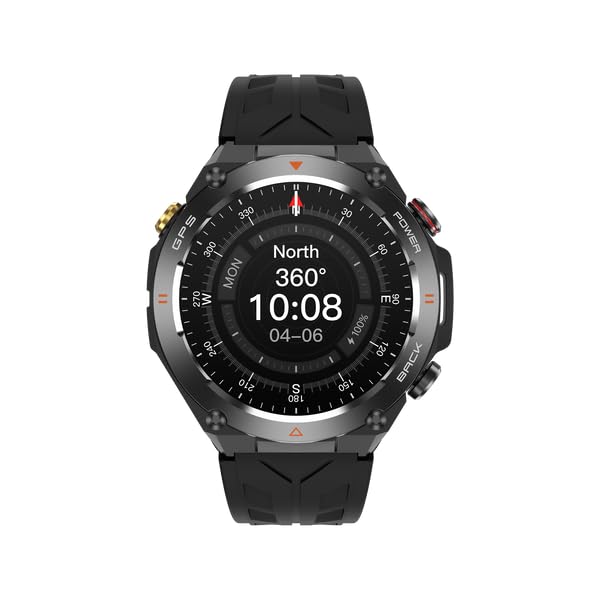
Figure 1: Front view of the Polaroid Pulse PA82 Smart Watch, displaying the watch face with time, date, heart rate, and step count.
2. Package Contents
- Polaroid Pulse PA82 Full GPS Smart Watch
- Magnetic Charging Cable
- User Manual
3. Initial Setup
3.1 Charging the Device
Before first use, fully charge your Polaroid Pulse PA82 Smart Watch. Connect the magnetic charging cable to the charging points on the back of the watch and plug the USB end into a compatible power adapter (not included).

Figure 2: Rear view of the smartwatch, highlighting the magnetic charging contacts and advanced health sensors.
3.2 App Download and Pairing
- Scan the QR code in the manual or search for "Da Fit" in your smartphone's app store (iOS 9.0+ or Android 4.4+).
- Install and open the Da Fit app.
- Enable Bluetooth on your smartphone.
- In the Da Fit app, follow the on-screen instructions to search for and pair with your Polaroid Pulse PA82 Smart Watch.
4. Operating Instructions
4.1 Basic Navigation
- Swipe Up/Down: Navigate through menus and notifications.
- Swipe Left/Right: Access quick functions or widgets.
- Press Side Buttons: Power on/off, return to home screen, or access specific functions (e.g., GPS, Back).
4.2 Main Functions
- Built-in GPS: Track your outdoor activities with precise location data. The watch uses an AG3352B GPS chip for accurate positioning.
- Bluetooth Call: Make and receive calls directly from your watch when connected to your smartphone.
- AI Voice Assistant: Utilize voice commands for various tasks.
- Calculator: Perform basic calculations on your wrist.
4.3 Health Monitoring
The watch features advanced sensors (Heart Rate Sensor: 3605) for comprehensive health tracking.
- Heart Rate Monitoring: Continuous and on-demand heart rate measurement with warning alerts.
- Blood Pressure Monitoring: Provides estimated blood pressure readings.
- Blood Oxygen (SpO2) Monitoring: Measures blood oxygen saturation levels.
- Sleep Monitoring: Tracks sleep patterns and quality.
- Female Menstrual Reminder: Provides cycle tracking and reminders.
- Long Sitting Reminder: Alerts you to move after periods of inactivity.
- Water Reminder: Prompts you to drink water regularly.
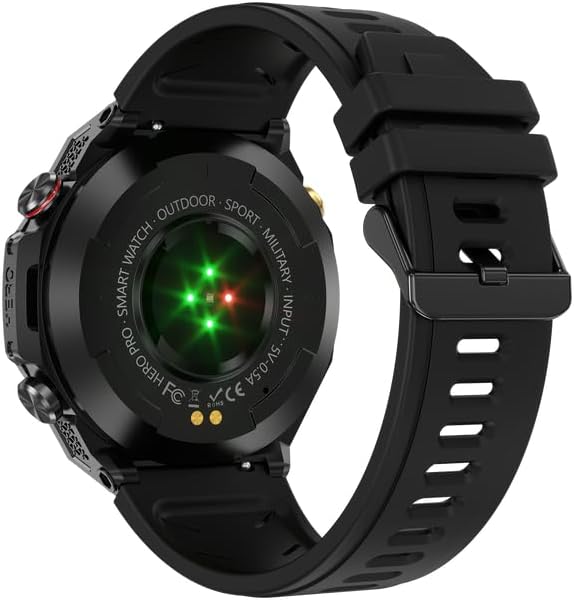
Figure 3: Watch face showing a compass, heart rate, and step count, indicating outdoor and health tracking capabilities.
4.4 Exercise Recording and Sports Modes
The watch supports 107 sport modes, including walking, running, outdoor riding, rope skipping, basketball, climbing, tennis, rugby, golf, yoga, fitness, and dancing.
- Step Count: Tracks daily steps.
- Calorie Count: Estimates calories burned.
- Distance: Records distance covered during activities.
- Stopwatch & Timer: For precise timing during workouts.
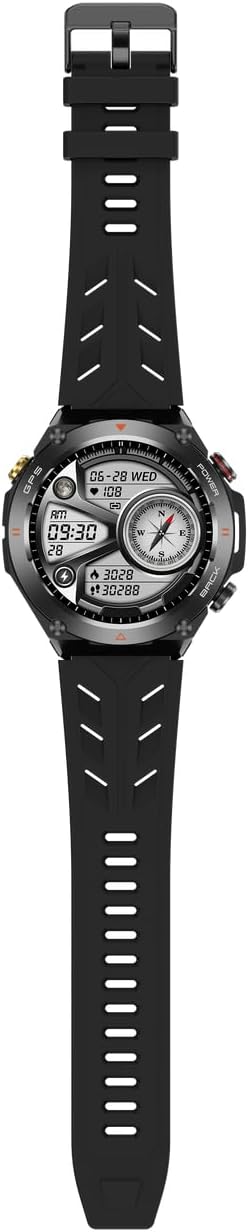
Figure 4: Watch screen displaying exercise records, including running distance and calories burned during basketball and yoga.
4.5 Other Features
- Brightness Adjustment: Customize screen brightness.
- Off Screen Time Setting: Adjust display timeout.
- Wrist Turn-on Screen: Automatically activate the screen when you raise your wrist.
- Menu Styles: Choose from 8 different menu layouts (grid, parallel line, flat, crescent, full moon, rudder, honeycomb, list view).
- Power Saving Mode: Extend battery life.
- Do Not Disturb Mode: Silence notifications.
- Vibration Intensity Selection: Adjust haptic feedback.
- Time Format: Select 12-hour or 24-hour format.
- Weather Forecast: Get real-time weather updates.
- Music Control: Manage music playback on your smartphone.
- Alarm Clock: Set alarms and reminders.
- Search Phone: Locate your paired smartphone.
- Dial UI Switches: Customize watch faces from 12 options.
- Remote Photography: Use your watch as a remote shutter for your phone's camera.
- Message Push Reminder: Receive notifications from various apps (e.g., Mail, Facebook, WhatsApp, Instagram, Telegram).
5. Product Overview Video
This video provides a visual overview of the Polaroid Pulse PA82 Smart Watch, demonstrating its key features such as GPS tracking, health monitoring, and various smart functionalities. It showcases the watch's design and user interface in action.
6. Maintenance and Care
- Cleaning: Wipe the watch and strap regularly with a soft, damp cloth. Avoid harsh chemicals.
- Water Resistance: The watch has a 1ATM waterproof level. This means it is resistant to splashes and brief immersion in water, but it is not suitable for swimming or diving. Avoid prolonged exposure to water.
- Charging: Use only the provided magnetic charging cable. Ensure the charging contacts are clean and dry before charging.
- Storage: Store the watch in a cool, dry place when not in use.
7. Troubleshooting
- Watch not turning on: Ensure the watch is fully charged. Connect it to the charger for at least 30 minutes.
- Cannot pair with smartphone:
- Ensure Bluetooth is enabled on your phone.
- Make sure the watch is within range of your phone.
- Restart both the watch and your phone.
- Check if the Da Fit app is updated to the latest version.
- Inaccurate health data: Ensure the watch is worn snugly on your wrist, not too tight or too loose. Clean the sensor area regularly.
- GPS not connecting: Ensure you are in an open outdoor area with a clear view of the sky. Wait for the watch to acquire a signal.
- Short battery life: Adjust screen brightness, reduce notification frequency, and use power-saving mode.
8. Specifications
| Feature | Specification |
|---|---|
| Model Number | PA82 |
| Screen Size | 1.45 inch IPS |
| Resolution | 412*412 |
| System Compatibility | iOS 9 and above, Android 4.4 and above |
| Bluetooth Version | 3.0/5.2 |
| GPS Chip | AG3352B |
| Main Chip | Realtek 8763EWE |
| G-sensor | Silicone QMA6100P |
| Heart Rate Sensor | 3605 |
| Battery Capacity | 650mAh |
| Standby Time | About 90 days |
| Battery Life | About 7-10 days |
| Charging Method | Magnetic charging |
| Waterproof Level | 1ATM |
| Material | Zinc alloy + plastic |
| Watch Size | 56.9mm x 52.8mm x 14.3mm |
| Band Width | 22mm (liquid silicone strap) |
| App Name | Da Fit |
9. Warranty and Support
For warranty information and customer support, please refer to the official Polaroid website or contact your retailer. Keep your purchase receipt as proof of purchase.


