1. Introduction
This manual provides comprehensive instructions for the installation, operation, and maintenance of the YOMAJURU TAC7321C Three-Phase Energy Meter. This device is designed for accurate measurement of electrical energy in three-phase systems, offering reliable data for various applications.
2. Product Overview
The YOMAJURU TAC7321C is a digital three-phase multifunction energy meter. It features a clear digital display for easy reading of various electrical parameters. The meter is designed for DIN rail mounting, making it suitable for integration into existing electrical panels.
Key Features:
- Measures current per phase and neutral.
- Measures voltage (L-N).
- Frequency measurement (45~65Hz).
- Total and per-phase power measurement.
- Total and per-phase power factor measurement.
- Total Active Energy measurement (0~999999.999 kWh).
- Digital display for clear readings.

Figure 2.1: Front view of the YOMAJURU TAC7321C Three-Phase Energy Meter, showing the digital display and control buttons.

Figure 2.2: Close-up of the meter's digital display, indicating various measurement parameters and status icons.
3. Specifications
| Parameter | Value |
|---|---|
| Model Number | TAC7321C |
| Phase | Three Phase |
| Rated Voltage (Un) | 230V (L-N); 400V (L-L) |
| Measured Voltage Range | 80~270V; 85~480V |
| Frequency | 45~65Hz |
| Accuracy Class | 0.5s |
| Measuring Energy Range | 0-999999.999 kWh |
| Operating Temperature | -25°C to 55°C |
| Storage Temperature | -40°C to 80°C |
| Humidity | <90%, non-condensing |
| Dimensions | 126 x 98 x 80 mm |
| Display Type | Digital Only |
| Power Supply | AC |
4. Setup and Installation
Warning: Installation should only be performed by qualified personnel. Ensure all power is disconnected before beginning installation to prevent electric shock.
4.1 Mounting
The TAC7321C energy meter is designed for DIN rail mounting. Securely attach the meter to a standard 35mm DIN rail within an appropriate electrical enclosure.
4.2 Wiring Diagram
Refer to the wiring diagram below for correct connection of the three-phase power supply and load. Incorrect wiring can damage the meter or lead to inaccurate readings.

Figure 4.1: Detailed wiring diagram for the TAC7321C meter, showing connections for L1, L2, L3, Neutral, and Load terminals.
- Connect the three-phase lines (L1, L2, L3) to the corresponding input terminals as indicated on the meter.
- Connect the Neutral (N) line to the designated neutral input terminal.
- Connect the load lines to the corresponding output terminals.
- Ensure all connections are tight and secure to prevent loose contacts and overheating.
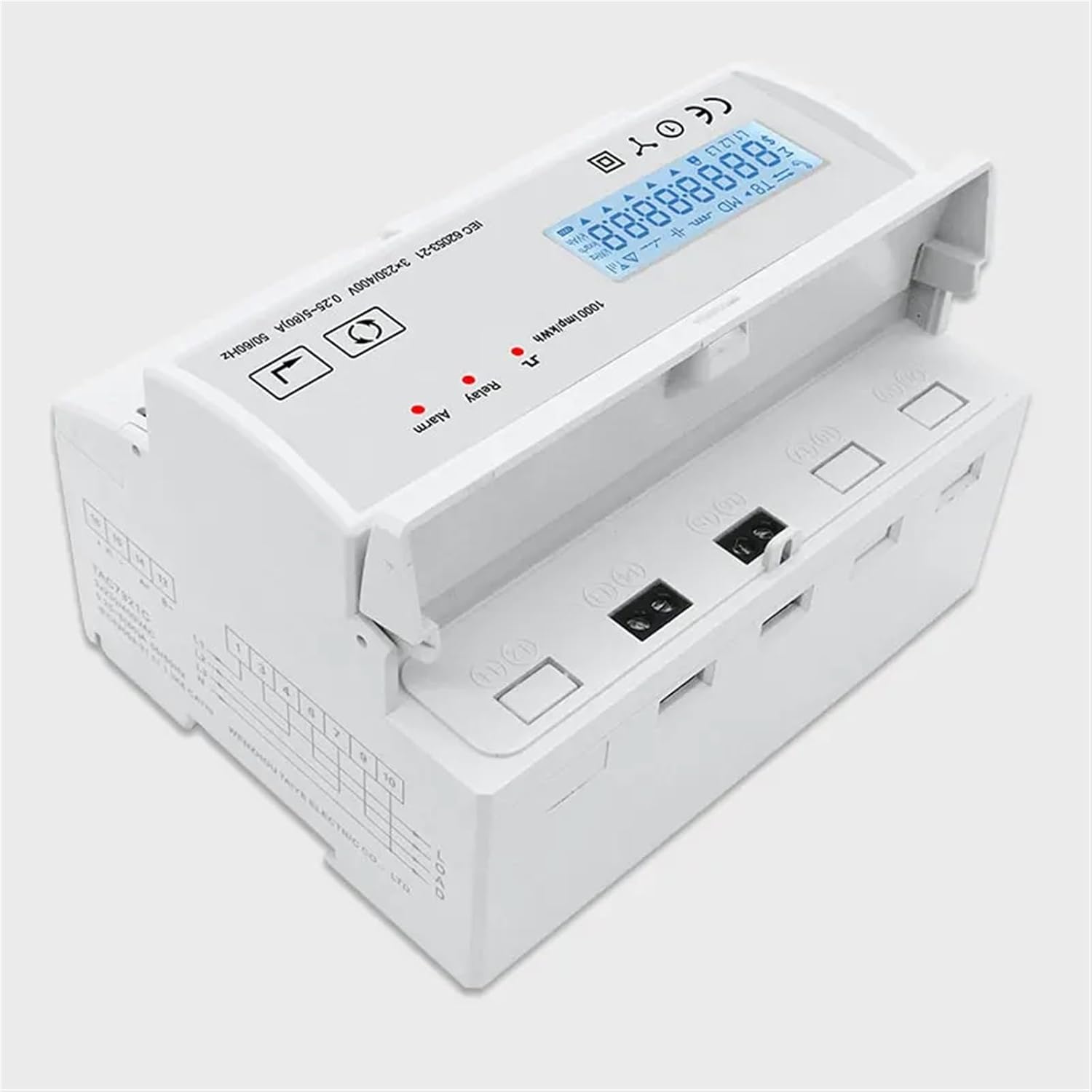
Figure 4.2: Angled view of the meter, highlighting the terminal covers and overall compact design for DIN rail mounting.
5. Operating Instructions
Once properly installed and powered, the meter will automatically begin displaying measurement data. The digital display cycles through various parameters or can be manually navigated using the control buttons.
5.1 Display Navigation
The meter typically features two buttons on the front panel for display navigation and setting adjustments (refer to Figure 2.1 for button locations).
- Left Button (often labeled with an arrow or 'M'): Used to cycle through different measurement parameters such as voltage, current, power, power factor, frequency, and total active energy.
- Right Button (often labeled with an arrow or 'Set'): May be used for confirming selections or entering/exiting settings menus.
Press the left button repeatedly to view each parameter. The display will show the current value for each selected parameter.
5.2 Reading Parameters
The digital display will show values with units (e.g., V for Volts, A for Amperes, kW for Kilowatts, kWh for Kilowatt-hours). Pay attention to the indicators on the display, such as L1, L2, L3 for phase-specific readings, and 'Total' for aggregate values.
- Voltage (V): Displays line-to-neutral voltage for each phase (L1-N, L2-N, L3-N) and potentially line-to-line voltage (L1-L2, L2-L3, L3-L1).
- Current (A): Shows the current flowing through each phase (L1, L2, L3) and potentially the neutral current.
- Power (kW/kVar/kVA): Active power (kW), reactive power (kVar), and apparent power (kVA) for each phase and total.
- Power Factor (PF): Indicates the efficiency of power usage for each phase and total.
- Frequency (Hz): Displays the system frequency.
- Total Active Energy (kWh): The cumulative energy consumed, typically the primary reading for billing or monitoring.
6. Maintenance
The YOMAJURU TAC7321C energy meter is designed for long-term, maintenance-free operation under normal conditions. However, periodic checks are recommended to ensure optimal performance and safety.
- Cleaning: Keep the meter's display and casing clean. Use a soft, dry cloth. Do not use abrasive cleaners or solvents.
- Connections: Periodically inspect wiring connections for tightness. Loose connections can lead to inaccurate readings or overheating. This should only be done by qualified personnel with power disconnected.
- Environment: Ensure the operating environment remains within the specified temperature and humidity ranges to prevent damage.
- Calibration: The meter is factory calibrated. Recalibration is generally not required unless there is a suspected fault or significant discrepancy in readings.
7. Troubleshooting
If you encounter issues with your YOMAJURU TAC7321C energy meter, refer to the following common problems and solutions:
- No Display/Power:
- Check the main power supply to the meter.
- Verify all wiring connections are secure and correct according to the wiring diagram (Figure 4.1).
- Ensure the rated voltage is within the meter's operating range.
- Inaccurate Readings:
- Recheck wiring for any incorrect phase or neutral connections.
- Ensure the current transformers (if used, though not explicitly mentioned for this model, it's common for high current applications) are correctly installed and oriented.
- Verify the load is balanced across phases if applicable.
- Display Error Codes:
- If the display shows an error code, consult the manufacturer's specific error code list (not provided in this manual, but generally available from the manufacturer).
- Try power cycling the meter (disconnect and reconnect power) to see if the error clears.
If problems persist after attempting these troubleshooting steps, contact customer support or a qualified electrician.
8. Warranty and Support
For warranty information, please refer to the documentation provided with your purchase or contact YOMAJURU customer support directly. Keep your purchase receipt as proof of purchase.
For technical support or further assistance, please contact the manufacturer or your local distributor. Provide your model number (TAC7321C) and a detailed description of the issue when seeking support.