
1. Product Overview
The Zshine Motorized Cellular Shades Model 93021N are cordless honeycomb blinds designed for skylight windows, offering full blackout capabilities. These shades are engineered for energy efficiency, sound absorption, and convenient operation.
- Blackout Material: Constructed from 0.55" single cell blackout honeycomb fabrics with aluminum foil, ensuring 100% sunlight blockage. Features a white backing for uniform exterior appearance and enhanced light reflection.
- Energy Saving: The unique honeycomb structure provides sound absorption and reduces the harmful effects of UV rays. It offers ideal insulation, repelling summer heat and winter cold for year-round comfort.
- Custom Made: These blinds are custom-made to fit your skylight. Ensure precise measurements for optimal fit. A minimum 2" depth is required for inside frame installation. Special L-shape brackets are available for over-the-frame mounting.
- Remote Control: Includes a 6-channel remote controller capable of independently controlling up to 6 shades or synchronously controlling up to 999 shades.
- Smart Home Integration: Compatible with Alexa and Google Home via an exclusive TUYA smart module (sold separately) for voice control and timing functions.
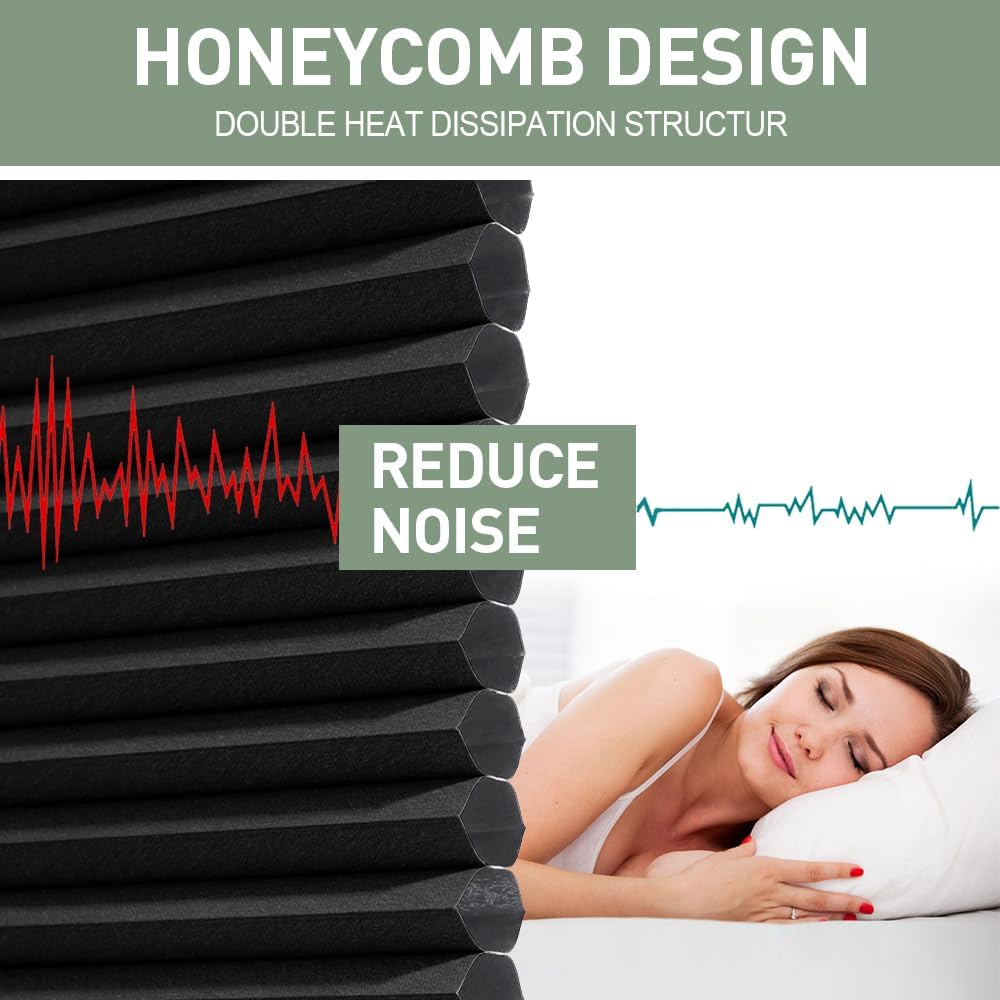
Figure 1.1: Honeycomb design for noise reduction and insulation.

Figure 1.2: Illustration of how the shades help keep rooms warm in winter and cool in summer.
2. What's in the Box
Your Zshine Motorized Cellular Shades package includes the following components:
- Motorized Cellular Shade unit
- 6-Channel Remote Controller
- Mounting Hardware (screws, brackets)
- Instruction Manual
- Power Adapter (for hard-wired version)
- Solar Panel (optional, for charging rechargeable battery)
- Smart Module (optional, for smart home integration)

Figure 2.1: Components included in the Zshine Motorized Cellular Shades package.
3. Installation
The Zshine Motorized Cellular Shades are designed for easy installation. Please follow these steps carefully. For a visual guide, refer to the assembly video below.
3.1 Measurement Guidelines
- Measure inside the window frame.
- Minimum frame depth required: 2 inches (5.08 cm).
- Measure width and length at the narrowest points.
- Approximately 1/8 inch (0.3 cm) clearance is included for easy installation.

Figure 3.1: Guide for measuring your skylight for inside mount installation.
3.2 Shade Assembly
Assemble the shade frames and motor unit as shown in the video. Ensure all connections are secure and threads are properly routed.
Video 3.1: Detailed instructions on how to assemble the Zshine skylight shades (with cord).
4. Setup
4.1 Motor Setup and Remote Pairing
Follow these steps to set up your shade's motor and pair it with the remote control.
Video 4.1: Instructions for setting up the rechargeable electric skylight shades motor and pairing with the remote.
4.2 Smart Hub Setup (Optional)
If you have purchased the optional TUYA smart module, follow these instructions to set it up for smart home integration.
Video 4.2: Guide to setting up the Zshine skylight shades smart hub for smart home control.
4.3 Solar Panel Installation (Optional)
For continuous charging of your rechargeable battery shades, install the optional solar panel using the following steps.
Video 4.3: Instructions for installing the Zshine solar panel for electric skylight shades.
5. Operation
Your Zshine Motorized Cellular Shades can be operated via the included remote control or integrated into your smart home system.
5.1 Remote Control Operation
- Use the 6-channel remote to control individual shades or groups of shades.
- Press the UP arrow to raise the shade.
- Press the DOWN arrow to lower the shade.
- Press the STOP button to halt the shade at any desired position.
5.2 Smart Home Control (with optional TUYA Smart Module)
Once the TUYA smart module is set up, you can control your shades using voice commands through Alexa or Google Home, and set timing functions via the associated app.

Figure 5.1: Smart control options for Zshine shades, including integration with Alexa and Google Home.
Video 5.2: Demonstration of the motorized skylight cellular blinds in operation.
6. Maintenance
To ensure the longevity and optimal performance of your Zshine Motorized Cellular Shades, follow these simple maintenance guidelines:
- Cleaning: Spot clean only. Use a soft, damp cloth with mild soap and water for any stains. Avoid harsh chemicals or abrasive cleaners.
- Battery Charging: For rechargeable models, monitor battery levels and recharge as needed. If using a solar panel, ensure it is clean and exposed to sufficient sunlight.
- Regular Inspection: Periodically check the mounting hardware and fabric for any signs of wear or damage.
7. Troubleshooting
If you encounter any issues with your Zshine Motorized Cellular Shades, refer to the following common troubleshooting tips:
- Shade Not Moving/Moving Partially:
- Check if the remote control batteries are functional and correctly inserted.
- Ensure the shade's motor is charged (for rechargeable models) or receiving power (for hard-wired).
- Verify that the remote is paired correctly with the motor (refer to Section 4.1).
- Inspect the shade for any physical obstructions preventing full movement.
- If the motor has set limits, try resetting and re-setting them (refer to motor setup video for details).
- Remote Control Not Responding:
- Replace the remote control batteries.
- Ensure there are no signal interferences between the remote and the shade.
- Re-pair the remote with the motor (refer to Section 4.1).
- Smart Home Integration Issues:
- Confirm the TUYA smart module is properly connected to power and your Wi-Fi network.
- Check the smart module's pairing with the shade motor (refer to Section 4.2).
- Ensure your Alexa or Google Home device is online and linked to the TUYA app.
- Installation Difficulties:
- Double-check all measurements and ensure they align with the product's requirements.
- If screws are difficult to insert, consider pre-drilling pilot holes appropriate for your mounting surface.
- Review the assembly video (Video 3.1) for detailed visual guidance.
If these steps do not resolve the issue, please contact ZSHINE customer support for further assistance.
8. Specifications
| Feature | Detail |
|---|---|
| Brand | zshine |
| Model Number | 93021N (40448408779911) |
| Material | Full Blackout Fabric |
| Opacity | Blackout |
| Product Dimensions | 90"W x 59"H (228.6 cm W x 149.86 cm H) |
| Operation Mode | Automatic, Motorized |
| Control Type | Remote, Smartphone (with optional Smart Module) |
| Special Feature | Blackout, Cordless |
| Mounting Type | Inside Mount |
| Recommended Uses | Indoor, Skylight Window, Solarium, Window of Pitched Roof |
| Product Care Instructions | Spot Clean Only |
| Item Weight | 5 pounds (2.27 kg) |
9. Warranty & Support
For any warranty claims, technical support, or further assistance with your Zshine Motorized Cellular Shades, please contact the seller, ZSHINE, directly through your purchase platform. They will be able to provide specific details regarding product warranty and support services.