
Introduction
Thank you for choosing the BBPECO Smart Squirrel-Proof Bird Feeder with Camera. This manual provides essential information for the setup, operation, and maintenance of your new bird feeder. Please read these instructions carefully before use to ensure optimal performance and longevity of the product.

The BBPECO Smart Squirrel-Proof Bird Feeder, designed for bird watching and identification.
Product Overview
The BBPECO Smart Bird Feeder is designed to enhance your bird-watching experience with advanced features. It includes a 1080p camera, AI bird identification, and a squirrel-proof mechanism to protect bird seed. The feeder is solar-powered for continuous operation and provides instant notifications to your smartphone.
Key Features:
- Squirrel-Proof Design: Features a weight-activated perch that closes access to seeds when a weight exceeding a certain limit is detected, deterring larger birds and squirrels.
- High-Definition Camera: Captures 1080p videos and photos of visiting birds with a 150° wide-angle view.
- AI Bird Identification: Utilizes artificial intelligence to identify different bird species and sends instant notifications to your phone.
- Solar Powered: Equipped with a 3W solar panel and a 5200mAh battery for continuous, eco-friendly power.
- Large Capacity: Holds up to 3.2 liters of bird food, reducing the frequency of refills.
- Weatherproof Construction: IP65 rated for outdoor use, with drainage holes to keep seeds dry and ventilated.
- Data Security: Complies with CCPA data privacy standards, with data stored in the United States.
- Connectivity: Supports 2.4GHz WiFi connection (5G WiFi is not supported).
- Storage Options: Offers free 3-day loop cloud storage and supports TF cards up to 128GB (not included).

The BBPECO Smart Bird Feeder with its integrated camera and seed compartment.
Package Contents
Please check the package to ensure all components are present:
- BBPECO Smart Bird Feeder Unit
- Integrated Camera Module
- Solar Panel (3W)
- Mounting Kit (for pole, tree, or wall mounting)
- USB Charging Cable
- User Manual (this document)
Setup Instructions
1. Initial Charging
Before first use, fully charge the bird feeder's internal 5200mAh battery using the provided USB charging cable. Connect the charging cable to the camera module's USB port and a standard USB power adapter (not included). Ensure the camera is connected to the charging cable before filling the food compartment.
2. App Installation and Device Pairing
- Download the companion mobile application (e.g., "Birdty App" as suggested by product images) from your smartphone's app store.
- Create an account and log in.
- Follow the in-app instructions to add your new BBPECO Smart Bird Feeder. This typically involves scanning a QR code on the device or manually selecting it from a list.
- Connect the feeder to your home's 2.4GHz WiFi network. Note: 5GHz WiFi networks are not supported.

Ensure connection to a 2.4GHz WiFi network for proper functionality.
3. Mounting the Feeder
Choose a suitable location for your bird feeder, ensuring it is within range of your 2.4GHz WiFi network and receives adequate sunlight for the solar panel. The feeder can be mounted on a pole, tree, or wall using the included mounting kit.
- Pole Mount: Secure the feeder to a sturdy pole using the provided brackets and screws.
- Tree Mount: Attach the feeder to a tree trunk using the tree strap and mounting plate.
- Wall Mount: Use screws and anchors to fix the feeder to a wall or fence.
Ensure the solar panel is positioned to receive direct sunlight for most of the day to maintain battery charge.

The solar panel provides continuous power to the feeder.
Operating Instructions
1. Filling the Bird Feeder
To fill the feeder, gently press the roof to open it. Pour up to 3.2 liters of your preferred bird seed into the main compartment. Close the roof securely to protect the seeds from weather and pests.

The feeder features a large 3.2L capacity and an easy-open roof for refilling.
2. Monitoring Birds
Once set up, the camera will automatically detect bird activity. You will receive instant notifications on your smartphone when a bird visits the feeder. Open the app to view live 1080p video, capture photos, and review recorded footage.
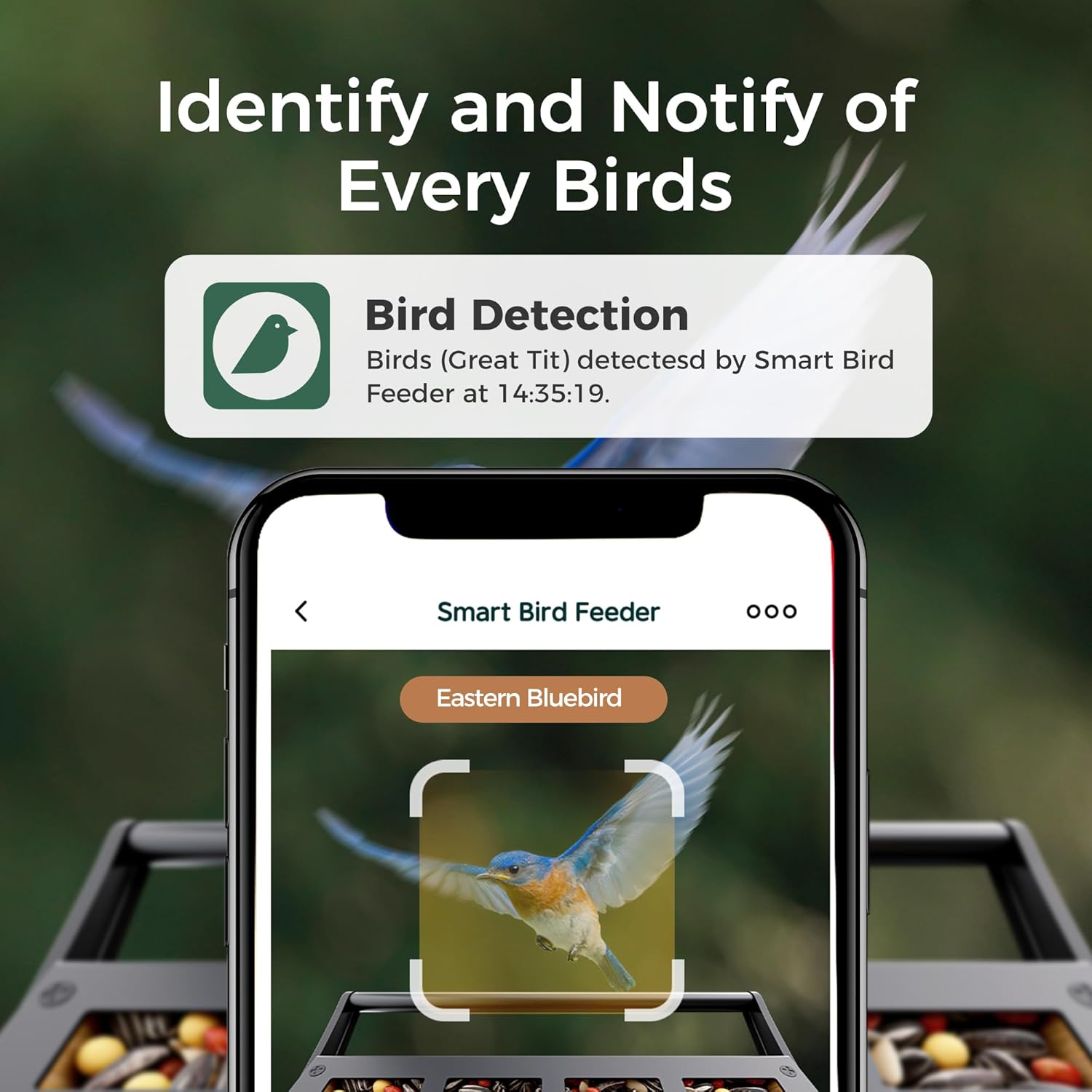
The app provides instant bird detection notifications and AI identification.
3. AI Bird Identification
The feeder's AI technology identifies various bird species. This feature provides information about the birds visiting your feeder directly through the app. A 7-day free trial for advanced identification features may be available, with a subscription required for continued use of certain identification services.

AI identifies over 10,000 bird species, enhancing your bird watching experience.
4. Squirrel-Proof Mechanism
The feeder is equipped with a weight-activated perch. If a squirrel or a large bird lands on the perch and exceeds a preset weight limit, the perch will close, preventing access to the seeds. This helps ensure the seeds are reserved for smaller birds.

The weight-sensitive perch deters squirrels and larger birds.
5. Video and Photo Storage
Captured videos and photos are stored in the cloud with a free 3-day loop. For extended storage or local backup, you can insert a TF card (up to 128GB, not included) into the camera module.

Store your bird videos and photos using free cloud storage or an optional TF card.
6. Sharing Content
The app allows you to easily share captured bird photos and videos with family and friends on various social media platforms.

Share your bird watching moments with others.
Maintenance
1. Cleaning the Feeder
Regularly clean the bird feeder to prevent mold and bacterial growth, which can harm birds. Empty any remaining seeds, then wash the feeder with warm, soapy water. Rinse thoroughly and allow it to dry completely before refilling. The drainage holes at the bottom help keep seeds dry and ventilated, but periodic cleaning is still essential.
2. USB Port Care
The camera's USB port is sensitive. Exercise caution when plugging and unplugging the charging cable or TF card. Avoid applying excessive force, as this can damage the port or push it inside the camera module, rendering it unusable. Ensure the camera is properly positioned before attempting to connect the solar panel's USB wire.
3. Solar Panel Maintenance
Keep the solar panel clean and free from dirt, dust, and debris to ensure efficient charging. Wipe it periodically with a soft, damp cloth.
Troubleshooting
- Q: The feeder is not connecting to WiFi.
- A: Ensure your WiFi network is 2.4GHz. The feeder does not support 5GHz networks. Check that the feeder is within range of your router and that the WiFi password is entered correctly in the app.
- Q: Squirrels are still accessing the bird seed.
- A: While the feeder has a weight-activated perch, determined squirrels may find ways to hang on. Ensure the feeder is mounted in a location that minimizes easy access from nearby branches or structures. The feeder also has a squirrel alarm feature; ensure it is enabled in the app.
- Q: The camera is not charging or functioning.
- A: Check the USB port for any damage. As noted in maintenance, the port can be fragile. Ensure the solar panel is clean and receiving direct sunlight. If the issue persists, contact customer support.
- Q: AI bird identification is not working or requires a subscription.
- A: Some advanced AI identification features may require a subscription after an initial trial period. Refer to the app's settings or information section for details on subscription plans.
- Q: The video quality is poor.
- A: Ensure the camera lens is clean and free from dirt or condensation. Check your WiFi connection strength; a weak signal can affect video streaming quality.
Specifications
| Feature | Detail |
|---|---|
| Brand | BBPECO |
| Model Number | LBF109 |
| Product Dimensions | 8"L x 7"W x 11"H |
| Item Weight | 5 Pounds |
| Material | Bamboo |
| Capacity | 3.2 Liters |
| Power Source | Solar Powered |
| Battery | 5200mAh Lithium Ion (included) |
| Solar Panel | 3W |
| Camera Resolution | 1080p |
| View Angle | 150° |
| Connectivity | 2.4GHz WiFi (5GHz not supported) |
| Storage | Cloud (free 3-day loop), TF Card up to 128GB (not included) |
| Weather Resistance | IP65 |
| Mounting Type | Pole Mount, Tree Mount, Wall Mount |
Official Product Video
This video provides a general overview of the BBPECO Smart Squirrel-Proof Bird Feeder with Camera, demonstrating its features and operation.
Warranty and Support
For warranty information or technical support, please refer to the contact details provided with your purchase or visit the official BBPECO website. If you encounter any issues, such as a broken component, the manufacturer is committed to assisting customers with replacements or solutions.