
1. Product Overview
The heetipuk A18 is a compact and portable wired voice amplifier designed to enhance vocal projection in various settings such as classrooms, meetings, training sessions, and guided tours. It features a wired microphone headset, an integrated speaker, and multiple wearing options for user convenience.
Package Contents
- heetipuk A18 Voice Amplifier
- Wired Microphone Headset
- USB Charging Cable (Type-C)
- Pearl Chain Lanyard
- Adjustable Strap/Belt Clip
- User Manual

Figure 1: Package Contents
Key Features
- 10W Output: Provides clear and powerful sound, covering areas up to 10,000 sq-ft.
- 1800mAh Battery: Offers 8-10 hours of continuous amplification on a full charge.
- Smart Battery Display: LCD LED screen indicates current battery level.
- Multiple Wearing Options: Includes head-mounted, neck-hanging, belt clip, waist-hanging, and shoulder-hanging.
- Connectivity: Supports Bluetooth 5.0 and TF card playback.
- Compact & Lightweight: Dimensions of 3.14 x 1.65 x 4.25 inches and weighs 0.24lb.
2. Safety Information
Please read and understand the following safety guidelines before using the device to ensure proper operation and prevent damage.
- Do not expose the device to water or excessive moisture.
- Avoid dropping or subjecting the device to strong impacts.
- Keep the device away from extreme temperatures and direct sunlight.
- Use only the provided charging cable or a certified Type-C cable for charging.
- Do not attempt to disassemble or repair the device yourself. Contact customer support for assistance.
- Ensure the microphone is positioned away from the amplifier to prevent audio feedback.
3. Setup
3.1 Charging the Device
- Connect the provided USB Type-C charging cable to the charging port on the amplifier.
- Plug the other end of the USB cable into a standard USB power adapter (e.g., phone charger, computer USB port).
- The battery display will show the charging progress. A full charge typically takes 2.5-3 hours.
- Disconnect the charger once fully charged to preserve battery life.

Figure 2: Charging Port and Battery Display
3.2 Connecting the Microphone
- Insert the 3.5mm jack of the wired microphone headset into the microphone input port on the amplifier.
- Position the microphone headset comfortably on your head, ensuring the microphone is close to your mouth for optimal sound capture.
3.3 Wearing Options
The heetipuk A18 offers multiple ways to wear the amplifier for maximum comfort and flexibility:
- Head-mounted: Use the headset directly.
- Neck-hanging: Attach the pearl chain lanyard or adjustable strap to the amplifier and wear it around your neck.
- Waist-hanging / Belt Clip: Use the included belt clip to attach the amplifier to your belt or pocket.
- Shoulder-hanging: Utilize the adjustable strap to wear the amplifier over your shoulder.

Figure 3: Multiple Wearing Ways
4. Operating Instructions
4.1 Power On/Off
- To power on, press and hold the power button until the display illuminates.
- To power off, press and hold the power button again until the display turns off.
4.2 Volume Control
- Use the volume up (+) and volume down (-) buttons on the amplifier to adjust the output volume.
4.3 Using Wired Microphone
- Ensure the microphone is securely plugged into the amplifier.
- Speak clearly into the microphone. Adjust the volume as needed.
- To prevent feedback, keep the microphone at a proper distance from the amplifier speaker.
4.4 Bluetooth Connectivity
- Turn on the amplifier.
- Press the 'M' (Mode) button to switch to Bluetooth mode. The display will show 'BLUE' or a Bluetooth icon.
- On your device (smartphone, tablet, etc.), enable Bluetooth and search for available devices.
- Select 'heetipuk A18' from the list to pair.
- Once paired, you can play audio from your device through the amplifier.
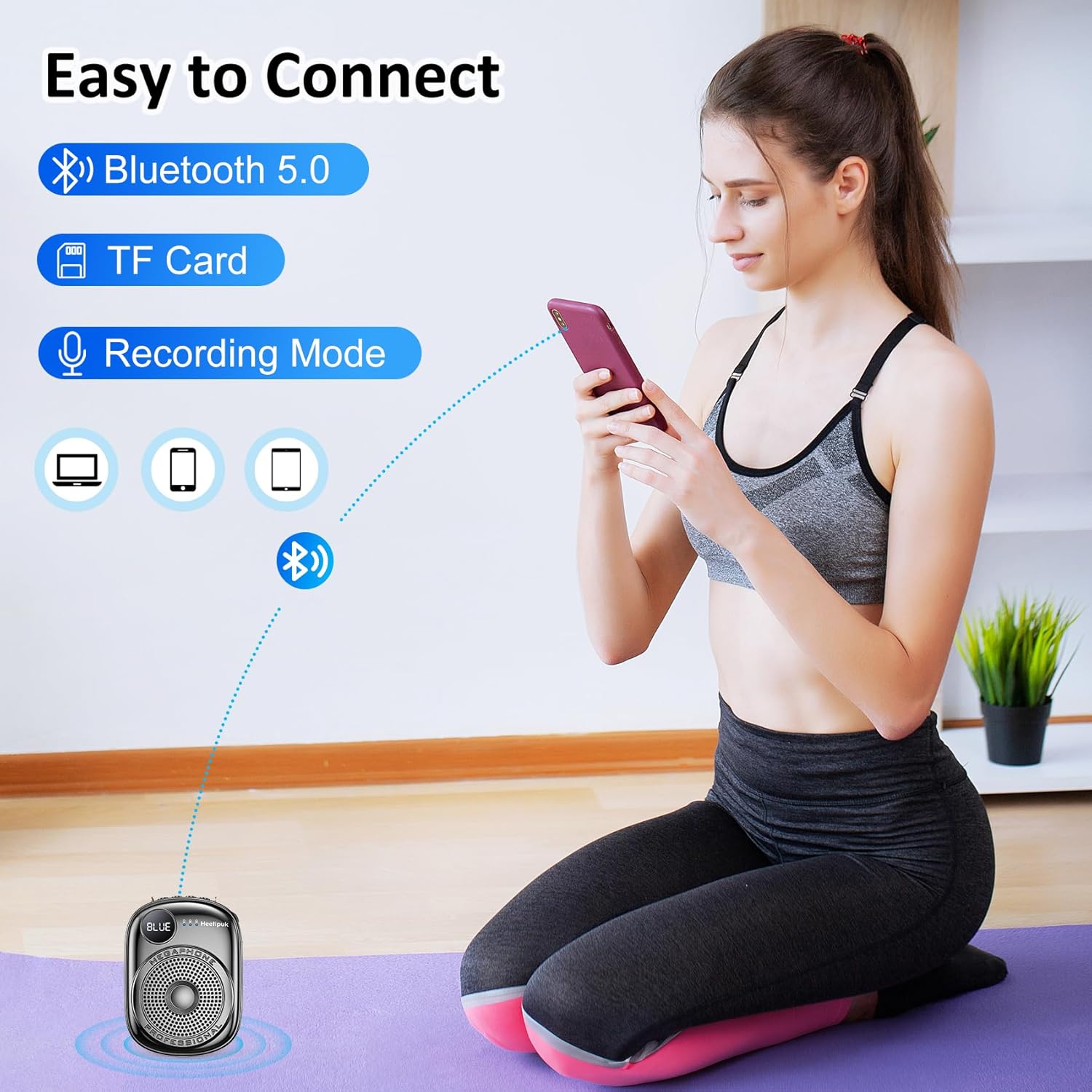
Figure 4: Bluetooth Connectivity
4.5 TF Card Playback
- Insert a TF (MicroSD) card with audio files into the designated TF card slot on the amplifier.
- The amplifier will automatically switch to TF card playback mode or you may need to press the 'M' (Mode) button to select it.
- Use the control buttons to play, pause, skip tracks, and adjust volume.
4.6 Battery Display
The LCD LED screen on the amplifier displays the current battery percentage, allowing you to monitor the remaining power in real-time. This helps prevent unexpected power loss during use.
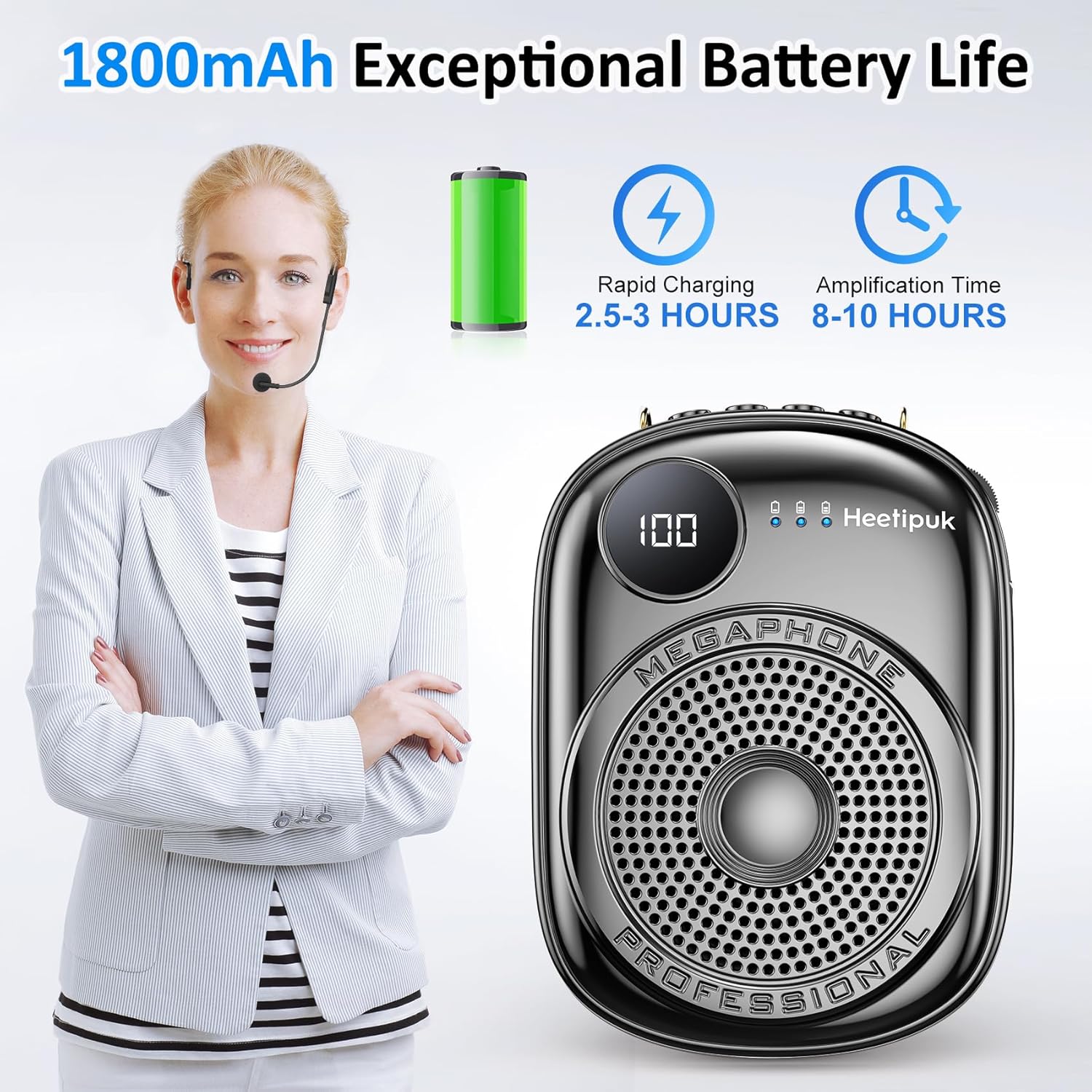
Figure 5: Smart Battery Display
5. Maintenance
5.1 Cleaning
- Wipe the amplifier and microphone headset with a soft, dry cloth.
- Do not use abrasive cleaners, solvents, or chemical sprays.
5.2 Storage
- Store the device in a cool, dry place away from direct sunlight and extreme temperatures.
- If storing for an extended period, charge the battery to approximately 50% every three months to maintain battery health.
5.3 Battery Care
- Avoid fully discharging the battery frequently.
- Do not leave the device charging for excessively long periods after it is full.
6. Troubleshooting
| Problem | Possible Cause | Solution |
|---|---|---|
| No sound from amplifier | Device is off; Volume is too low; Microphone not connected; Battery is low. | Power on the device; Increase volume; Ensure microphone is securely plugged in; Charge the battery. |
| Feedback/Whistling sound | Microphone too close to speaker; Volume too high. | Increase distance between microphone and amplifier; Reduce volume. |
| Bluetooth pairing failure | Amplifier not in Bluetooth mode; Device Bluetooth off; Out of range. | Switch amplifier to Bluetooth mode; Enable Bluetooth on your device; Ensure devices are within range (approx. 10 meters). |
| Short battery life | Battery not fully charged; Aging battery. | Ensure full charge (2.5-3 hours); If issue persists, contact customer support. |
7. Specifications
| Feature | Detail |
|---|---|
| Model Number | A18 |
| Output Wattage | 10 Watts (as per feature bullets, 5 Watts in specifications, using higher value from feature bullets for user benefit) |
| Battery Capacity | 1800mAh |
| Battery Type | Lithium Ion |
| Charging Time | 2.5-3 Hours |
| Amplification Time | 8-10 Hours |
| Connectivity | Bluetooth 5.0, TF Card, Wired Microphone (Aux) |
| Product Dimensions | 3.14 x 1.65 x 4.25 inches |
| Item Weight | 0.24 lbs (7.1 ounces / 200 Grams) |
| Manufacturer | heetipuk |
8. Warranty and Support
For warranty information or technical support, please refer to the contact details provided on the product packaging or the official heetipuk website. Keep your purchase receipt as proof of purchase.
If you encounter any issues not covered in this manual, please do not hesitate to contact our customer service team for assistance.