
1. Introduction
This manual provides detailed instructions for the operation and maintenance of your PRAVETTE Smart Bluetooth Meat Thermometer, Model BQ08. This device is designed to help you achieve precise cooking results for various meats and cooking methods, including grilling, roasting, and smoking, by monitoring internal food temperatures wirelessly.

Image 1.1: The PRAVETTE Smart Bluetooth Meat Thermometer BQ08, showing the main unit, two probes, and the accompanying mobile application interface.
2. Product Components
- Thermometer Host Unit: The main device with a digital display and control buttons.
- Dual Probes: Two food-grade stainless steel and ceramic probes for temperature measurement.
- Charging Cable: For recharging the host unit and probes.
- User Manual: This document.
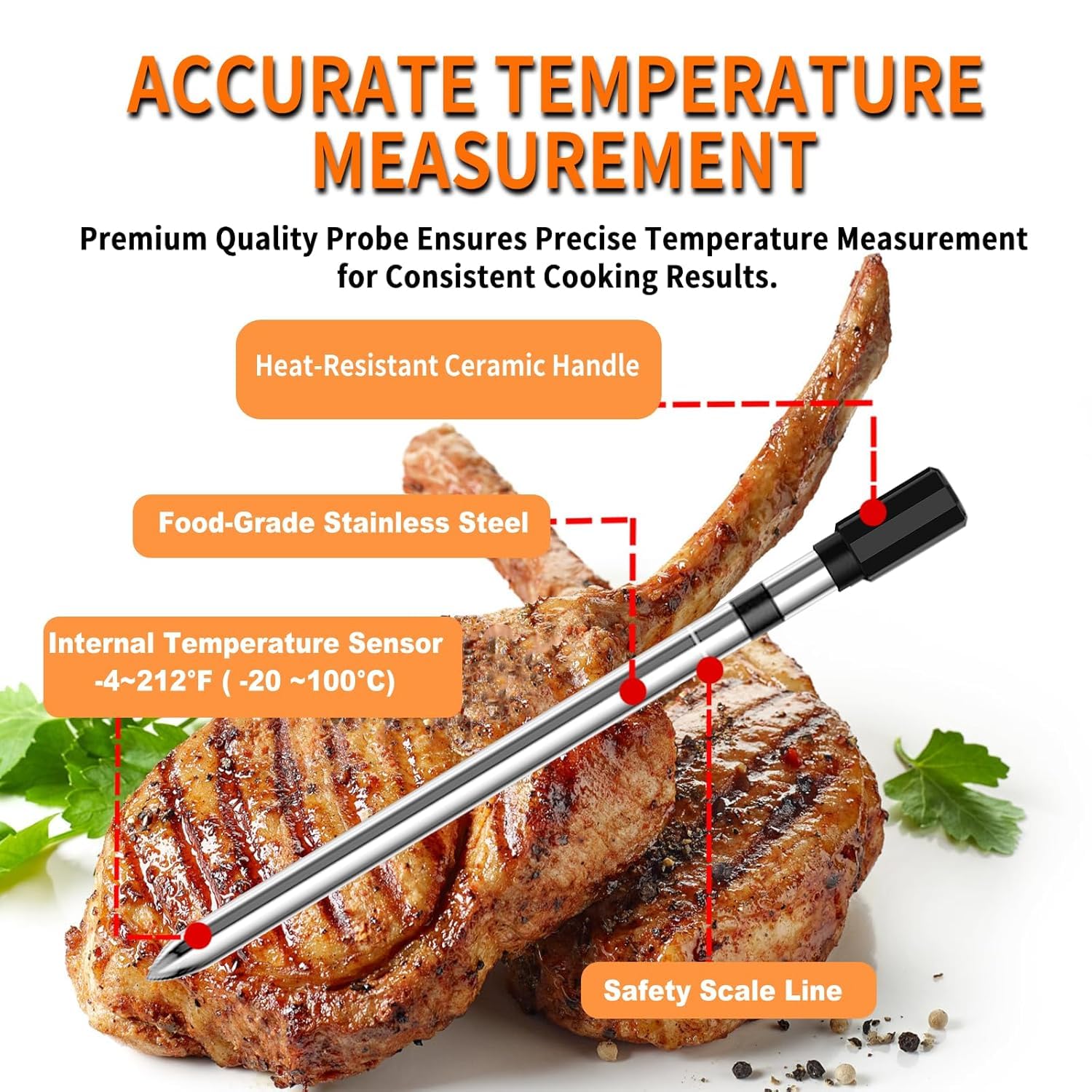
Image 2.1: Detailed diagram of a PRAVETTE probe, indicating its components and temperature range.
The probes are constructed from food-grade stainless steel with a heat-resistant ceramic handle, capable of withstanding temperatures up to 517°F (269°C). They are designed to measure internal food temperatures from -4°F to 212°F (-20°C to 100°C).
3. Setup Guide
3.1 Initial Charging
Before first use, fully charge the thermometer host unit and both probes. A full charge provides approximately 30 days of standby time or 120 hours of continuous use for the host unit. Probes charge in about 30 minutes for up to 24 hours of use.
- Connect the charging cable to the host unit and a suitable USB power source.
- Insert the probes into their designated charging slots on the host unit.
- The display will indicate charging status. Ensure all components are fully charged before use.
3.2 App Installation and Connection
For extended wireless range and advanced features, download the "JOYBIBIQ" app on your smartphone or tablet.
- Search for "JOYBIBIQ" in the Apple App Store (iOS) or Google Play Store (Android).
- Install the app on your device.
- Ensure Bluetooth is enabled on your smartphone/tablet.
- Turn on the PRAVETTE thermometer host unit.
- Open the JOYBIBIQ app and follow the on-screen instructions to pair with your thermometer. The app and host display will synchronize once connected.
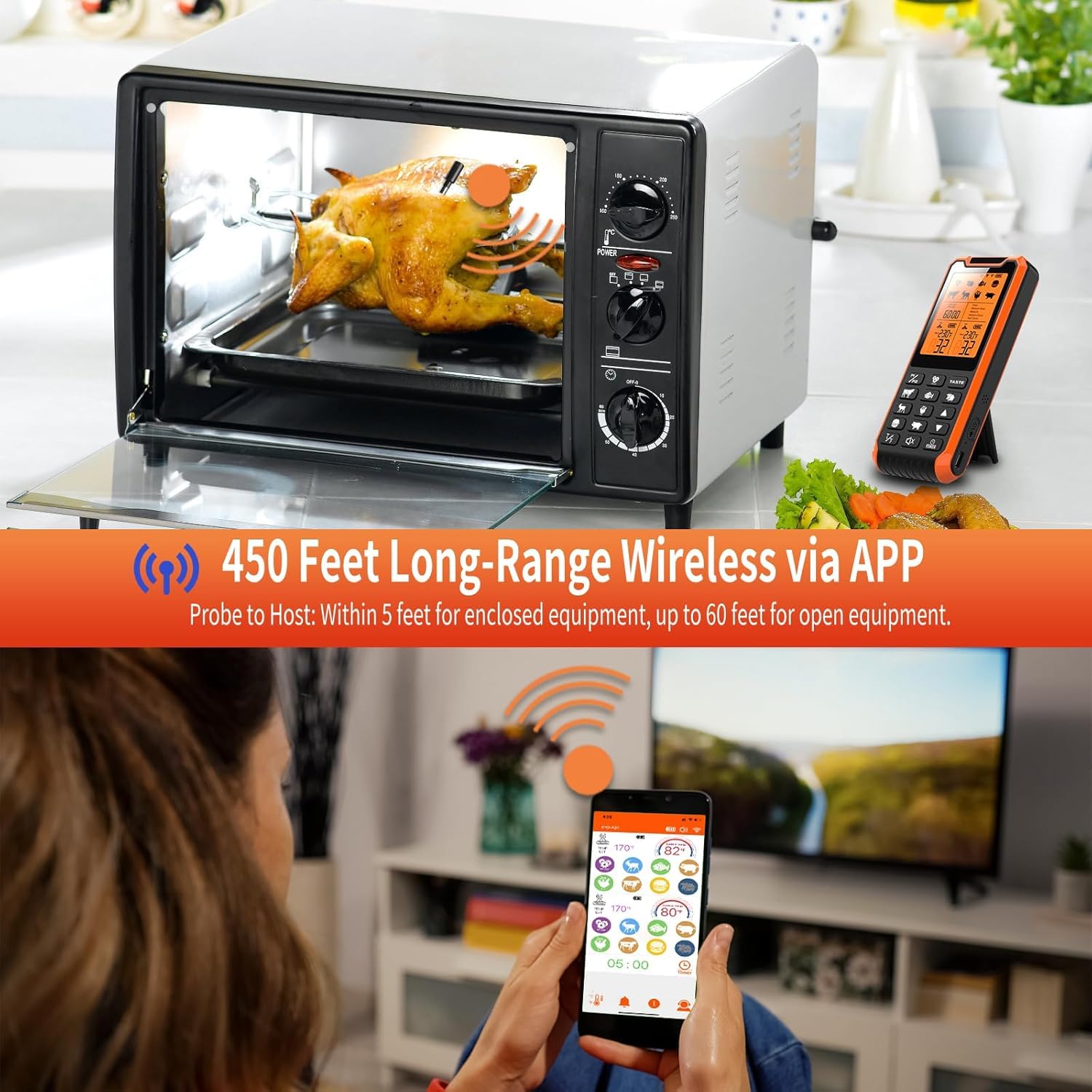
Image 3.1: Monitoring cooking from a distance using the JOYBIBIQ app, demonstrating the extended wireless range.
Wireless Range Notes:
- Probe to Host: Within 5 feet for enclosed grilling equipment (e.g., oven, smoker) and up to 60 feet for open grilling equipment (e.g., open grill).
- Host to App: Up to 450 feet in an open space with a clear line of sight. Actual distance may vary based on environmental factors.
4. Operating Instructions
4.1 Probe Insertion
Carefully insert the probe into the thickest part of the meat, avoiding bones. Ensure the probe tip is fully embedded to accurately measure the internal temperature.

Image 4.1: Proper probe insertion into meat.
4.2 Using the Host Device
- Power On/Off: Press and hold the power button to turn the unit on or off.
- Probe Selection: Press the P1/P2 button to switch between Probe 1 and Probe 2. The corresponding probe icon will flash.
- Meat Type Selection: Press the PROG button to cycle through preset meat types (beef, veal, turkey, lamb, pork, fish, duck, hamburger).
- Doneness Level: Press the TASTE button to select the desired doneness level (Rare, Medium Rare, Medium, Medium Done, Well Done) for the chosen meat type.
- Temperature Unit: Press the °C/°F button to switch between Celsius and Fahrenheit.
- Timer: Use the TIMER button to set a countdown timer.
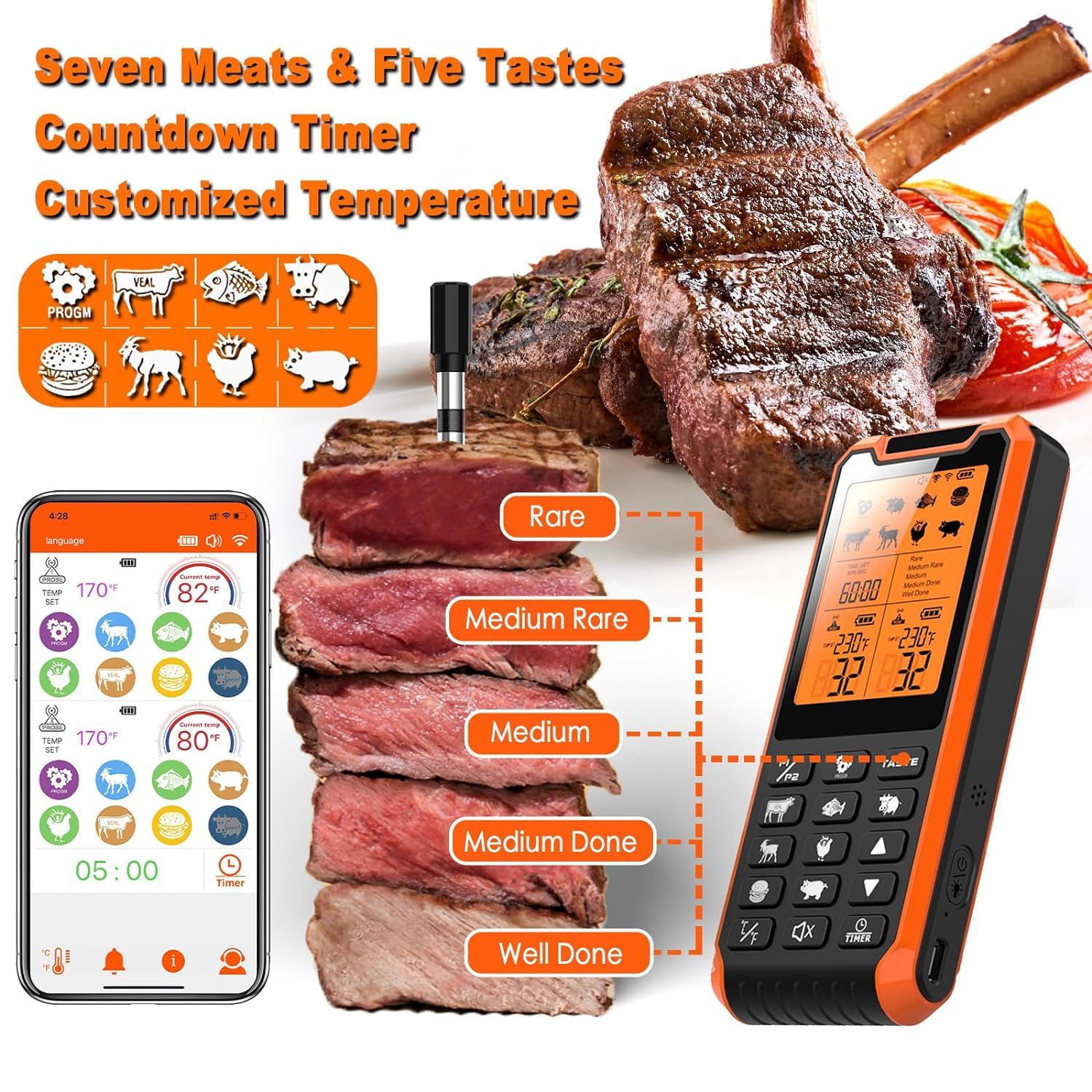
Image 4.2: Host unit display and app interface for selecting meat types and doneness.
4.3 Using the JOYBIBIQ App
The app provides a visual interface for all functions available on the host unit, plus additional features like temperature graphs and historical data.
- Once connected, the app will display real-time temperatures from both probes.
- Tap on a probe to select its settings (meat type, doneness).
- Customize target temperatures or use the preset options.
- Set timers and receive notifications on your smartphone.
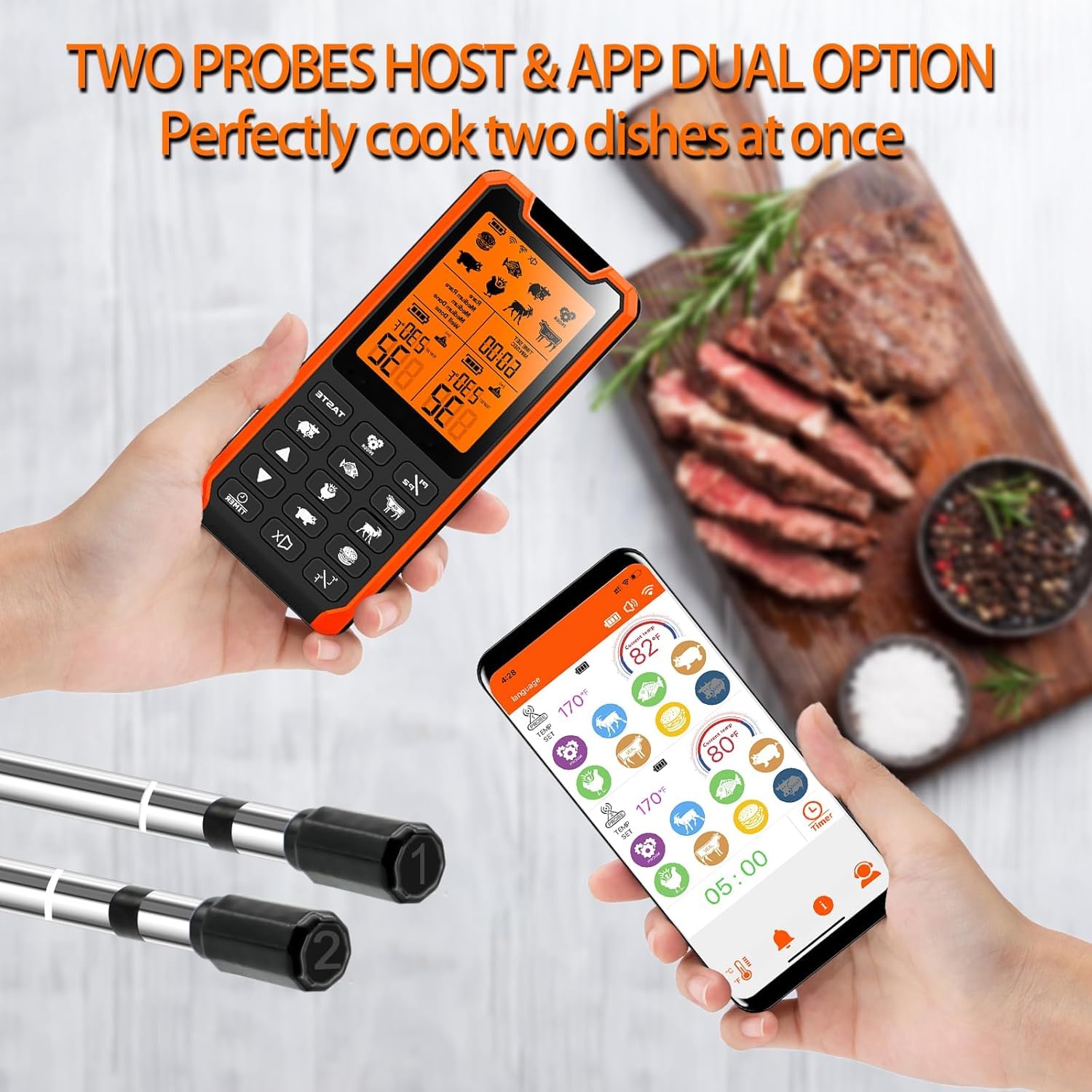
Image 4.3: Simultaneous monitoring of two probes via the host unit and the JOYBIBIQ app.
4.4 Alarms and Notifications
The thermometer features both temperature and countdown alarms.
- Temperature Alarm: A "BIBIBI" sound will alert you when the food reaches the preset target temperature.
- Countdown Alarm: A "BIBIBI" sound will alert you when the set timer expires.
- To stop the buzzer alarm, press any button on the host unit or wait for the food temperature to drop below the set threshold.

Image 4.4: Visual representation of countdown and temperature alarms on the host unit.
4.5 Cooking Applications
The PRAVETTE BQ08 is versatile and can be used with various cooking equipment:
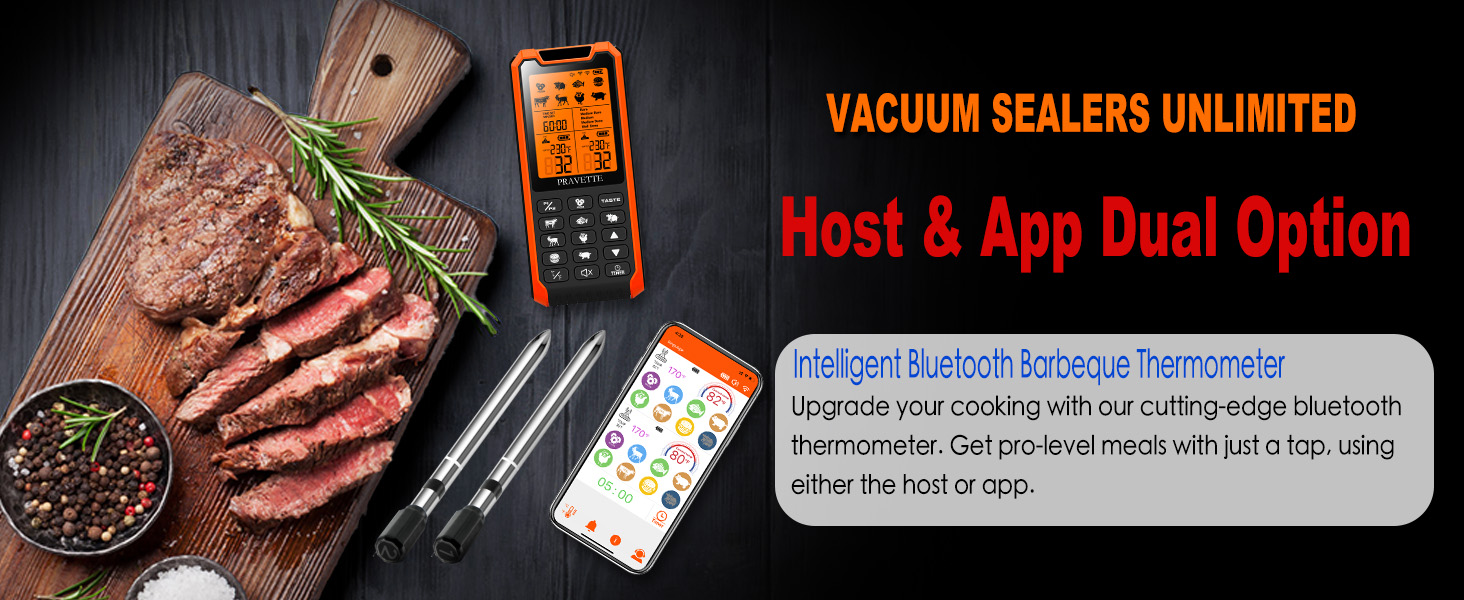
Image 4.5: The thermometer's compatibility with multiple cooking methods.
5. Maintenance and Care
- Cleaning Probes: After each use, clean the stainless steel probes with warm soapy water. Wipe the ceramic handle with a damp cloth. Do not immerse the entire probe in water.
- Cleaning Host Unit: Wipe the host unit with a soft, damp cloth. Do not immerse in water or use abrasive cleaners.
- Storage: Store the thermometer and probes in a dry, cool place when not in use. Ensure probes are fully charged before long-term storage to maintain battery health.
- Heat Exposure: Avoid exposing the host unit to direct heat sources or extreme temperatures. The probes are designed for high heat, but the ceramic handle should not be directly exposed to flames.
6. Troubleshooting
| Problem | Possible Cause | Solution |
|---|---|---|
| Thermometer not turning on. | Low battery. | Charge the host unit and probes fully. |
| App not connecting to host unit. | Bluetooth off; host unit off; out of range; app not open. | Ensure Bluetooth is on, host unit is on, and within range. Restart app and host unit. |
| Inaccurate temperature readings. | Probe not inserted correctly; probe damaged. | Re-insert probe into the thickest part of the meat, avoiding bones. If issue persists, probe may need replacement. |
| Short battery life for probes. | Incomplete charging; old battery. | Ensure probes are fully charged before each use. If battery life significantly degrades, contact support. |
7. Specifications
- Model: BQ08
- Probe Material: Food-grade Stainless Steel, Ceramic Handle
- Probe Temperature Range: -4°F to 212°F (-20°C to 100°C)
- Ceramic Handle Heat Resistance: Up to 517°F (269°C)
- Connectivity: Bluetooth
- Wireless Range (Probe to Host): Up to 5 ft (enclosed), Up to 60 ft (open)
- Wireless Range (Host to App): Up to 450 ft (clear line of sight)
- Battery Type: 1 Lithium Ion battery (included)
- Host Battery Life: 30 days standby, 120 hours continuous use
- Probe Charge Time: 30 minutes for 24 hours use
- Display Type: Digital
- Special Feature: Alarm
- Product Care: Oven Safe (probes), Wipe Clean (host unit)
- Dimensions: 6.69 x 4.13 x 1.46 inches (Package)
- Weight: 9.91 ounces (Package)
8. Safety Information
- Do not expose the host unit to direct heat or flames.
- Ensure probes are properly inserted into meat and not directly into flames or heating elements.
- Keep out of reach of children.
- Do not attempt to disassemble or repair the device yourself. Contact customer support for assistance.
- Always handle hot probes with caution.
9. Warranty and Support
For warranty information, technical support, or customer service inquiries, please refer to the contact details provided with your product packaging or visit the official PRAVETTE website.
Online Support: Visit the PRAVETTE Store on Amazon