1. Important Safety Instructions
Please read all instructions carefully before using this appliance. Failure to follow these instructions may result in electric shock, fire, or serious injury.
- This appliance is for household use only. Do not use outdoors or on wet surfaces.
- Do not allow children to operate the vacuum cleaner. Close supervision is necessary when used near children.
- Do not pick up flammable or combustible liquids, such as gasoline, or use in areas where they may be present.
- Do not pick up anything that is burning or smoking, such as cigarettes, matches, or hot ashes.
- Do not use without the dust cup and filters in place.
- Turn off the appliance before connecting or disconnecting the motorized brush.
- Use only as described in this manual. Use only manufacturer's recommended attachments.
- If the charging cable is damaged, it must be replaced by the manufacturer, its service agent, or similarly qualified persons to avoid a hazard.
- Store the appliance indoors in a cool, dry place.
2. Product Overview
Familiarize yourself with the components of your Cordless Stick Vacuum Cleaner.
2.1 Components
- Main Unit (with motor and dustbin)
- Extension Wand
- Motorized Floor Brush
- Crevice Tool
- 2-in-1 Brush Tool
- Wall-Mounted Charging Holder
- Power Adapter

Figure 2.1: Main unit, extension wand, floor brush, and handheld configurations.
2.2 Key Features
- Cordless Design: Freedom of movement without power cords.
- Lightweight: Weighs approximately 2.2 pounds for easy maneuverability.
- Detachable Handheld: Converts into a handheld vacuum for versatile cleaning.
- Flexible Configuration: Articulating floor brush for reaching under furniture.
- HEPA Filtration: Captures fine dust and allergens.
- Two Suction Modes: Adjustable power for different cleaning needs.
- Wall-Mounted Storage: Convenient storage and charging.
3. Assembly
Follow these steps to assemble your vacuum cleaner.
- Insert the extension wand into the main unit until it clicks securely into place.
- Attach the motorized floor brush to the other end of the extension wand, ensuring it clicks securely.
- For handheld use, detach the extension wand and attach desired accessories (crevice tool, 2-in-1 brush) directly to the main unit.
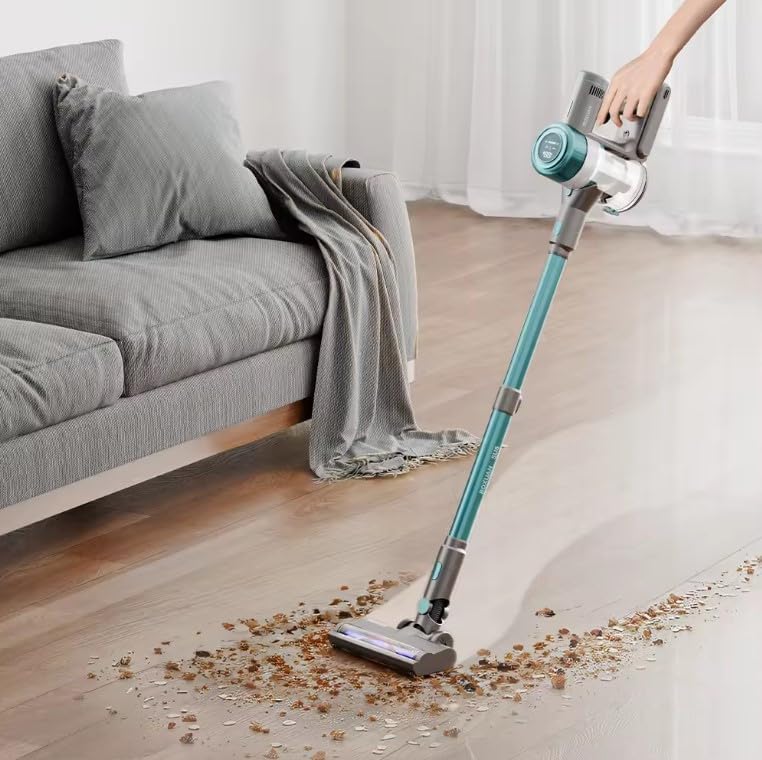
Figure 3.1: The vacuum assembled in stick mode, ready for use on floors.
4. Charging the Battery
Ensure the battery is fully charged before first use and after each cleaning session.
- Mount the charging holder to a wall in a convenient location.
- Place the vacuum cleaner onto the wall-mounted holder.
- Connect the power adapter to the charging port on the main unit and plug it into a wall outlet.
- The charging indicator light will illuminate. A full charge takes approximately 4 hours.
- Once fully charged, disconnect the power adapter.

Figure 4.1: The vacuum cleaner stored and charging on its wall-mounted holder.
5. Operation
Operating your cordless stick vacuum cleaner is straightforward.
5.1 Power On/Off and Suction Modes
- Press the power button on the main unit to turn the vacuum on.
- Press the mode button to switch between the two available suction power levels.
- Press the power button again to turn the vacuum off.

Figure 5.1: The vacuum features intelligent pollution detection, automatically adjusting suction power based on debris levels.
5.2 Cleaning Different Surfaces
The vacuum is designed for effective cleaning on various floor types and areas.
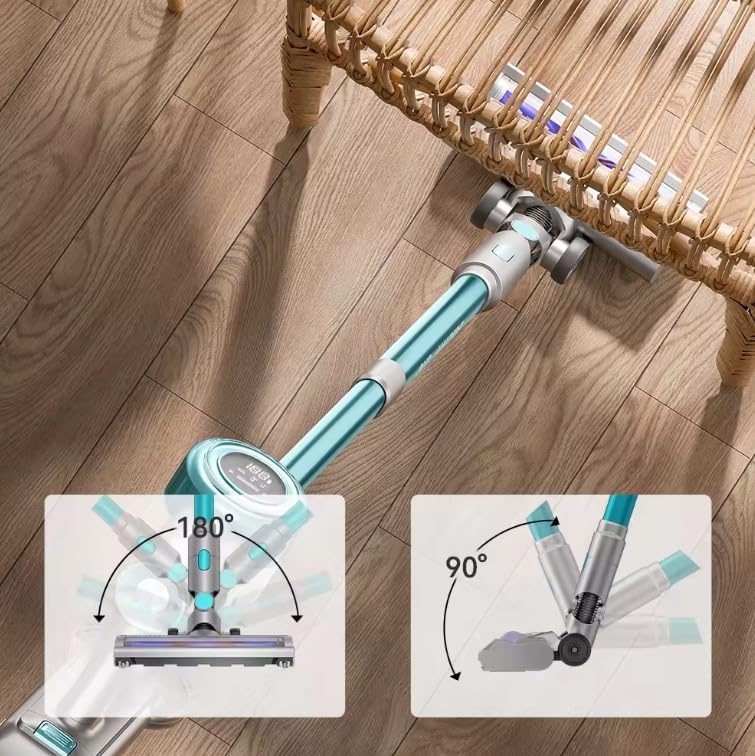
Figure 5.2: The flexible floor brush allows for easy maneuverability, including 180° swivel and 90° tilt to clean under low furniture.
- Hardwood Floors and Tiles: Use the motorized floor brush for daily cleaning. The soft bristles are gentle on hard surfaces.
- Carpets and Rugs: The motorized floor brush effectively agitates carpet fibers to lift embedded dirt. Use higher suction mode for deeper cleaning.
- Above-Floor Cleaning: Detach the main unit and attach the crevice tool for tight spaces or the 2-in-1 brush for upholstery, blinds, or shelves.
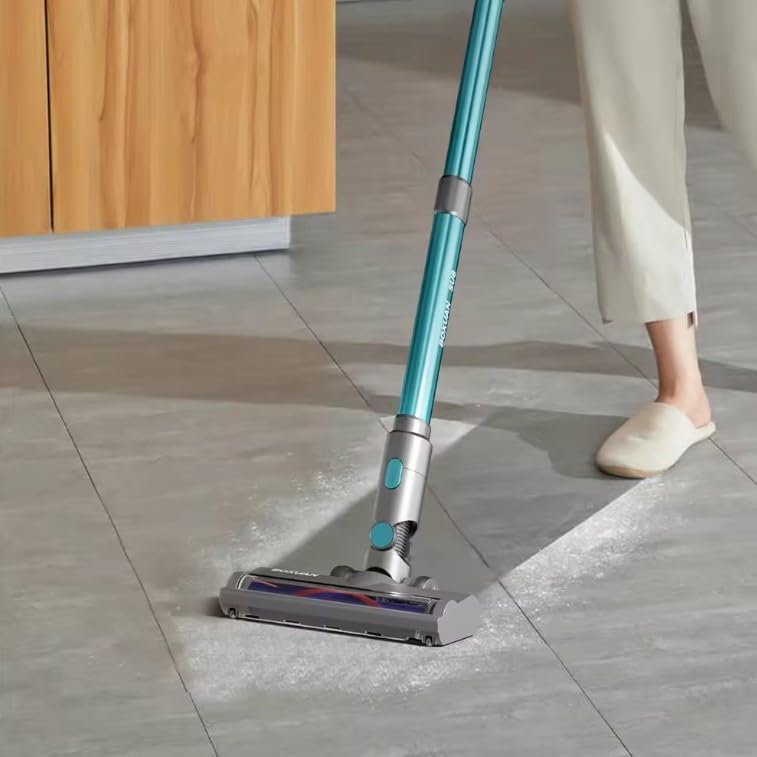
Figure 5.3: The vacuum effectively cleans debris from tiled surfaces.
6. Maintenance
Regular maintenance ensures optimal performance and extends the life of your vacuum cleaner.
6.1 Emptying the Dustbin
- Ensure the vacuum is turned off.
- Locate the dustbin release button on the main unit.
- Press the button to detach the dustbin.
- Hold the dustbin over a trash receptacle and open the bottom flap to empty debris.
- Close the flap and reattach the dustbin to the main unit until it clicks.
6.2 Cleaning the Filters
The HEPA filter and pre-filter should be cleaned regularly, especially when suction power decreases.
- Remove the dustbin as described above.
- Twist and pull out the filter assembly from the dustbin.
- Separate the HEPA filter and the mesh pre-filter.
- Rinse both filters under cold running water until the water runs clear. You may use a small amount of mild soap if necessary.
- Allow the filters to air dry completely for at least 24 hours before reassembling. Do not use a dryer or direct heat.
- Once completely dry, reassemble the filters and place them back into the dustbin, then reattach the dustbin to the main unit.
6.3 Cleaning the Brush Roller
Periodically check the brush roller for tangled hair or debris.
- Ensure the vacuum is turned off and disconnected from the charger.
- Detach the motorized floor brush from the extension wand.
- Locate the brush roller release mechanism (usually a latch or screw) on the bottom of the floor brush.
- Remove the brush roller.
- Use scissors or a brush to remove any tangled hair or debris from the roller.
- Reinsert the brush roller and secure it in place.
7. Troubleshooting
Refer to this section for common issues and their solutions.
| Problem | Possible Cause | Solution |
|---|---|---|
| Vacuum does not turn on. | Battery is not charged. | Charge the battery fully (approx. 4 hours). |
| Power button not pressed correctly. | Ensure the power button is pressed firmly. | |
| Weak suction. | Dustbin is full. | Empty the dustbin. |
| Filters are dirty or clogged. | Clean and thoroughly dry the HEPA and pre-filters. | |
| Brush roller is tangled. | Remove and clean the brush roller. | |
| Obstruction in the nozzle or wand. | Check for and remove any blockages. | |
| Brush roller not spinning. | Brush roller is jammed or tangled. | Clean the brush roller of any debris or hair. |
| Floor brush not properly attached. | Ensure the floor brush is securely clicked into place. |
8. Specifications
| Feature | Detail |
|---|---|
| Brand | Generic |
| Model Name | Cordless Stick Vacuum (SU8) |
| Special Feature | Bagless |
| Filter Type | HEPA Filter |
| Included Components | Attachments, Vacuum |
| Cordless | Yes |
| Dustbin Capacity | 1 Liters |
| Wattage | 350 watts |
| Charging Time | 4 Hours |
| Maximum Suction | 50 Angstrom |
| Recommended Uses | Blinds, Carpets, Hardwood Floors, Home |
| Form Factor | Stick |
| Color | Teal/Gray |
| Product Dimensions | 8"L x 8"W x 13"H |
| Battery Type | Rechargeable Lithium-ion Battery (1 included) |
| Noise Level | 72 dB |
| Amperage | 2500 Milliamps |
| Manufacturer | HUIXI |
| Control Method | Touch, Buttons |
| Number of Speeds | 2 |
| Item Weight | 2.2 pounds |
9. Warranty and Support
Specific warranty information for this product is not provided in the available data. For warranty claims or technical support, please contact the seller or manufacturer directly through your purchase platform.
Please retain your proof of purchase for any warranty-related inquiries.
10. Product Videos
No official product videos from the seller are available for embedding at this time.


