
DOMSHOCT GMZ002B40
DOMSHOCT L Shaped Gaming Desk with Power Outlets (Model GMZ002B40) User Manual
Model: GMZ002B40 | Brand: DOMSHOCT
Introduction
Thank you for choosing the DOMSHOCT L Shaped Gaming Desk. This manual provides essential information for the safe assembly, operation, and maintenance of your new desk. Please read it thoroughly before assembly and retain it for future reference.
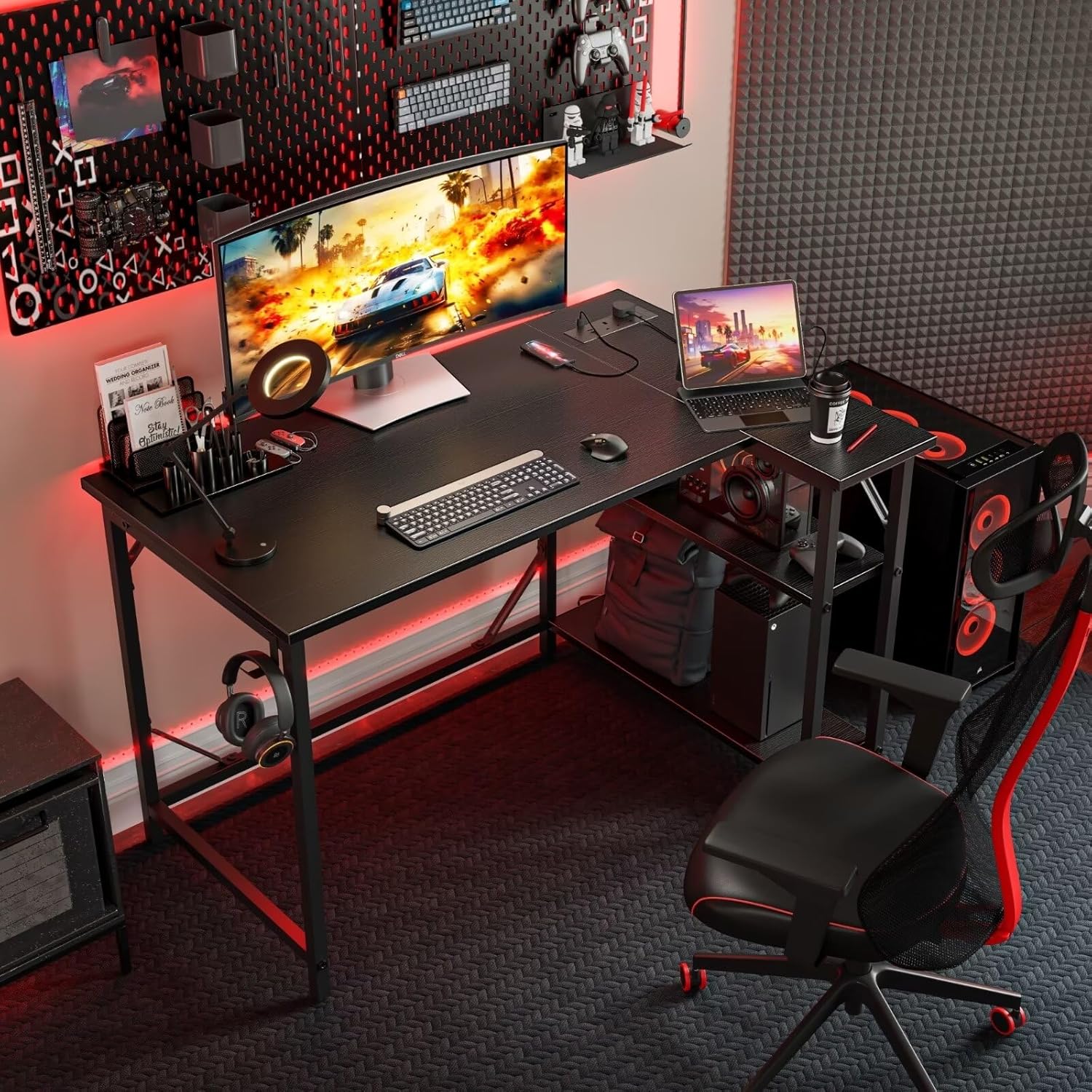
Image: The DOMSHOCT L Shaped Gaming Desk set up in a gaming environment, showcasing its design and functionality with a monitor, keyboard, and other accessories.
Important Safety Information
- Read all instructions: Before assembly and use, carefully read and understand all instructions provided in this manual.
- Keep children away: Keep children and pets away from the assembly area. Small parts can be a choking hazard.
- Use correct tools: Only use the recommended tools for assembly (Allen Key, Screw Driver).
- Two-person assembly recommended: While assembly is possible with one person, having a second person can make the process easier and safer.
- Check connections: Ensure all screws and fasteners are securely tightened before using the desk. Periodically check and re-tighten as needed.
- Weight limits: Do not exceed the maximum weight recommendation of 80 kg (176 lbs) for the desk.
- Power outlets: Only use the integrated power outlets for devices within their specified voltage and current ratings. Do not overload the outlets. Ensure the power cord is not pinched or damaged.
- Level surface: Place the desk on a flat, level surface to prevent wobbling and ensure stability. Adjust foot pads as necessary.
Package Contents
Please verify that all parts are present before beginning assembly. If any parts are missing or damaged, contact customer support.
- Desk Top Panels (L-shaped sections)
- Metal Frame Components (legs, support bars)
- Reversible Storage Shelves
- Power Outlet Unit (with 1 USB, 1 Type-C, 2 AC outlets, and 1.5m cord)
- Headphone Hook
- Adjustable Foot Pads
- Assembly Hardware (screws, bolts, Allen key)
- Instruction Manual (this document)
Setup and Assembly
Follow these steps carefully to assemble your DOMSHOCT L Shaped Gaming Desk. It is recommended to have an Allen Key and a Screw Driver available.
Step 1: Prepare the Workspace
Clear an open area for assembly. Lay out all components and hardware. Keep the instruction manual handy.
Step 2: Assemble the Metal Frame
Connect the metal leg frames and support bars using the provided screws and Allen key. Ensure all connections are finger-tight at this stage to allow for adjustments.
Step 3: Attach Desk Top Panels
Carefully place the L-shaped desk top panels onto the assembled metal frame. Align the pre-drilled holes and secure the panels with screws. Once all panels are in place, fully tighten all screws on the metal frame and desk top.
Step 4: Install Reversible Storage Shelves
The double-layer shelves can be installed on either the left or right side of the desk, depending on your preference. Attach the shelf supports to the desk frame and then place the shelves. The removable dividers allow for flexible organization.

Image: The DOMSHOCT L Shaped Gaming Desk demonstrating the reversible storage shelf feature, showing how the shelves can be configured on either side of the desk.
Step 5: Integrate Power Outlets
Insert the power outlet unit into the designated slot on the desk top. Ensure it is flush and secure. Route the 1.5-meter power cord safely to a wall outlet.

Image: A close-up view of the integrated power outlets on the DOMSHOCT desk, highlighting the 2 AC outlets, 1 USB port, and 1 Type-C charging port.
Step 6: Attach Headphone Hook and Adjustable Foot Pads
Attach the headphone hook to the desired location on the desk frame. Screw the adjustable foot pads into the bottom of each leg. Adjust them to level the desk on uneven floors and prevent wobbling.

Image: Detailed view of the DOMSHOCT desk's iron headphone hook and adjustable foot pads, illustrating their design and function.
Operating Instructions
Using the Power Outlets
The desk is equipped with 2 standard AC power outlets, 1 USB charging port, and 1 Type-C charging port. Plug the desk's main power cord into a grounded wall outlet. You can then plug your devices directly into the integrated outlets for convenient power access.
- AC Outlets: For standard electronic devices (e.g., monitors, laptops).
- USB Port: For charging smartphones, tablets, and other USB-powered devices.
- Type-C Port: For fast charging compatible devices.
Caution: Do not exceed the maximum electrical load capacity of the integrated power strip. Avoid plugging in high-power appliances that may draw excessive current.
Utilizing Storage Shelves
The reversible double-layer shelves provide flexible storage. Use them for books, files, gaming consoles, or other accessories. The removable dividers allow you to customize the compartment sizes to fit your items, including a computer host.
Headphone Hook
Use the integrated headphone hook to keep your headphones or headset conveniently stored and your desk surface clutter-free.
Maintenance
- Cleaning: Wipe the desk surfaces with a soft, damp cloth. Avoid harsh chemicals or abrasive cleaners, as they may damage the finish.
- Spills: Immediately wipe up any spills to prevent damage to the engineered wood and electrical components.
- Tighten Fasteners: Periodically check all screws and bolts and re-tighten them as needed to maintain the desk's stability.
- Power Cord Inspection: Regularly inspect the power cord for any signs of damage (fraying, cuts). If damaged, discontinue use and replace the power unit if possible, or contact customer support.
Troubleshooting
Desk is Wobbly
- Check Fasteners: Ensure all screws and bolts are fully tightened.
- Adjust Foot Pads: Use the adjustable foot pads at the bottom of each leg to level the desk on uneven floors.
- Level Surface: Ensure the desk is placed on a flat, stable surface.
Power Outlets Not Working
- Check Main Power: Ensure the desk's power cord is securely plugged into a functional wall outlet.
- Circuit Breaker: Check if the circuit breaker for the wall outlet has tripped.
- Overload: Disconnect some devices to ensure the outlets are not overloaded.
- Inspect Cord: Check the desk's power cord for any visible damage. If damaged, discontinue use.
Missing or Damaged Parts
If you find any missing or damaged parts during assembly, please contact DOMSHOCT customer support immediately for assistance.
Specifications

Image: A diagram illustrating the key dimensions of the DOMSHOCT L Shaped Gaming Desk, including length, width, and height in both inches and centimeters.
| Model Number | GMZ002B40 |
| Brand | DOMSHOCT |
| Shape | L-Shape |
| Product Dimensions (D x W x H) | 39.37"D x 27.56"W x 29.53"H (100cm x 70cm x 75cm) |
| Color | Black |
| Material | Engineered Wood, Metal |
| Finish Type | Lacquered, Laminated |
| Item Weight | 11.3 kg (24.9 lbs) |
| Number of Shelves | 2 (Reversible) |
| Power Outlets | 2 AC Outlets, 1 USB Port, 1 Type-C Port |
| Power Cord Length | 1.5 meters |
| Maximum Weight Recommendation | 80 kg (176 lbs) |
| Recommended Assembly Persons | 1 (2 recommended for ease) |
| Tools Recommended for Assembly | Allen Key, Screw Driver |
Warranty and Customer Support
DOMSHOCT is committed to providing high-quality products. For any questions, concerns, or issues regarding your L Shaped Gaming Desk, please contact DOMSHOCT customer support through your purchase platform or the official DOMSHOCT website. Please have your model number (GMZ002B40) and purchase details ready when contacting support.
Specific warranty information may vary by region and retailer. Please refer to your purchase documentation for details on warranty coverage.
no relevant documents
Ask a question about this manual
Ask about setup, troubleshooting, compatibility, parts, safety, or missing instructions. Manuals+ will review the question and use this page’s manual context to help answer it.