
1. Product Overview
The ZLPOWER 12KW Solar Hybrid Off-Grid Inverter is a low-frequency pure sine wave inverter designed for reliable power conversion in off-grid and backup power systems. It features a 12KW continuous power output with a 36KW peak, operating with a 48V DC input and providing 110/120V or 240V AC split-phase output, configurable via the LCD screen for 50 or 60Hz. This inverter integrates two 80A MPPT solar charge controllers, supporting up to 2x4500W PV input, and is compatible with various battery types including Lead-Acid, GEL, and Lithium batteries, offering communication functions for lithium batteries. Its robust design includes a pure copper low-frequency transformer for handling inductive loads and multiple protection features.

Figure 1: ZLPOWER 12KW Solar Hybrid Off-Grid Inverter (Front View)
2. Safety Information
Please read all safety instructions carefully before installation and operation. Failure to follow these instructions may result in electric shock, fire, or serious injury.
- Qualified Personnel: Installation and maintenance should only be performed by qualified personnel.
- Electrical Hazards: This device operates with high voltages. Do not open the inverter casing unless specifically instructed.
- Proper Grounding: Ensure the inverter is properly grounded according to local electrical codes.
- Battery Safety: Work with batteries carefully. Wear appropriate personal protective equipment (PPE) including eye protection and gloves. Avoid short-circuiting battery terminals.
- Ventilation: Install the inverter in a well-ventilated area to prevent overheating.
- Environmental Conditions: Do not expose the inverter to rain, snow, or excessive moisture.
- Overload Protection: The inverter includes overload protection. Do not exceed the rated power output.
- UL 1741 Certification: This inverter is ETL certified to UL 1741 standards, ensuring compliance with safety requirements for inverters, converters, controllers, and interconnection system components for use in distributed energy resources.

Figure 2: Safety and Reliability Features, including ETL certification to UL 1741 standards, and protection against overload, short circuit, over-temperature, over-voltage, and low voltage.
3. Setup & Installation
3.1 System Diagram
The ZLPOWER inverter is designed for integration into off-grid and backup power systems. A typical setup involves solar panels, a solar controller (integrated into the inverter), a battery bank, and AC loads, with optional utility and generator inputs.
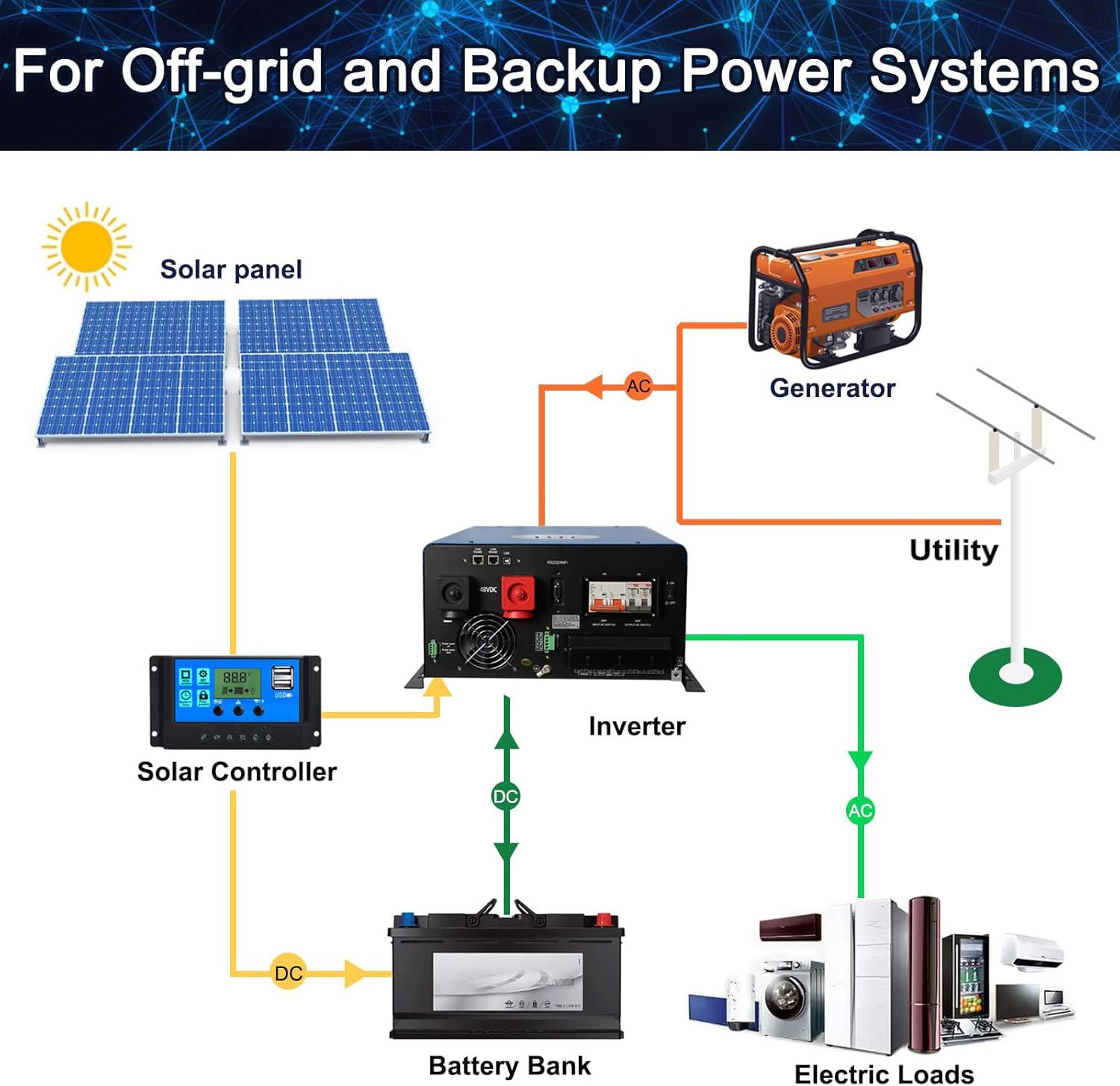
Figure 3: Typical system diagram for off-grid and backup power systems utilizing the ZLPOWER inverter, showing connections for solar panels, battery bank, utility, generator, and electric loads.
3.2 Battery Connection
The inverter supports various battery types, including Lead-Acid, AGM, GEL, and Lithium-Ion. Ensure the battery bank voltage matches the inverter's 48V DC input. For optimal performance and longevity, it is recommended to use batteries with a capacity greater than 200AH.

Figure 4: The inverter is compatible with multiple battery types, including Lead-Acid, AGM, GEL, and Lithium-Ion. Note the recommendation for battery capacity above 200AH.
3.3 Wi-Fi Module Installation
The inverter supports an optional Wi-Fi module for remote monitoring and control. Follow these steps to install and configure the Wi-Fi module:
- Unpack the Wi-Fi module and verify its contents.
- Install the Wi-Fi module antenna.
- Locate the RS232/Wi-Fi interface on the inverter.
- Insert the Wi-Fi module into the RS232 interface, secure it with screws, and ensure it is properly installed.
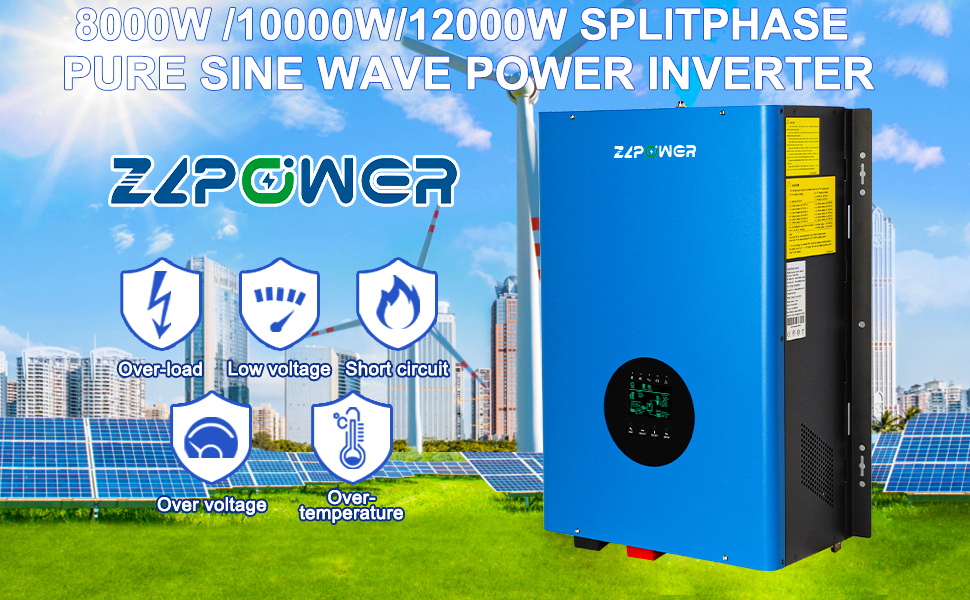
Figure 5: Step-by-step guide for installing the Wi-Fi Plug Pro module into the inverter's RS232 interface.
3.4 App Download and Setup
To connect your inverter to the SmartESS app for monitoring and control, follow these steps:
- Download the App: Scan the QR code or use the links below to download the SmartESS app for your device.
- Connect Wi-Fi Datalogger:
- Select the Wi-Fi Plug Pro network on your phone (Initial Password: 12345678).
- Open the app and tap the Wi-Fi Config button.
- Network Setting:
- Tap the Network Setting button.
- Enter the required network information to complete the setup.
- Restart the Wi-Fi Plug Pro.
- Create Account and Add Datalogger:
- Open the app, tap "Register" to create a new account.
- Log in, then tap the "+" button to add a datalogger. Scan the QR code on the Wi-Fi Plug Pro or input the Datalogger PN manually.
- Enter the required information to finish adding the datalogger.
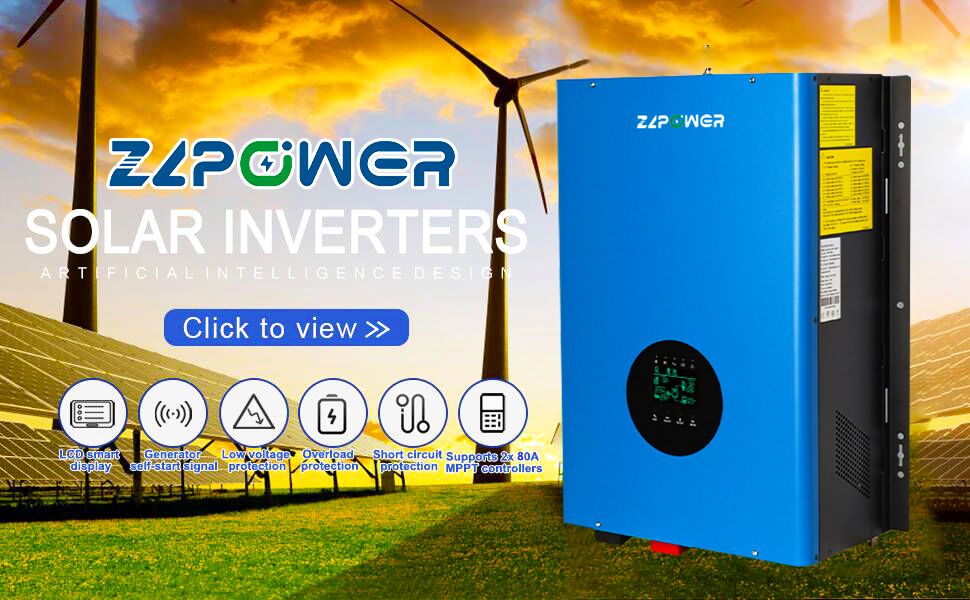
Figure 6: Detailed steps for downloading the SmartESS app, connecting the Wi-Fi datalogger, configuring network settings, and creating an account to add the datalogger.
4. Operation
4.1 LCD Display and Controls
The inverter features an intuitive LCD display for monitoring system status and configuring settings. The display shows AC input/output, PV voltage, battery status, and various operational parameters. Navigation buttons (CONF, SELECT, ENTER) allow you to adjust settings.
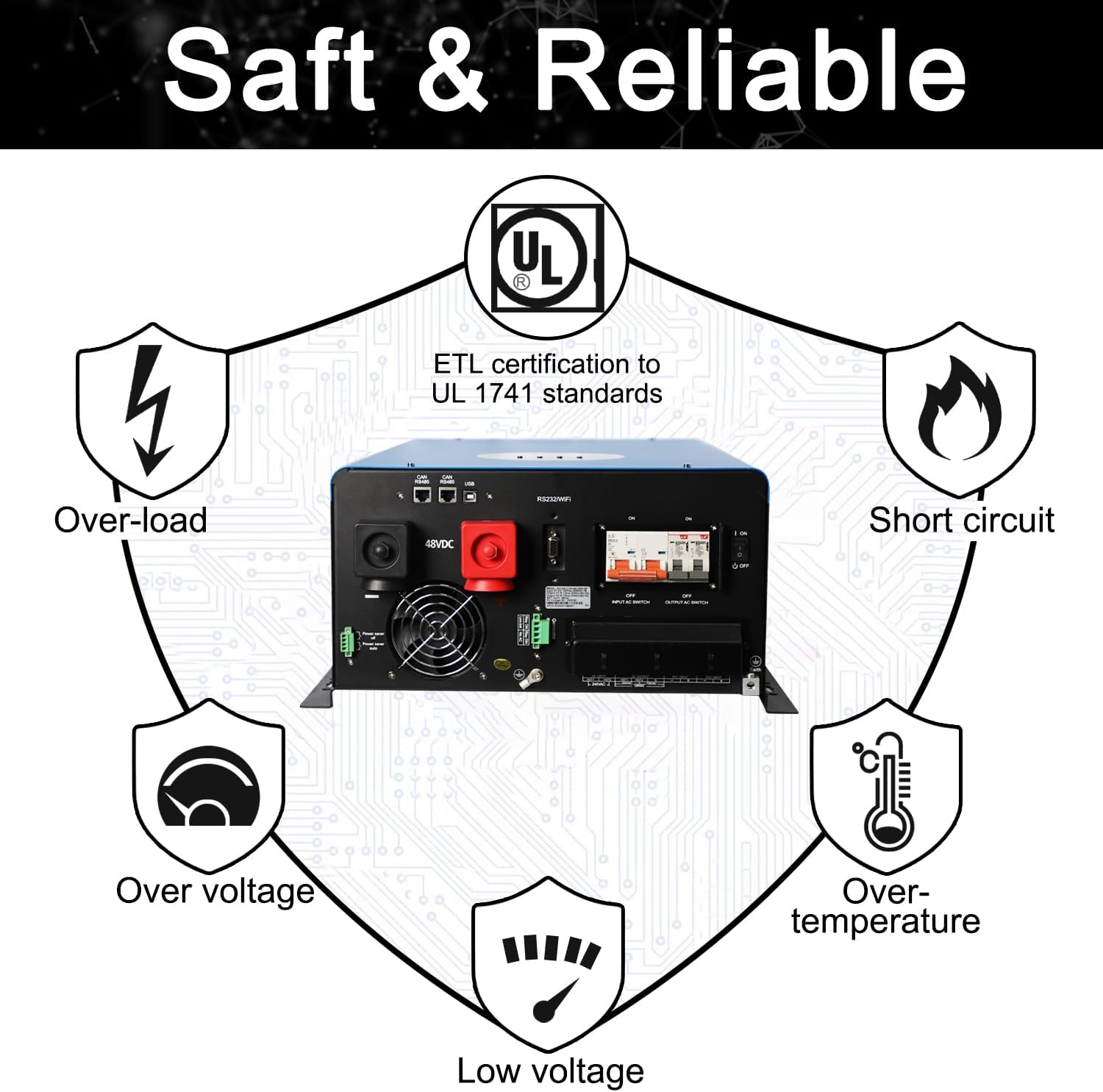
Figure 7: The inverter's LCD display showing system status and control buttons for configuration and selection.
4.2 Working Modes
The inverter offers three primary working modes, configurable via the LCD screen:
- AC Priority: The inverter prioritizes AC input (utility or generator) to power loads and charge batteries. Solar power is used when AC input is unavailable.
- DC Priority: The inverter prioritizes DC input (solar or battery) to power loads. AC input is used as a backup.
- Intelligent Mode: The inverter intelligently manages power flow based on load demand, battery status, and available solar/AC input.
The charging current can also be adjusted through the LCD screen to optimize battery charging.
4.3 AC/Solar Input Selection and Load Capability
You can select the preferred input source (AC or Solar) for powering loads and charging batteries through the inverter's LCD settings. This allows for flexible power management based on your energy availability and preferences. The pure sine wave output ensures compatibility with a wide range of sensitive electronics and inductive loads.
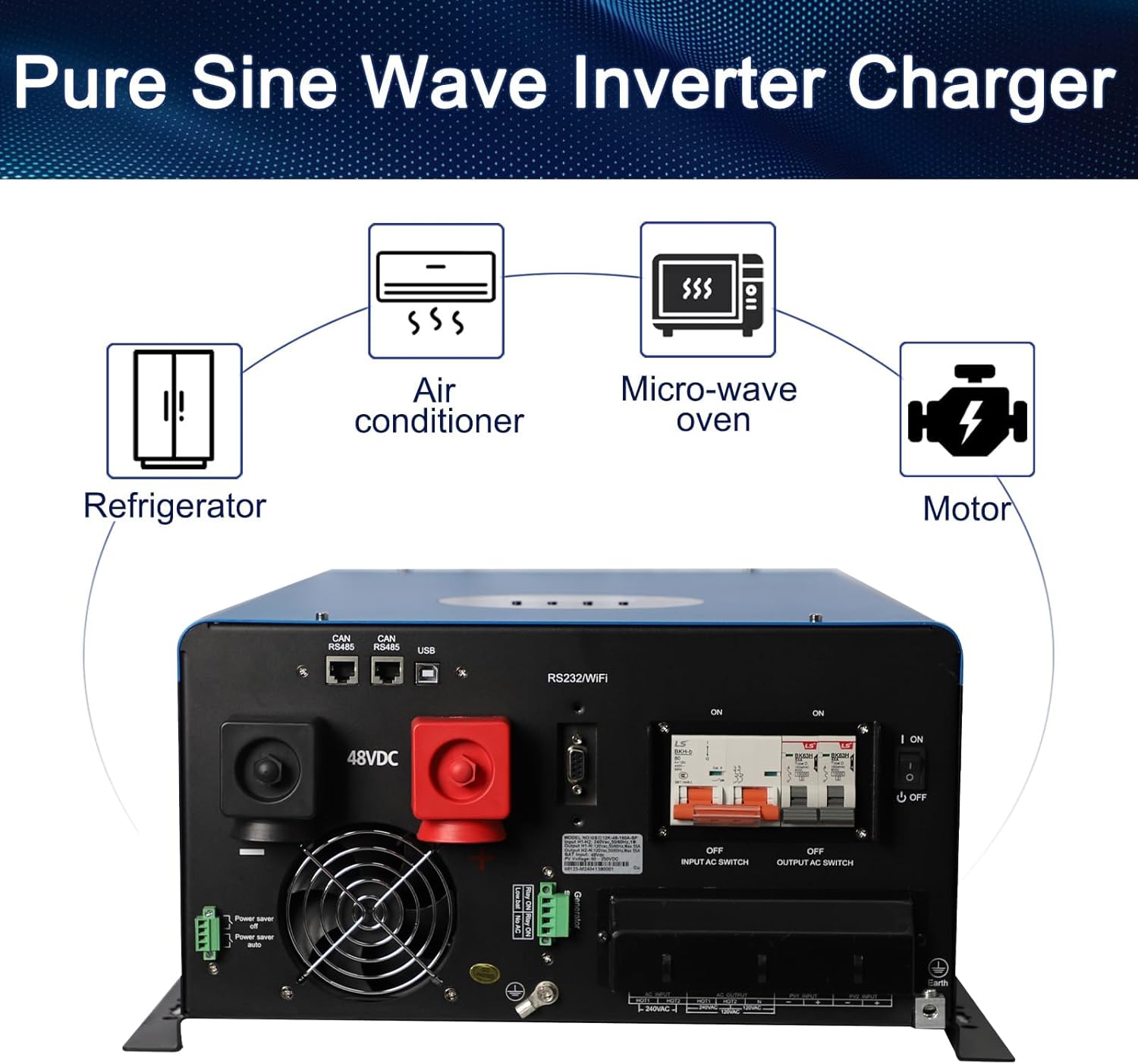
Figure 8: The ZLPOWER inverter provides pure sine wave output, suitable for powering common household appliances such as refrigerators, air conditioners, microwave ovens, and motors.
Video 1: This video demonstrates the ZLPOWER Solar Hybrid Inverter, showcasing its physical features, connectivity options including optional Wi-Fi/SNMP/CAN ports for BMS communication, built-in low-frequency transformer, and the LCD interface for selecting AC/Solar input. It also illustrates the inverter's capability to power household appliances like fans and refrigerators, highlighting its high efficiency and strong overload capacity.
5. Maintenance
Regular maintenance ensures the longevity and optimal performance of your ZLPOWER inverter.
- Cleaning: Keep the inverter clean and free from dust and debris. Use a dry cloth to wipe the exterior. Do not use liquid cleaners.
- Ventilation: Ensure that the cooling fans and ventilation openings are not blocked. The smart fan adjustment system automatically regulates fan speed based on ambient temperature.
- Connections: Periodically check all electrical connections (DC input, AC input/output, battery terminals) for tightness and signs of corrosion.
- Battery Health: Monitor your battery bank's health. For lead-acid batteries, check electrolyte levels if applicable. For all battery types, ensure they are within their recommended operating parameters.
- Firmware Updates: Check the ZLPOWER website or SmartESS app for any available firmware updates for your inverter or Wi-Fi module.
6. Troubleshooting
This section provides solutions to common issues you might encounter with your inverter.
| Problem | Possible Cause | Solution |
|---|---|---|
| Inverter not turning on | No DC input from batteries; DC breaker off; Battery voltage too low. | Check battery connections and voltage; Ensure DC breaker is ON; Charge batteries. |
| No AC output | AC output breaker off; Overload; Over-temperature; Fault condition. | Check AC output breaker; Reduce load; Allow inverter to cool; Check LCD for fault codes. |
| Low battery alarm | Batteries are discharged. | Charge batteries via solar or AC input. Check charging settings. |
| Overload warning | Connected load exceeds inverter capacity. | Reduce the number or power consumption of connected appliances. |
| Wi-Fi connection issues | Incorrect Wi-Fi settings; Datalogger not properly installed; Network interference. | Re-check Wi-Fi module installation; Verify network settings in the app; Ensure strong Wi-Fi signal. |
For persistent issues or fault codes not listed, please refer to the detailed fault code section in the full manual or contact ZLPOWER customer support.
7. Technical Specifications
| Feature | Detail |
|---|---|
| Model Name | 3807f210-0cad-4872-a6a4-9fc04ab049a2 |
| Wattage | 12000 watts |
| Power Source | Solar Powered |
| Recommended Uses | Home, Office, Travel, Camping, Workshop, Hurricane, Storm, Household appliances |
| Brand | ZLPOWER |
| Manufacturer | ZLPOWER |
| Frequency | 60 Hz (Configurable to 50 Hz) |
| AC Output | 110/120V or 240V Split Phase |
| DC Input | 48V |
| Peak Power | 36000 watts |
| MPPT Charger Controller | 2x80A (Max 2x4500W PV input) |
| Maximum Charging Current | 240A |
| Certifications | ETL certification to UL 1741 standards |
| Item Weight | 153.7 pounds |
| Package Dimensions | 28.5 x 20 x 14 inches |
8. Warranty and Support
ZLPOWER is committed to providing reliable, cost-effective clean energy products and high-quality service. We implement strict quality control measures throughout the manufacturing process, from raw material selection to shipment, adhering to ISO9001 standards.
For any questions, technical assistance, or support, please contact ZLPOWER customer service. You can also reach out via WhatsApp for direct assistance:
Contact ZLPOWER Support via WhatsApp
Please refer to your purchase documentation for specific warranty terms and conditions.