
1. Introduction
This manual provides essential instructions for the safe and effective operation, maintenance, and troubleshooting of your ALAIAL 1/4 Drive Digital Torque Wrench. Please read this manual thoroughly before use to ensure proper function and to prevent damage to the tool or injury to yourself.

Image 1.1: Overview of the ALAIAL 1/4 Drive Digital Torque Wrench highlighting its features.
2. Safety Information
- Always wear appropriate personal protective equipment, such as safety glasses, when operating the torque wrench.
- Do not exceed the maximum torque value of 12 Nm (8.8 Ft.Lb). Overloading can damage the wrench and lead to inaccurate readings.
- Ensure the wrench is clean and dry before and after each use.
- Store the torque wrench in its protective case in a dry, secure location away from extreme temperatures.
- This tool is not insulated. Do not use it on live electrical circuits.
- Keep out of reach of children.
3. Package Contents
Verify that all items are present in your package:
- 1 x ALAIAL 1/4" Digital Torque Wrench
- 3 x AAA Batteries
- 1 x Portable Storage Case
- 1 x Calibration Certificate
4. Product Components
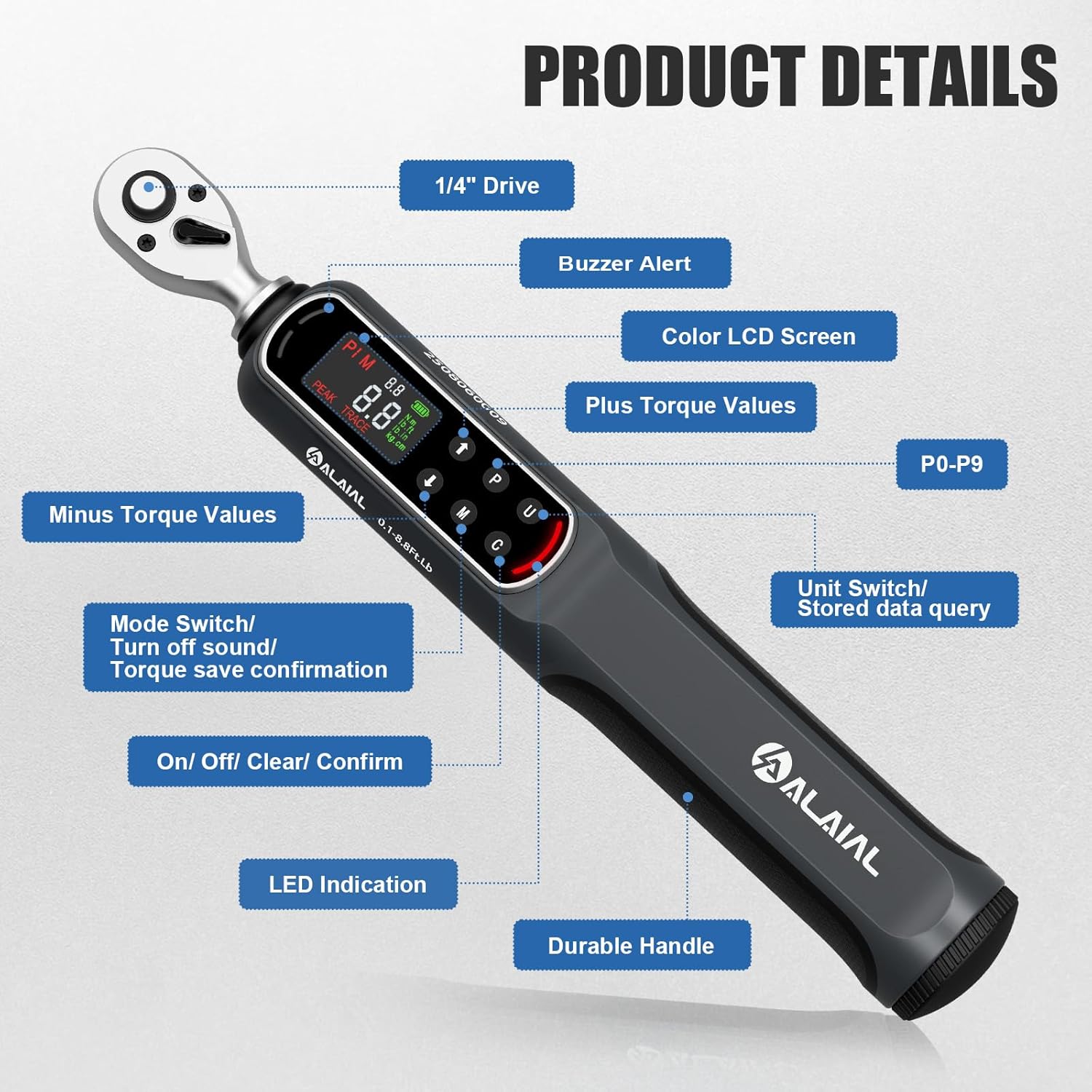
Image 4.1: Detailed view of the digital torque wrench components and control panel.
- 1/4" Drive: For attaching sockets and accessories.
- Buzzer Alert: Provides audible feedback.
- Color LCD Screen: Displays torque values, units, and settings.
- Plus Torque Values (Up Arrow): Increases set torque value or navigates menus.
- Preset (P) Button: Switches between 10 preset torque values (P0-P9).
- Unit (U) Button: Switches between N.m, lb.ft, lb.in, and kg.cm.
- Minus Torque Values (Down Arrow): Decreases set torque value or navigates menus.
- Mode (M) Button: Switches between PEAK and TRACE modes, turns off sound, or confirms torque save.
- On/Off/Clear/Confirm (C) Button: Powers the device on/off, clears data, or confirms selections.
- LED Indication: Provides visual alerts for torque application.
- Durable Handle: Ergonomic design for comfortable grip.
5. Setup
5.1 Battery Installation
The torque wrench requires 3 AAA batteries (included). To install:
- Locate the battery compartment cover on the handle.
- Open the cover.
- Insert 3 AAA batteries, ensuring correct polarity (+/-).
- Close the battery compartment cover securely.
6. Operating Instructions
6.1 Power On/Off
- To Power On: Press the 'C' button. The display will light up.
- To Power Off: Press and hold the 'C' button for approximately 3 seconds. The wrench will also automatically power off after 5 minutes of inactivity to conserve battery.
6.2 Unit Selection
The wrench supports four torque units: N.m, lb.ft, lb.in, and kg.cm.
- Press the 'U' button to cycle through the available units. The selected unit will be displayed on the screen.
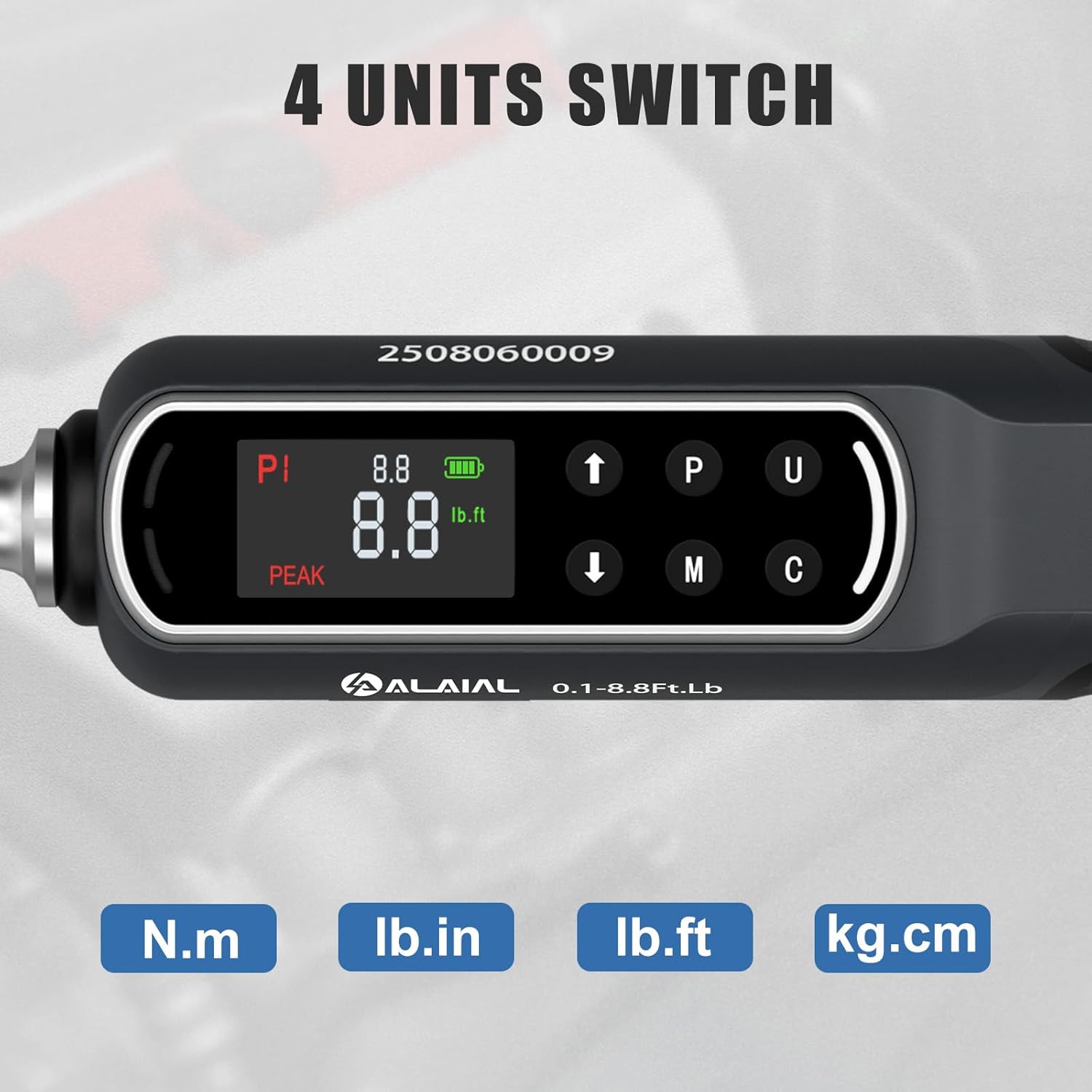
Image 6.1: The display showing different unit options (N.m, lb.in, lb.ft, kg.cm).
6.3 Mode Selection (PEAK / TRACE)
The wrench offers two operating modes:
- PEAK Mode: Displays the maximum torque value applied during a fastening operation. Ideal for verifying the final torque.
- TRACE Mode: Displays real-time torque values as they are applied. Useful for monitoring torque during testing or application.
- Press the 'M' button to switch between PEAK and TRACE modes. The current mode will be indicated on the display.

Image 6.2: The display illustrating PEAK mode (top) and TRACE mode (bottom).
6.4 Setting Target Torque and Presets
You can set a target torque value and store up to 10 presets (P0-P9).
- To Select a Preset: Press the 'P' button to cycle through P0-P9.
- To Adjust a Preset Value: With a preset selected, use the Up (▲) and Down (▼) arrow buttons to increase or decrease the target torque value.
- To Save the Adjusted Preset: Press the 'M' button to confirm and save the new value to the selected preset.
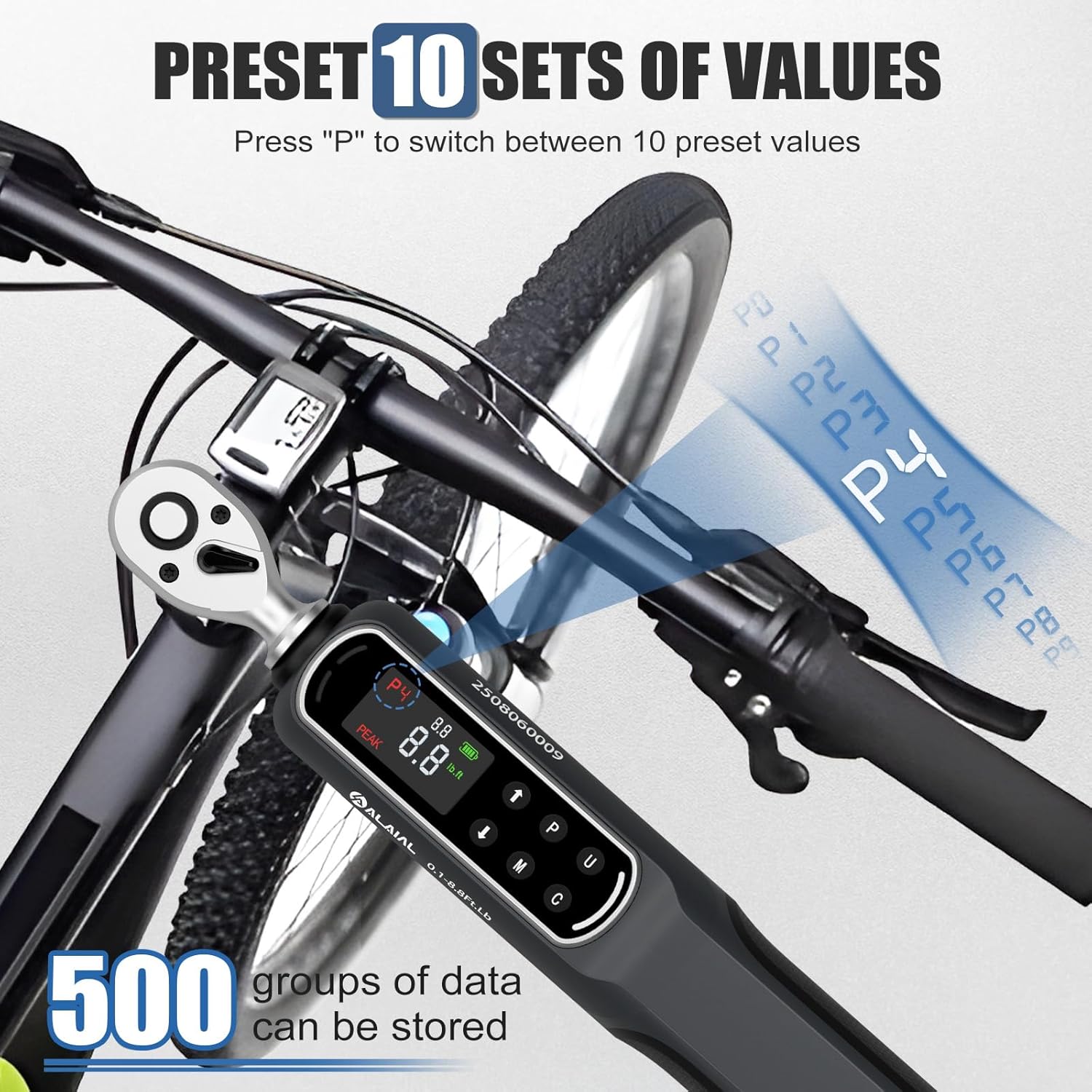
Image 6.3: The wrench display showing preset values (P1) and indicating data storage capability.
6.5 Torque Alert System
The wrench provides visual, audible, and tactile alerts to prevent overtightening.
- In PEAK Mode:
- 85% of Target: Green LED light + Buzzer alert.
- 95% of Target: Yellow LED light + Buzzer alert.
- 100% of Target: Red LED light + Buzzer alert + Handle Vibration.
- In TRACE Mode: The wrench alerts with a buzzer and handle vibration the instant the preset value is reached.

Image 6.4: Illustration of the LED, buzzer, and handle vibration alert system.
6.6 Data Storage
The wrench can store up to 500 torque readings for later review. Refer to the display for data query options, typically accessed via the 'U' button in a specific menu or by cycling through stored data points.
7. Maintenance
- Cleaning: Wipe the wrench with a clean, dry cloth after each use. Do not use abrasive cleaners or solvents.
- Storage: Store the wrench in its protective case in a dry environment. Remove batteries if storing for extended periods to prevent leakage.
- Calibration: Digital torque wrenches require periodic calibration to maintain accuracy. Refer to the included calibration certificate for details. It is recommended to have the wrench professionally calibrated annually or after significant impact.
8. Troubleshooting
| Problem | Possible Cause | Solution |
|---|---|---|
| Wrench does not power on. | Dead or incorrectly installed batteries. | Check battery polarity. Replace with new AAA batteries. |
| Inaccurate torque readings. | Wrench is out of calibration or damaged. | Ensure proper technique. Have the wrench recalibrated. Do not use if visibly damaged. |
| Alerts (buzzer/LED/vibration) not working. | Alerts may be disabled or a malfunction. | Check settings to ensure alerts are enabled. If issue persists, contact support. |
| Display is blank or flickering. | Low battery or environmental factors. | Replace batteries. Operate within specified temperature ranges. |
9. Specifications
- Model: 1/4 Drive Digital Torque Wrench
- Torque Range: 0.1-8.8 Ft.Lb / 0.2-12 Nm
- Accuracy: ±2%
- Drive Size: 1/4 inch
- Units: N.m, lb.ft, lb.in, kg.cm
- Modes: PEAK, TRACE
- Alerts: Buzzer, LED (Green, Yellow, Red), Handle Vibration
- Presets: 10 (P0-P9)
- Data Storage: Up to 500 readings
- Power Source: 3 x AAA Batteries
- Material: Alloy Steel
- Item Weight: 1.02 kg
- Dimensions: 31.7 x 15.19 x 6.2 cm (Parcel Dimensions)
10. Warranty and Support
This ALAIAL Digital Torque Wrench is designed for durability and precision. For warranty information or technical support, please refer to the documentation included with your purchase or contact the retailer where the product was acquired. Keep your purchase receipt as proof of purchase for any warranty claims.