
1. Introduction
This manual provides detailed instructions for the proper use and maintenance of your GOYERRNES GR-5000G Handheld Cup Anemometer. Please read this manual thoroughly before operating the device to ensure accurate measurements and safe operation. This device is designed for measuring air flow (CFM, CMM, CMS) and wind speed (m/s, km/h, ft/min, knots, mph) in various environments, including HVAC systems and outdoor conditions.
2. Safety Information
Always handle the device with care. Do not expose it to extreme temperatures or corrosive substances. Keep out of reach of children. Ensure the battery is correctly installed before use. Do not attempt to disassemble or modify the device, as this may void the warranty and pose safety risks.
3. Package Contents
Verify that all items listed below are present in your package:
- 1x GOYERRNES GR-5000G Digital Anemometer
- 1x Type-C Charging Cable
- 1x Screwdriver
- 1x Hand Strap
- 1x User Manual

Image: The GOYERRNES GR-5000G anemometer and its included accessories: a Type-C charging cable, a small screwdriver, a hand strap, and the user manual, all neatly arranged next to the device and its packaging box.
4. Product Overview
Familiarize yourself with the components and controls of your GR-5000G anemometer.

Image: A detailed diagram of the GOYERRNES GR-5000G anemometer, highlighting key components such as the wind cup sensor, LCD screen, power button, mode button, unit button, data hold/backlight button, MAX/MIN/AVG button, SET button, Type-C port, battery cover, and tripod screw hole.
Key Components:
- Wind Cup Sensor: Measures wind speed and direction.
- LCD Screen: Displays measurement readings and device status.
- Power On/Off Button: Activates and deactivates the device.
- MODE Button: Switches between different measurement modes (e.g., wind speed, air flow).
- MAX/MIN/AVG Button: Toggles between maximum, minimum, and average wind speed readings.
- UNIT Button: Changes measurement units for wind speed and temperature.
- Data Hold & Backlight Button: Freezes the current reading and controls screen backlight.
- SET Button: Used for setting parameters, such as airflow area.
- Type-C Port: For charging the internal battery.
- Battery Cover: Access to the battery compartment.
- Tripod Screw Hole: Allows mounting on a tripod for stable measurements.
5. Setup
5.1 Battery Connection
Before first use, the internal battery must be connected. Follow these steps:
- Locate the battery cover on the back of the device.
- Use the provided screwdriver to open the battery cover.
- Carefully connect the battery connector to the corresponding port inside the compartment.
- Replace the battery cover and secure it with the screw.

Image: A three-step visual guide demonstrating how to connect the internal battery: 1) Unscrewing the battery cover, 2) Connecting the battery plug, and 3) Placing the battery inside the compartment.
5.2 Charging the Device
The GR-5000G features a rechargeable battery. Use the provided Type-C cable to charge the device.
- Connect the Type-C end of the cable to the device's charging port.
- Connect the USB-A end to a standard USB power adapter (not included) or a computer USB port.
- The battery level indicator on the LCD screen will show charging status.

Image: The GOYERRNES GR-5000G anemometer connected to a power bank via its Type-C charging port, illustrating the ease of charging the device.
6. Operating Instructions
6.1 Power On/Off
- Press the Power On/Off button to turn the device on.
- Press and hold the Power On/Off button to turn the device off.
- The device features an auto-off function to conserve battery.
6.2 Measuring Wind Speed and Air Flow (CFM)
The GR-5000G can measure wind speed and air flow (CFM, CMM, CMS) from any direction due to its cup anemometer design.
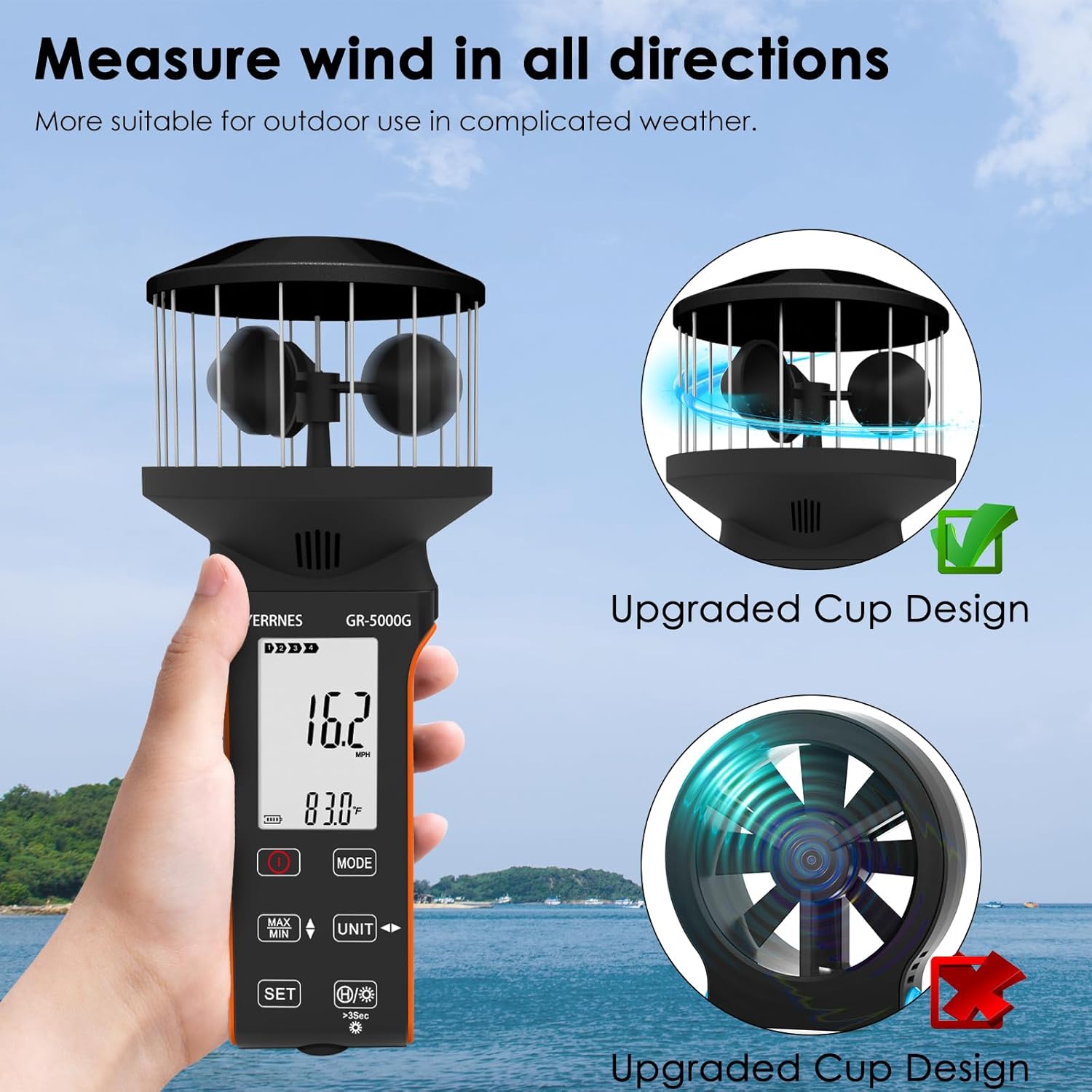
Image: The GOYERRNES GR-5000G anemometer held outdoors, demonstrating its ability to measure wind from all directions with its upgraded cup design, suitable for various weather conditions.
- Turn on the device.
- Use the MODE button to select the desired measurement mode (e.g., wind speed or air flow).
- For air flow (CFM/CMM/CMS) measurements, you may need to set the airflow area using the SET button. Refer to the on-screen prompts for guidance.
- Hold the device in the path of the air flow or wind. The cup sensor will rotate, and readings will appear on the LCD screen.
6.3 Unit Switching
Press the UNIT button to cycle through available units for wind speed (m/s, km/h, ft/min, knots, mph) and temperature (°C, °F).
6.4 MAX/MIN/Average Readings
Press the MAX/MIN/AVG button to view the maximum, minimum, or average recorded values during a measurement session.
6.5 Data Hold and Backlight
- Press the Data Hold & Backlight button once to freeze the current reading on the screen. Press again to release.
- Press and hold the Data Hold & Backlight button to turn the screen backlight on or off.
6.6 Waterproof Touch Buttons
The device features waterproof touch buttons, allowing for operation in various weather conditions without concern for water damage to the controls.

Image: A hand operating the GOYERRNES GR-5000G anemometer in a rainy outdoor setting, highlighting the waterproof touch buttons that ensure functionality even in adverse weather.
6.7 Tripod Mounting
For stable, hands-free measurements, the GR-5000G includes a tripod screw hole at its base.
- Screw the device onto a standard camera tripod (not included).
- This is useful for continuous monitoring or when precise positioning is required.

Image: The GOYERRNES GR-5000G anemometer mounted on a tripod in a scenic outdoor environment, demonstrating its tripod compatibility. Also shown are a compass and a hand strap, indicating additional features or accessories.
7. Maintenance
- Cleaning: Wipe the device with a soft, dry cloth. Do not use abrasive cleaners or solvents.
- Storage: Store the anemometer in a cool, dry place away from direct sunlight and extreme temperatures when not in use.
- Battery Care: Recharge the battery regularly, even if the device is not frequently used, to maintain battery health. Avoid fully discharging the battery for extended periods.
- Sensor Care: Ensure the wind cups are free from obstructions and debris for accurate measurements.
8. Troubleshooting
| Problem | Possible Cause | Solution |
|---|---|---|
| Device does not power on. | Battery not connected or discharged. | Ensure battery is connected (refer to Section 5.1) and fully charged (refer to Section 5.2). |
| Inaccurate readings. | Wind cups obstructed or damaged; incorrect unit selected. | Check wind cups for debris. Ensure correct measurement unit is selected using the UNIT button. |
| Screen is blank or unresponsive. | Device may be off or battery is low. | Press the Power On/Off button. Charge the device if the battery is low. |
9. Specifications
- Model: GR-5000G
- Brand: GOYERRNES
- Product Dimensions: 3.47 x 3.47 x 7.95 inches
- Item Weight: 6.35 ounces (180 Grams)
- Material: Acrylonitrile Butadiene Styrene (ABS)
- Airflow CFM Range: 0-999900
- Airflow Resolution: 0.001-100
- Airflow Area: 0.001-9999 ft²
- Wind Speed Units: m/s, km/h, ft/min, knots, mph
- Temperature Units: °C, °F
- Power Source: Rechargeable (Type-C port)
- Features: Waterproof touch buttons, Max/Min/Average wind speed, Battery level display, Auto-off, Backlight, Tripod screw hole.

Image: The GOYERRNES GR-5000G anemometer shown next to a table detailing its Air Volume Index, including ranges and resolutions for CMM (M³/MIN), CMS (M³/S), and CFM (FT³/MIN), as well as the area measurement range.
10. Warranty and Support
GOYERRNES products are manufactured to high-quality standards. For warranty information or technical support, please refer to the contact details provided with your purchase documentation or visit the official GOYERRNES website. Please retain your proof of purchase for warranty claims.