
Introduction
The INKBIRD IRF-4S Wireless Meat Thermometer is designed to provide accurate temperature monitoring for grilling, smoking, and other cooking applications. With its extended wireless range and multiple probes, you can monitor your food and oven temperatures from a distance, ensuring perfectly cooked results every time. This manual provides comprehensive instructions for setting up, operating, maintaining, and troubleshooting your device.

Figure 1: INKBIRD IRF-4S Wireless Meat Thermometer components.
Key Features
- 1500 Feet Remote Range: Enjoy freedom of movement while monitoring your cook with a super strong and stable wireless signal.
- 4 Probes Included: Comes with 3 meat probes and 1 oven probe, allowing simultaneous monitoring of different foods or oven temperature.
- Wide Temperature Range & High Accuracy: Measures temperatures from 32°F - 572°F (0°C - 300°C) for short-time measurements and 32°F - 482°F (0°C - 250°C) for continuous monitoring, with an accuracy of ±1.8°F (±1°C).
- Rechargeable Battery: Built-in 1000mAh lithium battery provides up to 60 hours of use on a single charge.
- IPX5 Splashproof: Designed to withstand splashes, making it suitable for outdoor grilling in various weather conditions.
- Preset Temperature Alarms & Timer: Features 10 types of meat and 5 levels of taste presets, customizable temperature alarms, and a built-in 99-hour countdown timer.
- Backlit LCD & Multiple Placement Options: Orange backlit display for clear visibility in low light, with magnetic back, wall mount, and tabletop stand options for convenient placement.

Figure 2: Key advantages of the INKBIRD IRF-4S.
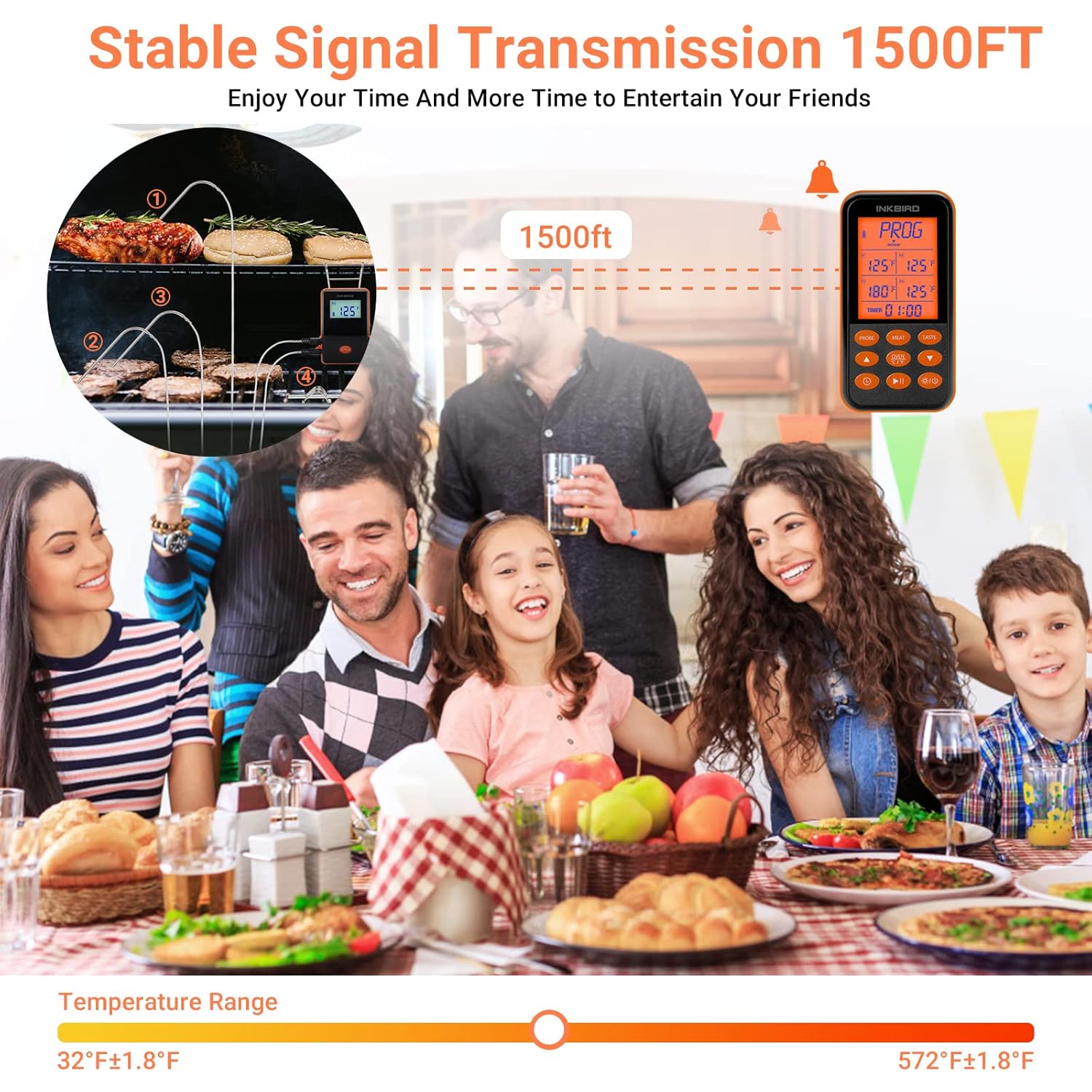
Figure 3: Stable signal transmission for remote monitoring.

Figure 4: USB Type-C charging for extended battery life.

Figure 5: Durability and versatile placement options.
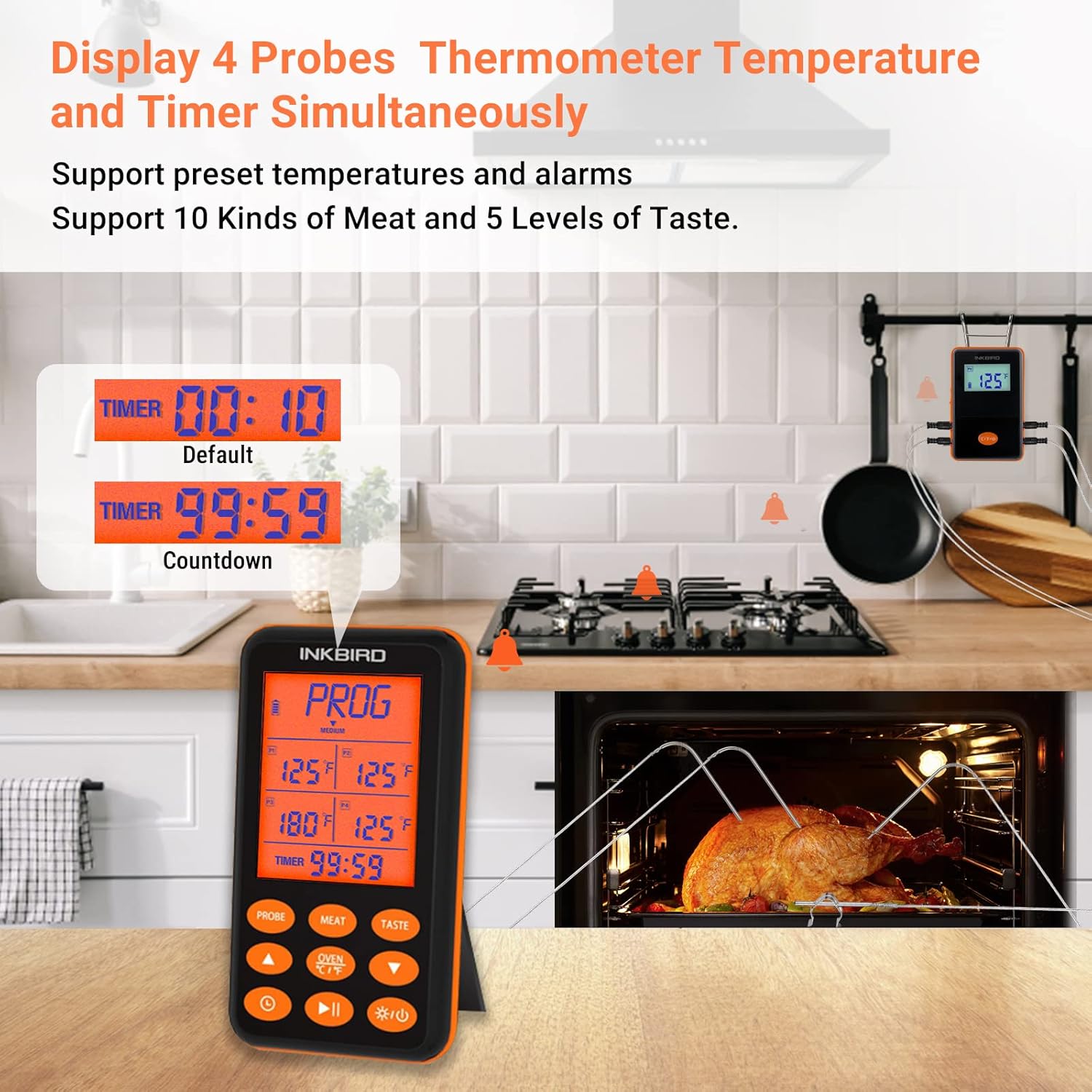
Figure 6: Simultaneous display of four probe temperatures and timer.
Setup
1. Unboxing and Initial Charge
Upon unboxing, ensure all components are present: the receiver unit, transmitter unit, 3 meat probes, 1 oven probe, and a USB charging cable. It is recommended to fully charge both the receiver and transmitter before first use. Connect the USB cable to a standard USB power adapter (not included) and plug it into the charging port on each unit. The battery indicator on the display will show charging progress.
2. Probe Connection
Carefully insert the probe connectors into the corresponding ports on the transmitter unit. Ensure they are firmly inserted until you hear a click sound. This ensures a secure connection and proper temperature readings. If a probe is not firmly inserted, the display may show "ER", "---", "LLL", or "HHH".
Video 1: Demonstration of the INKBIRD IRF-4S with its four probes in use, showcasing its features and functionality.
Operating Instructions
1. Power On/Off
Press and hold the power button on both the receiver and transmitter units to turn them on or off. The units will automatically connect to each other once powered on.
2. Setting Temperature Alarms
- Press the "PROBE" button to select the desired probe (P1, P2, P3, P4).
- Press the "MEAT" button to cycle through preset meat types (Beef, Veal, Lamb, Pork, Oven, Chicken, etc.) or press "PROG" to set a custom temperature.
- Use the Up/Down arrow buttons to adjust the target temperature for the selected probe.
- Press the "TASTE" button to select the desired doneness level (e.g., Well, Medium, Rare) for preset meat types.
- The alarm will sound and flash when the target temperature is reached.
3. Using the Timer
The IRF-4S includes a countdown timer. Press the "TIMER" button to activate the timer function. Use the Up/Down arrow buttons to set the desired time (up to 99 hours and 59 minutes). Press the Play/Pause button to start or pause the timer. An alarm will sound when the timer reaches zero.
4. Temperature Unit Selection
To switch between Celsius (°C) and Fahrenheit (°F), press the "C/°F" button on the receiver unit.
Maintenance
1. Cleaning Probes
After each use, clean the probe tips with warm soapy water. Wipe them thoroughly with a damp cloth and dry completely. Do not immerse the probe connectors or the main units in water. The probes are waterproof, but the main units are only splashproof (IPX5).
2. Battery Care
The units feature rechargeable lithium batteries. Recharge them when the battery indicator is low. For long-term storage, ensure the batteries are partially charged (around 50%) to prolong their lifespan. Avoid storing in extreme temperatures.
3. Storage
Store the thermometer and probes in a clean, dry place when not in use. Keep them away from direct sunlight and extreme temperatures.
Troubleshooting
| Problem | Possible Cause | Solution |
|---|---|---|
| "ER", "---", "LLL", or "HHH" displayed | Probe not firmly inserted or probe malfunction. | Ensure the probe is fully inserted into the port until it clicks. If the issue persists, the probe may be faulty and require replacement. |
| No connection between receiver and transmitter | Units are too far apart, obstacles blocking signal, or low battery. | Move the receiver closer to the transmitter. Reduce obstacles between units. Recharge both units. The units should automatically reconnect if contact is temporarily lost. |
| Inaccurate temperature readings | Probe not inserted correctly into food, probe malfunction, or external factors. | Ensure the probe tip is in the thickest part of the meat, avoiding bone or gristle. Test the probe in boiling water (212°F/100°C) for accuracy. |
| Alarm not sounding | Alarm volume too low or disabled. | Check the alarm settings and ensure the volume is adequate. |
Specifications
| Feature | Detail |
|---|---|
| Model Number | IRF-4S |
| Temperature Range (Short-time) | 32°F - 572°F (0°C - 300°C) |
| Temperature Range (Continuous) | 32°F - 482°F (0°C - 250°C) |
| Temperature Accuracy | ±1.8°F (±1°C) |
| Wireless Range | Up to 1500 feet (line of sight) |
| Probes Included | 4 (3 meat, 1 oven/ambient) |
| Battery Type | 1000mAh Rechargeable Lithium Battery (included) |
| Battery Life | Up to 60 hours (fully charged) |
| Waterproof Rating | IPX5 Splashproof |
| Display Type | Digital LCD with Backlight |
| Connectivity Technology | Wireless RF (not Bluetooth, despite product spec listing Bluetooth, the feature bullets and reviews emphasize RF range and no app connection) |
| Product Dimensions | 12 x 0.01 x 0.01 inches |
| Item Weight | 1.21 Pounds |
Warranty and Support
For detailed warranty information and customer support, please refer to the official Inkbird website or contact their customer service directly. A digital version of the user manual is also available for download:
For further assistance, please visit the Inkbird Store on Amazon.