
Nillkin GP8P-64885-4
Nillkin Google Pixel 9 Pro XL Case Instruction Manual
Model: GP8P-64885-4
Introduction
This manual provides detailed instructions for the Nillkin Google Pixel 9 Pro XL Case. Designed with a sliding camera cover, anti-scratch properties, and military-grade drop protection, this case offers comprehensive safeguarding for your device while maintaining a slim profile and supporting wireless charging.
Setup
To install your Nillkin Google Pixel 9 Pro XL Case:
- Ensure your Google Pixel 9 Pro XL device is clean and free of dust or debris.
- Align the phone with the soft TPU frame of the case.
- Gently press the phone into the case, starting from one corner and working your way around, ensuring all edges are securely fitted.
- Verify that all buttons and ports are correctly aligned with the case's cutouts.

Figure 1: Nillkin Google Pixel 9 Pro XL Case securely installed on the device.
Operating Instructions
1. Sliding Camera Cover
The case features a patented sliding camera cover designed to protect your camera lenses from scratches and maintain privacy. To use:
- To expose the camera lenses, gently slide the cover horizontally until it fully retracts.
- To protect the camera lenses, slide the cover back into its closed position until it clicks securely.

Figure 2: The sliding camera cover in action, providing lens protection.
Video 1: Demonstration of the Nillkin Pixel 9 Pro XL case with its sliding camera cover, showcasing its functionality and protective features.
2. Wireless Charging
The Nillkin case is designed to be compatible with wireless charging. You do not need to remove the case to charge your Google Pixel 9 Pro XL wirelessly.
Video 2: Official Nillkin video demonstrating the camera cover case for Google Pixel 9 Pro XL, including wireless charging compatibility.
Video 3: FNTCASE Phone Cover Magnetic Charge, illustrating magnetic charging functionality with a similar case design.
3. Magsafe Compatibility
This Nillkin case is designed to be compatible with Magsafe accessories, allowing for secure attachment of Magsafe chargers and other compatible accessories.
Video 4: Nillkin Magsafe Case for Google Pixel 9 Pro XL, demonstrating Magsafe compatibility and features.
4. Drop Protection
The Nillkin case features military-grade drop protection, incorporating a multi-cushion structure and shock-absorbing airbags in its four corners. This design is scientifically calculated and tested to withstand drops up to 12 feet, protecting your device from impacts.
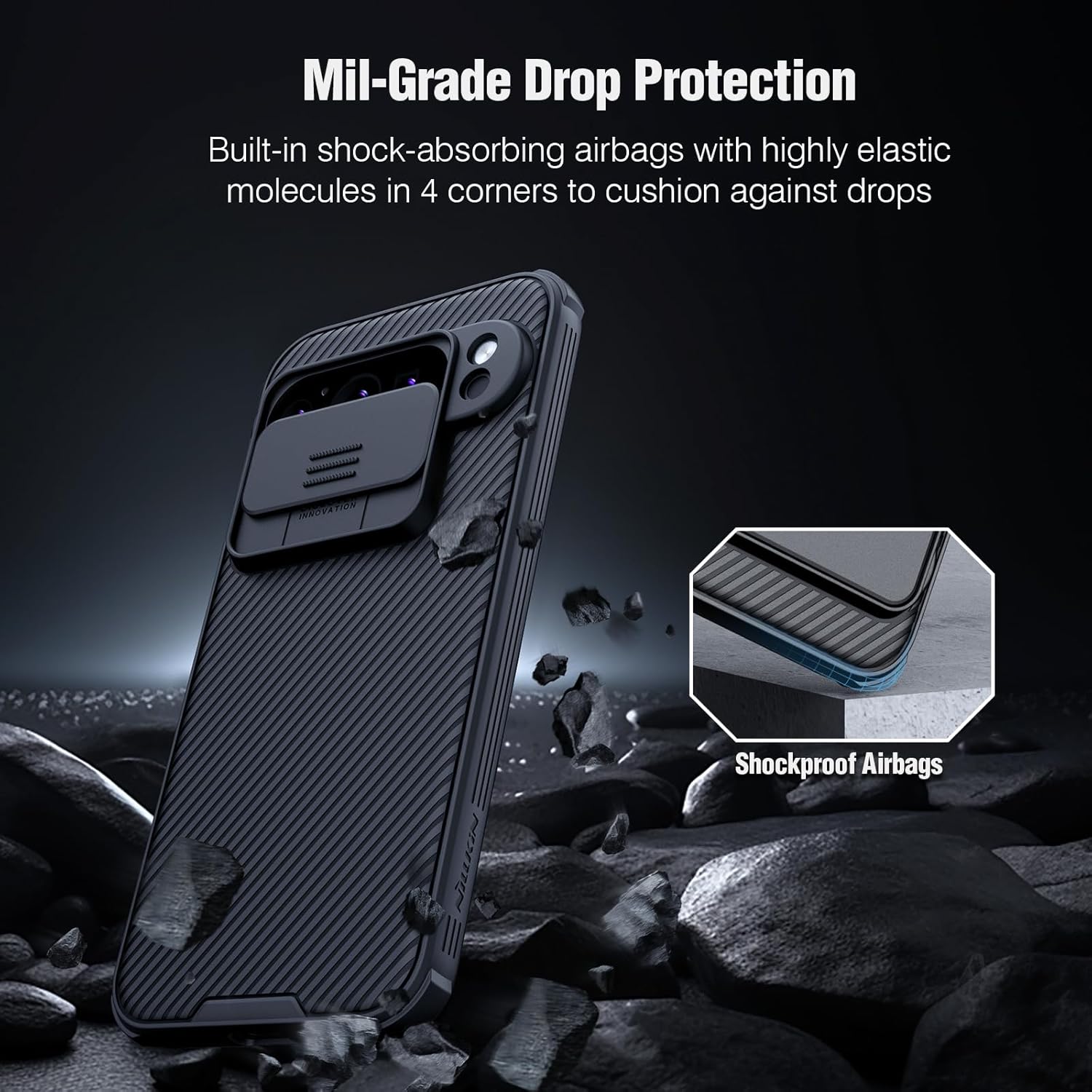
Figure 3: Illustration of the case's built-in shock-absorbing airbags for enhanced drop protection.
Maintenance
To maintain the appearance and functionality of your Nillkin case:
- Clean the case regularly with a soft, damp cloth. Avoid abrasive cleaners or solvents that may damage the material.
- For the sliding camera cover, ensure it remains free of dust and debris to allow for smooth operation. If the slide becomes stiff, gently clean the tracks.
- Avoid prolonged exposure to direct sunlight or extreme temperatures, which can affect the case's material integrity.
Troubleshooting
| Issue | Possible Cause | Solution |
|---|---|---|
| Camera cover is stiff or difficult to slide. | Accumulation of dust or debris in the sliding mechanism; new product stiffness. | Clean the sliding tracks with a soft cloth. For new cases, repeated use will typically loosen the mechanism. Applying a tiny amount of lip balm or silicone spray to the sides of the slide can help, ensuring it does not contact the camera lenses. |
| Wireless charging not working. | Misalignment on charging pad; incompatible charger; phone not properly seated in case. | Ensure the phone is centered on the wireless charging pad. Use a compatible wireless charger. Re-seat the phone in the case to ensure proper fit. |
| Buttons are unresponsive. | Incorrect case installation; debris under buttons. | Remove the phone from the case and re-install, ensuring proper alignment. Check for any debris around the button areas. |
Specifications
- Model Number: GP8P-64885-4
- Compatible Phone Models: Google Pixel 9 Pro XL (2024)
- Material: PC hard back with TPU edge
- Color: Black
- Product Dimensions: 3.94 x 3.15 x 0.79 inches
- Item Weight: 7.1 ounces
- Special Features: Sliding camera cover, Advanced multi-cushion structure, Precision cuts, Wireless charging friendly, Exquisite Appearance
- Drop Protection: Military-grade (tested up to 12 FT)
- Screen Protection: 1mm higher screen edge
- Lens Protection: 1mm higher lens design

Figure 4: Functional and compact design highlighting the hard PC panel, soft TPU frame, and shock-absorbing airbags.
Warranty and Support
Nillkin products are designed for durability and performance. For any product issues or support inquiries, please contact Nillkin customer service. Refer to your purchase documentation for specific warranty details.
Ask a question about this manual
Ask about setup, troubleshooting, compatibility, parts, safety, or missing instructions. Manuals+ will review the question and use this page’s manual context to help answer it.