
QuTZ New CVC Words Spelling
QuTZ Talking Flash Cards CVC Word Spelling Games Instruction Manual
Model: New CVC Words Spelling
Introduction
The QuTZ Talking Flash Cards CVC Word Spelling Games device is designed to assist children in learning spelling and sight words through interactive play. This manual provides comprehensive instructions for setup, operation, maintenance, and troubleshooting to ensure a beneficial learning experience.

Image: The QuTZ Talking Flash Cards device displaying the word 'OWL' with corresponding letter cards and other themed word cards.
What's in the Box
- 1 x Card Reader
- 107 x Words Cards
- 52 x Letter Cards
- 1 x Type C Cable
- 1 x Storage Bag

Image: A visual representation of all items included in the QuTZ Talking Flash Cards package.
Setup
- Charging the Device: Before first use, fully charge the card reader using the provided Type C cable. The device requires 1 Lithium Ion battery (included).
- Power On/Off: Locate the power switch on the device. Slide it to the 'ON' position to power on. To power off, slide the switch to the 'OFF' position.
- Organize Cards: Separate the 107 word cards and 52 letter cards. The included storage bag can be used to keep them organized.
Operating Instructions
The QuTZ Talking Flash Cards offer an interactive learning experience with two primary playing modes.
Playing Modes
- Mode 1: Letter Matching Games
Each word card is double-sided. One side features a word and a picture. Insert a word card into the card reader. The device will pronounce the word. Then, find the corresponding letter cards and insert them one by one to spell out the word. The device will pronounce each letter as it's inserted. - Mode 2: Practice Mode
The other side of the word cards features only a picture. Insert this side into the card reader to practice word recognition and recall without immediate spelling prompts.
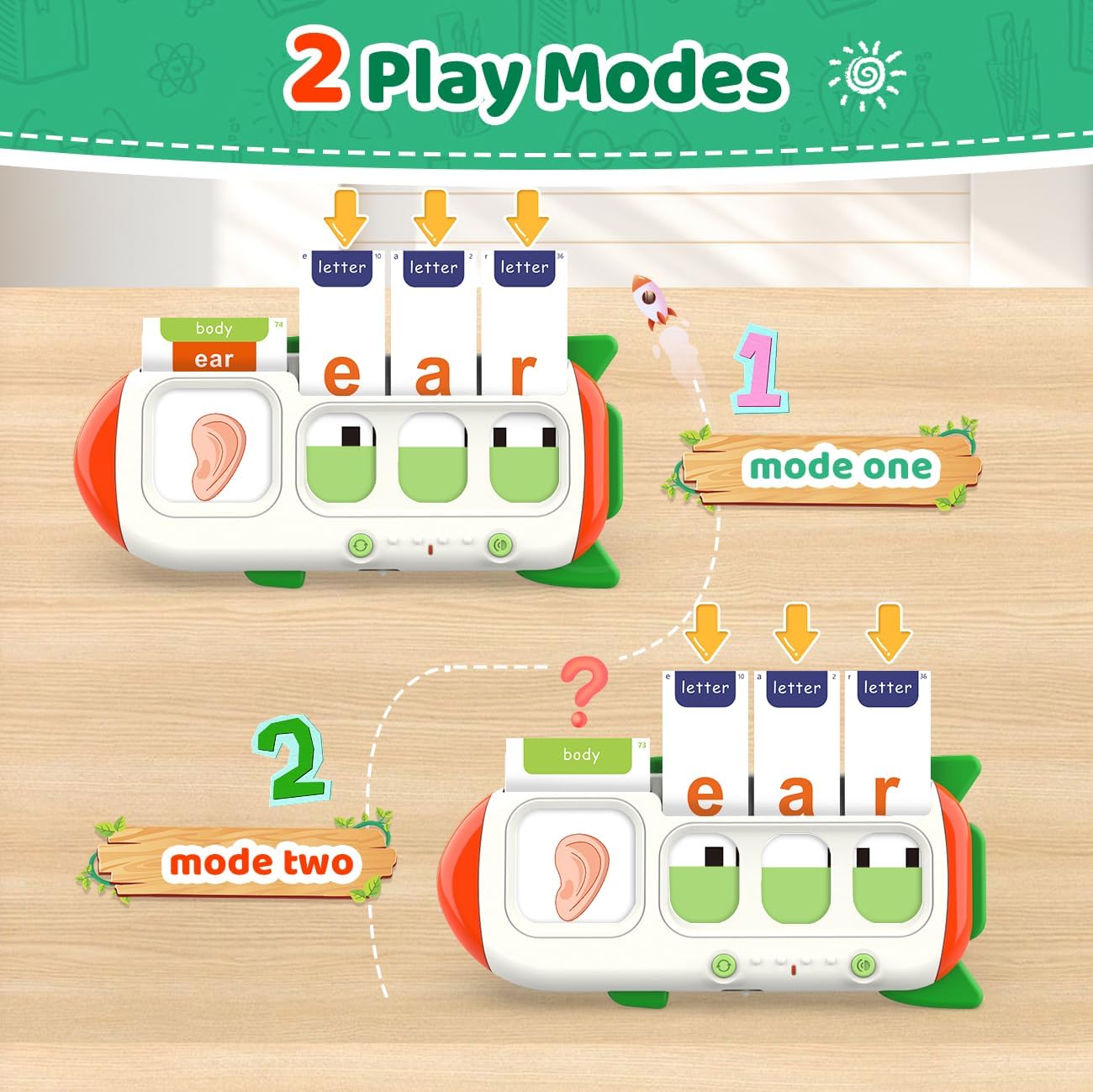
Image: A visual guide demonstrating the two interactive playing modes of the device.
General Operation
- Inserting Cards: Gently slide the chosen flash card into the designated slot on the card reader. Ensure the card is inserted correctly for the device to recognize it.
- Volume Control: Use the volume buttons on the device to adjust the sound level to a comfortable setting.
- Repeat Function: Press the repeat button to hear the last word or sound again.
- Music Cards: The set includes 6 music cards with nursery rhymes. Insert these cards to play the songs.

Image: An overview of the diverse range of 107 word cards across 15 themes, including 6 music cards and 26 letter cards.
Features
- Interactive Learning: Provides an engaging way to learn CVC words, spelling, and vocabulary.
- Dual-Sided Cards: Each word card offers both a word/picture side for matching and a picture-only side for practice.
- Comprehensive Content: Includes 107 word cards across 15 themes and 52 letter cards (double-sided for upper and lower case).
- Auditory Feedback: The card reader pronounces words and letters, enhancing auditory learning.
- Music Integration: Features 6 nursery rhyme cards for added fun and engagement.
Maintenance
- Cleaning: Wipe the card reader and cards with a soft, dry cloth. Avoid using harsh chemicals or abrasive materials.
- Storage: Store the device and cards in the provided storage bag in a cool, dry place away from direct sunlight and extreme temperatures.
- Battery Care: Recharge the device regularly to maintain battery health. Avoid overcharging or completely draining the battery for extended periods.
Troubleshooting
- Device Not Turning On: Ensure the device is fully charged. Check the power switch is in the 'ON' position.
- No Sound/Low Sound: Check the volume settings using the volume buttons. Ensure the card is inserted correctly.
- Card Not Recognized: Ensure the card is inserted fully and correctly into the slot. Check for any damage or dirt on the card's barcode area.
- Device Freezing: Try turning the device off and then on again. If the issue persists, allow the battery to fully drain and then recharge.
Specifications
| Feature | Detail |
|---|---|
| Age Range (Description) | Ages 3+ years |
| Manufacturer Recommended Age | 36 months - 8 years |
| Product Dimensions | 10"L x 5"W |
| Item Weight | 1.06 pounds |
| Batteries | 1 Lithium Ion batteries required (included) |
| Number of Pieces | 1 (device) |
| Manufacturer | QuTZ |
Safety Information
For external use only. Keep small parts away from young children to prevent choking hazards. Adult supervision is recommended during play.
Warranty and Support
For warranty information or product support, please contact QuTZ customer service through the retailer's platform or visit the official QuTZ brand store. Please retain your proof of purchase for any warranty claims.
Visit the QuTZ Store for more information.