
1. Introduction
Thank you for choosing the Homall Electric Standing Desk. This manual provides essential information for the safe and efficient assembly, operation, and maintenance of your new desk. Designed to promote a healthier office style, this desk allows you to seamlessly switch between sitting and standing positions, reducing the strain associated with prolonged sitting and enhancing focus and productivity.
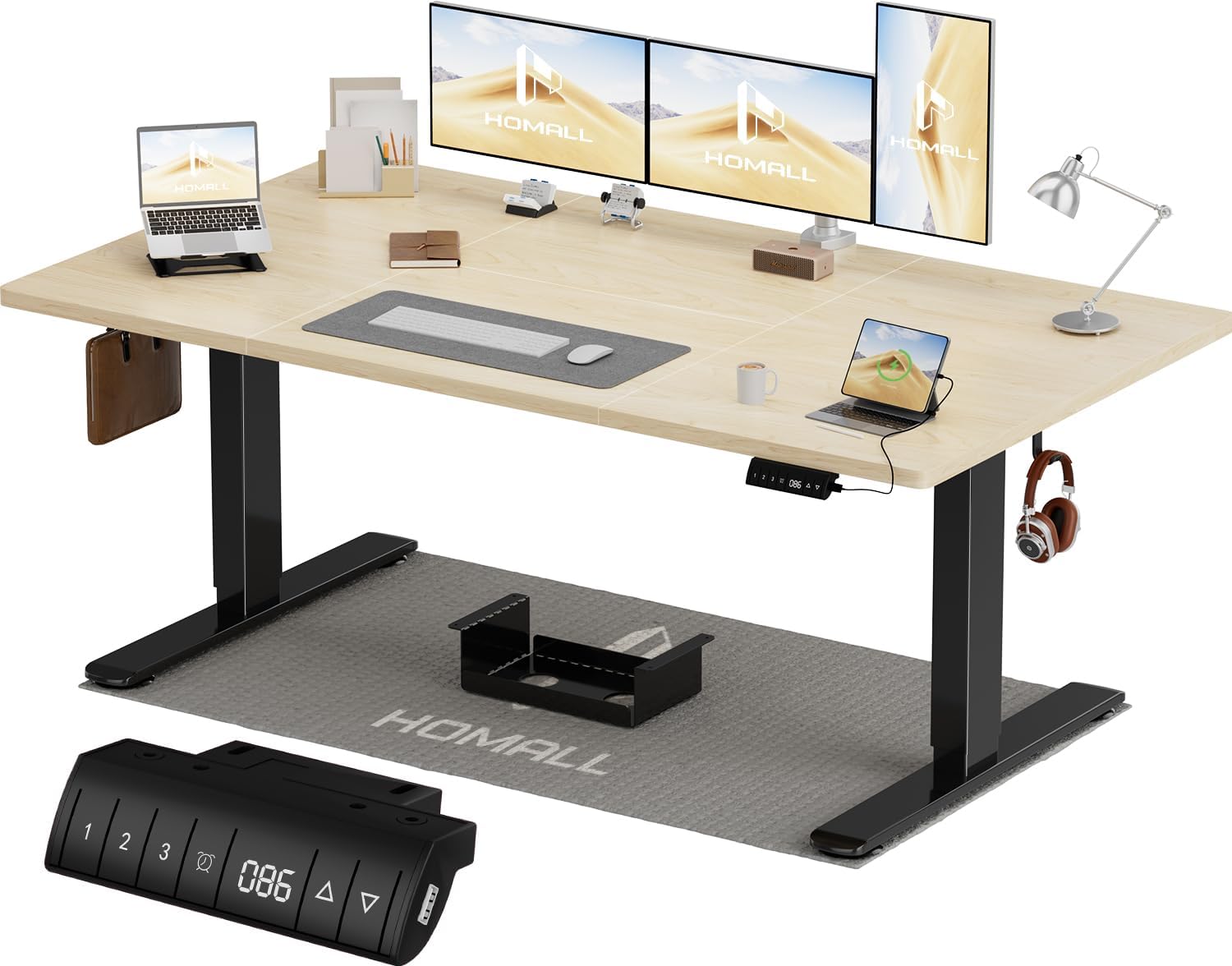
Figure 1: Homall Electric Standing Desk with control panel and accessories.
The Homall Electric Standing Desk features exceptional stability with an all-steel frame, a large wooden desktop, and a smart control panel with memory functions for personalized height settings.
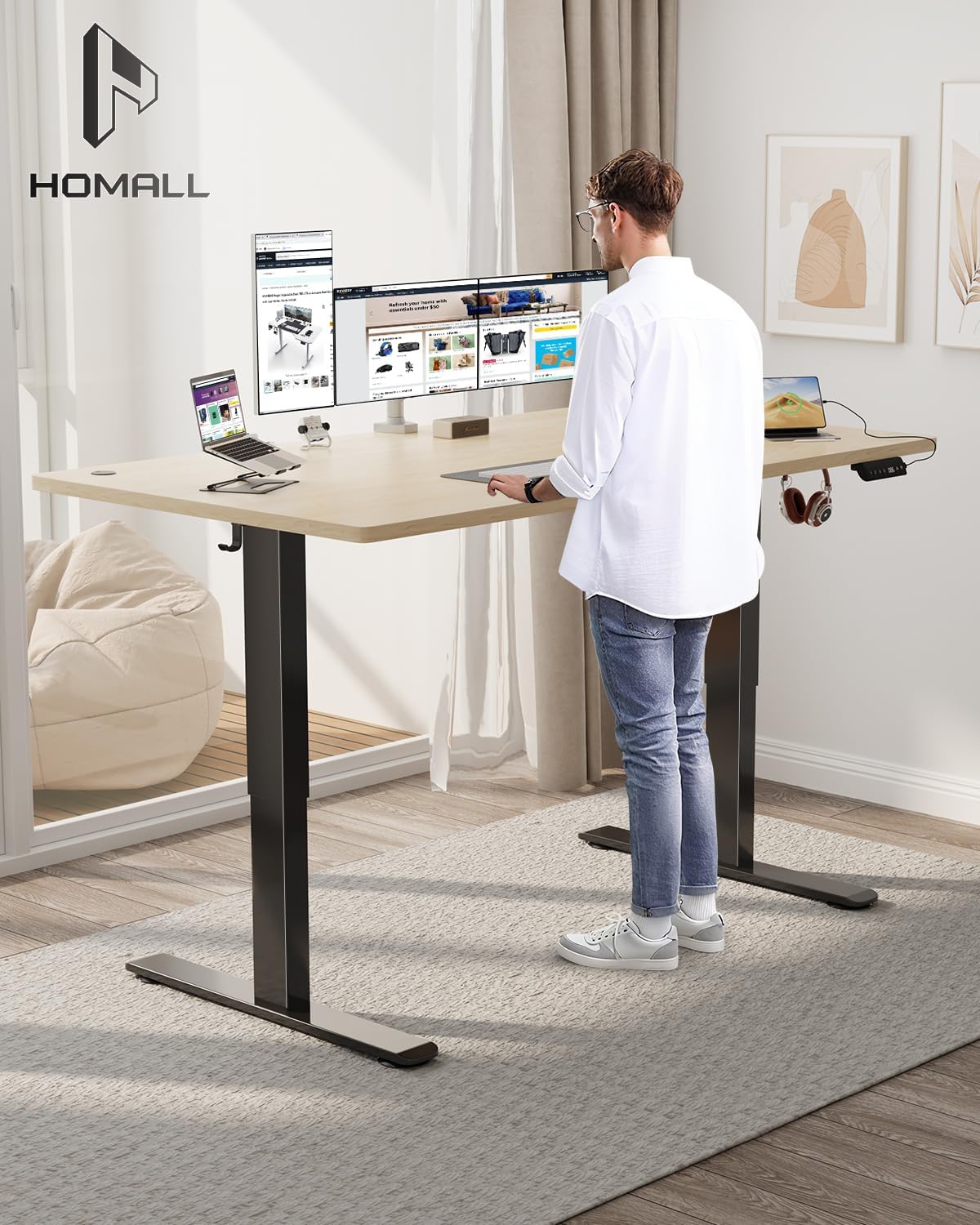
Figure 2: User demonstrating the standing position with the Homall Electric Standing Desk, highlighting its ergonomic benefits.
2. Safety Information
- Ensure all components are securely fastened before use.
- Keep children and pets away from the desk during height adjustment.
- Do not overload the desk beyond its maximum weight capacity of 80 kg (176.37 lbs).
- Avoid placing liquids directly on the control panel or near electrical components.
- Disconnect power before cleaning or performing any maintenance.
- Do not attempt to modify the desk's electrical or mechanical components.
3. Package Contents
Verify that all parts are present before beginning assembly. If any parts are missing or damaged, please contact customer service.
- Desktop Panels (4 sections)
- Desk Frame (Legs, Crossbar)
- Control Panel
- Power Adapter and Cable
- Assembly Hardware (Screws, Wrenches, etc.)
- Cable Management Tray
- Headphone Hooks
- Instruction Manual

Figure 3: Key features including the complete assembly kit, cable management tray, and convenient hooks.
4. Setup and Assembly
Assembly is straightforward with the provided detailed instructions. Please note that the desktop is composed of four separate panels.

Figure 4: The desktop is comprised of four panels that fit together to form the full surface.
Assembly Steps:
- Unpack Components: Carefully remove all parts from the packaging and lay them out on a clean, flat surface.
- Assemble Desk Frame: Follow the included diagram to connect the desk legs to the crossbar. Ensure all screws are tightened securely.
- Attach Desktop Panels: Place the four desktop panels onto the assembled frame. Align them precisely and secure them using the provided screws. Ensure the panels are tightly joined to minimize gaps.
- Install Control Panel: Mount the control panel to the underside of the desktop in the designated area.
- Connect Power: Connect the power cable to the control unit and then to a power outlet.
- Organize Cables: Utilize the included cable management tray and hooks to neatly route and secure all cables, preventing tangles and ensuring a clean workspace.
5. Operating Instructions
Your Homall Electric Standing Desk features an intuitive control panel for easy height adjustment and memory functions.

Figure 5: The intelligent control panel for height adjustment and memory functions.
Control Panel Functions:
- Up/Down Buttons (▲ / ▼): Press and hold to manually adjust the desk height. Release to stop at your desired level.
- Memory Presets (1, 2, 3): The desk offers 3 programmable height settings. To save a height: Adjust the desk to your desired height, then press the 'M' button (or similar memory set button if present, otherwise assume direct press on 1, 2, or 3 after setting height) followed by the desired number (1, 2, or 3). The display will confirm the setting. To recall a saved height, simply press the corresponding number button (1, 2, or 3).
- Display: Shows the current desk height in centimeters.
- USB-C Port: Conveniently located on the control panel for charging your devices.
- Sit-Stand Reminder: (If applicable, based on image interpretation) Some models may include a timer function to remind you to switch between sitting and standing positions. Consult your specific control panel for details.
- Child Lock: (If applicable, based on image interpretation) Some models may feature a child lock function to prevent accidental adjustments. Consult your specific control panel for details on activation and deactivation.
6. Maintenance
- Cleaning: Wipe the desk surface and frame with a soft, damp cloth. Avoid abrasive cleaners or harsh chemicals that could damage the finish.
- Regular Checks: Periodically check all screws and connections to ensure they remain tight. Retighten if necessary.
- Cable Management: Ensure cables are properly managed to prevent pinching or damage during height adjustments.
- Motor Care: The electric motor is designed for durability. Avoid continuous up/down cycles without rest, as this can lead to overheating.
7. Troubleshooting
If you encounter any issues with your Homall Electric Standing Desk, please refer to the following common troubleshooting steps:
| Problem | Possible Cause | Solution |
|---|---|---|
| Desk does not move. | Power cable disconnected; Overload; Motor overheating. | Check power connection. Reduce weight on desk. Allow motor to cool down for 20 minutes. |
| Desk moves unevenly or makes unusual noise. | Loose connections; Obstruction; Uneven weight distribution. | Check all screws and connections. Remove any obstructions. Distribute weight evenly on the desktop. |
| Memory function not working. | Incorrect programming. | Refer to Operating Instructions to reprogram memory presets. |
| Display shows an error code. | System malfunction. | Disconnect power for 30 seconds, then reconnect. If error persists, contact customer service. |
8. Specifications
Detailed technical specifications for your Homall Electric Standing Desk.
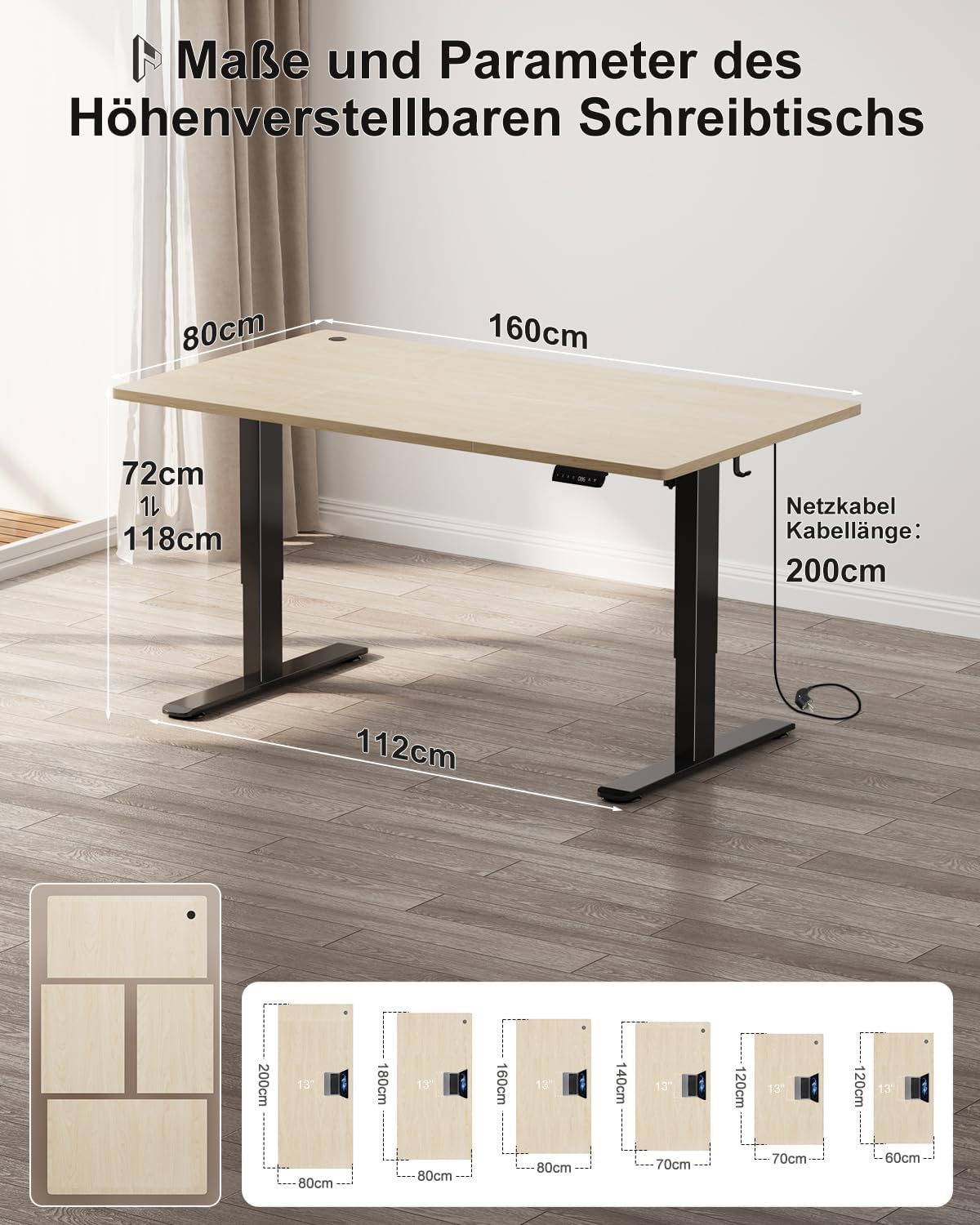
Figure 6: Dimensions of the Homall Electric Standing Desk.
| Feature | Detail |
|---|---|
| Brand | Homall |
| Model Number | 0496 |
| Color | Beige + Black |
| Product Dimensions (L x W x H) | 160 x 80 x 72 cm (min height) |
| Adjustable Height Range | 72 cm to 128 cm |
| Desktop Material | Wood (4-part desktop) |
| Frame Material | Alloy Steel |
| Item Weight | 18 Kilograms |
| Maximum Weight Recommendation | 80 kg (176.37 lbs) |
| Noise Level | 45 dB (Whisper-quiet operation) |

Figure 7: The desk features a robust 80x50mm steel frame with 2.5mm wall thickness for enhanced stability.

Figure 8: Structural stability is ensured by steel support rods and stable legs, supporting up to 70kg.
9. Warranty and Support
Homall is committed to providing quality service to our users. This product comes with a detailed instruction manual and all necessary accessories for easy assembly.
For any questions, concerns, or assistance with assembly, operation, or troubleshooting, please contact Homall Customer Service. Refer to your purchase documentation for specific warranty terms and contact information.


