
Introduction
This manual provides essential information for the safe and effective use of your Azocek Power Wheel Adapter. This adapter is designed to convert Dewalt 18V/20V Lithium batteries for use in various DIY applications, including power wheels, RC cars, toys, and robotics. It features integrated protection mechanisms and a convenient power switch.
Safety Information
- This power wheel adapter is not a charger. It only outputs voltage and power directly from your battery.
- Ensure correct polarity when connecting wires: red wire to positive (+) and black wire to negative (-). Incorrect connection can damage the adapter and connected devices.
- Always remove the battery from the adapter when not in use for extended periods to prevent potential battery drain.
- Do not exceed the maximum allowable current of 30A for the 12AWG wire.
- Keep the adapter away from water, moisture, and extreme temperatures.
- Do not attempt to disassemble or modify the adapter.
Product Features
- Integrated Protection: Built-in smart chip provides over-current, over-discharge, short-circuit, and low-voltage protection for battery and devices.
- Convenient Switch & Indicator: Features an integrated push-button switch and LED indicator to show operating mode and alert for low power or overcurrent conditions.
- High-Quality Construction: Made with heat-resistant ABS material and premium 12AWG wire for enhanced safety and conductivity.
- High Current Capacity: Supports a maximum allowable current of 30A.

Image: Comparison of the upgraded adapter's features against an older design, emphasizing improved safety and functionality.
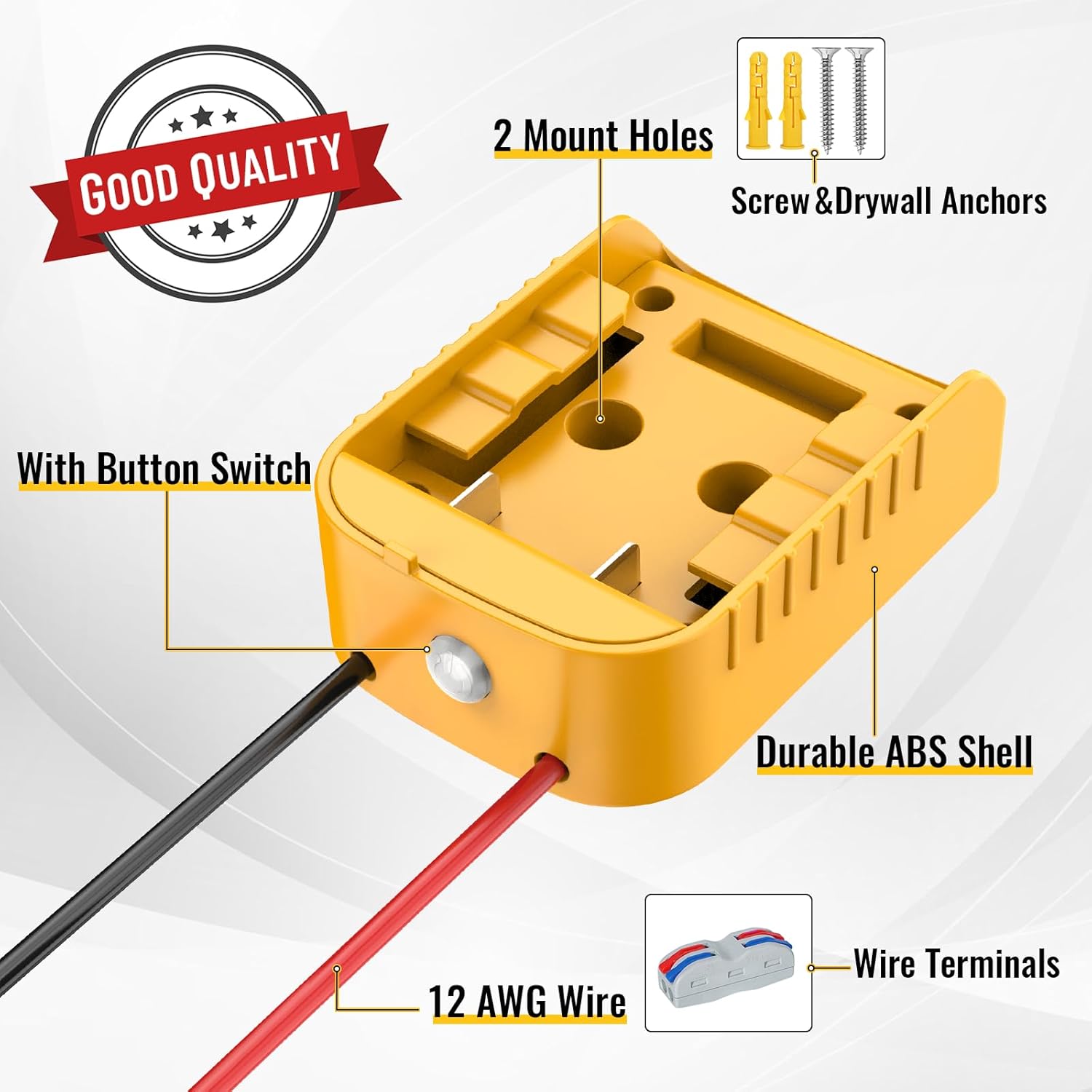
Image: Detailed view of the adapter's components, including the button switch, durable ABS shell, 12 AWG wire, and included wire terminals and mounting hardware.
Compatibility
The Azocek Power Wheel Adapter is compatible with Dewalt 18V/20V Lithium batteries, including models such as DCB205, DCB206, DCB204, DCB203, DCB200, DCB201, and other similar Dewalt 18V/20V Lithium-ion batteries.

Image: Visual confirmation of compatibility with various Dewalt 18V/20V Lithium-ion battery models.
Package Contents
- Azocek Power Wheel Adapter (2 units for this package)
- Wire Terminals
- Mounting Screws
- Drywall Anchors
Setup
1. Connecting Wires
The adapter comes with pre-attached 12AWG red and black wires. Use the provided wire terminals to securely connect these wires to your device's power input. Ensure the red wire connects to the positive (+) terminal and the black wire connects to the negative (-) terminal of your device.
2. Mounting the Adapter
The adapter includes two mount holes. Use the provided screws and drywall anchors to fix the adapter securely to a surface, if desired, for a stable setup.
3. Installing the Battery
Before installing the battery, ensure the adapter's power switch is in the OFF position. Align the Dewalt 18V/20V battery with the adapter's groove and push it firmly until it locks into place. The adapter connector fits snugly to ensure a secure connection.
4. Removing the Battery
To remove the battery, press down on the buckle located on the battery, then pull the battery out from the adapter.
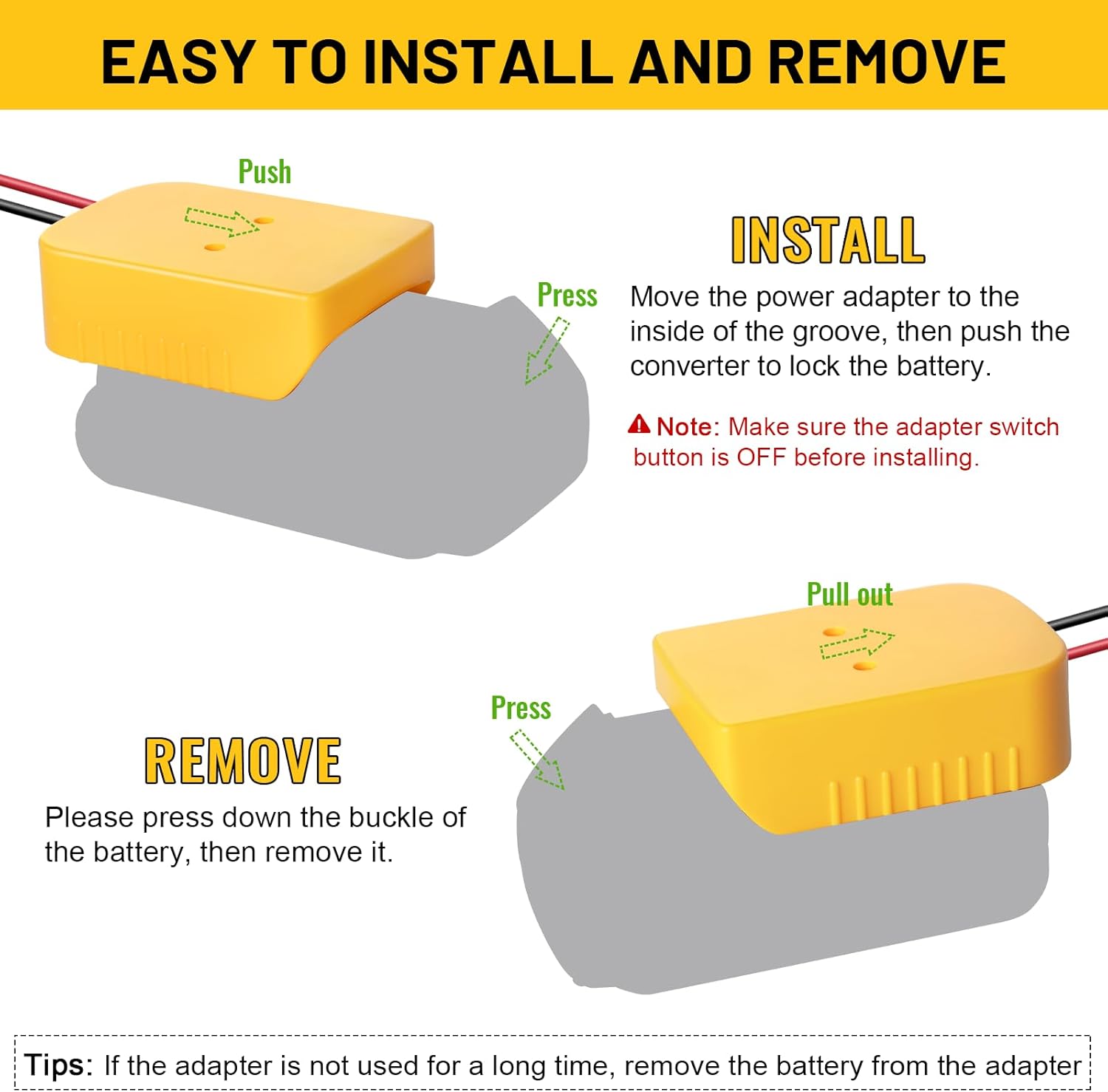
Image: Step-by-step visual guide for installing and removing a Dewalt battery from the adapter.
Operating Instructions
1. Powering On/Off
Press the integrated push-button switch to turn the adapter ON or OFF. The LED indicator will illuminate when the adapter is powered ON.
2. LED Indicator
- Solid Green Light: Indicates the adapter is powered ON and operating normally.
- Flashing Green Light: Alerts to a low battery condition (approximately 15V) or an overcurrent event (approximately 30A). The adapter will enter a low-power mode or cut off output to protect the battery and device.
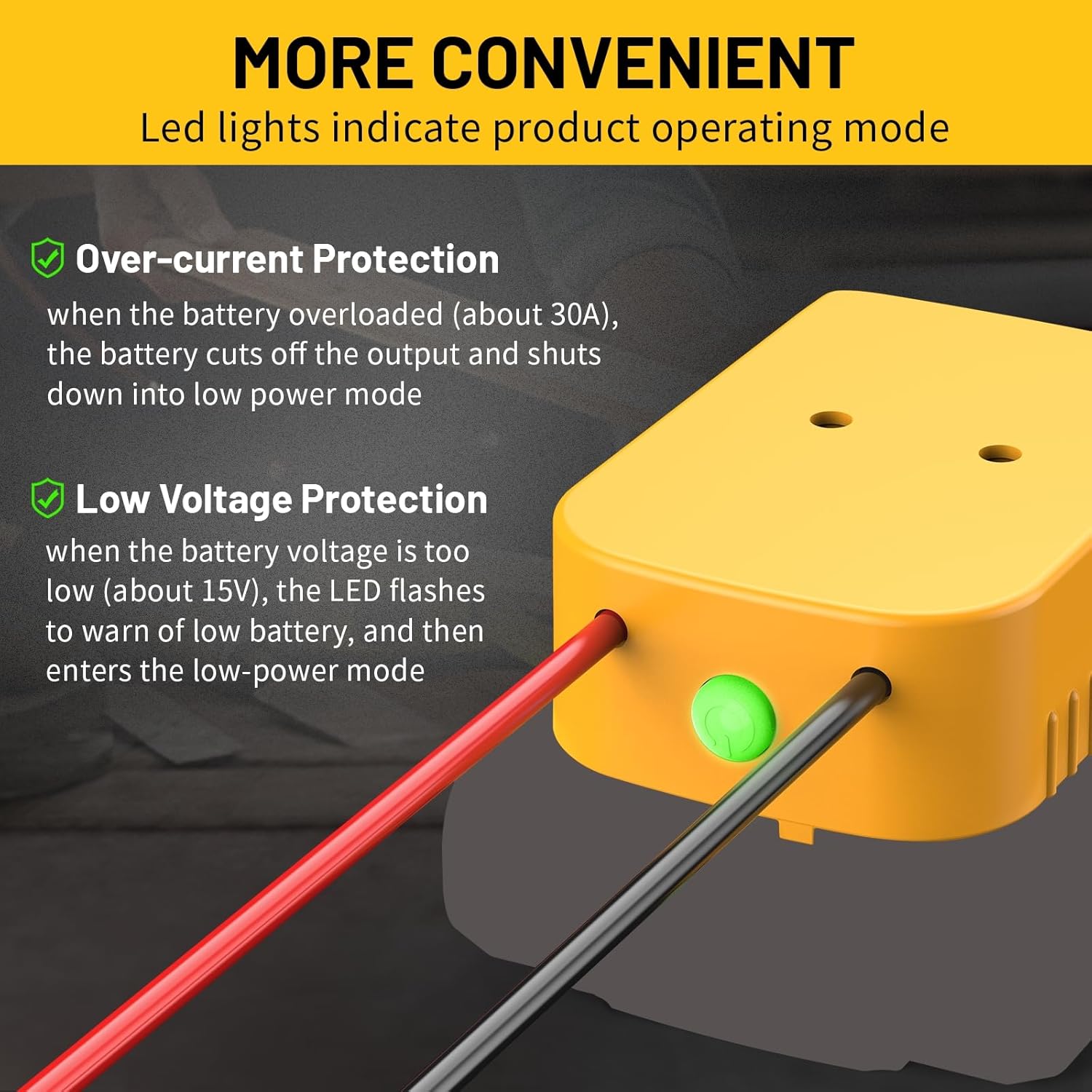
Image: Explanation of the LED indicator's function for over-current and low voltage protection.
Maintenance
- Keep the adapter clean and free from dust and debris. Use a dry cloth for cleaning.
- Store the adapter in a cool, dry place when not in use.
- Always remove the battery from the adapter if it will not be used for a long time to prevent deep discharge and potential damage to the battery.
Troubleshooting
No Power Output
- Ensure the battery is fully charged and properly seated in the adapter.
- Verify that the adapter's power switch is ON.
- Check all wire connections for proper polarity and secure contact.
LED Flashing
- A flashing LED indicates either low battery voltage (around 15V) or an overcurrent condition (around 30A).
- If due to low voltage, replace or recharge the battery.
- If due to overcurrent, reduce the load on the device. The adapter will cut off output to protect the battery.
Battery Drains When Adapter is Off
- It is recommended to remove the battery from the adapter when not in use, even if the adapter's switch is off, to prevent gradual discharge of the battery over time.
Specifications
| Feature | Detail |
|---|---|
| Compatible Batteries | Dewalt 18V/20V Lithium-ion (e.g., DCB205, DCB206) |
| Max Allowable Current | 30A |
| Wire Gauge | 12AWG |
| Material | Heat-resistant ABS |
| Protection Features | Over-current, Over-discharge, Short-circuit, Low-voltage |
| Item Weight | 6.7 ounces (approx. 0.19 kg) |
| Package Dimensions | 4.41 x 3.62 x 3.19 inches |
| Connector Type | De-walt proprietary connector |

Image: Detailed dimensions of the adapter and its wiring.
Warranty and Support
For any questions, technical assistance, or warranty claims, please contact Azocek customer support through the retailer where the product was purchased. Please refer to your purchase documentation for specific warranty terms and contact information.