
1. Introduction
Thank you for choosing the XINJISHIMIN Replacement Remote Control. This remote is designed to provide convenient control over your iRobot Roomba Vacuum Cleaner, specifically compatible with models from the 500, 600, 700, and 800 series. This manual will guide you through the setup, operation, and maintenance of your new remote control.
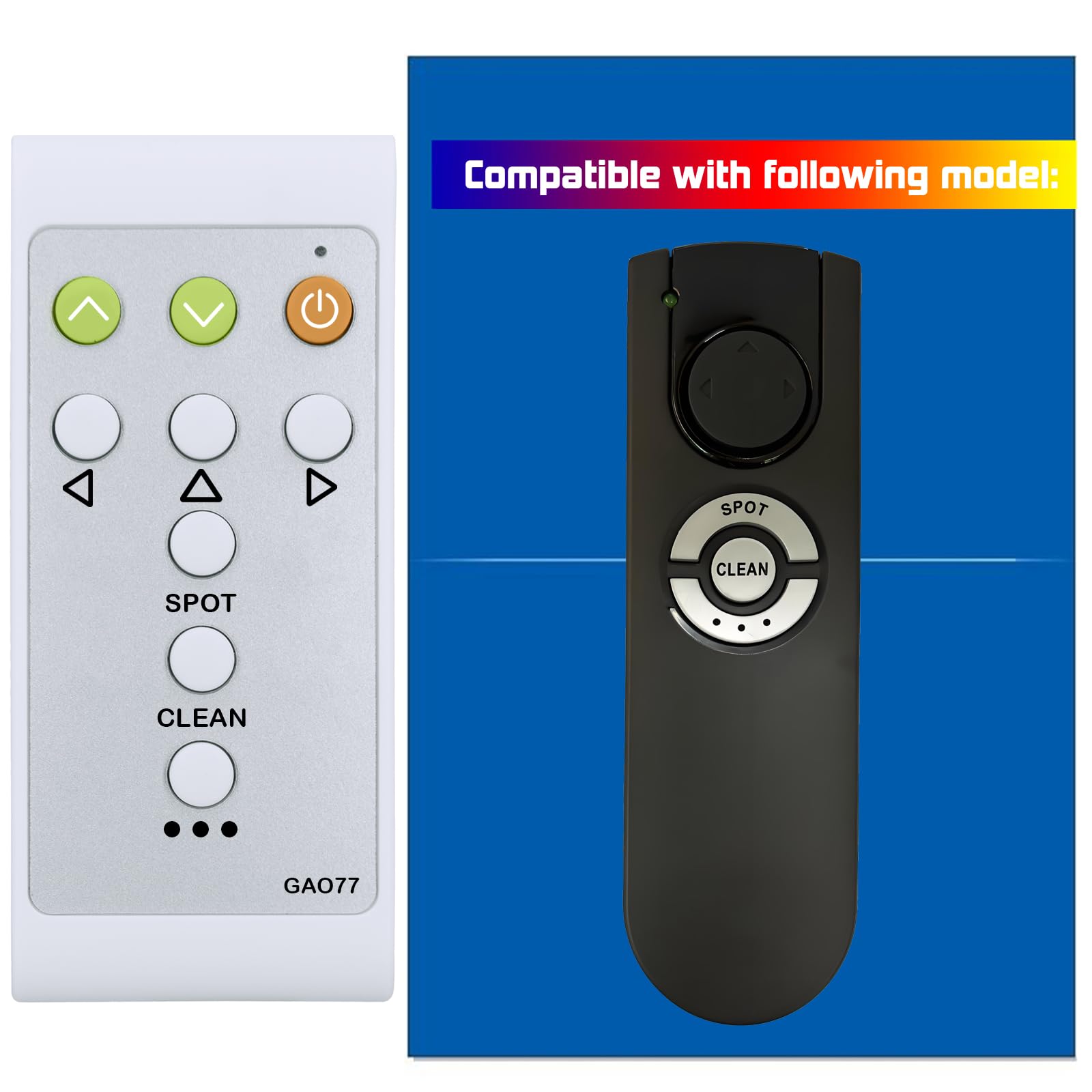
Image 1.1: Front view of the XINJISHIMIN Replacement Remote Control. This image displays the remote's compact design and button layout.
2. Product Features
- No Programming Required: Ready to use directly out of the box with compatible Roomba models.
- Oversized Silicone Buttons: Designed for ease of use and durability, offering a comfortable tactile experience.
- Standard AAA Battery Compatibility: Utilizes readily available AAA 1.5V batteries for power.
- Enhanced Durability: Constructed to be robust and resistant to common wear and tear.
- Simple Operation: Intuitive button layout for straightforward control of your Roomba.

Image 2.1: Key features of the remote control, highlighting its ease of use and robust design.

Image 2.2: This image illustrates the advantage of the remote's silicone buttons over older PVC surface buttons, emphasizing durability and ease of operation.
3. Compatibility
This remote control is compatible with a wide range of iRobot Roomba Vacuum Cleaner models. Please verify your Roomba model number against the lists below.
3.1. Compatible Models (500, 600, 700, 800 Series)
- 500 Series: 500, 510, 520, 521, 527, 530, 531, 532, 533, 535, 536, 537, 538, 539, 540, 541, 545, 550, 551, 552, 555, 560, 561, 562, 563, 564, 565, 570, 571, 572, 573, 580, 581, 590, 595, 599
- 600 Series: 600, 610, 611, 612, 614, 615, 616, 618, 620, 621, 622, 625, 626, 627, 628, 630, 631, 632, 635, 637, 639, 640, 641, 642, 643, 645, 650, 651, 652, 655, 660, 661, 665, 664, 665, 666, 668, 674, 676, 678, 679, 680, 681, 685, 690, 691, 692, 693, 694, 695, 696, 697, 698, 699
- 700 Series: 700, 730, 760, 761, 765, 768, 770, 772, 774, 775, 776, 777, 779, 780, 782, 785, 786, 787, 790
- 800 Series: 805, 860, 866, 870, 871, 880
3.2. Incompatible Models
This remote control is NOT compatible with the following iRobot Roomba models:
- 670, 671, 675, 677
- 890, 891, 895
- 960, 980, 985
4. Setup
4.1. Battery Installation
The remote control requires two (2) AAA 1.5V batteries (not included). Follow these steps to install the batteries:
- Locate the battery compartment on the back of the remote control.
- Slide the battery compartment cover downwards to open it.
- Insert two AAA batteries, ensuring the positive (+) and negative (-) terminals align correctly with the markings inside the compartment.
- Slide the battery compartment cover back into place until it clicks securely.

Image 4.1: The open battery compartment, showing the slots for two AAA 1.5V batteries.

Image 4.2: Rear view of the remote control, indicating the location of the battery compartment cover.
Note: Always use fresh batteries and replace both batteries at the same time. Do not mix old and new batteries or different types of batteries.
5. Operating Instructions
This remote control allows you to direct your Roomba and initiate cleaning functions. Ensure there is a clear line of sight between the remote and your Roomba for optimal performance.

Image 5.1: Detailed diagram illustrating each button on the remote control and its corresponding function.
5.1. Button Functions
- Clean/Power Button (Orange): Press to start or stop a cleaning cycle. This button also serves as the power button for the Roomba.
- Directional Buttons (Up, Down, Left, Right - Green/White): Use these buttons to manually steer your Roomba.
- Up Arrow: Moves Roomba forward.
- Down Arrow: Moves Roomba backward.
- Left Arrow: Turns Roomba left.
- Right Arrow: Turns Roomba right.
- SPOT Button: Initiates a localized cleaning mode. Roomba spirals approximately three feet in diameter and then spirals back to where it started, intensely cleaning a local area.
- CLEAN Button: Roomba automatically calculates the room size and adjusts its cleaning time appropriately.
- "..." Button (Dock/Max Clean): The function of this button varies by Roomba series:
- Models 500-519: Roomba enters Spot mode.
- Models 520-599: Roomba attempts to dock on the Home Base, if present.
- Models 600+: Roomba enters Max mode and cleans as long as the battery allows.
6. Maintenance
To ensure the longevity and optimal performance of your remote control, follow these simple maintenance guidelines:
- Cleaning: Wipe the remote control with a soft, dry cloth. Do not use abrasive cleaners or immerse the remote in water.
- Battery Replacement: Replace batteries when the remote's response becomes sluggish or stops working. Always replace both AAA batteries simultaneously.
- Storage: Store the remote control in a cool, dry place away from direct sunlight and extreme temperatures. If storing for an extended period, remove the batteries to prevent leakage.
7. Troubleshooting
If you experience issues with your remote control, please try the following steps:
- Remote Not Responding:
- Check if the batteries are correctly installed with the correct polarity.
- Replace the batteries with fresh AAA batteries.
- Ensure there is a clear line of sight between the remote control and the Roomba. Obstructions can block the infrared signal.
- Make sure you are within the effective range of the remote control (typically up to 20 feet).
- Roomba Not Responding to Specific Buttons:
- Verify that your Roomba model is listed as compatible in Section 3.1.
- Some Roomba models may have slightly different functionalities for certain buttons (e.g., the "..." button). Refer to your Roomba's original manual for specific model behaviors.
If the issue persists after trying these steps, please contact customer support.
8. Specifications
| Model Number | C124082701D02 (GAO77) |
| Dimensions | 5 x 2 x 1 inches (approximately) |
| Item Weight | 1.06 ounces (without batteries) |
| Battery Type | 2 x AAA 1.5V batteries (not included) |
| Compatibility | iRobot Roomba 500, 600, 700, 800 Series (specific models listed in Section 3) |

Image 8.1: This image highlights the extended battery life provided by AAA 1.5V batteries compared to coin cell batteries, emphasizing the remote's efficient design.
9. Warranty and Support
For warranty information or technical support, please refer to the seller's policy on the platform where the product was purchased. Keep your purchase receipt as proof of purchase.
If you have any questions or require assistance, please contact the XINJISHIMIN customer service team through the retailer's support channels.