
Introduction
This manual provides comprehensive instructions for the assembly, operation, and maintenance of your HUAHUU Sideboard Buffet Cabinet. Please read this manual thoroughly before assembly and use to ensure proper function and longevity of your product. Keep this manual for future reference.
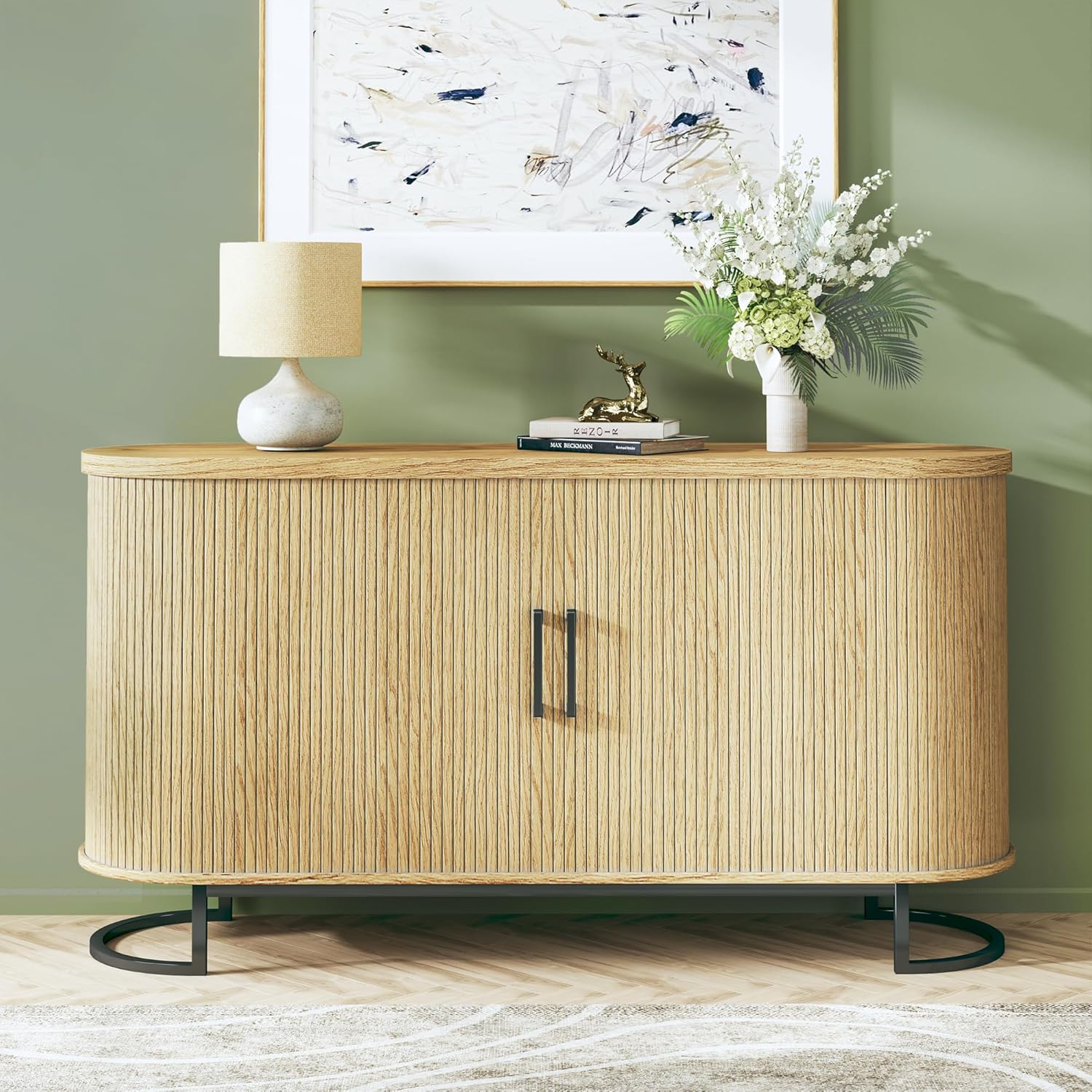
Image: The HUAHUU Sideboard Buffet Cabinet in Natural Oak, featuring fluted tambour doors and a modern design.
Important Safety Information
Always adhere to the following safety guidelines to prevent injury or damage to the product:
- Assemble the cabinet strictly according to the provided instructions.
- Exercise caution when handling heavy components to avoid personal injury.
- Ensure the cabinet is placed on a stable, level surface to prevent tipping.
- Do not overload shelves; adhere to recommended weight limits.
- Keep small parts away from children during assembly.
Package Contents
Before beginning assembly, verify that all parts and hardware are present. Refer to the separate parts list included in your packaging. If any components are missing or damaged, contact customer support immediately.
Assembly Instructions
Preparation
- Clear a spacious, clean area for assembly.
- Lay out all components and hardware, organizing them by type.
- Gather necessary tools (e.g., screwdriver, hammer, if not included).
Step-by-Step Assembly
Follow the detailed, numbered instructions and diagrams provided in the separate assembly guide included with your product. General steps typically include:
- Attach the metal legs to the base panel.
- Assemble the side and back panels.
- Install the adjustable shelves into the desired positions.
- Attach the top panel.
- Install the tambour sliding doors and handles.
Assembly Tips
- Due to the weight of the cabinet (approximately 83.8 lbs), it is recommended to have two people for assembly, especially when lifting and aligning larger components like the top panel.
- When installing the tambour doors, ensure they are properly seated in their tracks to allow for smooth operation. Avoid forcing them.
- Adjust the non-marking foot caps on the metal legs to ensure stability and prevent floor scratches.

Image: Illustration of the 3-position adjustable shelves within the cabinet, demonstrating flexibility for storage.
Operating Instructions
Adjustable Shelves
The cabinet features 3-position adjustable shelves. To adjust a shelf, carefully remove any items, lift the shelf, and reposition the shelf pegs into the desired holes. Ensure all four pegs are securely inserted before placing items back on the shelf.
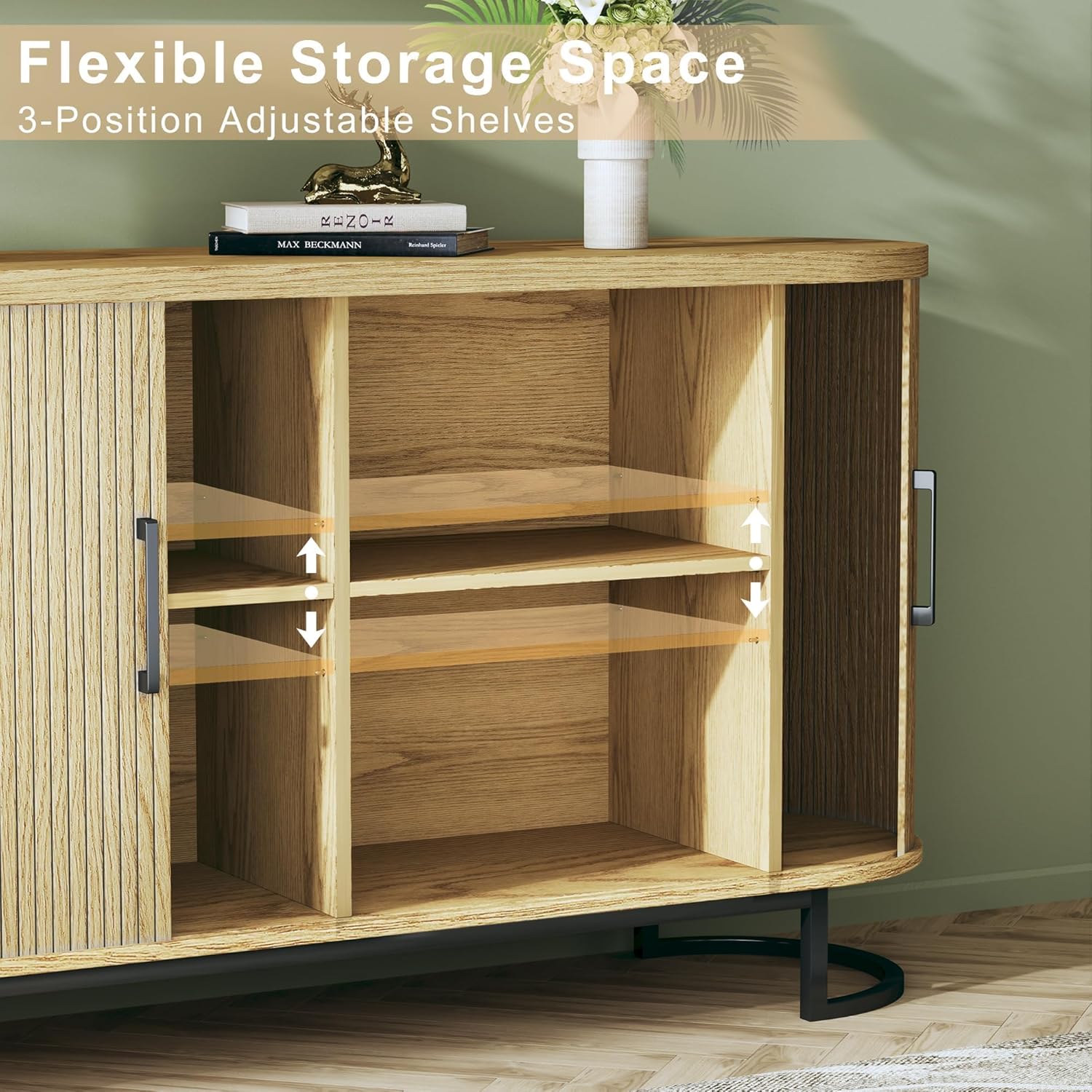
Image: An interior view of the HUAHUU cabinet, showcasing its six spacious compartments and adjustable shelves filled with various items.
Tambour Sliding Doors
The cabinet is equipped with smooth-sliding tambour doors. To open or close, gently slide the doors along their tracks using the alloy doorknobs. Avoid excessive force to prevent damage to the mechanism.
Multi-functional Use
This versatile cabinet can be utilized in various settings:
- Sideboard/Buffet: Ideal for dining rooms to store dinnerware, serving essentials, or as a display surface.
- Console Table: Suitable for living rooms or entryways to hold decorative items, lamps, or as a media console.
- Kitchen Cabinet: Provides additional storage for kitchen items.

Image: The HUAHUU cabinet functioning as a media console beneath a television in a living room setting.
Care and Maintenance
- Cleaning: Wipe surfaces with a soft, damp cloth. Avoid abrasive cleaners or harsh chemicals that may damage the finish.
- Dusting: Regularly dust with a dry, soft cloth.
- Tambour Doors: If doors become stiff, apply a small amount of furniture wax or silicone spray to the tracks to improve sliding. Ensure the product is suitable for wood finishes.
- Spills: Clean spills immediately to prevent staining or water damage.
Troubleshooting
Tambour Doors Not Sliding Smoothly or Coming Off Track
- Check Alignment: Ensure the cabinet's top and bottom panels are securely fastened and properly aligned. Sometimes, slightly loosening the bolts on the top panel and gently adjusting its position can create more space for the doors to slide. Retighten bolts once adjusted.
- Lubrication: Apply a small amount of furniture wax or a dry lubricant (like silicone spray) to the door tracks. Test the doors gently after application.
- Obstructions: Inspect the tracks for any debris or foreign objects that might be impeding movement.
Cabinet Instability
- Level Surface: Ensure the cabinet is placed on a completely level floor.
- Adjust Foot Caps: Use the adjustable foot caps on the metal legs to compensate for uneven flooring and stabilize the cabinet.
- Tighten Hardware: Periodically check and tighten all assembly hardware to maintain structural integrity.
Product Specifications
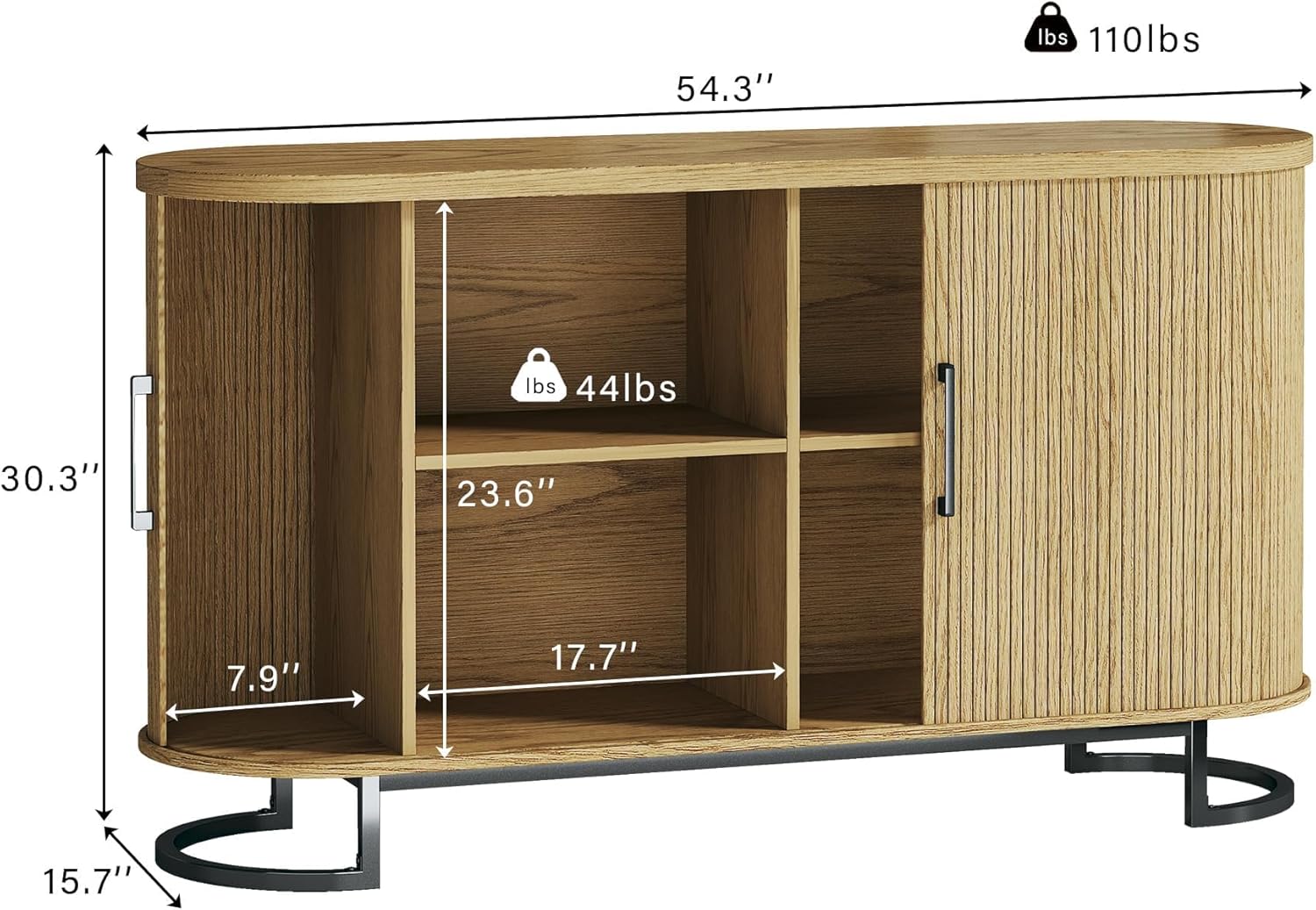
Image: Diagram illustrating the key dimensions of the HUAHUU Sideboard Buffet Cabinet, including width, height, and depth.
| Feature | Detail |
|---|---|
| Brand | HUAHUU |
| Model Name | Sideboard Buffet Cabinet |
| Item Model Number | Sideboard Buffet Cabinet 0002 |
| Color | Natural Oak |
| Product Dimensions | 15.7"D x 54.3"W x 30.2"H |
| Item Weight | 83.8 Pounds |
| Material | Engineered Wood (Top, Back), Metal (Frame, Legs), Alloy (Handle) |
| Number of Shelves | 3 (Adjustable) |
| Number of Compartments | 6 |
| Door Style | Smooth-sliding Tambour Doors |
| Assembly Required | Yes |
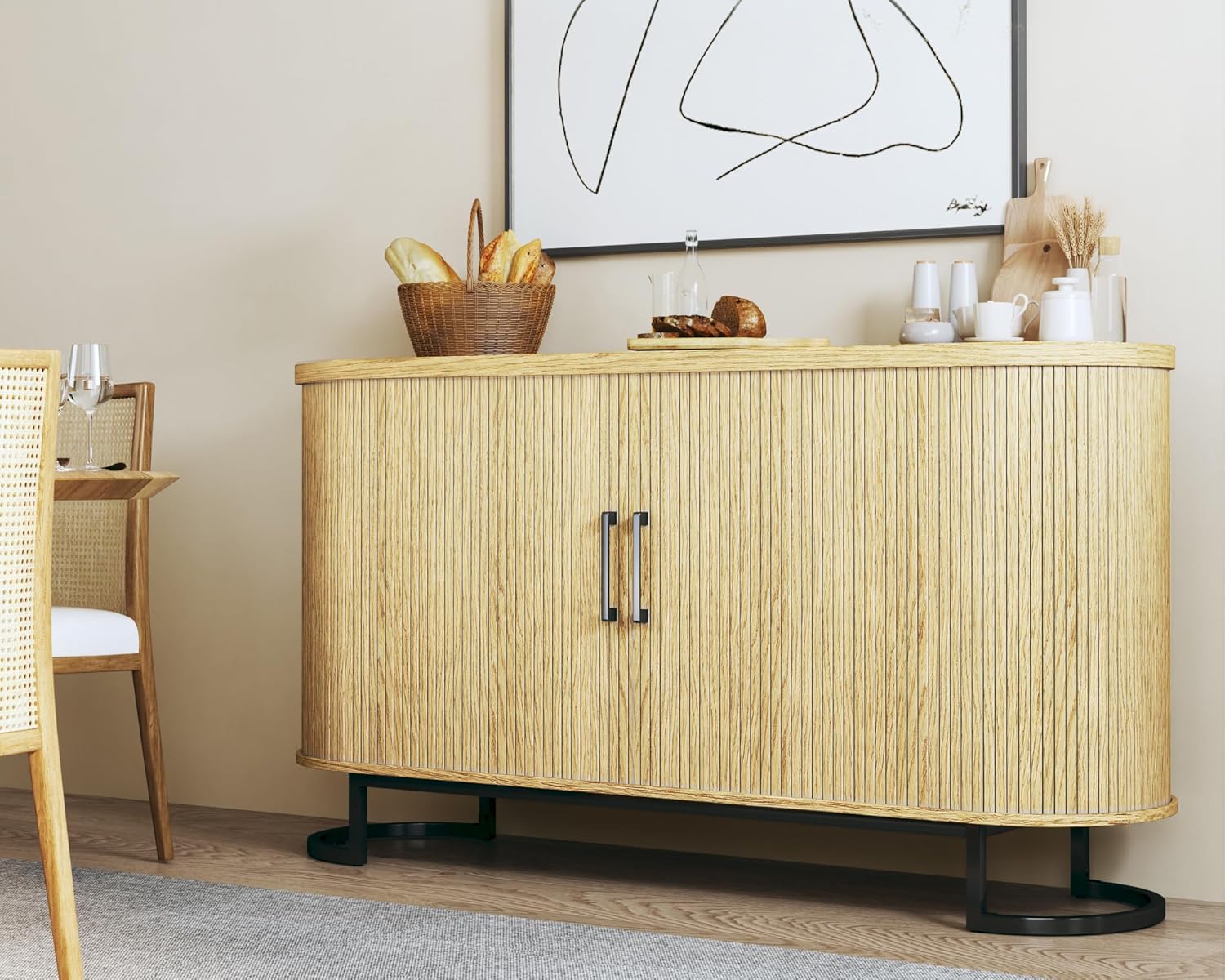
Image: Detailed view highlighting the cabinet's softly curved ends, tambour sliding doors, 1.3-inch thick MDF construction, and solid metal legs with adjustable foot caps.
Customer Support
For any questions, missing parts, or assistance with assembly or operation, please contact HUAHUU customer support. Refer to your purchase documentation for contact details or visit the official HUAHUU store online.