
1. Introduction
Thank you for choosing the Amsta AMDF9ADVB 9L Dual Basket Digital Air Fryer. This appliance is designed to provide a healthy and efficient way to cook a variety of meals using hot air circulation technology, significantly reducing the need for oil.
With its dual 4.5-liter baskets, you can cook two different dishes simultaneously, saving time and offering versatility. The intuitive digital control panel allows for precise temperature and time adjustments, ensuring perfect results every time. This manual provides essential information for safe operation, maintenance, and troubleshooting to help you get the most out of your new air fryer.
2. Important Safety Instructions
- Read all instructions before use.
- Do not immerse the main unit in water or other liquids.
- Ensure the voltage indicated on the appliance corresponds to your local mains voltage before connecting.
- Keep the appliance and its cord out of reach of children.
- Do not operate any appliance with a damaged cord or plug.
- Always unplug the appliance when not in use and before cleaning.
- Do not place the appliance against a wall or other appliances. Leave at least 10 cm free space on the back and sides and 10 cm free space above the appliance.
- Hot air is released through the air outlet vents. Keep your hands and face at a safe distance from the steam and from the air outlet openings.
- The baskets and accessories become hot during use. Always use oven mitts or the handles provided.
- Never use the appliance for any purpose other than described in this manual.
3. Product Overview
3.1 Components
The Amsta AMDF9ADVB Air Fryer features a sleek design with two independent cooking baskets and an intuitive digital control panel.
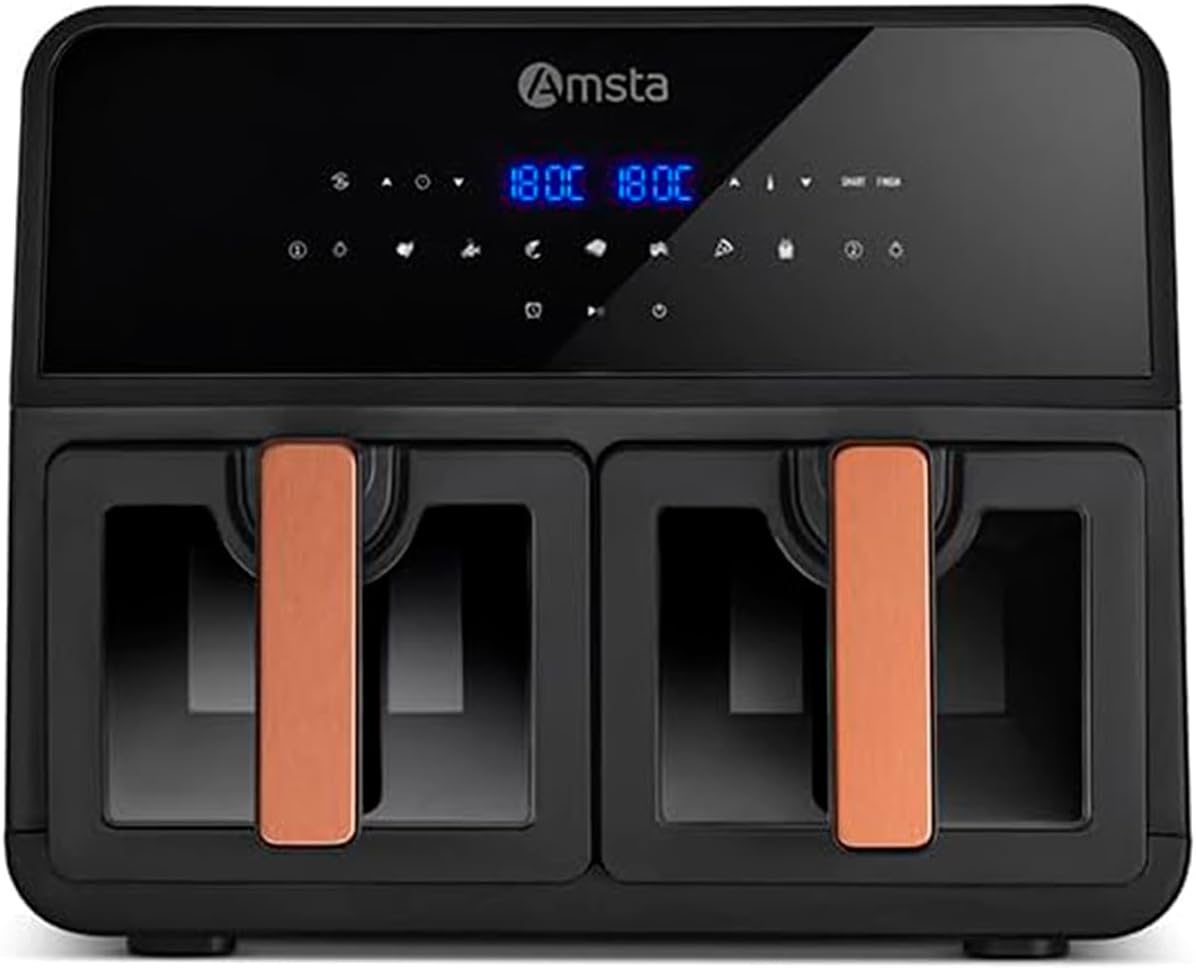
Figure 1: Front view of the Amsta AMDF9ADVB 9L Dual Basket Digital Air Fryer.

Figure 2: Close-up of the dual cooking baskets.
- Main Unit: Houses the heating element and control panel.
- Dual Cooking Baskets (4.5L each): Two independent baskets for cooking different foods.
- Removable Cooking Grates: Placed inside the baskets for optimal air circulation.
- Digital Control Panel: Touch-sensitive display for settings and programs.
- Transparent Window: Allows monitoring of food without opening the baskets.

Figure 3: Both cooking baskets pulled out.

Figure 4: Removable cooking grates.
3.2 Digital Control Panel
The digital control panel provides easy access to all functions:
- Temperature Control: Adjustable from 80°C to 200°C.
- Timer: Up to 60 minutes.
- 9 Automatic Programs: Pre-set settings for common dishes.
- Dual Zone Functionality: Allows independent control of each basket.
- Smart Finish: Synchronizes cooking times for both baskets to finish simultaneously.
- Automatic Safety Shut-off: For enhanced safety.
4. Setup
4.1 Unpacking
Carefully remove all packaging materials and promotional labels from the air fryer. Ensure all components are present and undamaged.
4.2 Initial Cleaning
Before first use, clean the cooking baskets and removable grates with warm soapy water. Wipe the main unit with a damp cloth. Dry all parts thoroughly.
4.3 Placement
Place the air fryer on a stable, heat-resistant surface, away from walls or other appliances to allow for proper ventilation. Ensure there is at least 10 cm of clear space around the unit.
5. Operating Instructions
5.1 Power On/Off
Plug the air fryer into a grounded electrical outlet. The digital display will illuminate. Press the power button to turn the unit on or off.
5.2 Pre-heating
For best results, pre-heat the air fryer before adding food. Select your desired temperature and time, then press start. The unit will indicate when pre-heating is complete.
5.3 Manual Cooking
- Place food in the cooking basket(s). Do not overfill.
- Select the desired basket (1 or 2) if using dual zone.
- Adjust the temperature (80-200°C) using the temperature controls.
- Set the cooking time (up to 60 minutes) using the timer controls.
- Press the Start/Stop button to begin cooking.
- You can monitor cooking progress through the transparent window.
5.4 Automatic Programs
The air fryer comes with 9 pre-set automatic programs for convenience. Refer to the icons on the control panel for specific programs (e.g., fries, chicken, fish, pizza). Select a program, and the air fryer will automatically set the optimal temperature and time.
5.5 Dual Zone Functionality
To cook two different foods with different settings:
- Place food in both baskets.
- Select Basket 1 and set its temperature and time.
- Select Basket 2 and set its temperature and time.
- Press the Start/Stop button. Both baskets will begin cooking independently.
5.6 Smart Finish Function
The Smart Finish function allows both baskets to complete their cooking cycles at the same time, even if they have different cooking durations.
- Set the desired cooking time and temperature for Basket 1.
- Set the desired cooking time and temperature for Basket 2.
- Press the 'Smart Finish' button (if available, or follow specific model instructions for synchronization). The air fryer will automatically adjust the start times so both dishes finish together.
- Press the Start/Stop button to begin.
This video demonstrates the general operation of a dual-basket air fryer, including setting temperature and time, and cooking various foods like salmon and muffins. Note: The air fryer shown in this video may be a different model but illustrates similar functionalities.
This video showcases the dual-zone functionality of a 9L oil-free air fryer with a transparent window, similar to the Amsta AMDF9ADVB. It demonstrates how to set different temperatures and times for each basket to cook items like chicken and carrots simultaneously.
Watch this video for a demonstration of preparing an air-fried pasta bake. This highlights the versatility of dual-basket air fryers for various recipes.
6. Cleaning and Maintenance
6.1 Cleaning the Baskets and Grates
The cooking baskets and removable grates are dishwasher safe for easy cleaning. Alternatively, they can be washed by hand with warm soapy water and a non-abrasive sponge. Ensure they are completely dry before reassembling.
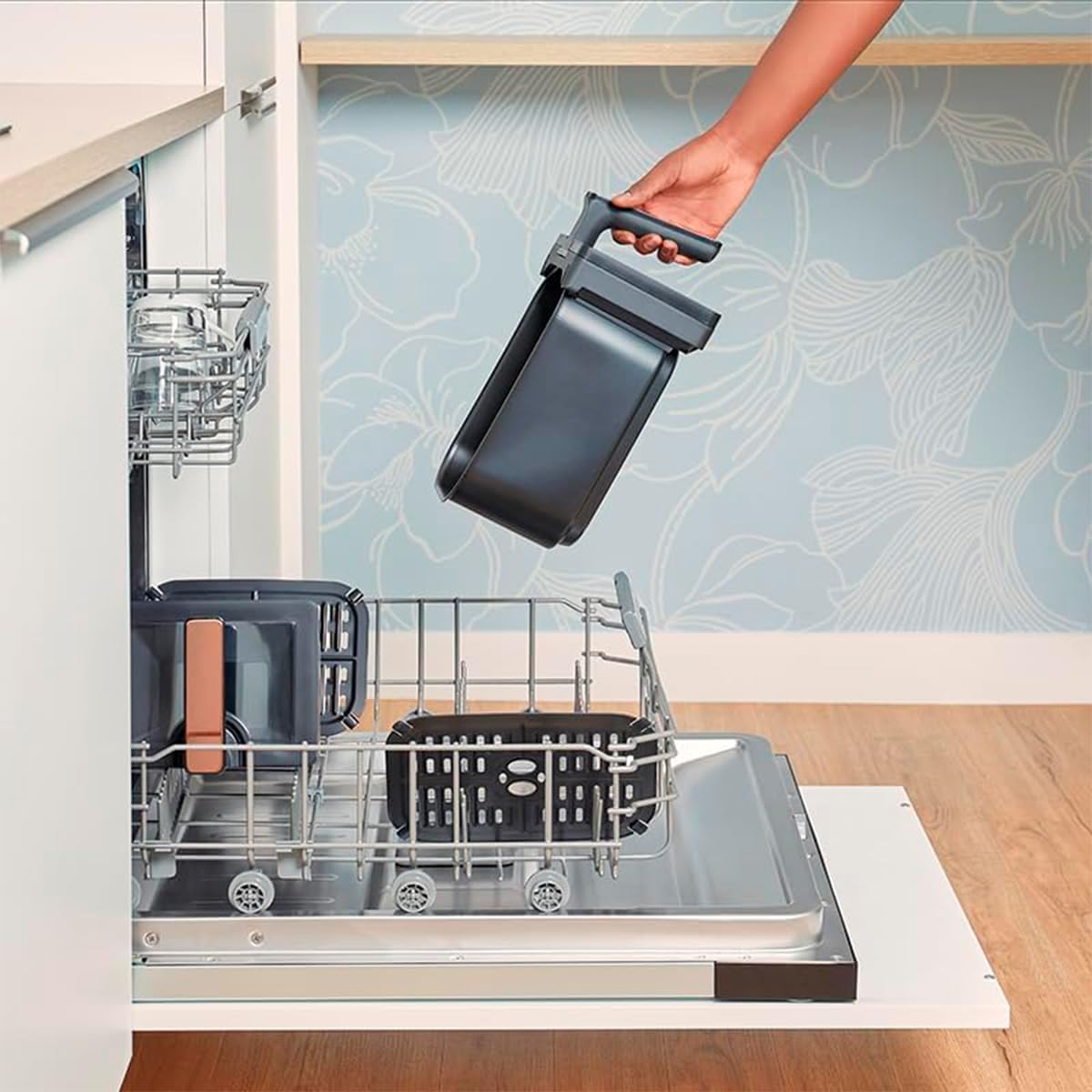
Figure 5: Air fryer basket in a dishwasher.
6.2 Cleaning the Main Unit
Wipe the exterior of the air fryer with a damp cloth. Do not use abrasive cleaners or immerse the main unit in water.
6.3 Storage
Store the air fryer in a cool, dry place when not in use. Ensure all parts are clean and dry before storage.
7. Troubleshooting
If you encounter any issues with your Amsta AMDF9ADVB Air Fryer, please refer to the following common problems and solutions:
| Problem | Possible Cause | Solution |
|---|---|---|
| Appliance does not turn on | Not plugged in; Power outlet not working; Main unit damaged. | Check power cord connection; Test outlet with another appliance; Contact customer support. |
| Food not cooked evenly | Too much food in the basket; Temperature too low; Not shaken or flipped during cooking. | Reduce food quantity; Increase temperature; Shake or flip food halfway through cooking. |
| White smoke coming from the appliance | Grease residue from previous use; Fatty food being cooked. | Clean the baskets and grates thoroughly; For fatty foods, add a little water to the bottom of the basket to prevent smoke. |
| Fries are not crispy | Not enough oil (if used); Too much moisture; Overcrowding. | Ensure fries are dry before cooking; Lightly coat with oil; Cook in smaller batches. |
If the problem persists after trying these solutions, please contact Amsta customer support.
8. Specifications
- Brand: Amsta
- Model: AMDF9ADVB
- Color: Black
- Product Dimensions (L x W x H): 42.2 x 33.9 x 37.9 cm
- Weight: 7.9 Kilograms
- Capacity: 9 Liters (Dual 4.5L baskets)
- Power: 1700 Watts
- Voltage: 220 Volts
- Material: Plastic, Metal
- Special Features: Automatic shut-off, Dual zone functionality, Timer, Programmable, Transparent window
- Recommended Uses: Cooking, Reheating, Roasting
9. Warranty and Support
This Amsta AMDF9ADVB Air Fryer comes with a 3-year availability for spare parts. For warranty claims, technical support, or any questions not covered in this manual, please contact Amsta customer service through their official website or the retailer where the product was purchased.
Please retain your proof of purchase for warranty purposes.