1. Introduction
Thank you for choosing the InnovaGoods Stiron 2-in-1 Cordless Steam Iron. This versatile appliance is designed to make your ironing tasks easier and more efficient, offering both cordless and corded operation, as well as horizontal and vertical steaming capabilities. Please read this manual carefully before first use to ensure safe and optimal performance of your iron. Keep this manual for future reference.
2. Safety Instructions
Always follow basic safety precautions when using electrical appliances to reduce the risk of fire, electric shock, and personal injury.
- Ensure the voltage indicated on the appliance corresponds to your local mains voltage before connecting.
- Do not immerse the iron, charging base, or cord in water or any other liquid.
- Always unplug the iron from the power outlet when filling or emptying water, and when not in use.
- Do not leave the iron unattended while it is connected to the power supply or while it is hot.
- Keep the iron and its cord out of reach of children and pets when it is switched on or cooling down.
- Use the iron only for its intended household purpose as described in this manual.
- Do not operate the iron with a damaged cord or plug, or if the iron has been dropped or damaged. Contact qualified service personnel for repair.
- The soleplate and steam vents become very hot during use and can cause burns. Avoid direct contact.
- Place the iron on a stable, heat-resistant surface when resting it on its heel or charging base.
- Do not use chemical descalers in the water tank, as this may damage the iron.
3. Product Components
Familiarize yourself with the parts of your InnovaGoods Stiron iron:
- Soleplate (Ceramic)
- Water Spray Nozzle
- Water Filling Inlet with Cover
- Steam Control Dial (Dry/Min/Max Steam)
- Spray Button
- Steam Burst Button
- Temperature Control Dial
- Handle
- Water Tank (Transparent)
- Indicator Light
- Charging Base
- Cord Lock/Release Button
- Power Cord
- Measuring Cup

Image: The InnovaGoods Stiron iron detached from its charging base, emitting steam, showcasing its cordless capability.
4. Setup
4.1 First Use
Before using your iron for the first time, remove any protective film or stickers from the soleplate. It is normal for a slight odor or smoke to be emitted during the first few minutes of use as manufacturing residues burn off. This is harmless and will disappear quickly.
4.2 Filling the Water Tank
- Ensure the iron is unplugged from the power outlet and has cooled down.
- Set the steam control dial to the 'Dry Ironing' (no steam) position.
- Open the water filling inlet cover.
- Using the provided measuring cup, carefully fill the water tank with tap water up to the 'MAX' level (320 ml). Do not overfill.
- Close the water filling inlet cover securely.

Image: The InnovaGoods Stiron iron positioned next to a measuring cup, illustrating the water filling process.
4.3 Connecting the Charging Base
- Place the charging base on a stable, flat, and heat-resistant surface.
- Insert the iron onto the charging base, ensuring it clicks into place.
- Plug the power cord of the charging base into a suitable electrical outlet. The indicator light on the iron will illuminate, indicating it is heating up.
- For corded use, press the cord lock/release button on the base to secure the iron to the base, allowing the cord to extend for continuous power.

Image: A close-up view of the cord lock/release button on the iron's base, demonstrating how to switch between cordless and corded modes.
5. Operating Instructions
5.1 Setting Temperature
- Turn the temperature control dial to select the appropriate temperature for your fabric type. Refer to the fabric guide on the dial (e.g., Nylon, Silk, Wool, Cotton, Linen).
- Allow the iron to heat up. The indicator light will turn off when the selected temperature is reached.

Image: A detailed view of the temperature control dial, highlighting the various fabric settings for precise ironing.
5.2 Steam Ironing (Cordless Mode)
- Ensure the water tank is filled.
- Set the temperature control dial to a steam-appropriate setting (usually Cotton, Linen, or higher).
- Once the iron reaches the desired temperature (indicator light off), set the steam control dial to the desired steam level (Min or Max).
- Lift the iron from the charging base. You have approximately 20-30 seconds of cordless ironing time before the iron needs to be returned to the base for reheating.
- Place the iron back on the charging base whenever you adjust clothing or pause ironing to maintain optimal temperature.
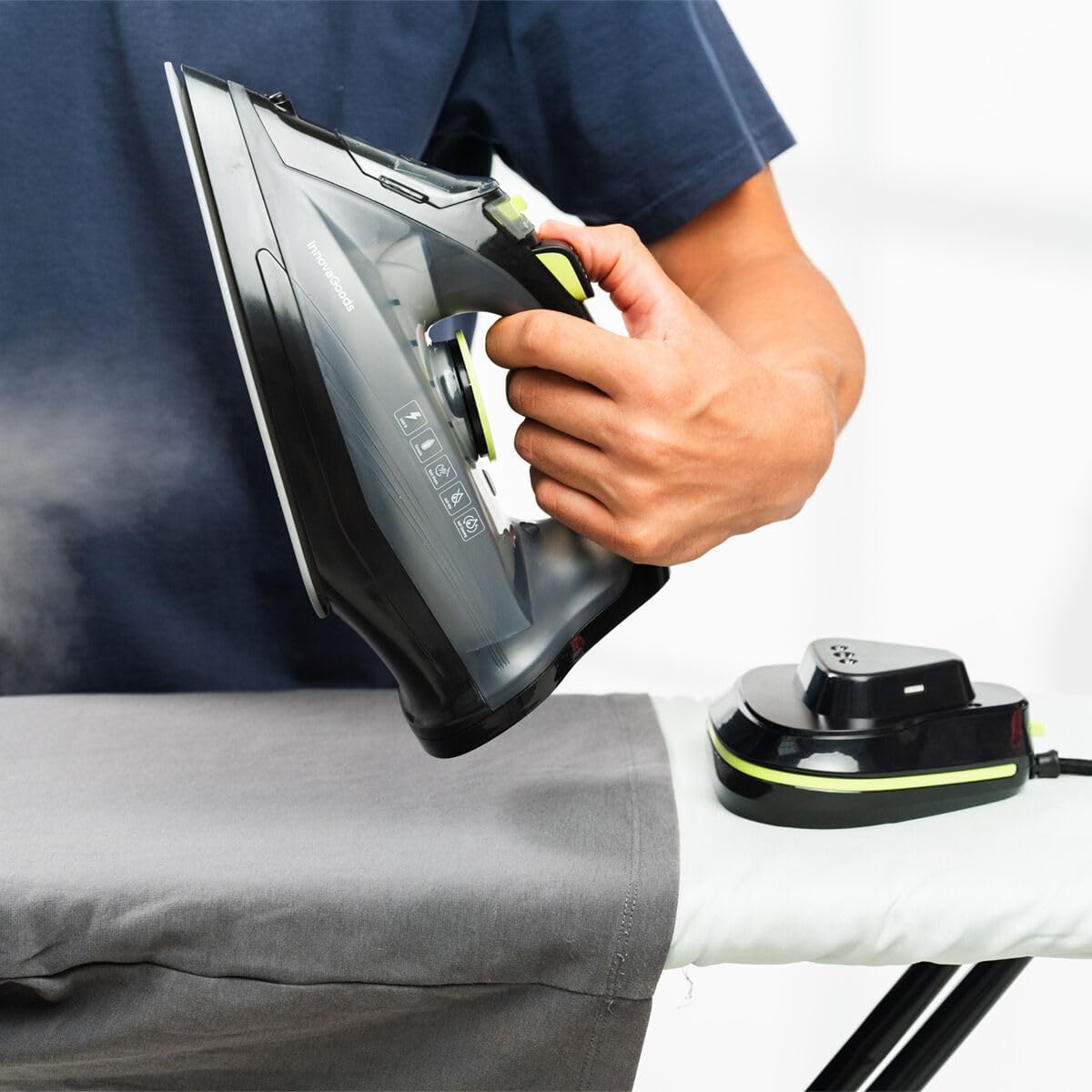
Image: A user demonstrating the cordless functionality of the InnovaGoods Stiron iron, hovering it over a garment.
5.3 Dry Ironing
- Set the steam control dial to the 'Dry Ironing' (no steam) position.
- Select the appropriate temperature for your fabric.
- Proceed with ironing as usual.
5.4 Vertical Steaming
- Ensure the water tank is filled and the iron is heated to a high temperature setting (e.g., Cotton or Linen).
- Hold the iron vertically, about 15-30 cm away from the garment.
- Press the steam burst button repeatedly to release powerful bursts of steam, removing wrinkles from hanging garments, curtains, or upholstery.
- Do not direct steam at people or pets.

Image: The InnovaGoods Stiron iron being used in vertical steam mode on a hanging shirt, effectively removing creases.
5.5 Spray Function
- Press the spray button to release a fine mist of water onto the fabric. This is useful for dampening stubborn wrinkles before ironing.
6. Maintenance and Care
6.1 Cleaning the Iron
- Always unplug the iron and allow it to cool completely before cleaning.
- Wipe the soleplate with a damp cloth and a non-abrasive cleaner if necessary. Do not use harsh scouring pads or metal cleaners.
- Clean the exterior of the iron with a soft, damp cloth.
- Empty the water tank after each use to prevent mineral buildup.
6.2 Anti-Calc Function
The iron features a built-in anti-calc system to reduce mineral buildup and prolong its lifespan. However, regular self-cleaning is still recommended, especially in areas with hard water.
6.3 Self-Cleaning Function
- Fill the water tank to the 'MAX' level.
- Set the steam control dial to 'Dry Ironing' and the temperature dial to 'MAX'.
- Plug in the iron and allow it to heat up until the indicator light turns off.
- Unplug the iron. Hold the iron horizontally over a sink.
- Press and hold the self-clean button (if available, otherwise use steam burst button repeatedly) to flush out scale and impurities from the steam vents.
- Move the iron back and forth until the water tank is empty.
- Reheat the iron to dry the soleplate.
6.4 Storage
Once the iron has completely cooled down, store it upright on its charging base in a dry, safe place, out of reach of children.
7. Troubleshooting
| Problem | Possible Cause | Solution |
|---|---|---|
| Iron does not heat up. | Not plugged in; power outage; iron not properly seated on base. | Check power connection; ensure iron is correctly placed on the charging base. |
| No steam or insufficient steam. | Water tank empty; temperature too low; steam control set to 'Dry'; clogged steam vents. | Fill water tank; set temperature to steam-appropriate level; adjust steam control; perform self-cleaning. |
| Water leaking from soleplate. | Temperature too low for steam; overfilled water tank; anti-drip system issue. | Increase temperature; do not overfill; if problem persists, contact support. |
| White flakes coming from soleplate. | Mineral buildup (scale). | Perform self-cleaning function. |
| Cordless ironing time is too short. | Iron not fully charged between uses; very high steam setting. | Ensure iron is fully reheated on the base between ironing passes; reduce steam setting if not needed. |
8. Technical Specifications
| Feature | Specification |
|---|---|
| Model | Stiron |
| Brand | InnovaGoods |
| Power | 2400 W |
| Voltage | 230 V |
| Water Tank Capacity | 320 ml |
| Steam Flow | 20-30 g/min |
| Soleplate Material | Ceramic |
| Dimensions (approx.) | 32.5 cm (L) x 13 cm (W) x 16 cm (H - estimated for iron on base) |
| Weight (approx.) | 1.3 kg |
| Features | Cordless/Corded 2-in-1, Vertical Steam, Spray Function, Anti-drip, Anti-calc, Self-cleaning |
9. Warranty and Support
This InnovaGoods product comes with a standard manufacturer's warranty against defects in materials and workmanship. Please refer to the warranty card included in your product packaging for specific terms and conditions, including the warranty period and coverage details. For technical support, troubleshooting assistance, or warranty claims, please contact InnovaGoods customer service through their official website or the retailer from whom you purchased the product. Do not attempt to repair the appliance yourself, as this will void the warranty.
For more information, visit the official InnovaGoods website: www.innovagoods.com