
1. Introduction
Thank you for choosing the IFIDOL 10000mAh Magnetic Wireless Power Bank with Stand. This device is designed to provide convenient and efficient charging for your compatible devices, particularly the iPhone 12, 13, 14, 15, and 16 series. Please read this manual thoroughly before use to ensure proper operation and to maximize the product's lifespan.
2. Product Overview
2.1 Key Features
- Strong Magnetic Connection: Engineered for iPhone 12/13/14/15/16 series, providing a secure 10N magnetic attachment. Requires a magnetic phone case for optimal performance.
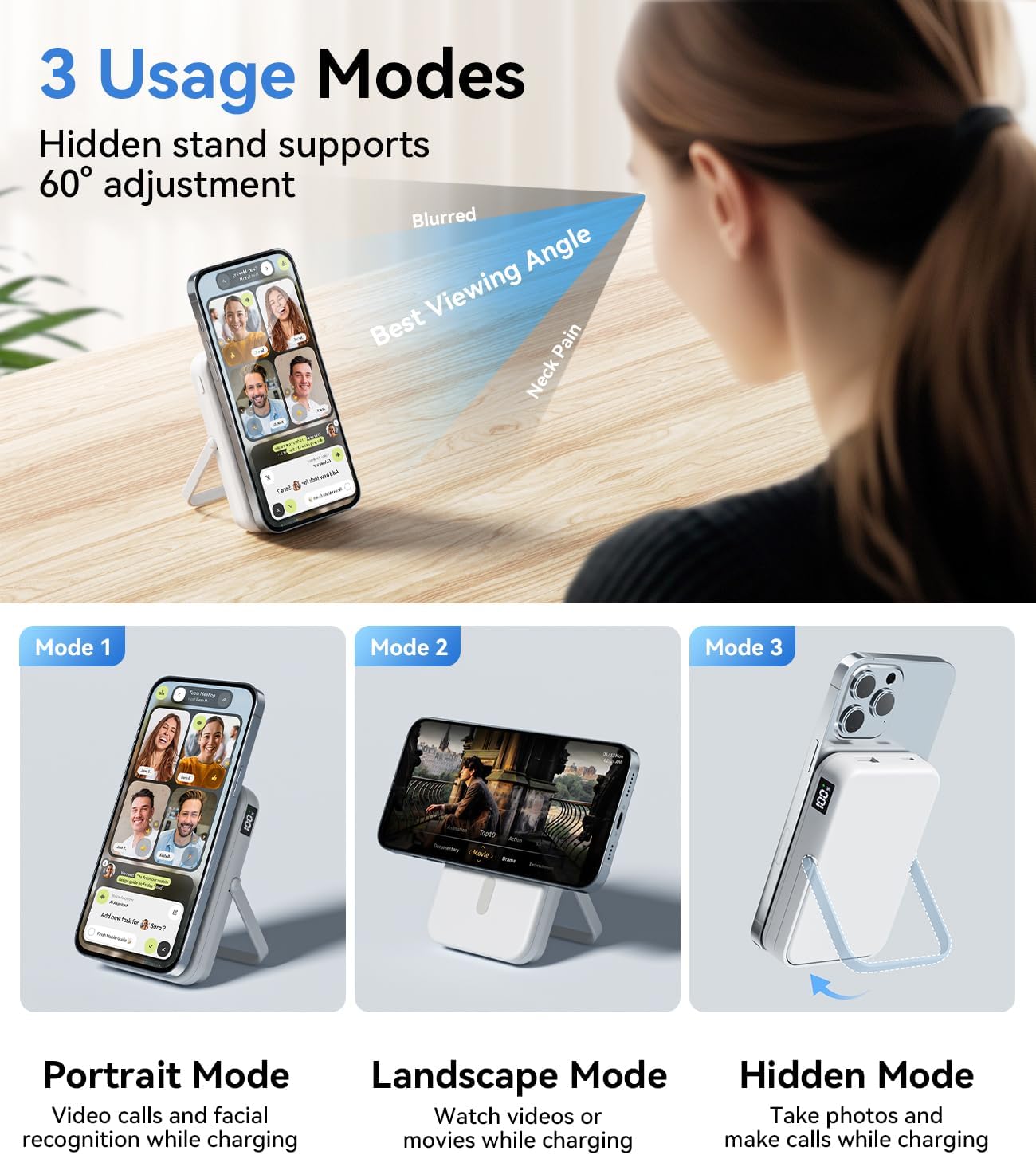
- Integrated Adjustable Stand: Features a built-in stand with a 60-degree optimal viewing angle, supporting both horizontal and vertical phone placement for hands-free use during charging.
- High Capacity: 10000mAh battery capacity, capable of providing approximately two full charges for an iPhone 15.
- Versatile Charging Options: Equipped with USB-C (22.5W output) and USB-A (22.5W output) ports for wired charging, and up to 15W wireless charging. Supports simultaneous charging of up to three devices.
- User-Friendly Design: Compact dimensions (4.1 × 2.7 × 0.68 inches) ensure portability and prevent camera obstruction. Includes a precise LED digital display for real-time power and charging status.
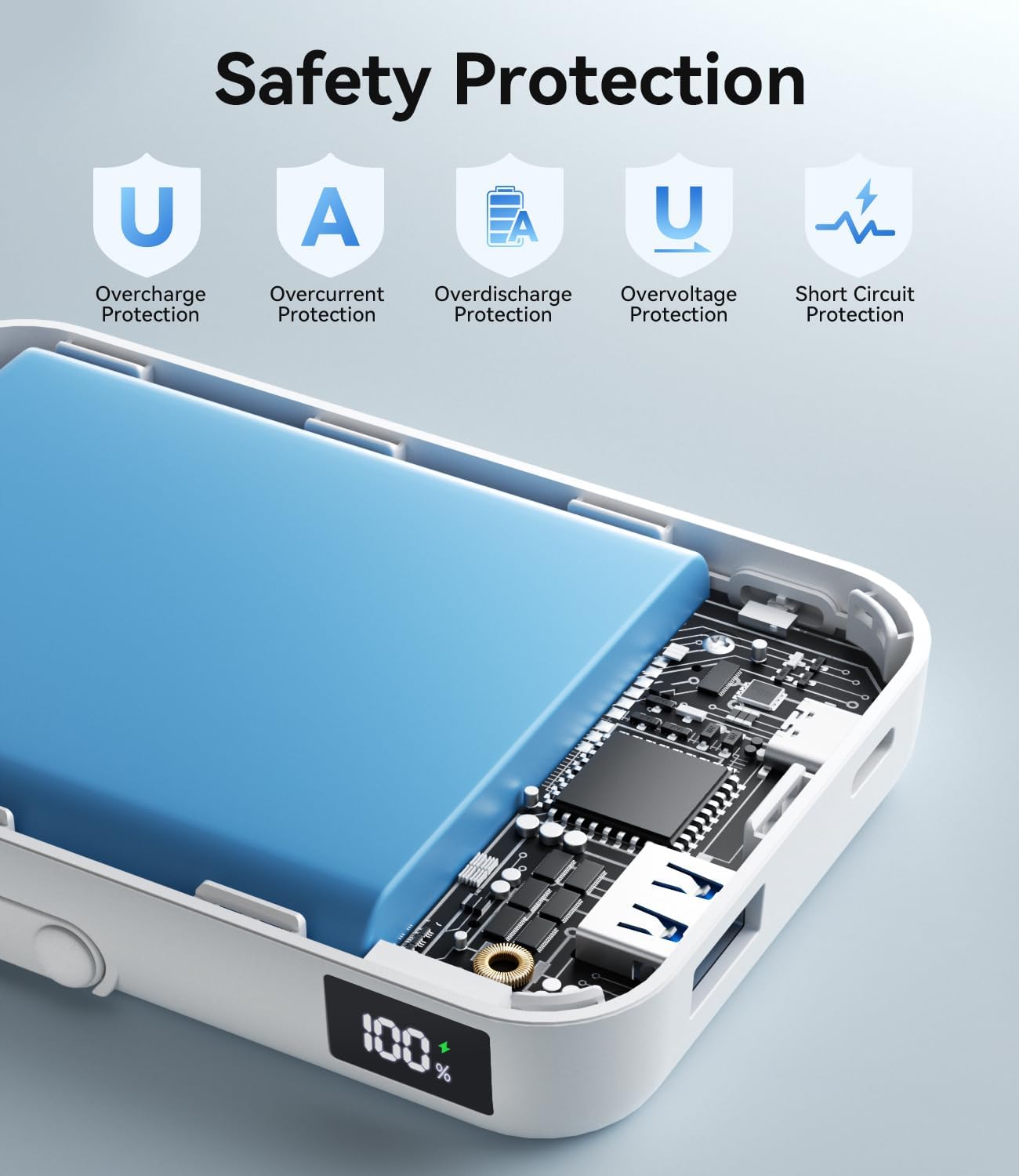
- Multi-Security Protection: Incorporates an upgraded power management chip with safeguards against over-charge, over-current, over-discharge, over-voltage, and short circuits.
2.2 Package Contents
Please check the package for the following items:
- IFIDOL 10000mAh Magnetic Wireless Power Bank (Model W13)
- USB-C Charging Cable
- User Manual
2.3 Product Diagram

3. Setup
3.1 Initial Charging of the Power Bank
- Connect the provided USB-C charging cable to the Type-C port on the power bank.
- Connect the other end of the USB-C cable to a compatible USB wall adapter (not included).
- The LED digital display will show the charging progress. Charge the power bank until the display shows "100%".
- Disconnect the power bank from the charger once fully charged.
It is recommended to fully charge the power bank before its first use.
4. Operating Instructions
4.1 Charging Devices Wirelessly (Magnetic Charging)
- Ensure your iPhone (12/13/14/15/16 series) has a magnetic case or no case for proper magnetic attachment.
- Align the back of your iPhone with the magnetic charging area of the power bank. The magnets will securely attach the phone.
- The power bank will automatically begin wireless charging. The LED display will indicate charging status.
- To stop charging, simply detach your iPhone from the power bank.


4.2 Charging Devices via Cable (Wired Charging)
- Connect your device's charging cable to either the USB-C output port or the USB-A output port on the power bank.
- Connect the other end of the cable to your device.
- The power bank will automatically begin wired charging. The LED display will indicate charging status.
- To stop charging, disconnect the cable from your device and the power bank.

4.3 Using the Integrated Stand
The power bank features a built-in adjustable stand for hands-free viewing while charging.
- Gently pull out the stand from the back of the power bank.
- Adjust the stand to your desired viewing angle, up to 60 degrees.
- Place your magnetically attached iPhone on the stand in either portrait or landscape orientation.
- When not in use, fold the stand back into the power bank until it clicks into place.


5. Maintenance
- Keep the power bank dry and away from moisture.
- Avoid exposing the device to extreme temperatures (hot or cold).
- Clean the surface with a soft, dry cloth. Do not use harsh chemicals or abrasive materials.
- Store the power bank in a cool, dry place when not in use for extended periods.
- Charge the power bank at least once every three months to maintain battery health.
6. Troubleshooting
| Problem | Possible Cause | Solution |
|---|---|---|
| Power bank not charging | Cable not connected properly; faulty cable/adapter; power bank fully charged. | Ensure secure connections. Try a different cable or adapter. Check LED display for "100%". |
| Device not charging wirelessly | Phone not aligned correctly; non-magnetic case; device not compatible; power bank low on battery. | Realign phone. Remove non-magnetic case. Ensure device supports wireless charging. Recharge power bank. |
| Device not charging via cable | Cable not connected properly; faulty cable/port; power bank low on battery. | Ensure secure connections. Try a different cable or port. Recharge power bank. |
| Power bank gets warm during charging | Normal operation during high-power transfer. | This is normal. If it becomes excessively hot, discontinue use and contact support. |
| LED display shows unusual readings | Temporary software glitch; internal issue. | Try restarting the power bank (if applicable) or fully discharging and recharging it. If the issue persists, contact customer support. |
7. Specifications
| Model Number | W13 |
| Battery Capacity | 10000 mAh |
| USB-C Input/Output | Up to 20W |
| USB-A Output | Up to 22.5W |
| Wireless Charging Output | Up to 15W |
| Product Dimensions | 3.93 x 2.75 x 0.78 inches (100 x 70 x 17.5 mm) |
| Item Weight | 8.4 ounces (238 grams) |
| Color | White |
| Compatibility | iPhone 12/13/14/15/16 series (with magnetic cases or no case), other USB-C and USB-A compatible devices. |
8. Safety Information
To ensure safe operation and prevent damage to the device or injury, please observe the following safety guidelines:
- Do not disassemble, repair, or modify the product.
- Do not expose the product to fire, water, or extreme temperatures.
- Avoid dropping or subjecting the product to strong impacts.
- Keep out of reach of children.
- Do not use the product if it is damaged or appears to be malfunctioning.
- Ensure proper ventilation when charging to prevent overheating.
- The power bank is equipped with multiple safety protections including over-charge, over-current, over-discharge, over-voltage, and short circuit protection.
9. Warranty and Support
IFIDOL products come with a commitment to customer satisfaction. For any product-related inquiries, technical support, or warranty claims, please contact our customer service team.
- Customer Response: We aim to provide a response within 24 hours.
- Return Service: Enjoy 365 days of return service for eligible products.
Please refer to your purchase platform or the IFIDOL official website for detailed warranty terms and contact information.