
1. Product Overview
The ULANZI MG10 is a magnetic phone holder designed with an integrated SSD holder clamp, providing a versatile mounting solution for content creators. It is compatible with MagSafe-enabled iPhones and features multiple attachment points for tripods, grips, and other accessories.
Key features include a strong N52 magnetic attraction for secure phone attachment, an adjustable clamp for external SSDs (48-67mm), a 1/4" thread interface for tripods and stabilizers, and a cold shoe mount for microphones or lights. Constructed from aviation-grade aluminum, the MG10 is both sturdy and lightweight, weighing approximately 84g for portability.
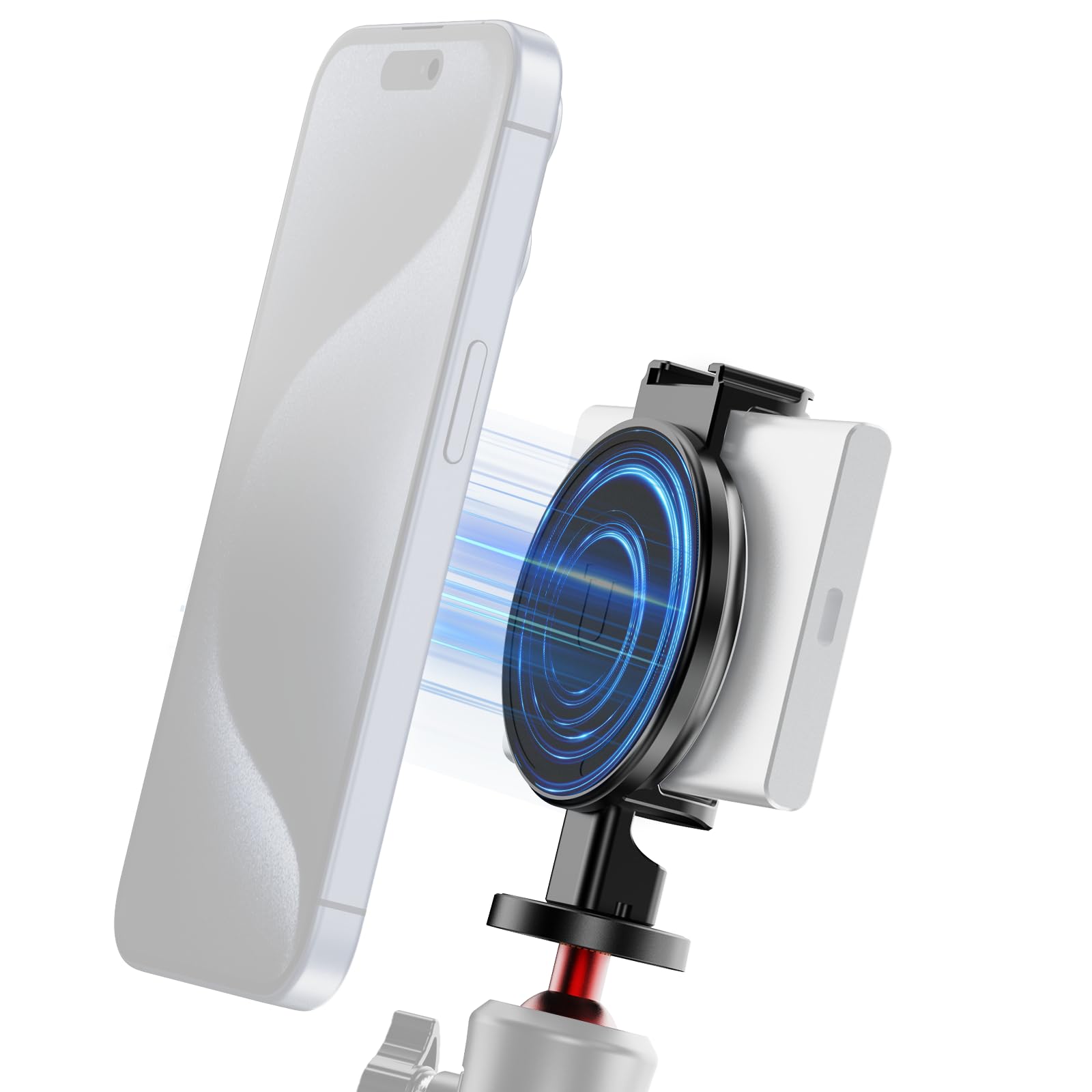
Image 1.1: ULANZI MG10 Magnetic Phone Holder with SSD attached to an iPhone, ready for use.
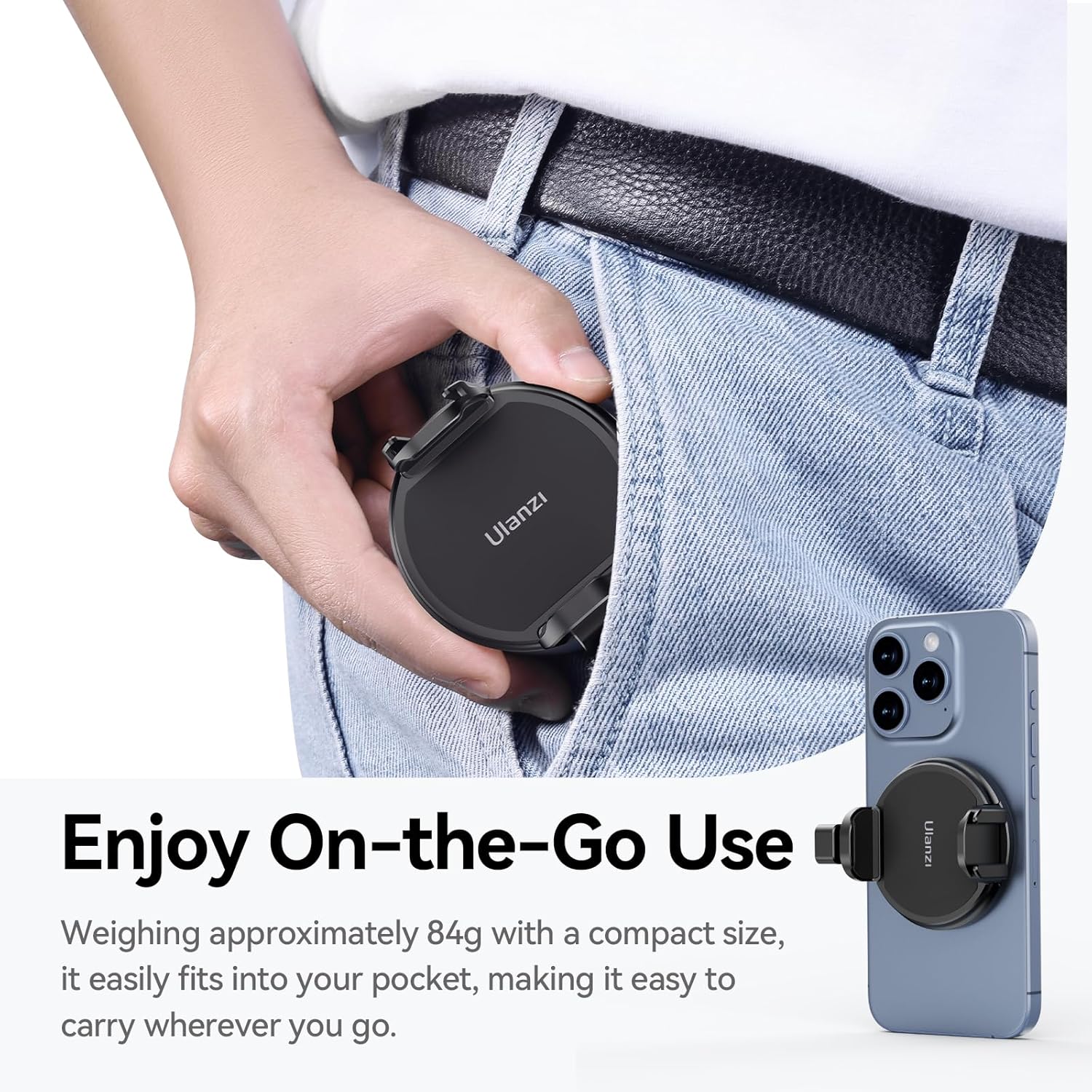
Image 1.2: The compact design of the MG10 allows for easy portability.
2. Package Contents
Verify that all items are present in the package:
- ULANZI MG10 Magnetic Phone Holder with SSD Holder Clamp
- (Note: Additional accessories like tripods, phones, or SSDs are sold separately.)
3. Specifications
| Feature | Detail |
|---|---|
| Brand | ULANZI |
| Model Name | US2-M012 |
| Color | Black |
| Materials | Aluminum, Silicone |
| Item Weight | 0.08 Kilograms (84g) |
| Mounting Type | Magnetic (MagSafe compatible) |
| Compatible Phone Models | iPhone 16/15/14/13/12 Pro Max Pro Plus Mini all series (or MagSafe phone cases) |
| SSD Clamp Width | Adjustable 48-67mm |
| Additional Features | 1/4" Thread Mount, Cold Shoe Mount, Adjustable, Lightweight, Non-Slip, Scratch Resistant |
| Water Resistance Level | Not Water Resistant |

Image 3.1: Detailed specifications and dimensions of the MG10 holder.
4. Setup Instructions
4.1 Attaching Your Smartphone
- Ensure your smartphone is MagSafe compatible or is housed in a MagSafe-compatible case.
- Align the magnetic surface of the ULANZI MG10 holder with the MagSafe area on the back of your iPhone. The strong N52 magnets will securely attach the phone.
- Verify that the phone is firmly attached and does not wobble. The silicone pad on the holder helps prevent scratches and provides a secure grip.
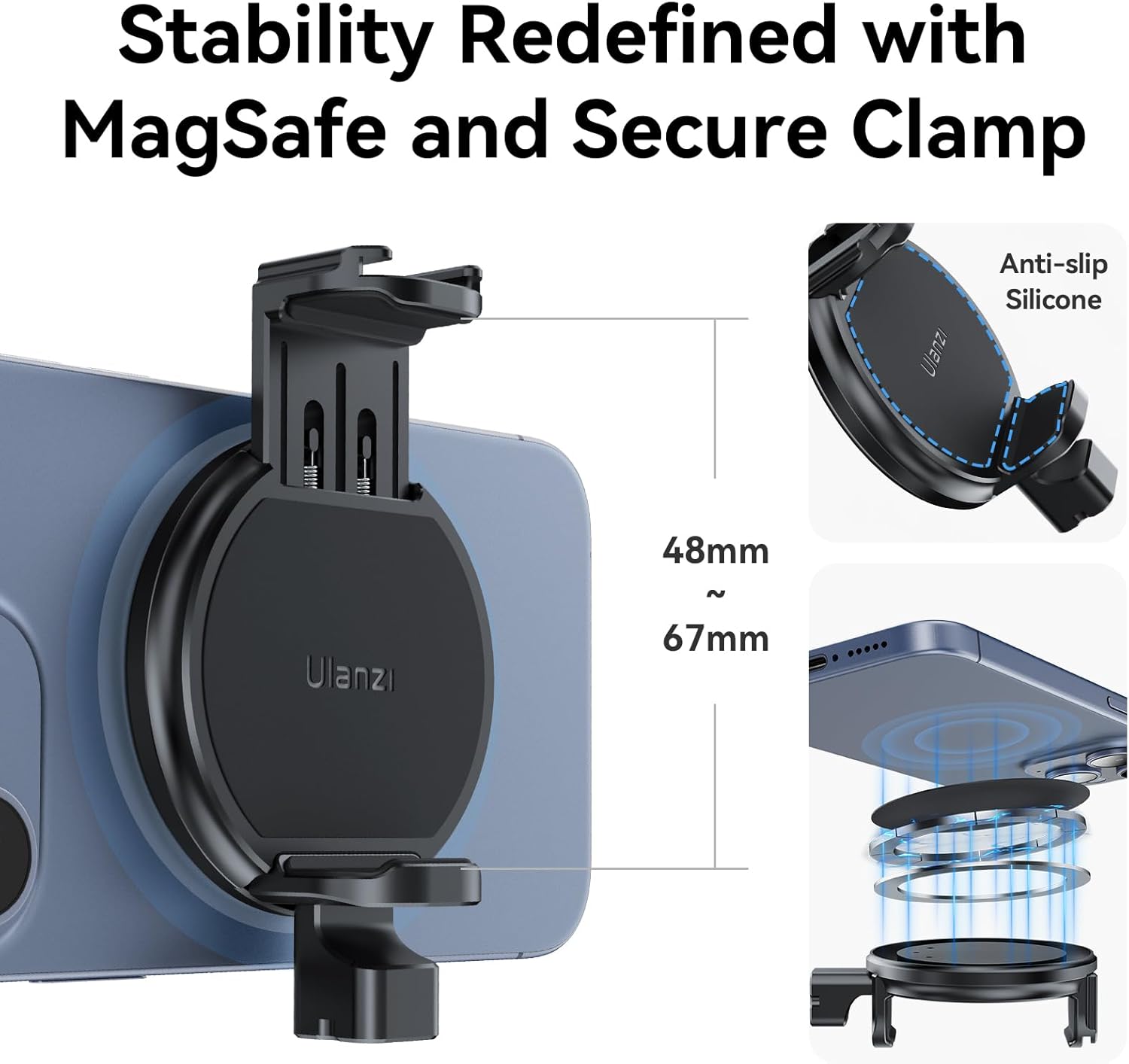
Image 4.1: MagSafe attachment mechanism and SSD clamp detail.
4.2 Attaching an External SSD
- Locate the adjustable clamp on the ULANZI MG10 holder.
- Adjust the clamp width to fit your external SSD (compatible with widths between 48mm and 67mm).
- Carefully insert the SSD into the clamp, ensuring it is held firmly but without excessive force. The clamp features protective padding to prevent damage to your SSD.
- Connect your SSD to your smartphone using an appropriate cable (not included).

Image 4.2: Attaching an external SSD to the holder.
4.3 Mounting to Tripods and Accessories
- 1/4" Thread Mount: The bottom of the MG10 features a standard 1/4" thread interface. Attach it to any compatible tripod, monopod, grip, or stabilizer by screwing it onto the mount.
- Cold Shoe Mount: The top of the MG10 includes a cold shoe mount. Slide compatible accessories such as microphones, LED lights, or other cold shoe-mounted devices into this slot.

Image 4.3: The 1/4" universal mount for tripods and other accessories.

Image 4.4: The cold shoe mount for additional accessories.
5. Operating Instructions
Once your smartphone and SSD are securely attached, and the MG10 is mounted to your desired support, you can begin using it for various content creation needs.
- Video Recording: Utilize the external SSD for high-capacity recording, especially for formats like 4K60 ProRes LOG, directly from your iPhone.
- Photography: Enhance your mobile photography by using the holder with a tripod for stable shots or with external lighting via the cold shoe mount.
- Live Streaming/Vlogging: Mount your phone and accessories for stable and well-lit live streams or vlogs.
- Versatile Setups: The MG10 can be integrated into various setups including phone grips, phone cages, stabilizers, and tripods, adapting to your specific shooting requirements.
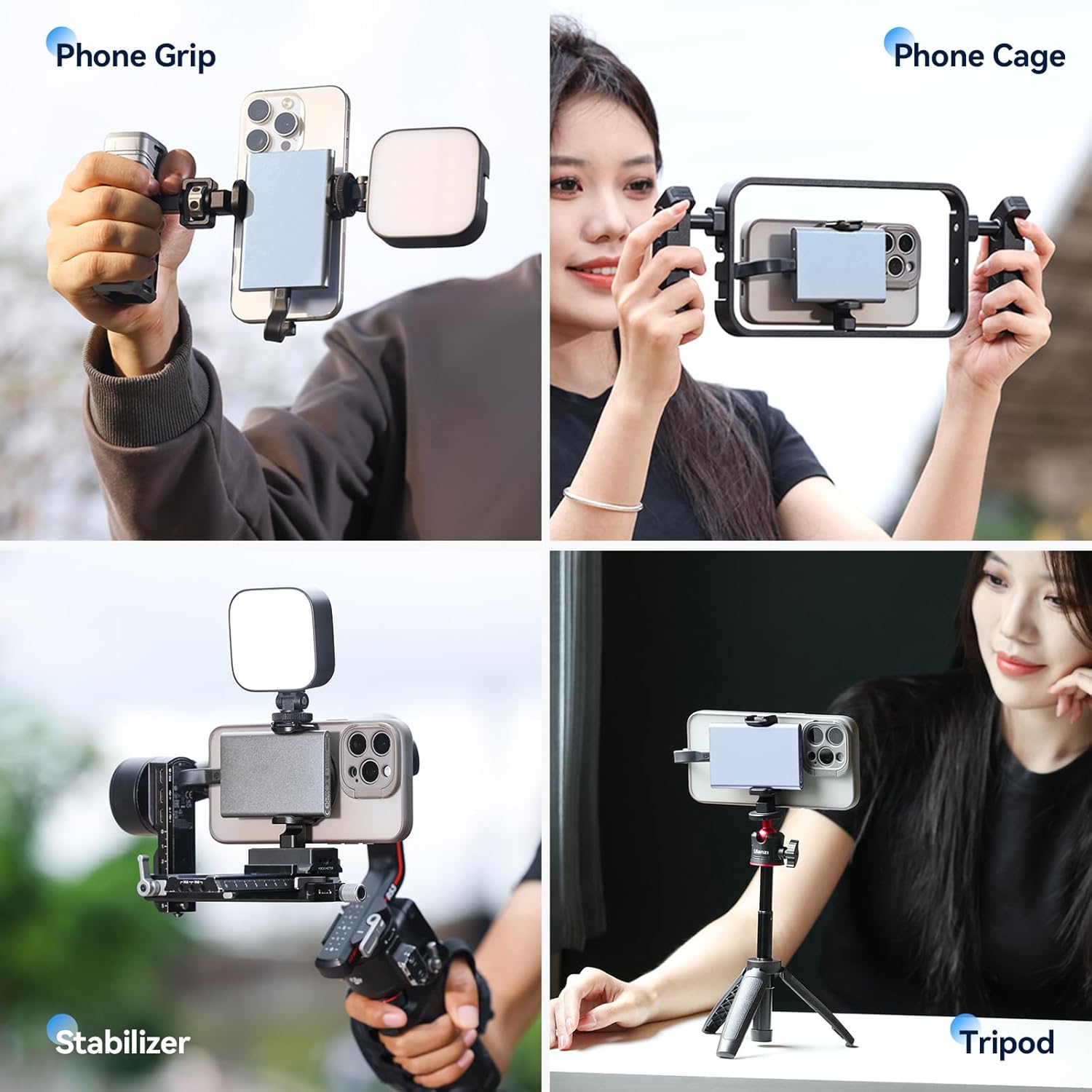
Image 5.1: Examples of the MG10 in various operational setups.
6. Maintenance
To ensure the longevity and optimal performance of your ULANZI MG10 Magnetic Phone Holder, follow these maintenance guidelines:
- Cleaning: Wipe the holder with a soft, dry cloth to remove dust and fingerprints. Avoid using abrasive cleaners or solvents that could damage the finish or silicone pads.
- Storage: Store the holder in a clean, dry place away from extreme temperatures and direct sunlight when not in use.
- Inspection: Periodically check the magnetic surface and SSD clamp for any signs of wear or damage. Ensure all mounting threads are clean and free of debris.
- Avoid Water Exposure: The product is not water resistant. Avoid exposure to rain, splashes, or submersion in water.
7. Troubleshooting
If you encounter issues with your ULANZI MG10, refer to the following common solutions:
- Phone Not Attaching Securely:
- Ensure your phone or phone case is genuinely MagSafe compatible.
- Check for any obstructions (e.g., thick non-MagSafe cases, debris) between the phone and the holder's magnetic surface.
- SSD Not Holding Firmly:
- Verify that your SSD's width is within the 48-67mm adjustable range of the clamp.
- Ensure the clamp is properly tightened around the SSD.
- Accessories Not Mounting:
- For 1/4" thread mounts, ensure the accessory has a compatible screw.
- For cold shoe mounts, ensure the accessory has a standard cold shoe foot and slides in correctly.
If the issue persists, please contact customer support.
8. Warranty and Support
The ULANZI MG10 Magnetic Phone Holder comes with a 1 Year Warranty from the date of purchase. This warranty covers manufacturing defects and issues arising from normal use.
For warranty claims, technical assistance, or any product-related inquiries, please contact ULANZI customer support through their official website or the retailer where the product was purchased. Please have your proof of purchase and product model number (US2-M012) ready when contacting support.