1. Introduction and Overview
This manual provides essential information for the safe and effective use of your Amazfit GTS 4 Mini New smartwatch. Please read it thoroughly before operating the device.
The Amazfit GTS 4 Mini New is a lightweight and feature-rich smartwatch designed for health and fitness tracking, offering over 150 sports modes, built-in GPS, and Alexa voice assistant integration. It operates on the optimized Zepp OS, providing a smooth user experience.

Image: The Amazfit GTS 4 Mini New Smartwatch, showcasing its sleek design and vibrant display.
2. Setup
2.1 Initial Charging
Before first use, fully charge your Amazfit GTS 4 Mini New. Connect the provided USB charging cable to the watch's charging port and a compatible USB power adapter (not included). The watch display will indicate charging status.
2.2 Pairing with Your Smartphone
- Download the Zepp App from your smartphone's app store (iOS or Android).
- Open the Zepp App and create an account or log in.
- Turn on your smartwatch. Follow the on-screen instructions to select your language.
- In the Zepp App, navigate to 'Profile' > 'My Devices' > 'Add device' and select 'Watch' > 'Watch with a QR code'.
- Scan the QR code displayed on your smartwatch screen using the Zepp App.
- Confirm the pairing request on both your smartphone and the smartwatch.
Once paired, the watch will synchronize data with the app, and you can customize settings.
2.3 Alexa Setup
To use the built-in Alexa voice assistant, ensure your watch is connected to your smartphone and has an active internet connection. Open the Zepp App, go to your device settings, and follow the instructions to link your Amazon account for Alexa functionality.

Image: A user interacting with the Amazfit GTS 4 Mini New to control Alexa devices, demonstrating the built-in Alexa feature.
3. Operating Instructions
3.1 Basic Navigation
- Touch Screen: Swipe up, down, left, or right to navigate through menus and notifications. Tap to select items.
- Side Button: Press the side button to return to the watch face or access the app list. A long press can be customized for quick access to a specific function.
3.2 Sports Modes
The watch supports over 150 sports modes. To start a workout:
- Swipe right on the watch face or press the side button to access the app list.
- Select the 'Workout' or 'Sports' app.
- Choose your desired sports mode (e.g., Outdoor Running, Cycling, Swimming).
- Tap 'Go' to begin tracking. The watch will display real-time data such as duration, heart rate, and calories burned.

Image: The Amazfit GTS 4 Mini New displaying the 'Outdoor running' sports mode, indicating its capability to track various physical activities.
3.3 GPS Tracking
The Amazfit GTS 4 Mini New features built-in GPS, GLONASS, Galileo, BDS, and QZSS for high-precision outdoor activity tracking. Ensure GPS is enabled in your workout settings for accurate route and distance recording.

Image: The Amazfit GTS 4 Mini New showing GPS tracking data for an outdoor run, with a map overlay indicating the route.
3.4 Health Monitoring
The watch continuously monitors your heart rate, sleep patterns, and stress levels. View detailed data in the Zepp App. Set up alerts for abnormal heart rates or prolonged inactivity through the app.
3.5 Notifications and Daily Functions
Receive smartphone notifications directly on your watch. The device also offers various daily tools including password protection, Bluetooth camera control, calendar, to-do lists, alarms, world clock, stopwatch, Pomodoro timer, and weather updates.

Image: A comparison of two Amazfit GTS 4 Mini New smartwatches displaying different watch faces, highlighting the customization options.
4. Maintenance
4.1 Cleaning Your Device
Regularly clean your smartwatch and strap to prevent skin irritation and maintain functionality. Use a soft, lint-free cloth. If necessary, dampen the cloth with a small amount of water. Avoid harsh chemicals or abrasive materials.
4.2 Water Resistance
The Amazfit GTS 4 Mini New has a 5 ATM water resistance rating, meaning it can withstand pressures equivalent to a depth of 50 meters. It is suitable for showering, swimming in pools, and shallow-water activities. It is not suitable for diving, waterskiing, or other activities involving high-velocity water or submersion below shallow depth.
4.3 Battery Care
The device offers an average battery life of 12 days under typical usage. To maximize battery longevity:
- Avoid extreme temperatures.
- Do not allow the battery to fully discharge frequently.
- Use the original charging cable.
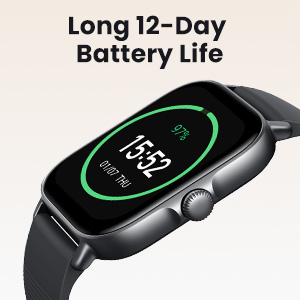
Image: The Amazfit GTS 4 Mini New display showing battery percentage and time, illustrating its long battery life.
5. Troubleshooting
5.1 Device Not Turning On
Ensure the device is fully charged. If it still does not turn on, try connecting it to the charger for at least 30 minutes.
5.2 Pairing Issues
- Ensure Bluetooth is enabled on your smartphone.
- Make sure the watch is within range of your smartphone.
- Restart both your smartphone and the smartwatch.
- Clear the Bluetooth cache on your smartphone (Android only).
- Try unpairing and re-pairing the device through the Zepp App.
5.3 Inaccurate GPS Data
For best GPS accuracy, ensure you are in an open outdoor area with a clear view of the sky. Avoid starting workouts in areas with tall buildings or dense foliage. Allow the watch a few moments to acquire a GPS signal before starting your activity.
5.4 Short Battery Life
If your battery life is significantly shorter than expected, consider:
- Reducing screen brightness.
- Disabling Always-On Display.
- Limiting background app refresh.
- Reducing the frequency of heart rate monitoring.
6. Specifications
| Feature | Specification |
|---|---|
| Brand | Amazfit |
| Model | A2035 |
| Operating System | Zepp OS |
| Screen Size | 1.75 inches |
| Display Type | Digital (AMOLED) |
| Connectivity | Bluetooth |
| GPS | Built-in (GPS, GLONASS, Galileo, BDS, QZSS) |
| Water Resistance | 5 ATM |
| Average Battery Life | 12 Days |
| Product Weight | 110 g |
| Product Dimensions | 11.3 x 11.2 x 7.2 cm |
| Compatible Devices | Smartphone, Tablet |
| User Input | Touch screen |
7. Warranty Information
The Amazfit GTS 4 Mini New (Model A2035) comes with a manufacturer's warranty of 1 year from the date of purchase. This warranty covers manufacturing defects under normal use. Please retain your proof of purchase for warranty claims.
For detailed warranty terms and conditions, please refer to the official Amazfit website or contact customer support.
8. Support
For further assistance, technical support, or to access frequently asked questions, please visit the official Amazfit support website:
Visit Amazfit Official Website
You can also contact Amazfit customer service through the contact information provided on their website.